How to Watch 3D Movies at Home in 2026
How we researched this: written by Owl3D from published sources, all 48 listed at the end.
Short answer
Yes, you can watch 3D movies at home in 2026, and you do not need a 3D TV. The films come from 3D Blu-ray discs, from movie stores inside headsets, or from 2D video converted to 3D.
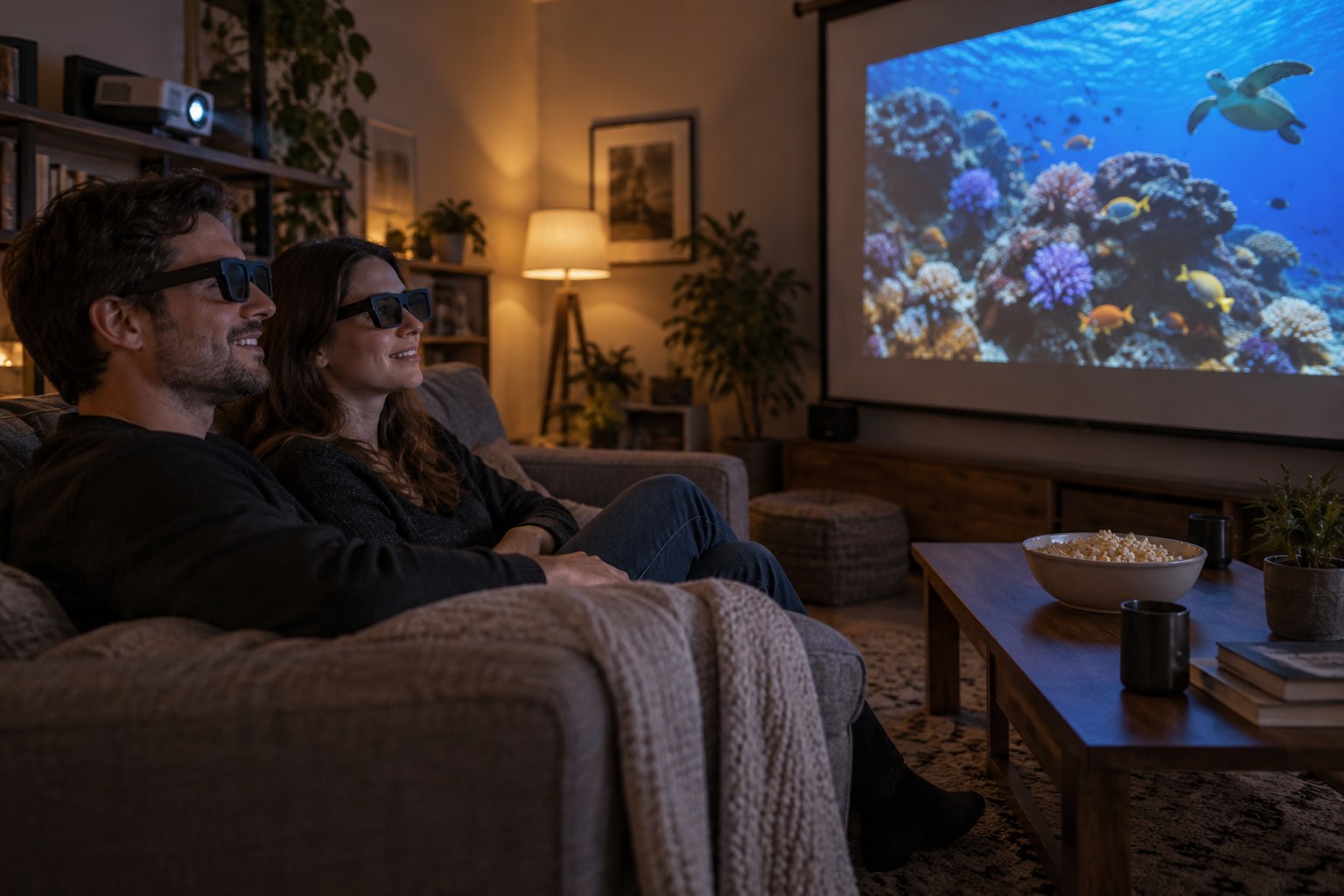
Watching a 3D film at home with a projector and 3D glasses. Illustration made with AI (OpenAI GPT Image 2.5), not a photograph.
Key takeaways
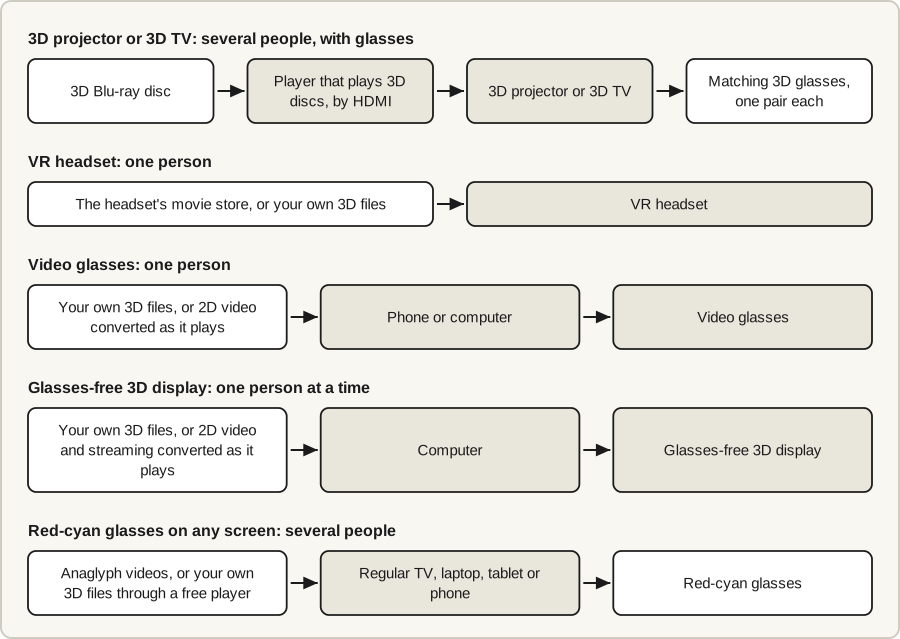
- There are six ways: a 3D projector, an older 3D TV, a VR headset, video glasses, a glasses-free 3D display, or red-cyan glasses on any screen. See the six ways compared.
- For a big screen that several people share, use a 3D projector with a 3D Blu-ray player; for one viewer, a headset is simpler. See the setups.
- Netflix has no 3D, and Disney+ shows it only in a headset. Meta has announced Disney+ in 3D from November 2026 and a 3D film store for Quest; see streaming, service by service.
- A regular TV shows only anaglyph 3D, through red-cyan glasses; see regular TVs.
- A newer route: an Owl3D Shift converts any 2D film you can already play on a computer to 3D instantly, as it plays, from a disc, a file or a streaming site in a browser. It is an AI conversion, not the studio's 3D version; see Setup 3.
Quick picks
- Several people, a big picture, or a shelf of 3D Blu-raysa 3D projector and a 3D Blu-ray player
- One person, the most films to choose fromApple Vision Pro, at the highest price
- One person, far lower costa Meta Quest; its 3D film store is announced, not open yet
- At a desk, with a capable computer, no glassesa glasses-free 3D display
- Just curiousred-cyan glasses and a free player
On this page "3D" means stereoscopic 3D: each eye gets its own, slightly different picture, as in a 3D theater.
Six ways to watch 3D movies at home, compared
Prices are US prices for new products, from the pages cited, opened on October 7, 2026.
| Method | Cost | Who can watch | 3D glasses? | What it plays | Effort |
|---|---|---|---|---|---|
| 3D projector | From $499, plus a player and glasses [1] | Several people | Yes | 3D Blu-ray discs | Medium to high |
| 3D TV | Used or old stock, plus a player | Several people | Yes | 3D Blu-ray discs | High |
| VR headset | $349.99 to $3,499 [2][3] | One person | No, you wear the headset | The headset's movie store, or your own 3D files | Low to medium |
| Video glasses (AR or XR glasses) | $349 to $599 [4][5] | One person | No, they are the screen | Your own 3D files, or 2D video converted as it plays | Low to medium |
| Glasses-free 3D display | $499 to $1,399.99, plus a computer [6] | One person at a time | No | Your own 3D files, or 2D video and streaming converted as it plays | Medium |
| Red-cyan glasses (anaglyph) on any screen | The lowest: paper glasses and a free player [7][8] | Several people | Yes, red-cyan | Anaglyph videos, or your own 3D files through a free player | Low |
Notes on each of the six ways: what the table leaves out
What the table leaves out:
- 3D projector. The biggest picture, in a darkened room: sunlight washes it out [10].
- 3D TV. No major brand has made one since 2017 [12], so sets are bought used or from specialist sellers; 3D TVs in 2026 covers where. It does the same job as a projector at a smaller size, if you find a good one.
- Disc players. A projector and a 3D TV are what a disc player plugs into.
- VR headset. Which films you can buy depends on the headset; see the service table.
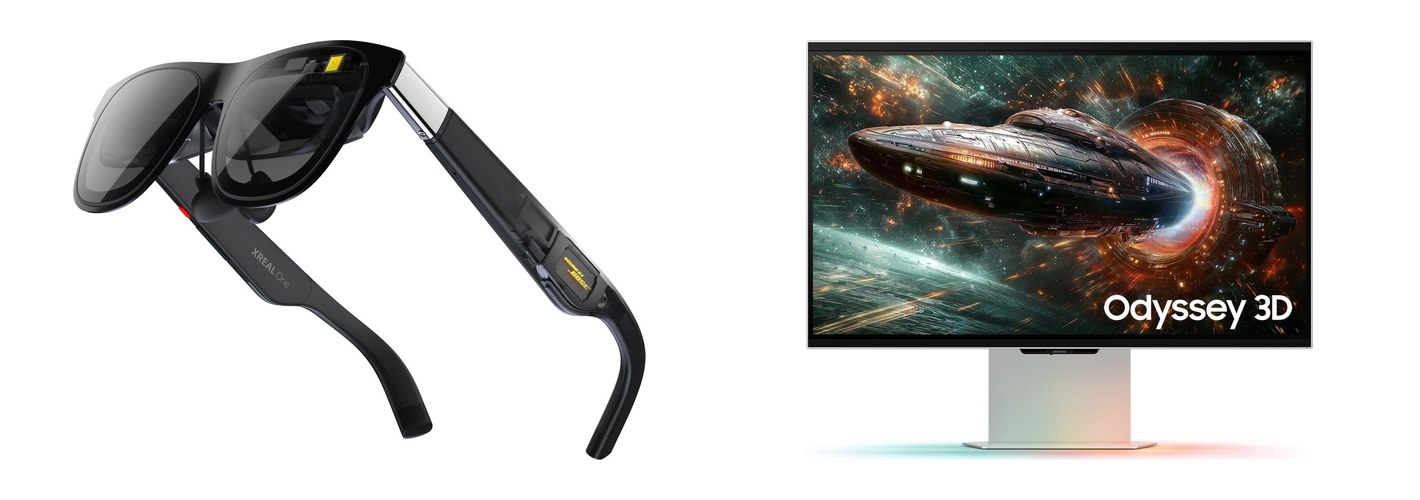
- Video glasses. They plug into a phone or computer and show side-by-side 3D video at up to 1920×1080 for each eye [15].
- Glasses-free 3D display. The two in the price table below are desk monitors, and eye-tracked displays of this kind show 3D to one viewer at a time [16]. They show your own 3D files, and ordinary films and streaming converted to 3D.
- Red-cyan glasses (anaglyph). The one method that works on a regular TV, laptop, tablet or phone (Setup 4). Color suffers, and long viewing can be uncomfortable [7].
What nine devices cost in October 2026: a projector, four headsets, two video glasses and two glasses-free displays
| Product | Method | Price |
|---|---|---|
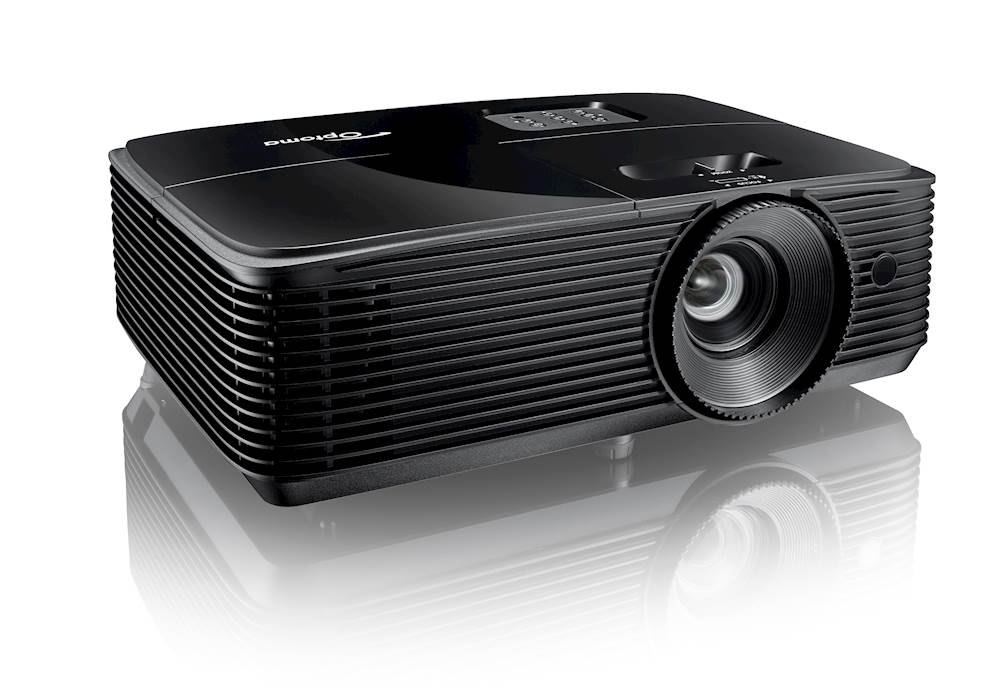
| Optoma HD146X | 3D projector | $499 [1] |
| Meta Quest 3S | VR headset | From $349.99 [2] |
| Meta Quest 3 | VR headset | $599.99 [2] |
| Samsung Galaxy XR | VR headset | From $1,799.99 [14] |
| Apple Vision Pro | VR headset | From $3,499 [3] |
| XREAL One | Video glasses | $349 on sale, $499 regular [4] |
| XREAL One Pro | Video glasses | $599 [5] |
| Owl3D Shift, 14 inches | Glasses-free 3D display | $499 |
| Samsung Odyssey 3D, 27 inches | Glasses-free 3D display | $1,399.99 [6] |
The Optoma price is from ProjectorCentral's list of 3D projectors [1]. Owl3D, the publisher of this guide, makes the Shift.
Last checked : US prices.
The first thing to settle is the TV you already own.
Can you watch 3D movies on a regular TV, or turn it into a 3D TV?
Not the kind of 3D you see in a theater. A regular TV, smart or not, shows the same picture to both eyes, and glasses alone do not change that. Polarized glasses, including the RealD kind handed out at theaters, work only with a screen that polarizes the two pictures differently, as the 3D TVs from LG and Vizio did with polarizing stripes laid over the panel [13]. No add-on gives a regular TV that layer.
What does work on a regular TV, laptop, tablet or phone is anaglyph 3D: a video made in two overlaid colors and watched through red-cyan glasses [7]. Setup 4 shows how. For full-color 3D, keep the TV for 2D and add one of the other methods.
Where to watch 3D movies at home in 2026
You cannot count on streaming a 3D film to a TV any more. The films come from three places: discs, the stores inside headsets, and 2D video converted to 3D.
3D Blu-ray discs
Discs are the main way to put a studio's 3D film on a TV or projector, and new ones still come out: Avatar: Fire and Ash arrived on 3D Blu-ray in the US on May 19, 2026 [9]. New releases, and where to buy and rent discs, are in 3D Blu-ray in 2026; one film has its own page, Avatar in 3D at home.

Why a 3D Blu-ray disc does not play in a headset
Digital 3D and streaming, service by service
| Service | 3D movies in October 2026? | Where the 3D plays |
|---|---|---|
| Apple TV app | Yes, to buy or rent [19] | Apple Vision Pro only |
| Disney+ | Yes [21] | Apple Vision Pro today; announced by Meta from November 2026, headsets not named [25] |
| Google TV | Yes, to buy or rent, as reported in December 2025 [22] | Samsung Galaxy XR only |
| Netflix | No [26] | Nowhere |
| Amazon Prime Video | None that we found [27][28][29] | Not confirmed |
Last checked : which services list 3D movies.
None of the headset stores reaches a TV, projector, phone or computer [20][22].
What Meta announced on September 23, 2026. Disney+ will stream films in 3D "in select countries" from November. Peacock, HBO Max and Paramount+ "are also offering their 3D media catalogs for the very first time". A store to rent or buy 2D and 3D films opens "later this year on Meta Quest in the US". A lighter headset, Meta VR Glasses, goes on sale in spring 2027 at $1,299.99 [25]. The post does not name the countries, or say which headsets get the streaming services' 3D films or when Peacock, HBO Max and Paramount+ start. On October 7, 2026, Disney+'s listing in Meta's store still described 2D viewing [24].
Three more services (Meta Quest store, Fandango, YouTube), the detail behind each row, and what we could not confirm
| Service | 3D movies in October 2026? | Where the 3D plays |
|---|---|---|
| Meta Quest store | Not yet [25] | Until it opens, a Quest plays the 3D files you bring |
| Fandango (formerly Vudu, then Fandango at Home) [32][33] | Not confirmed [30] | 3D films bought earlier reportedly stayed in buyers' libraries [30] |
| YouTube | 3D videos uploaded by creators, free [31] | See where to find 3D videos |
The detail behind the rows:
- Apple TV app. FlatpanelsHD's database marked 322 titles as 3D when we checked [20].
- Google TV. More than 50 films as of December 2025 [22].
- Fandango. By customer reports, its 3D catalog was almost entirely withdrawn in 2025 [30]. Search results and AI answers still point to Fandango for 3D; treat that as out of date until you have checked it yourself.
What we could not confirm:
- Amazon Prime Video. We found no 3D movies there, and have not confirmed it from a US browser.
- Fandango. The reports come from customers on the Blu-ray.com forum [30]. We found no statement from Fandango and could not open its store from outside the US.
Our streaming guide has the dated evidence for every service, and Netflix, Prime Video and Disney+ each have a short answer in the FAQ below.
2D video converted to 3D
Software can estimate the depth in ordinary video and build a second view for the other eye. The result is an estimate, not the 3D version the studio made. It comes in two forms.
Instantly, as it plays. Some products convert while you watch, with no file to prepare: XREAL's One series does it in the glasses [15], Samsung lists "AI 3D Video Conversion" among the Odyssey 3D's features [6], and the Owl3D Shift and a Meta Quest headset get it in real time from the Owl3D app on a computer (Setup 3).
As a file. A converter app turns a 2D video file you have the right to use into a 3D file before you watch, which takes time. It saves the file in a layout such as side-by-side (SBS), in which the two eyes' pictures sit next to each other in one frame. Setup 3 covers the converter Owl3D makes, which is built for quality rather than speed.
3D movies to watch at home
Five picks from three critics' lists of the best 3D movies (Rotten Tomatoes, SlashFilm and Inverse), with how to watch each in 3D at home.

Last checked : where each film is sold in 3D.
More films, with disc and digital status for each and separate lists for animation, horror and documentaries, are in the best 3D movies.
How to watch 3D movies at home, step by step
Four setups follow, one for each kind of screen: a projector or 3D TV, a headset, a glasses-free display, and a regular screen with red-cyan glasses.
Setup 1: 3D Blu-ray on a projector or 3D TV
- Confirm the display shows 3D. A projector's spec sheet should list a 3D mode such as "Full HD 3D" [1]. For a TV, see "How do I know if my TV is 3D capable?" in the FAQ below.
- Connect a player that plays 3D discs. Use an HDMI cable from the player to the display.
- Get glasses that match the display. You need one pair for each viewer; active glasses run on batteries and cost more than passive ones [10].
- Play the disc and put on the glasses. If the picture is not in 3D, look for a 3D setting in the display's picture menu.
For the glasses, see types of 3D glasses; the projector guide lists which glasses each model needs.
Setup 2: a VR headset
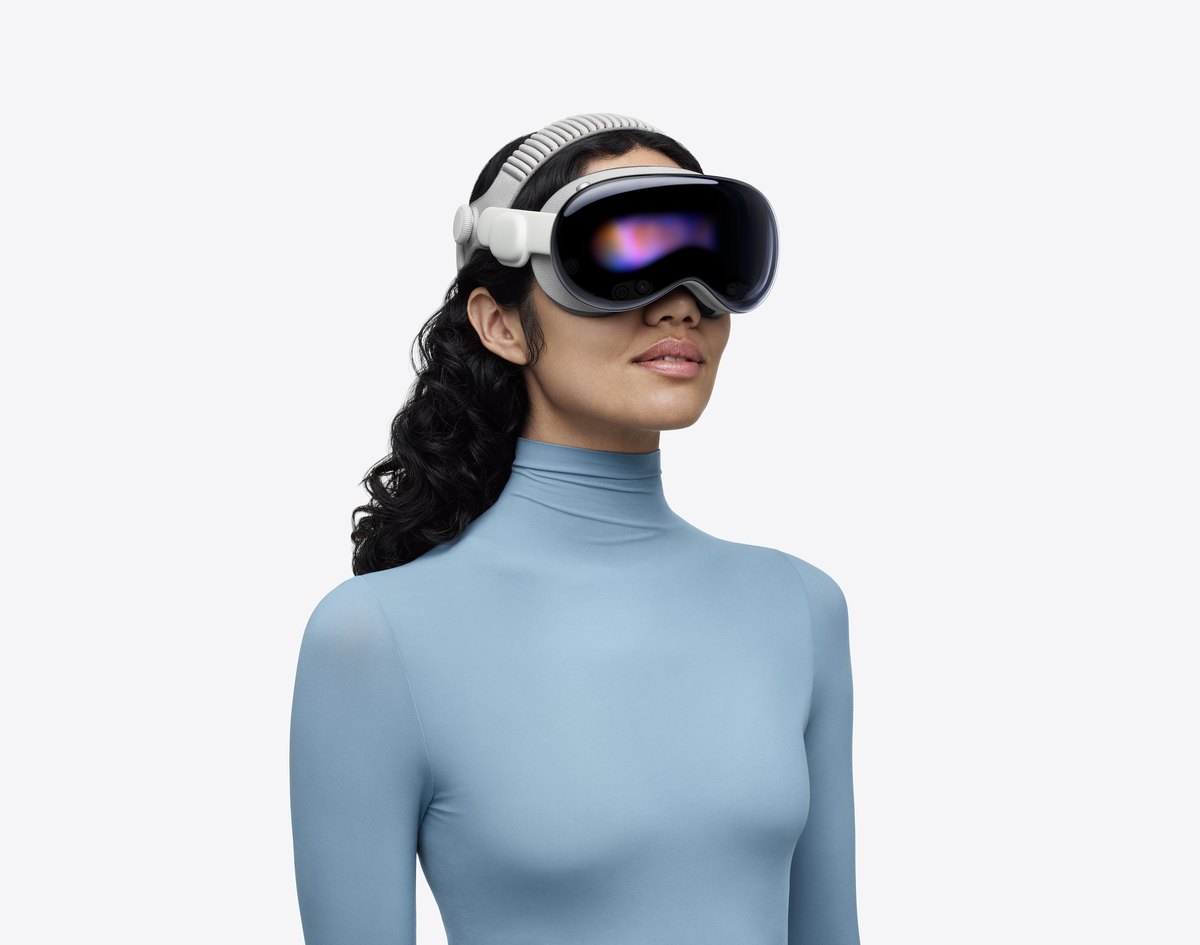
Apple Vision Pro. Open the Apple TV app, tap Vision or Search in the tab bar and choose "3D movies". Pick a film, buy or rent it, then tap Play and choose "Play in 3D" [19].
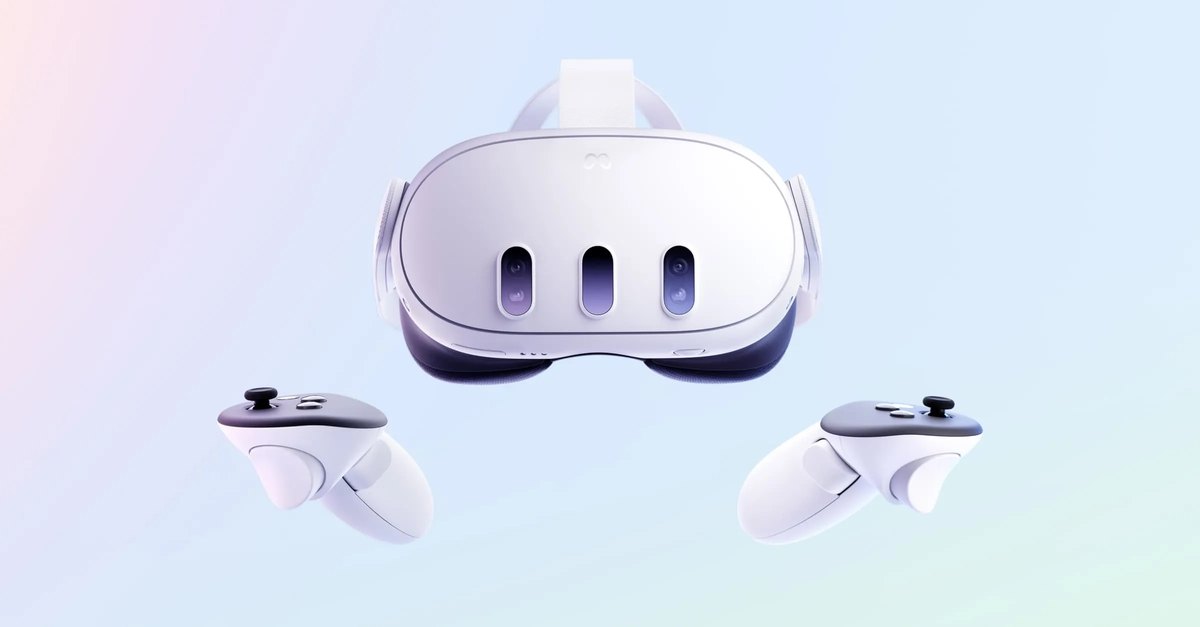
Meta Quest.
- Start with a side-by-side 3D video file. Use one you shot in 3D (see 3D cameras in 2026), or a 2D video you converted.
- Install a player app. Bigscreen plays video files stored on the headset, in side-by-side or over-under 3D [34]. Skybox does the same and can also stream files from a computer or a network drive [35].
- Open the file. If it does not appear in 3D, set the player's 3D mode to match the file's layout.
A Quest can also show 2D video from a Windows PC in 3D as it plays, through Owl3D Link; see Setup 3. More detail is in how to watch movies in VR.
Setup 3: a glasses-free 3D display (Owl3D Shift)
Owl3D, the publisher of this guide, makes the Shift, a 14-inch glasses-free 3D display that sits beside a computer as a second monitor. It is not a TV, and a disc player or game console cannot be plugged straight into it.
The Shift converts any 2D film you can already play on the computer to 3D instantly: a DVD or Blu-ray disc in a player program, a video file, or a streaming site in a browser. The Owl3D app converts the picture in real time as you watch, with no waiting and no file to prepare.
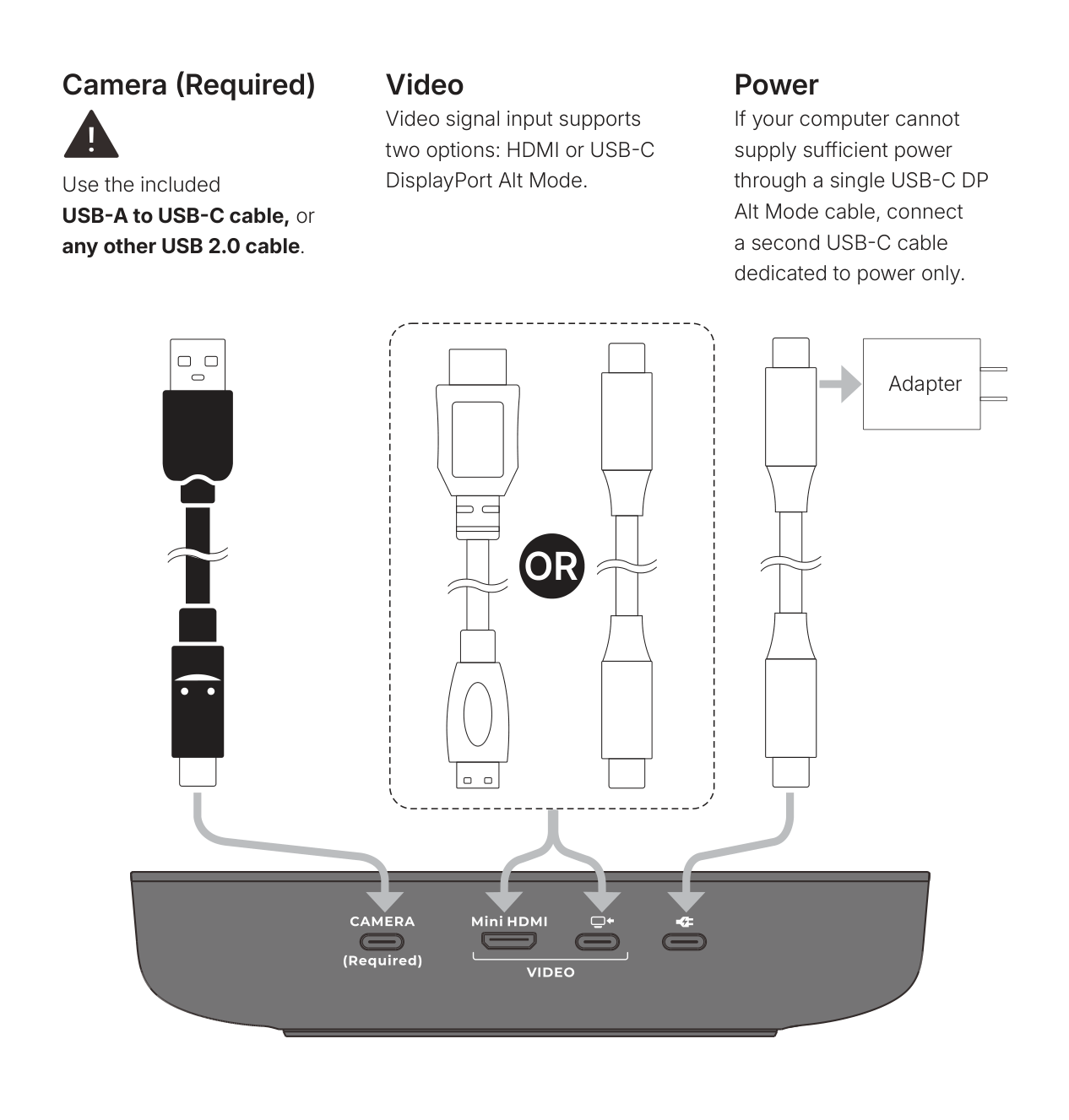
Connect the Shift and its eye-tracking camera to a computer and open the Owl3D app.
To watch an ordinary 2D film or a streaming service, converted to 3D:
- Start Live 3D Screen. It is in the Owl3D app.
- Drag the video's window onto the Shift. The window can be a media player or a browser. The app converts it from 2D to 3D instantly, as it plays.
- For a copy-protected service, use a web browser. For Netflix or another copy-protected streaming service, first turn off hardware acceleration in the browser's settings (the Owl3D app calls it "graphics acceleration"). With it left on, the picture comes out black.
Owl3D's tutorial video shows the setting. This is confirmed for streaming in a web browser only. Check your streaming service's terms of use. This is not legal advice.
Requirements and limits:
- Conversion. Live 3D Screen is an AI conversion of the 2D picture, not the film's own 3D version.
- Computer. Live 3D Screen needs a Windows PC with an NVIDIA RTX 30-series graphics card or newer, or a Mac with Apple Silicon. Playing existing 3D files needs less.
- One viewer. The Shift shows 3D to one person at a time; when several people take turns, it finds the person who should be seeing it and switches to them.
More on the Shift: which Mac, the coming 3D video player, and playing a 3D file you already have
- Mac. An M1 Pro chip or better is recommended; a MacBook Air works, but the picture can stutter unless the laptop is kept cool.
- Coming soon. A native 3D video player for the Shift.
To play a 3D file you already have (Full side-by-side, Half side-by-side or top-bottom):
- Start Stereo 3D Playback. Open the Stereo 3D Playback tab and press Start. Leave the format on Auto, or choose Side-by-side or Top-bottom to match the video.
- Play the video on the Shift's screen. Use the media player or browser you already use. The Shift detects the picture and shows it in 3D; it is not tied to one player.
Owl3D converts two other ways: instantly on a Meta Quest, or from a file for the highest quality.
- Instantly, on a Meta Quest. Owl3D Link shows ordinary 2D video from a Windows PC in 3D in the headset: the Owl3D app on the PC converts it in real time and sends it to the headset wirelessly.
- From a file, for quality. The Owl3D desktop app for Windows and Mac is also an AI 2D-to-3D converter. It is not instant: it turns 2D video files you have the right to use into 3D files, on your own computer, and it is where Owl3D's best 3D comes from. It saves side-by-side, half side-by-side or top-bottom, and on a Mac it can also save Spatial Video for Apple Vision Pro. Side-by-side is the layout that headset player apps [34][35], video glasses [15], some 3D projectors [11] and the Shift accept. The app has a free tier and paid plans.
- StereoGen, coming soon. StereoGen is the converter's highest-quality model. The live routes convert at once with a lighter model; StereoGen takes hours to convert a film on an NVIDIA RTX graphics card and gives a better result. Owl3D describes it as "Hollywood-grade 3D at the highest quality".
Setup 4: red-cyan glasses on a regular TV, laptop, tablet or phone
- Get red-cyan glasses. Wear them with the red lens over the left eye, which matches VLC's default setting [17].
- Open a side-by-side 3D file in VLC on a computer. VLC is a free player [8]; turn on its "Anaglyph 3D" video filter [17].
- Connect the computer to the TV. To see the picture on a TV, use an HDMI cable.
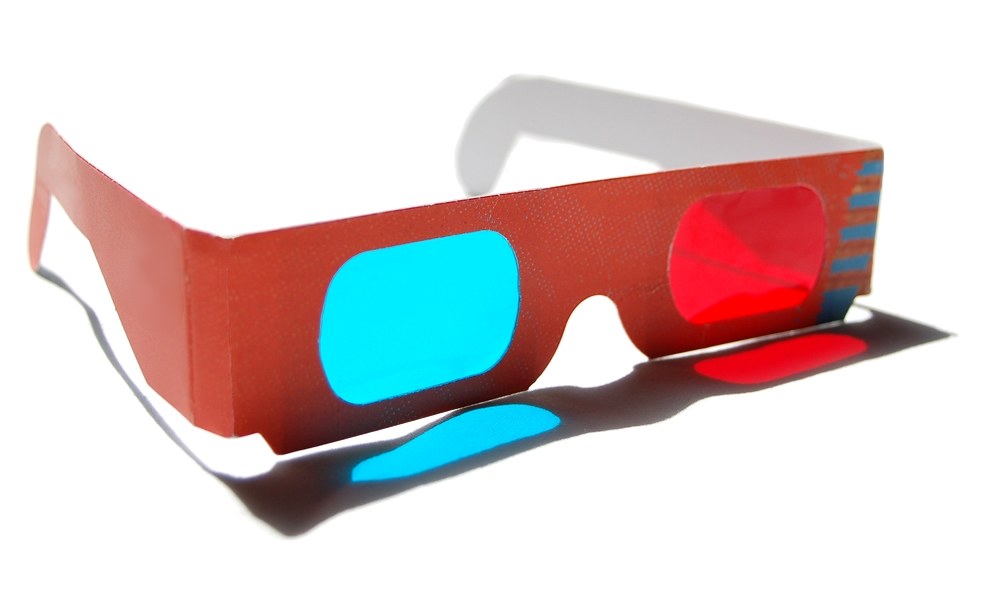
On a tablet or phone, play a video that was made in anaglyph. Its ordinary 2D screen can show no other kind of 3D on its own.
Android phones with video glasses, and tablets with glasses-free 3D screens
An Android phone can also feed a pair of video glasses: XREAL's instructions for its 3D mode cover a phone connected straight to the glasses [15]. For the few tablets built with glasses-free 3D screens, see watching 3D without glasses.
Frequently asked questions
How do I know if my TV is 3D capable?
Start with its age: a TV from a major brand that is newer than 2017 does not have 3D [12]. For an older set, find the full model number, on the label on the back, and read that model's spec sheet. A 3D set says so: Samsung's sheet for its 2015 JU7100, for example, lists "3D Experience with Optional Active Glasses" [46]. 3D TVs in 2026 has more checks and each brand's last 3D models.
Does Netflix stream 3D movies?
No. Netflix offers no content in 3D, as FlatpanelsHD reported in July 2024 [26]. Our streaming guide has the history.
Does Amazon Prime have any 3D movies?
None that we found. Prime Video's help pages for smart TVs and for streaming boxes list HD and Ultra HD, not 3D [27][28], and its Meta Quest app is a flat 2D screen [29]. A "3D" in a title is not proof of a 3D stream: JustWatch shows Step Up 3D at Amazon in HD [47].
Does Disney+ show 3D movies?
Yes, but only in a headset. Its Apple Vision Pro app has 3D films today [21]. Its Meta Quest app launched in December 2025 without 3D [23] and still described 2D viewing on October 7, 2026 [24]; Meta has announced Disney+ 3D films for November 2026, in select countries [25].
Do 3D movies still exist?
Yes. In theaters, RealD was promoting films in RealD 3D in October 2026, Spider-Man: Brand New Day and Hexed among them [48]. At home, new 3D Blu-rays still arrive, and 3D versions of Zootopia 2 and The Super Mario Galaxy Movie were added for Apple Vision Pro in May 2026 [20]. For theater formats, see RealD 3D vs IMAX 3D.
Sources (48)
All opened on 2026-10-07.
- ProjectorCentral, "Top 3D Projectors 2026" (updated October 4, 2026), and its Optoma HD146X page. https://www.projectorcentral.com/top-3D-Projectors.htm and https://www.projectorcentral.com/Optoma-HD146X.htm
- Meta, "An Update on Meta Quest Pricing" (April 16, 2026). https://www.meta.com/blog/update-meta-quest-pricing/
- Apple Newsroom, "Apple Vision Pro upgraded with the powerful M5 chip and comfortable Dual Knit Band" (October 15, 2025). https://www.apple.com/newsroom/2025/10/apple-vision-pro-upgraded-with-the-m5-chip-and-dual-knit-band/
- XREAL US store, XREAL One. https://us.shop.xreal.com/products/xreal-one
- Android Authority, "Tired of constant price hikes? These smart glasses are actually getting cheaper" (April 23, 2026). https://www.androidauthority.com/xreal-smart-glasses-price-cut-3660556/
- Samsung US, 27-inch Odyssey 3D G90XF product page. https://www.samsung.com/us/monitors/gaming/27-inch-odyssey-3d-g90xf-4k-165hz-gaming-monitor-sku-ls27fg900xnxza/
- Wikipedia, "Anaglyph 3D". https://en.wikipedia.org/wiki/Anaglyph_3D
- VideoLAN, VLC media player download page. https://www.videolan.org/vlc/
- Blu-ray.com, "Avatar: Fire and Ash 3D Blu-ray". https://www.blu-ray.com/movies/Avatar-Fire-and-Ash-3D-Blu-ray/409224/
- BGR, republished by Yahoo Tech, "You Can Still Watch 3D Movies At Home, Just Not On A TV" (May 17, 2026). https://tech.yahoo.com/home-entertainment/articles/still-watch-3d-movies-home-021700482.html
- BenQ US, TK710 specifications. https://www.benq.com/en-us/projector/home-projectors/tk710/spec.html
- CNET, "Shambling corpse of 3D TV finally falls down dead" (January 2017), read in the Sports Video Group repost. https://www.sportsvideo.org/2017/01/18/shambling-corpse-of-3d-tv-finally-falls-down-dead/
- Wikipedia, "Polarized 3D system". https://en.wikipedia.org/wiki/Polarized_3D_system
- Samsung US, Galaxy XR product page. https://www.samsung.com/us/xr/galaxy-xr/galaxy-xr/
- XREAL tutorials, One series, "3D Mode". https://tutorials.xreal.com/docs/glasses/one-series/osd/3d-mode/
- Tom Kimpe, Stijn Crul and Viktor Vörös (Barco), "Autostereoscopic Displays for Healthcare Applications", invited paper 29-4, SID 2025 Digest, pp. 385-388. https://sid.org/Portals/sid/Files/SID-Digest/docs/29-4.pdf
- VideoLAN Wiki, "Documentation:Modules/anaglyph". https://wiki.videolan.org/Documentation:Modules/anaglyph/
- PlayStation.Blog, "PS5: The Ultimate FAQ" (November 9, 2020, updated April 13, 2021). https://blog.playstation.com/2020/11/09/ps5-the-ultimate-faq/
- Apple Support, "Watch Apple Immersive Video and 3D movies in the Apple TV app on Apple Vision Pro". https://support.apple.com/guide/apple-vision-pro/watch-apple-immersive-video-and-3d-movies-tanc09caabb3/visionos
- FlatpanelsHD, "3D movie database" (last update listed: October 2026), with the title data file the page loads (https://www.flatpanelshd.com/iTunesTotal.xml). https://www.flatpanelshd.com/3dmoviedatabase.php
- Disney+, "Stream 3D Movies Online with Disney+ on Apple Vision Pro". https://www.disneyplus.com/welcome/applevisionpro
- Android Authority, "Get the popcorn: Galaxy XR's 3D movie selection explodes with Google's help" (December 4, 2025). https://www.androidauthority.com/galaxy-xr-movie-collection-expansion-3622361/
- FlatpanelsHD, "Disney+ app launches on Meta Quest but without 3D movies" (December 18, 2025). https://www.flatpanelshd.com/news.php?subaction=showfull&id=1766038664
- Meta Horizon Store, "Disney+". https://www.meta.com/experiences/disney/10068174916592965/
- Meta, "Introducing Meta VR Glasses, A New Era for Virtual Reality" (September 23, 2026). https://www.meta.com/blog/meta-vr-glasses-announcement-meta-connect/
- FlatpanelsHD, "Netflix app to be removed from Meta Quest VR headsets" (July 4, 2024). https://www.flatpanelshd.com/news.php?id=1720072191&subaction=showfull
- Prime Video Help, "Smart TVs Compatible with Amazon Prime Video App". https://www.primevideo.com/help?nodeId=GK4GR2DKAKDK92H9
- Prime Video Help, "Set Top Boxes and Media Players with the Prime Video App". https://www.primevideo.com/help?nodeId=GTAQMQBSRQKKE9FJ
- UploadVR, "New Amazon Prime Video Quest App Supports Downloads For Offline Viewing" (September 25, 2024). https://www.uploadvr.com/new-amazon-prime-video-quest-app-downloads-offline-viewing/
- Blu-ray.com forum, "Fandango at Home Goes Flat" (posts from May 25 to November 21, 2025). https://forum.blu-ray.com/showthread.php?p=23656841
- YouTube Help, "Upload 3D videos". https://support.google.com/youtube/answer/7278886?hl=en
- Wikipedia, "Fandango at Home". https://en.wikipedia.org/wiki/Fandango_at_Home
- BGR, "Fandango Is Updating Its Streaming Service Yet Again" (July 9, 2026). https://bgr.com/2211381/fandango-updating-streaming-service-again/
- Meta Horizon Store, "Bigscreen Beta". https://www.meta.com/experiences/bigscreen-beta/2497738113633933/
- Meta Horizon Store, "SKYBOX VR Video Player". https://www.meta.com/experiences/skybox-vr-video-player/2063931653705427/
- Legal Information Institute, Cornell Law School, 17 U.S. Code § 1201. https://www.law.cornell.edu/uscode/text/17/1201
- U.S. Copyright Office, "Rulemaking Proceedings Under Section 1201 of Title 17". https://www.copyright.gov/1201/
- SlashFilm, "The 15 Best 3D Movies, Ranked" (May 3, 2025). https://www.slashfilm.com/1850053/best-3d-movies-ranked
- Inverse, "The 11 Best 3D Movies Ever" (June 22, 2016). https://inverse.com/article/17392-11-of-the-best-3d-movies-of-all-time-from-avatar-to-guardians-of-the-galaxy
- Blu-ray.com, "Avatar 3D Blu-ray (Remastered)". https://www.blu-ray.com/movies/Avatar-3D-Blu-ray/349454/
- Blu-ray.com, "Avatar: The Way of Water 3D Blu-ray". https://www.blu-ray.com/movies/Avatar-The-Way-of-Water-3D-Blu-ray/337558/
- D23, "Every Disney+ Movie Available for Apple Vision Pro" (February 2, 2024). https://d23.com/every-disney-plus-movie-available-for-apple-vision-pro/
- Rotten Tomatoes, "24 Best-Reviewed 3D Movies" (updated August 24, 2017). https://editorial.rottentomatoes.com/gallery/24-best-reviewed-3d-movies
- GRUV, search results for "3d". https://gruv.com/search?q=3d
- Wikipedia, "Spider-Man: Into the Spider-Verse". https://en.wikipedia.org/wiki/Spider-Man:_Into_the_Spider-Verse
- Samsung, JU7100 UHD TV spec sheet (PDF, file dated March 17, 2015). https://image-us.samsung.com/SamsungUS/pim/migration/doc/un65ju7100fxza_TV_JU7100_SpecSheet_3-17-15.pdf
- JustWatch, "Step Up 3D", US listing (data dated October 6, 2026). https://www.justwatch.com/us/movie/step-up-3d
- RealD, home page. https://www.reald.com/