Anaglyph 3D: How Red-Blue 3D Works, and How to Make It
How we researched this: written by Owl3D from published sources, all 35 listed at the end.
Short answer
An anaglyph is a 3D picture or video that packs a left-eye and a right-eye view into one image using two colors, usually red and cyan (blue-green). Red-cyan glasses, red over the left eye, let each eye see only its own view, and the brain fuses the two into depth.
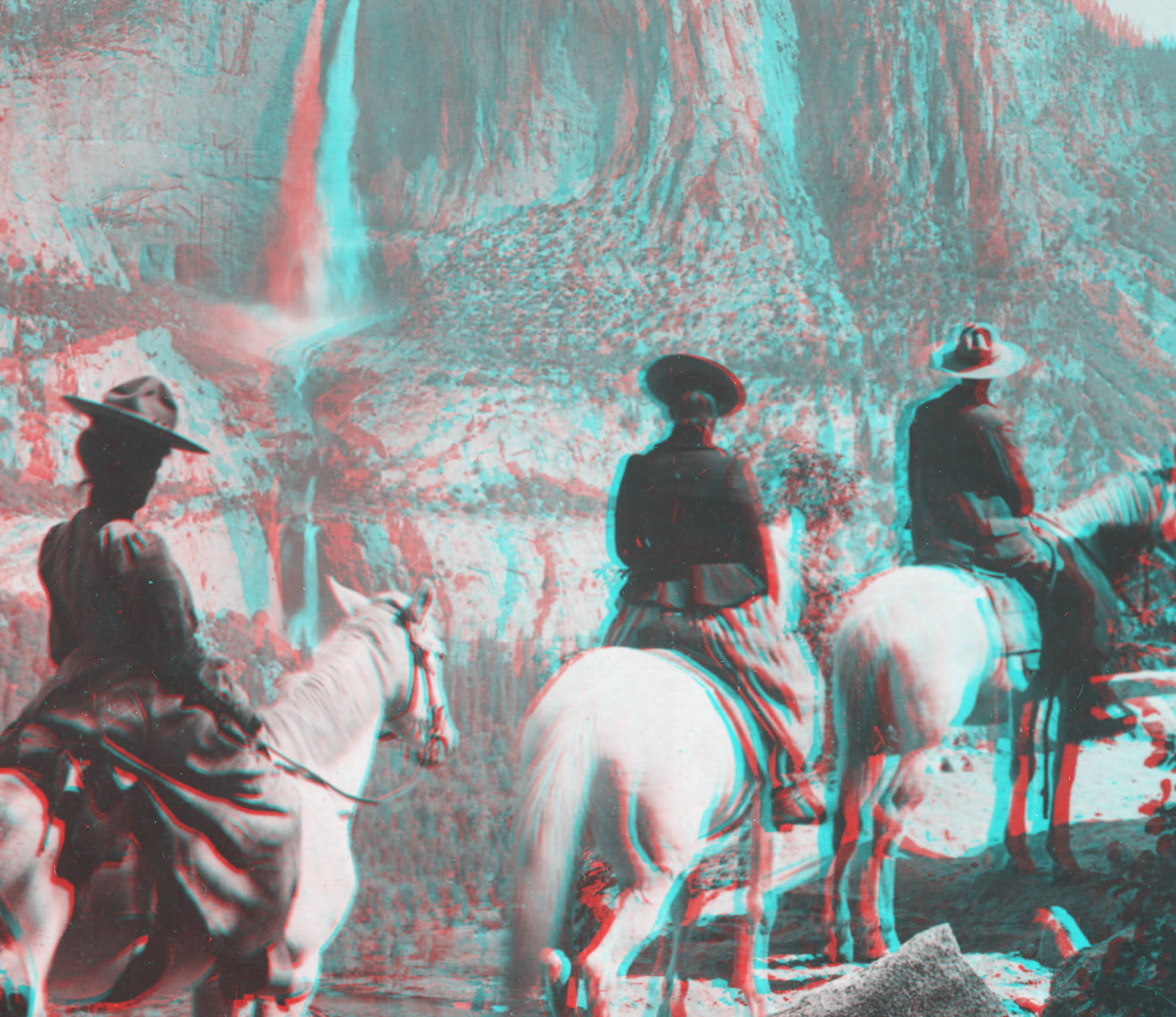
Riders facing Yosemite Falls, from a stereograph card copyrighted 1901 by Underwood & Underwood. View with red-cyan glasses, red over the left eye [1]. Source: The Metropolitan Museum of Art, public domain [3]. Red-cyan version made by Owl3D.
Key takeaways
- This page has four real red-cyan 3D pictures, free to download and reuse; see pictures to try.
- You can make your own from a left and a right photo, in your browser or with free software; see the Anaglyph Maker and the free tools.
- The glasses cost a dollar or two and work on any color screen or print, but only with anaglyph pictures; colors look wrong and faint double images are common. See glasses and why the colors suffer.
- VLC plays any side-by-side 3D movie file in red-cyan; see red-blue 3D movies.
- Only one ordinary photo? The Owl3D converter makes a side-by-side 3D pair from it with AI, and the Anaglyph Maker turns that pair red-cyan; see only one photo.
Make a red-blue 3D picture in your browser
The Anaglyph Maker turns a stereo pair (a left-eye and a right-eye picture of the same scene) into a red-cyan 3D picture in your browser. Give it one side-by-side image, with the left-eye view in the left half, or a left photo and a right photo. The pictures are processed on your device and are not uploaded to our servers. Open the full Anaglyph Maker.
Make a red-cyan 3D picture
Turn a stereo pair into one picture for red-cyan glasses. The anaglyph is made in your browser. Your pictures are not uploaded to our servers.
No file to hand? Try it with a photo from 1901.
Your anaglyph appears here.
Open the full Anaglyph MakerThe same tool on a page of its own, with more room for the picture.
No stereo pair? The Owl3D converter makes a side-by-side 3D image from an ordinary photo.
No pair of photos yet? How to take one is below; first, more pictures to look at.
Red-blue 3D pictures to try
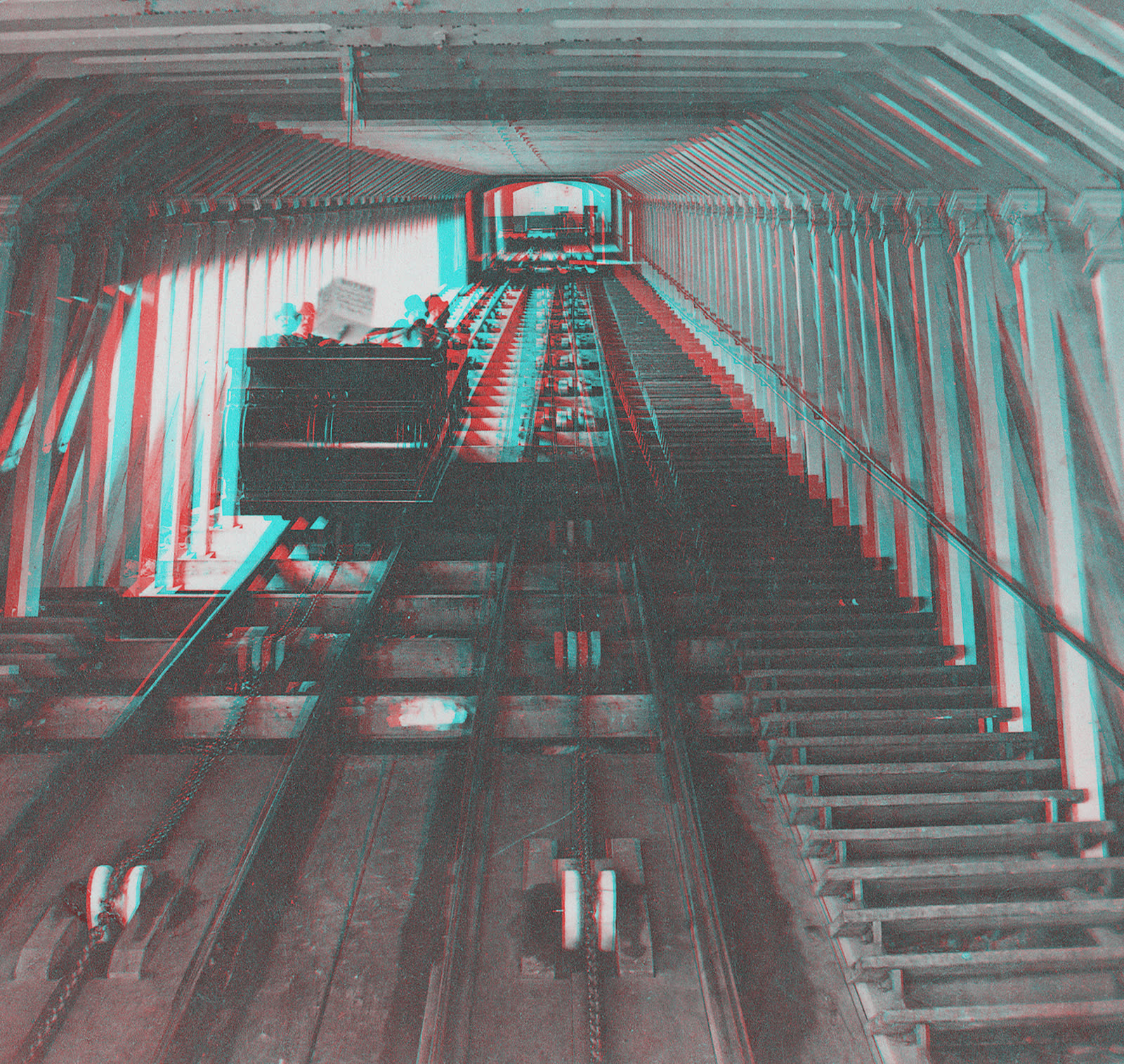
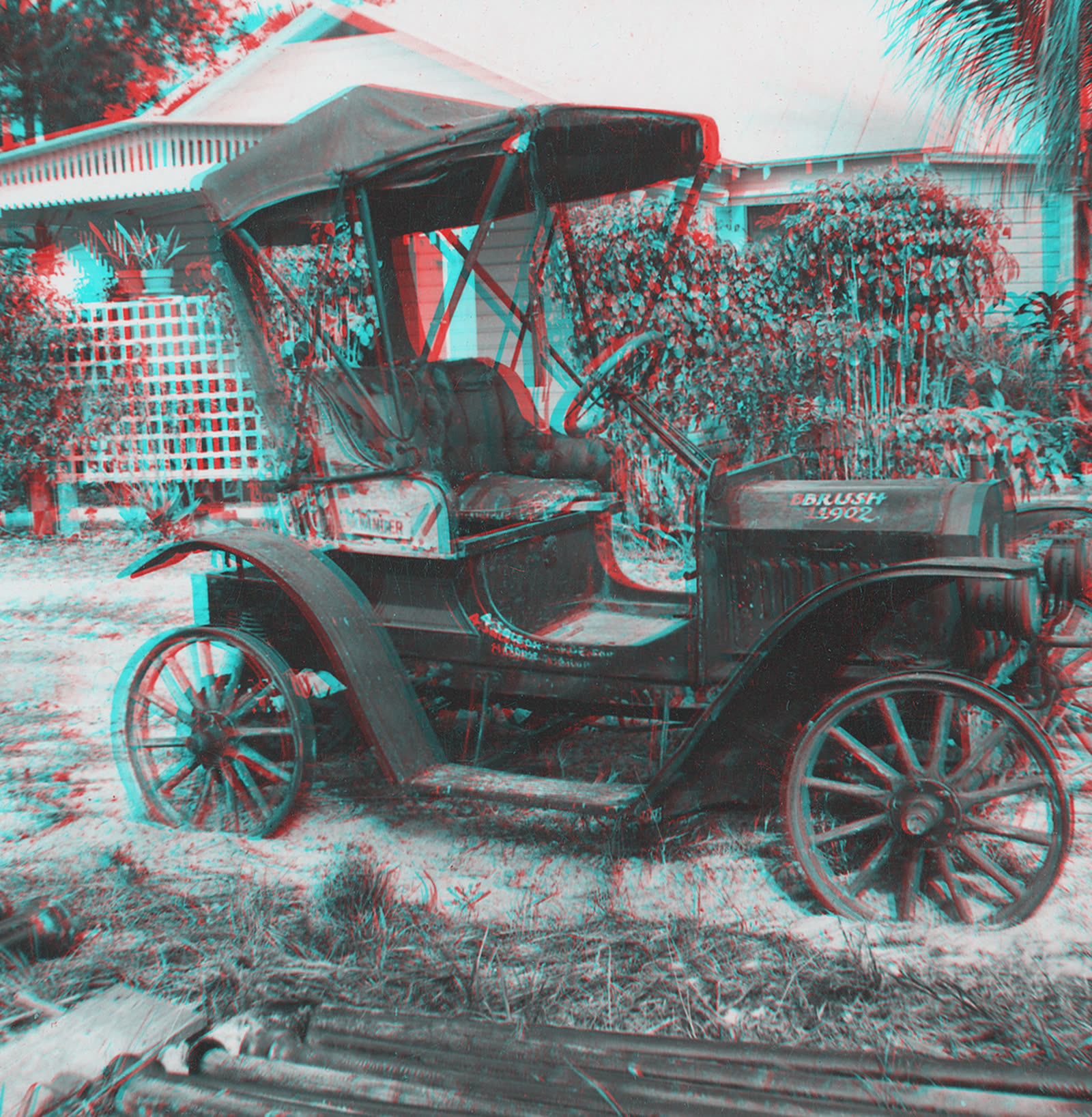
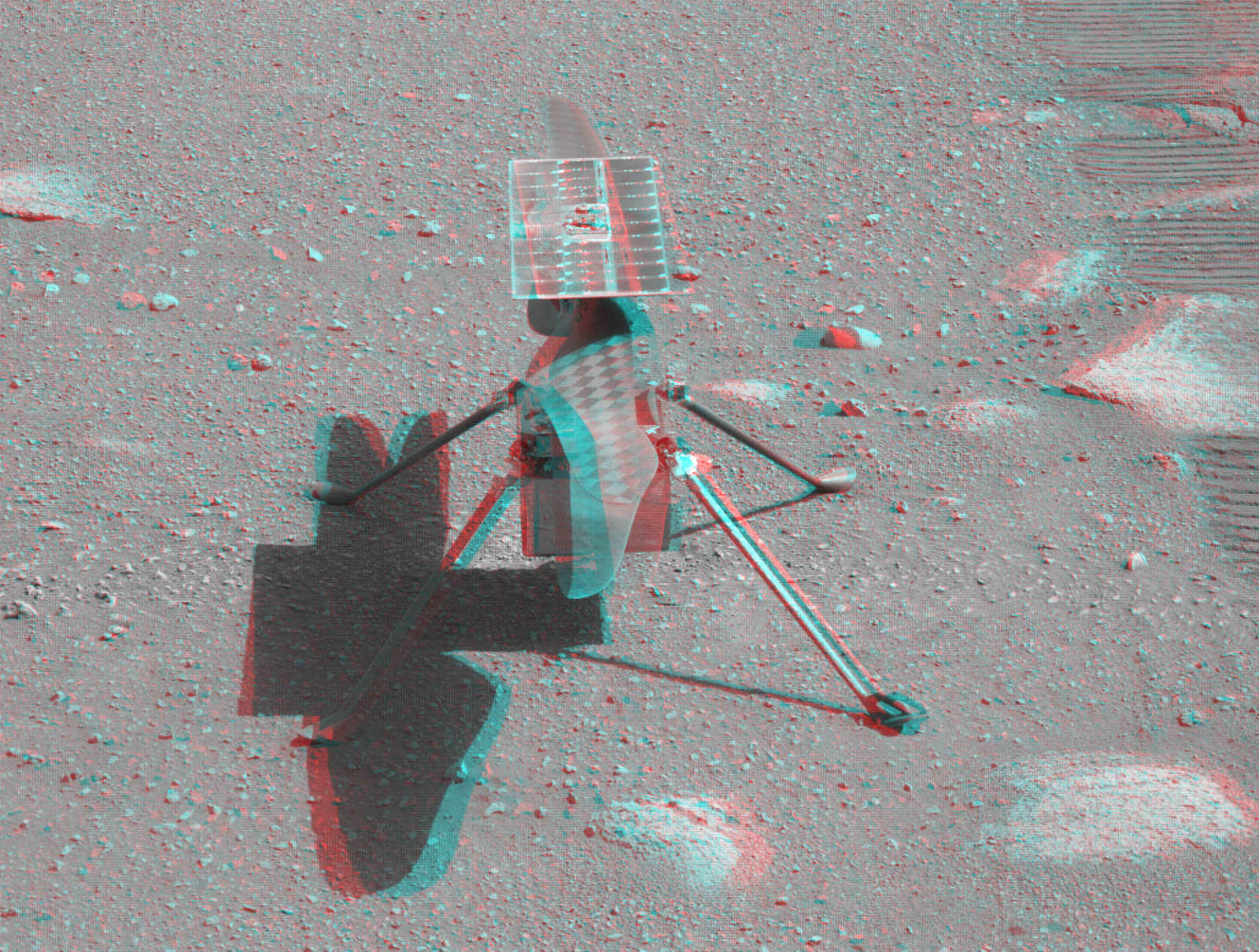
All four are gray anaglyphs made from black-and-white pairs, so there is no color for the filters to distort [6]. They may be downloaded and reused free of charge, with credit to Owl3D and the original source. For more pictures:
- Flickr's group "Anaglyph (Red-Cyan 3D Pictures)" holds about 97,900 photos as of October 2026 [7]. Check each photo's license before you reuse it.
- NASA's Photojournal keeps an Anaglyphs Gallery, with Mars rover panoramas among its images [8].
What "anaglyph" means
Anaglyph is pronounced AN-uh-glif. In optics it means "a composite picture printed in two colors that produces a three-dimensional image when viewed through spectacles having lenses of corresponding colors" [9]. The word comes from the Greek anáglyphos, "wrought in low relief", and its older meaning is an ornament carved in low relief, such as a cameo [9].
People call it red-blue 3D, but red and cyan is the most common pair [10].
How to make a red-blue 3D picture (anaglyph)
An anaglyph is made from a left photo and a right photo of the same scene, combined into one picture. The Anaglyph Maker above does the combining in your browser; free software on your computer does the same.
1. Take a left and a right photo
Take a photo, slide the camera about 3 inches to the side, and take the same photo again [15]. Close subjects need less: a couple of centimeters for macro shots [16].
Keep the camera level, pick a subject that will not move, and note which photo is the left one. A 3D camera takes both at once.
2. Combine them with one of three free tools
StereoPhoto Maker
- Runs on Windows
- Price Free
- Version 6.41, July 2026 [17]
GIMP
- Runs on Windows, macOS and Linux
- Price Free
- Version 3.2.6 as of October 2026 [20]
FFmpeg
- Runs on The command line
- Price Free
StereoPhoto Maker: the four steps
This program is built for the job [17].
- Open the pair. Choose File > Open Left/Right Images and pick the two photos [18].
- Line the pair up. Choose Adjust > Auto Alignment [18].
- Pick the kind of anaglyph. Choose Stereo > Color Anaglyph > Half Color (Red-Cyan). It has weaker color than Color (Red-Cyan) and less retinal rivalry, the shimmer you see when the two eyes get very different brightness for the same object [6][18].
- Save. Choose File > Save Stereo Image. Save as PNG, or tick "No compression ghosting" if you save a JPEG [18][19].
Two other choices at step 3: Optimized Anaglyph, in the same menu, has almost no rivalry but cannot show red shades [6][18]. For black-and-white, use Stereo > Gray Anaglyph > Red-Cyan [18].
GIMP: the five steps
GIMP is an image editor [20].
- Open both photos as layers. Open the left photo. Add the right photo on top with File > Open as Layers [21].
- Turn the right layer cyan. Select it, and in Colors > Levels set Channel to Red and set both Output Levels values to 0 [22].
- Turn the left layer red. Select it, and in Colors > Levels set the Output Levels to 0 for the Green channel, then for Blue [22].
- Add the two layers. In the Mode menu at the top of the Layers dialog, set the top layer to Addition [23], which adds the pixel values of the two layers [24].
- Set the depth and export. With the Move tool (press M), slide the top layer sideways until your main subject overlaps itself [25]; that places it at screen depth. Crop the edges and export as PNG.
FFmpeg: the one command
If the two photos are the same size and already line up:
ffmpeg -i left.jpg -i right.jpg -filter_complex "[0][1]hstack,stereo3d=sbsl:arcd" anaglyph.png
arcd is a red-cyan color anaglyph and arcg is a gray one [1].
Two other routes: Photoshop works the same way as GIMP, keeping only the red channel of the left photo and only the green and blue channels of the right [16]. On an iPhone or iPad, the app i3DSteroid ($2.99 on the US App Store as of October 2026) takes the left and right shots, aligns them and shows the result as an anaglyph [26].
Only one photo, or a 2D video?
A single picture has no second view, so software has to estimate the depth and generate one. The Owl3D converter, a desktop app for Windows and Mac from the publisher of this guide, does this with AI on your own computer and saves the result as a side-by-side 3D picture or video.
It works from a file and takes time, and it gives the best 3D Owl3D makes. It has a free tier and does not export anaglyphs itself. Put a side-by-side picture through the Anaglyph Maker, or finish with FFmpeg:
ffmpeg -i side-by-side.jpg -vf stereo3d=sbsl:arcd anaglyph.png
The depth in a converted picture is the software's estimate, not a second photograph. For a side-by-side video, see red-blue 3D movies below.
From Owl3DOwl3D converterA desktop app for Windows and Mac that turns 2D videos and photos into 3D.Anaglyph glasses: what they are for, and where to buy them
Anaglyph glasses are for anaglyph pictures and videos only, and a paper pair costs a dollar or two.
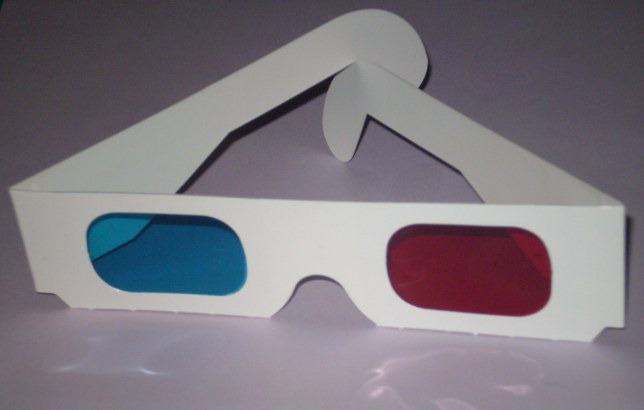
Prices as of October 2026:
| Seller | Paper red-cyan glasses | Plastic red-cyan glasses |
|---|---|---|
| 3Dstereo.com | $1.95, sold as single pairs [32] | $2.25 to $6.95 [32] |
| Rainbow Symphony | From $7.50 an order, at 75 cents a pair [31] | From $18 an order, at $9 a pair [31] |
| American Paper Optics | From $22.50, minimum order 50 [33] | — |
Last checked : prices.
To make a pair, NASA has a pattern that uses red acetate for the left eye and blue for the right [34]. Expect more ghosting (faint double images) than with bought glasses.
Red-blue 3D movies
Any side-by-side 3D movie file can be watched in red-cyan, and a few films were released that way.
Watch any 3D movie file in red-cyan
You do not need a special anaglyph copy. Start from a side-by-side (SBS) 3D file, which holds the left and right views next to each other in every frame. VLC media player has had an anaglyph video filter since version 2.1.0; it plays SBS video in red-cyan as you watch [27].
To make a permanent anaglyph copy, convert the file with FFmpeg:
ffmpeg -i input-sbs.mp4 -vf stereo3d=sbsl:arcd output-anaglyph.mp4
sbsl means full-width side-by-side with the left view on the left; use sbs2l for half-width files [1]. See where to find 3D videos for SBS files.
Ready-made anaglyph video
A video that was uploaded in red-cyan plays on any screen and in any player, because the 3D is in the colors of the picture itself. Search YouTube for "anaglyph 3D".
Films released in anaglyph
Since the 1950s, anaglyph has mostly been used for features that are only partly in 3D [28].
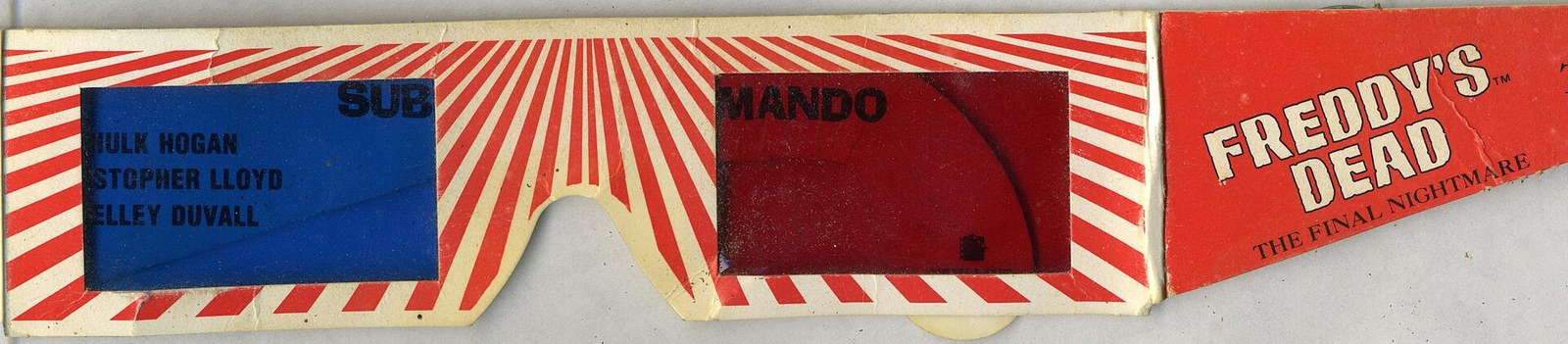
Some releases: Freddy's Dead, Spy Kids 3-D, Sharkboy and Lavagirl, and Coraline
- Freddy's Dead: The Final Nightmare and Spy Kids 3-D: Game Over (2003) have 3D segments [28].
- The Adventures of Sharkboy and Lavagirl in 3-D (2005) used the same method, and its DVD came with four pairs of glasses [29].
- Coraline: the 2009 DVD and Blu-ray carry a green-magenta version and came with four pairs of glasses [13].
Anaglyph effects, drawings and hidden messages
The red-blue look can be put on a single photo, drawn by hand or used to hide a message.
The red-blue 3D effect on one photo
Duplicate the photo, keep only red in one copy and only green and blue in the other, and nudge the two apart sideways. The GIMP steps under how to make one do this if you open the same photo twice, and Adobe publishes a Photoshop version [30].
This is a look, not depth: the whole picture moves to one flat plane in front of or behind the screen. Real depth needs two different views.
Drawing an anaglyph
Through the red filter, cyan looks dark and red looks bright [11]. So on white paper, draw what the left eye should see in cyan or light blue and what the right eye should see in red. On a black screen it is the reverse.
Then apply the depth rule: put the left-eye copy of a shape to the left of its right-eye copy to push it behind the page, and to the right to lift it off the page.
Hidden messages for a red filter
- Write the message in pale blue.
- Cover it with a busy red or pink pattern.
- Look through a red filter. The pattern fades into the white paper and the blue writing turns dark.
Sellers of anaglyph glasses also sell red "decoder" glasses for this [31]. Inks and filters are not perfect, so test your colors with the filter you will use.
Anaglyph art and tattoos
Offset red and cyan outlines are popular as a style. They show depth through glasses only if the two colors are a true left view and right view.
How red-cyan glasses create depth
The picture stores each eye's view in different colors, and each filter passes only one of them. A color image on a screen is built from three channels: red, green and blue. A red-cyan anaglyph stores the left-eye view in the red channel and the right-eye view in the green and blue channels. Green plus blue is cyan [10].
The glasses undo the mix. Through the red filter, red looks bright and cyan looks dark, so the left eye sees only the left view. The cyan filter does the reverse for the right eye [11].
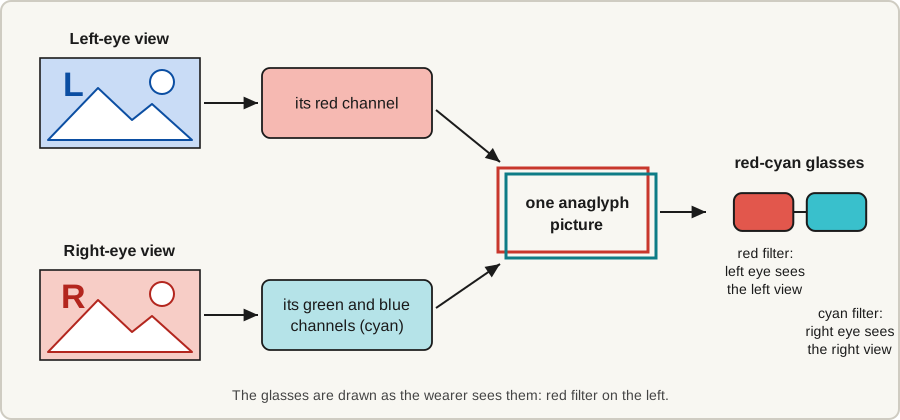
Without glasses you see both views at once, as red and cyan fringes. The fringes are the depth [12]:
- Where an object's two views line up, it appears at the surface of the screen.
- Where its left-eye view sits to the left of its right-eye view, it appears behind the screen.
- Where its left-eye view sits to the right, it appears in front of the screen.
A wider gap means more depth.
Why two flat pictures look deep
Other color pairs: red-blue, red-green, green-magenta and amber-blue
The glasses must match the picture. Red-blue and red-green pairs cannot give even approximate color, and the picture is darker because one of the three channels goes unused [10]. Two other pairs have been used: green-magenta, on the Coraline discs listed under movies above, and amber-blue (ColorCode 3-D), for a 3D ad during the 2009 Super Bowl [11][14].
Sorting the views by color is also what limits the picture.
Why the colors look wrong, and where ghosting comes from
Color. Each eye receives only part of the spectrum. A Curtin University study puts it flatly: "Truly full colour stereoscopic images are not possible with anaglyphs" [10].
A saturated red object is the worst case: it is bright in the red (left) view and nearly black in the cyan (right) view. The eyes disagree and the object seems to shimmer, an effect called retinal rivalry [6].
Ghosting. Ghosting, or crosstalk, is one eye's view leaking faintly into the other eye. The causes include overlap between the screen's red, green and blue light, filters that pass some of the wrong color, and file compression such as JPEG, which mixes the channels [10].
How much you see depends on the glasses and the screen together [10]. So if you see double edges, try another pair of glasses or another screen before blaming the picture.
Why 3D glasses aren't red and blue anymore
Because polarized glasses give better color and less ghosting [28]. Cinemas switched early: the earliest theatrical 3D was anaglyph, but polarized projection has been the theater standard since Bwana Devil in 1952, and the cardboard anaglyph glasses of the 1950s were mainly used for comic books and a handful of short films [28]. Anaglyph lasted where polarized light is not practical, such as comic books and TV broadcasts [28].
Every 3D system delivers a different image to each eye. They differ in what keeps the two images apart: color in an anaglyph, the polarization of light, time with active shutter glasses, or direction on a glasses-free display.
Anaglyph compared with polarized, active shutter and glasses-free 3D: what each needs and what it costs you
| Method | Keeps the views apart by | What you need | What it costs you |
|---|---|---|---|
| Anaglyph | Color | Any color screen or print, plus filter glasses [10] | Accurate color, and ghosting [10] |
| Polarized (passive) | The polarization of light | A polarizing display, or a projector with a metallic screen, plus unpowered glasses [28][35] | On a display, the two views share the pixels in alternating rows [35] |
| Active shutter | Time | A fast display, and powered glasses synchronized to it [35] | Some brightness [35] |
| Glasses-free (autostereoscopic) | Direction | A display built for it | Slightly less than half the panel's resolution for each eye [35] |
With active shutter glasses the views alternate rapidly. The shutters block part of the light [35], and both views keep full resolution [14]. On a glasses-free display, lenses or a barrier on the screen aim each view at one eye, and a single-viewer design shows 3D to one person [35].
Color itself is not the flaw. Dolby 3D, a theater system, also separates the views by color, but it gives each eye its own wavelengths of red, green and blue [28]; an anaglyph gives each eye only one or two of the three.
Owl3D, the publisher of this guide, makes the Shift, a 14-inch glasses-free 3D display priced at 499 US dollars. It shows side-by-side pictures and video, the same pairs an anaglyph is made from, in 3D with nothing to wear, and its Live 3D Screen feature converts any ordinary 2D window to 3D instantly, as it plays; that conversion is an AI estimate of depth. It is a desk display for one viewer at a time, and it needs a capable computer running the Owl3D app.
See glasses-free 3D monitors compared for the other models, how a lenticular lens works, RealD vs IMAX 3D vs Dolby 3D for today's theater formats, and how to watch 3D movies at home for what works at home today.
Frequently asked questions
What is the red and blue 3D effect called?
Anaglyph 3D, or just "an anaglyph" for a single picture.
Do red and blue 3D glasses work?
Yes, on pictures made for them: try the four on this page. On anything else they only tint the view.
Is anaglyph 3D any good?
For depth, yes: it is true stereo 3D for the price of paper glasses. For color, no: full color is not possible and some ghosting is normal [10], so it suits black-and-white pictures better than a colorful film.
Sources (35)
- FFmpeg filters documentation, "stereo3d" (version 7.1, as mirrored by the FFmpeg Filters Documentation project). https://ayosec.github.io/ffmpeg-filters-docs/7.1/Filters/Video/stereo3d.html (opened 2026-10-07). Official page: https://ffmpeg.org/ffmpeg-filters.html#stereo3d
- NASA Mars 2020 mission, raw images "Mars Perseverance Sol 45: Left Mastcam-Z Camera" and "Right Mastcam-Z Camera", acquired April 6, 2021. https://mars.nasa.gov/mars2020/multimedia/raw-images/ZL0_0045_0670943049_156ECM_N0031416ZCAM05014_0340LUJ and https://mars.nasa.gov/mars2020/multimedia/raw-images/ZR0_0045_0670943049_156ECM_N0031416ZCAM05014_0340LUJ (opened 2026-10-07)
- The Metropolitan Museum of Art, "[Group of 23 Stereograph Views of Yosemite Valley Housed in Original Publisher's Box]", Underwood & Underwood, ca. 1902, accession number 1982.1182.592–.615. Collection page: https://www.metmuseum.org/art/collection/search/288150. Record opened through the museum's collection API: https://collectionapi.metmuseum.org/public/collection/v1/objects/288150 (opened 2026-10-07)
- The Metropolitan Museum of Art, "[Group of 3 Stereograph Views of Bridges and Railways at Niagara]", American Scenery, 1860s–90s, accession number 1982.1182.408–.410. Collection page: https://www.metmuseum.org/art/collection/search/288142. Record opened through the museum's collection API: https://collectionapi.metmuseum.org/public/collection/v1/objects/288142 (opened 2026-10-07)
- The Metropolitan Museum of Art, "[Pair of Stereograph Views of Early Automobiles]", C. H. Graves, 1902–3, accession number 1982.1182.300–.301. Collection page: https://www.metmuseum.org/art/collection/search/288123. Record opened through the museum's collection API: https://collectionapi.metmuseum.org/public/collection/v1/objects/288123 (opened 2026-10-07)
- Peter Wimmer, "Anaglyph Methods Comparison", 3dtv.at. https://www.3dtv.at/Knowhow/AnaglyphComparison_en.aspx (opened 2026-10-07)
- Flickr, group "Anaglyph (Red-Cyan 3D Pictures)". https://www.flickr.com/groups/anaglyph/ (opened 2026-10-07)
- NASA Science, Photojournal, "Anaglyphs Gallery". https://science.nasa.gov/photojournal/galleries/pj-anaglyphs (opened 2026-10-07)
- Dictionary.com, "anaglyph". https://www.dictionary.com/browse/anaglyph (opened 2026-10-07)
- Andrew J. Woods and Tegan Rourke (Curtin University of Technology), "Ghosting in Anaglyphic Stereoscopic Images", Stereoscopic Displays and Virtual Reality Systems XI, Proceedings of SPIE-IS&T Electronic Imaging, SPIE Vol. 5291, 2004. https://cmst.curtin.edu.au/wp-content/uploads/sites/4/2016/05/2004-08.pdf (opened 2026-10-07)
- Wikipedia, "Anaglyph 3D". https://en.wikipedia.org/wiki/Anaglyph_3D (opened 2026-10-07)
- Paul Bourke, "Portable Stereoscopic Projection - Theory" (positive, zero and negative parallax). https://paulbourke.net/stereoscopy/vpac/theory.html (opened 2026-10-07)
- Wikipedia, "Coraline (film)", Home media section. https://en.wikipedia.org/wiki/Coraline_(film) (opened 2026-10-07)
- Jason Geng, "Three-dimensional display technologies", Advances in Optics and Photonics 5(4), 456-535, 2013. https://pmc.ncbi.nlm.nih.gov/articles/PMC4269274/ (opened 2026-10-07)
- NASA STEREO Science Center, "Create Your Own 3D Images", last revised November 12, 2024. https://stereo-ssc.nascom.nasa.gov/classroom/3d.shtml (opened 2026-10-07)
- Adaptalux, "Anaglyph 3D Photography: How to create stereoscopic 3D photos", July 17, 2021. https://adaptalux.com/stereoscopic-3d-photos/ (opened 2026-10-07)
- Masuji Suto, "StereoPhoto Maker (English)". https://stereo.jpn.org/eng/stphmkr/ (opened 2026-10-07)
- StereoPhoto Maker online help, menu index. https://stereo.jpn.org/eng/stphmkr/help/spmmenu.htm (opened 2026-10-07)
- StereoPhoto Maker, "No Jpeg Compression Ghosting for Anaglyph". https://stereo.jpn.org/eng/stphmkr/anaglyph/anaglyph.htm (opened 2026-10-07)
- GIMP, "Downloads". https://www.gimp.org/downloads/ (opened 2026-10-07)
- GIMP 3.0 documentation, "Open as Layers". https://docs.gimp.org/3.0/en/gimp-file-open-as-layer.html (opened 2026-10-07)
- GIMP 3.0 documentation, "Levels". https://docs.gimp.org/3.0/en/gimp-tool-levels.html (opened 2026-10-07)
- GIMP 3.0 documentation, "Layer Modes". https://docs.gimp.org/3.0/en/gimp-concepts-layer-modes.html (opened 2026-10-07)
- GIMP 3.0 documentation, "Lighten Layer Modes" (definition of Addition). https://docs.gimp.org/3.0/en/layer-mode-group-lighten.html (opened 2026-10-07)
- GIMP 3.0 documentation, "Move". https://docs.gimp.org/3.0/en/gimp-tool-move.html (opened 2026-10-07)
- Apple App Store (United States), "i3DSteroid". https://apps.apple.com/us/app/i3dsteroid/id467945370 (opened 2026-10-07)
- VideoLAN Wiki, "Documentation:Modules/anaglyph". https://wiki.videolan.org/Documentation:Modules/anaglyph/ (opened 2026-10-07)
- Wikipedia, "3D film". https://en.wikipedia.org/wiki/3D_film (opened 2026-10-07)
- Wikipedia, "The Adventures of Sharkboy and Lavagirl in 3-D". https://en.wikipedia.org/wiki/The_Adventures_of_Sharkboy_and_Lavagirl_in_3-D (opened 2026-10-07)
- Adobe, "How to create anaglyph 3D photos in Photoshop". https://www.adobe.com/creativecloud/photography/hub/guides/3d-anaglyph-photoshop.html (opened 2026-10-07)
- Rainbow Symphony, "3D Glasses" collection. https://www.rainbowsymphony.com/collections/3d-glasses (opened 2026-10-07)
- 3Dstereo.com, "3D Anaglyph Glasses" collection. https://3dstereo.com/collections/anaglyph-glasses (opened 2026-10-07)
- The 3D Market (American Paper Optics), "Anaglyphic" collection. https://the3dmarket.com/collections/anaglyphic (opened 2026-10-07)
- NASA STEREO Science Center, "Build Your Own 3D Glasses!", last revised October 6, 2015. https://stereo-ssc.nascom.nasa.gov/classroom/glasses.shtml (opened 2026-10-07)
- Tom Kimpe, Stijn Crul and Viktor Vörös (Barco), "Autostereoscopic Displays for Healthcare Applications", invited paper 29-4, SID 2025 Digest, pp. 385-388. https://sid.org/Portals/sid/Files/SID-Digest/docs/29-4.pdf (opened 2026-10-07)