How to Watch Movies in VR, in 2D and 3D
How we researched this: written by Owl3D from published sources, all 31 listed at the end.
Short answer
In a headset, a film plays on a huge virtual screen. On a Meta Quest, open a streaming app (Prime Video, Disney+, YouTube), netflix.com in the headset's browser, or your own video files in a player app such as Skybox. To watch 3D movies on a Quest 3 today, play your own 3D video file. Owl3D, the publisher of this guide, makes Owl3D Link.
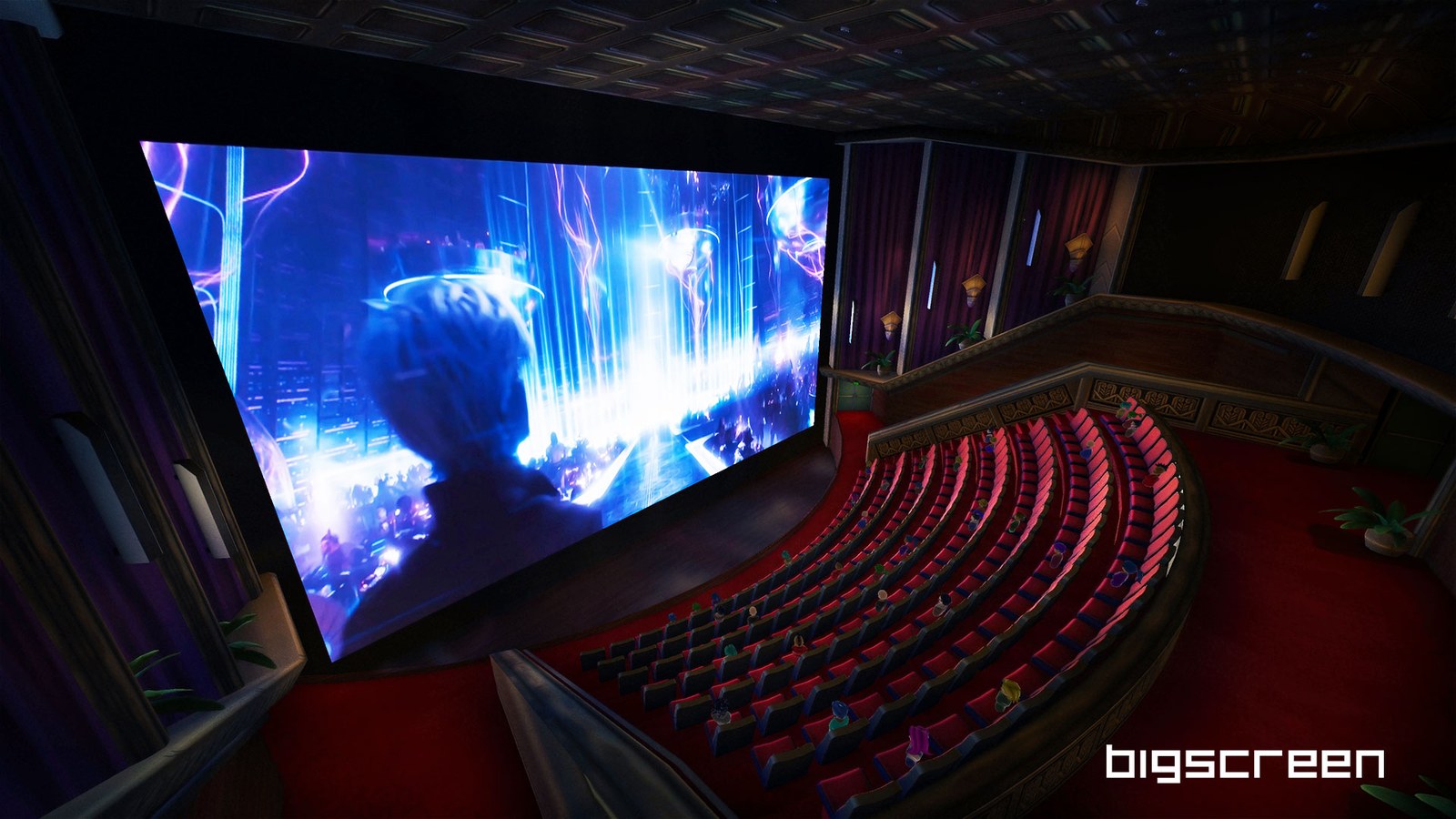
A film on a virtual cinema screen: a screenshot from the Bigscreen app. Image: Bigscreen.
Key takeaways
- Already have the films? See which route fits the films you have and how to transfer your movies to the headset.
- Netflix has no headset app; it plays in the headset's web browser. For that, a black screen, or two copies of the picture: when it does not work.
- Ordinary 2D video playing on a Windows PC needs no 3D file: Owl3D Link streams the PC's screen to a Meta Quest, converted to 3D instantly as it plays. That is an AI conversion, not a studio's own 3D version.
Which route fits the films you have
| Your films | Do they play on a Quest? | How |
|---|---|---|
| A streaming subscription | Yes, in 2D today | The service's Quest app, or the headset's browser for Netflix [1] |
| Video files on a computer or phone | Yes, 2D and 3D | A player app, after you transfer or stream the file |
| Films bought from Apple or kept in Movies Anywhere | No app for either: neither device list names Meta Quest [2], [3] | Movies Anywhere says its eligible films also appear in connected retailer accounts such as Amazon Prime Video and Google Play/YouTube [3], which have Quest apps [4], [5]. We have not tested this route |
| Blu-ray or DVD discs | No. A Quest plays files and store purchases, not discs | See 3D Blu-ray players |
Last checked : Apple's and Movies Anywhere's device lists.
Streaming apps on a Quest
Each one shows the film in 2D on a virtual screen. Netflix has no Quest app: open netflix.com in the Meta Quest Browser, where it plays at up to 1080p; its help page lists no downloads [1]. Prime Video and Disney+ have Quest apps with downloads for offline viewing [5], [6]. YouTube VR plays movies bought on YouTube at up to 4K [4].
Player apps for your own files
| App | Cost | What it plays | 3D |
|---|---|---|---|
| Skybox VR Video Player | $9.99 | Files on the headset, a USB drive or the home network | Side-by-side, top-bottom, VR180, 360 [7] |
| Bigscreen | Free | Your own files, a Windows PC's screen, shared rooms | Side-by-side, over-under [8], [9] |
| 4XVR Video Player | Free to download; $29.99 one-time Premium purchase | Your own files; Premium adds USB drives and network playback | Full and half side-by-side, full and half over-under, 180, 360 [10], [11], [12] |
| Virtual Desktop | $24.99 | A Windows or Mac computer's screen, and videos stored on it | Side-by-side, over-under [13] |
Last checked : prices and 3D support, from each app's store listing.
Transfer your movies to the headset
You do not need a computer if the film is already on a USB drive, an Android phone or Google Drive.
- Windows PC, by USB cable. Connect the headset with a USB-C cable, put the headset on and choose Allow when it asks, then open the headset in File Explorer, under Internal shared storage [14]. Copy the film into the Movies folder [15].
- Mac. Meta's help page gives cable steps for Windows only [14]. Use Wi-Fi, Virtual Desktop or a USB flash drive.
- USB flash drive. Skybox reads a drive plugged into the headset's USB port; the headset cannot charge while the drive is plugged in [16]. FAT32 cannot hold a single file of 4 GB or more [17], so a long film may need a drive formatted as exFAT or NTFS.
- Android phone or Google Drive. Meta's Files app, on the headset, reads a connected Android phone and one Google Drive account [18].
- Wi-Fi. Skybox plays files from DLNA and SMB shares on a home network [7]. On a Mac, turn on sharing over SMB: System Settings, General, Sharing, the info button next to File Sharing, then Options and "Share files and folders using SMB" [19].
- No copying. Virtual Desktop streams videos stored on a Windows 10 or 11 PC, or on a Mac running macOS Catalina or later [13].
How to watch 3D movies on a Quest 3
Today, play a side-by-side or top-bottom 3D video file that you have the right to use in a player app; Skybox detects the 3D layout when you open a file [7]. For files, see 3D videos.
No major service that we found sells or streams studio 3D films on Quest yet. On September 23, 2026, Meta announced Disney+ in 3D from November 2026 "in select countries", without naming a headset, and a store to rent or buy films "later this year on Meta Quest in the US" [20]. None of it is live as of October 7, 2026. See which streaming services have 3D movies.
Watch a 2D movie in 3D with Owl3D Link
Owl3D Link is Owl3D's free app for Meta Quest headsets; on the free plan a session lasts 15 minutes and the picture carries a watermark. With the Owl3D desktop app running on a Windows PC (not a Mac) with an NVIDIA RTX 3060 or better, it streams the PC's screen to the headset wirelessly, converted to 3D as it plays, with no 3D file to make or copy. It is an AI conversion, not the studio's 3D.
When it does not work
- A black screen in Virtual Desktop when you open Netflix or Hulu on the computer. Virtual Desktop's FAQ gives the cause: "Microsoft Edge, Internet Explorer, Chrome and some Windows Store apps have DRM that prevent those services from being captured" [21]. Watch the service in the headset's own app or browser.
- Two copies of the picture, next to each other. A side-by-side 3D file holds both eyes' pictures in one frame, and that is what you see until the player's 3D mode is on. Set it to match the file.
- Your Windows PC does not show the headset over USB. You have to choose Allow in the headset; if no prompt appears, Meta says to check your notifications under the bell icon. Check the cable too: some "are only used for charging" [14].
Watching with friends
Bigscreen's public and private rooms hold up to 30 people [8]. Two rules decide what your friends see.
- Your own video files are not sent to anyone. Bigscreen, June 2020: "Bigscreen doesn't stream/share the video file, so your friends will need the files on their own device" [22].
- Your PC's screen is shared only after you switch sharing on. In the Bigscreen menu, go to the My Room tab, choose Remote Desktop, and change "Sharing desktop: Off" to On [23]. Remote Desktop is for Windows only [23].
What owners report about watching together
Owners' own reports, which we have not tested.
- Worked, by sharing a PC's screen. On a Steam forum, January 2023: "both my brother and me can both watch it in each our VR headsets even though he lives in another country" [24].
- Did not. A Quest 3 owner under a Quest tutorial on YouTube, about 2025: "I invite my friends on big screen to watch a movie together and they only get black screen" [25].
A whole film in one sitting: battery, charging, lying down
- Battery. Meta says a Quest 3 gives "2.2 hours of use on average across a variety of activities" [26].
- Plugged in. Meta says the battery may not charge fully if the headset is plugged in while in use and gets too warm [26].
- Lying down. Meta's release notes describe a setting, "Use Apps While Lying Down", under Experimental in Settings, added for Quest 3 in April 2024 [27]. We have not checked that it is still there on current software.
What owners report about a whole film
Experiences, not advice; we have not tested them.
- Battery. A Quest 3 owner on a Steam forum, March 2024, writes of the headset "with a little power brick to help you get through a 3 hour movie" [28].
- Lying down. A Quest 3 owner on Meta's community forum, November 2024: "Before last week I was able to watch movies lying on the side." Then: "Now it's only vertical!" [29]
Is a Quest worth it for films? What owners say
Owners disagree, and we have not tested the picture ourselves.
- Glad. On the same Steam forum, December 2023: "Yes, it's 100% better than watching it on TV" [28].
- Glare. On YouTube, about 2025: "The biggest flaw is that the pancake lenses create mad glare. The glare is the worst in dark movies." [25]
To choose a headset for films, see Meta VR Glasses vs Quest 3 for films. For Quest 3 or Quest 3S, see the differences between Quest 3 and Quest 3S: the Quest 3 has pancake lenses and more pixels, for a sharper picture in films.
Frequently asked questions
Can I watch 3D movies on an Apple Vision Pro?
Yes. In the Apple TV app, tap Vision or Search in the tab bar, then tap 3D movies, and buy or rent the 3D version [30]. Disney+ streams some films in 3D on this headset too [6].
Are there movies made for VR, and free ones?
Yes. Invasion! is a free six-minute animated short on the Meta Horizon Store [31]. YouTube's VR app has a search filter for 360 and VR180 videos [4]. See VR movies, free and paid.
Sources (31)
- Netflix Help Center, "How to use Netflix on your Meta Quest (Oculus) VR headset". https://help.netflix.com/en/node/110502 Opened 2026-10-07; re-opened 2026-10-09.
- Apple, "Apple TV app". https://www.apple.com/apple-tv-app/ Opened 2026-10-09.
- Movies Anywhere Help Center, "Movies Anywhere supported devices". https://help.moviesanywhere.com/article/moviesanywhere-movies-anywhere-supported-devices Opened 2026-10-09.
- YouTube Help, "Get started with YouTube VR". https://support.google.com/youtube/answer/7205134 Opened 2026-10-07; re-opened 2026-10-09.
- UploadVR, "New Amazon Prime Video Quest App Supports Downloads For Offline Viewing" (September 25, 2024). https://www.uploadvr.com/new-amazon-prime-video-quest-app-downloads-offline-viewing/ Opened 2026-10-07.
- Road to VR, "Quest Gets Disney+ App With Downloads for Offline Viewing, But No 3D Movies Like Vision Pro" (December 18, 2025). https://roadtovr.com/quest-disney-plus-downloads-3d-movies-vision-pro/ Opened 2026-10-07.
- Meta Horizon Store, "SKYBOX VR Video Player". https://www.meta.com/experiences/skybox-vr-video-player/2063931653705427/ Opened 2026-10-07; re-opened 2026-10-09.
- Meta Horizon Store, "Bigscreen Beta". https://www.meta.com/experiences/bigscreen-beta/2497738113633933/ Opened 2026-10-07; re-opened 2026-10-09.
- Steam, "Bigscreen Beta" store page. https://store.steampowered.com/app/457550/Bigscreen_Beta/ Opened 2026-10-07; re-opened 2026-10-09.
- Meta Horizon Store, "4XVR Video Player". https://www.meta.com/experiences/4xvr-video-player/5936567899722707/ Opened 2026-10-07; re-opened 2026-10-09.
- Meta Horizon Store, "4XVR Premium Version". https://www.meta.com/experiences/4xvr-premium-version/608908774737540/ Opened 2026-10-07.
- Apple App Store, "4XVR Video Player". https://apps.apple.com/us/app/id6737879659 Opened 2026-10-07.
- Meta Horizon Store, "Virtual Desktop". https://www.meta.com/experiences/virtual-desktop/2017050365004772/ Opened 2026-10-07; re-opened 2026-10-09.
- Meta Quest Help, "Transfer media from your Meta Quest headset to your computer". https://www.meta.com/help/quest/308605304163937/ Opened 2026-10-07; re-opened 2026-10-09.
- Thinglabs, "How To Watch Movies On Your Oculus or Meta Quest Headset" (April 18, 2025). https://thinglabs.io/watch-movies-on-oculus-quest Opened 2026-10-07.
- MIXED, "Skybox VR lets you watch movies on Quest via USB flash drive" (February 13, 2024). https://mixed-news.com/en/meta-quest-skybox-vr-usb-support/ Opened 2026-10-07.
- Wikipedia, "File Allocation Table". https://en.wikipedia.org/wiki/File_Allocation_Table Opened 2026-10-07.
- Meta Quest Help, "Use Files on Meta Quest". https://www.meta.com/help/quest/1472856609714504/ Opened 2026-10-09.
- Apple Support, "Set up SMB file sharing on Mac". https://support.apple.com/guide/mac-help/set-up-smb-file-sharing-on-mac-mh14107/mac Opened 2026-10-07.
- Meta, "Introducing Meta VR Glasses, A New Era for Virtual Reality" (September 23, 2026). https://www.meta.com/blog/meta-vr-glasses-announcement-meta-connect/ Opened 2026-10-07; re-opened 2026-10-09.
- Virtual Desktop, home page with "Frequently Asked Questions". https://www.vrdesktop.net/ Opened 2026-10-09.
- Bigscreen on Steam News, "New Bigscreen Feature: Built-in VIDEOPLAYER" (June 26, 2020). https://store.steampowered.com/news/app/457550/view/2498884002717811426 Opened 2026-10-09.
- Bigscreen, "Remote Desktop for Meta Quest". https://bigscreenvr.com/remotedesktop/ Opened 2026-10-09.
- Users' reports: Steam Community, Bigscreen Beta discussions, thread "Can I play any movie file?" (October 2022 to February 2023). https://steamcommunity.com/app/457550/discussions/0/3372657330759769793/ Opened 2026-10-09.
- Users' reports: comments under the YouTube video "How To Watch Movies On Meta Quest 3 and 3S | Immersive VR Cinema Experience!" (comments from about 2025 and 2026). https://www.youtube.com/watch?v=mlECDx8-Z_4 Opened 2026-10-09.
- Meta Quest Help, "How to charge your Meta Quest headset". https://www.meta.com/help/quest/3482884435359892/ Opened 2026-10-09.
- Meta Quest Help, "Meta Quest release notes" (builds 63.0, week of March 5, 2024, and 64.0, week of April 8, 2024). https://www.meta.com/help/quest/172903867975450/ Opened 2026-10-09.
- Users' reports: Steam Community, Bigscreen Beta discussions, thread "Is VR movies better than watching on TV?" (December 2023 to March 2024). https://steamcommunity.com/app/457550/discussions/0/4035851881540649578/ Opened 2026-10-09.
- Users' reports: Meta Community Forums, thread "Since last week lying mode stopped working in Meta Quest 3" (November 25, 2024). https://communityforums.atmeta.com/discussions/dev-quest/since-last-week-lying-mode-stopped-working-in-meta-quest-3/1264347 Opened 2026-10-09.
- Apple Support, "Watch Apple Immersive Video and 3D movies in the Apple TV app on Apple Vision Pro". https://support.apple.com/guide/apple-vision-pro/watch-apple-immersive-video-and-3d-movies-tanc09caabb3/visionos Opened 2026-10-07; re-opened 2026-10-09.
- Meta Horizon Store, "INVASION! Anniversary Edition". https://www.meta.com/experiences/3323166227771391/ Opened 2026-10-07.