Steam Frame 3D Movies: How to Watch Them and What Plays
How we researched this: written by Owl3D from published sources, all 20 listed at the end.
Short answer
Yes, but only through a 3D player app. One owner reports that the headset's own flat screen shows a side-by-side film as two pictures [1], and Valve said in December 2025 that it does not support stereoscopic 3D content yet [2]. We found no change in Valve's news posts since. On the headset, use Whirligig or immerGallery from Steam, or the unofficial FramePlayerX. From a PC, stream a VR player such as Bigscreen over SteamVR. Owl3D, the publisher of this guide, makes a 2D-to-3D converter. We have not tested any of this on a Steam Frame: the facts come from the makers' pages and dated reports.
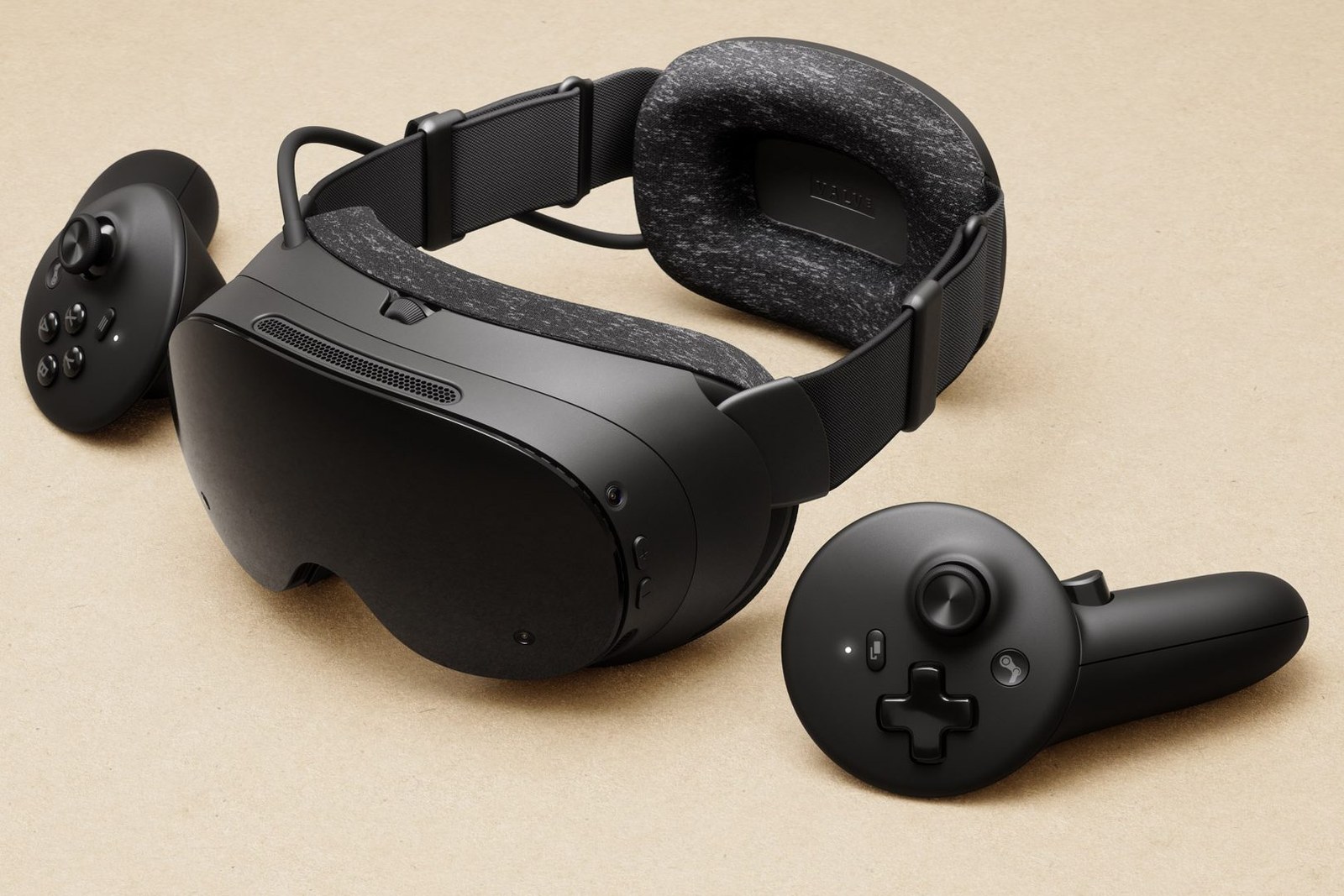
The Steam Frame and its controllers. Image: Valve, via Road to VR.
Key takeaways
- Files on the headset, a card or a home server: FramePlayerX is the only app here documented as using the headset's video decoder.
- Films on a gaming PC: stream them and let the PC do the work.
- Two pictures, a squeezed image or stutter: fixes by symptom.
- A film with no 3D release: convert a 2D file. That is an AI conversion, not the studio's 3D version.
Which route fits your 3D files
| App | Runs on | Video decoding | Your files | Main catch |
|---|---|---|---|---|
| FramePlayerX | Headset, native | Hardware for H.264, HEVC and VP9 [3] | Headset, microSD, USB, Jellyfin, Emby, SMB, DLNA [3] | Unofficial, not on Steam |
| Whirligig | Headset through Lepton, or PC [4] | Software for now, by the maker's October note [4] | Headset, Plex, Jellyfin, SMB, DLNA [4], [5] | "No official support yet" [4] |
| immerGallery | Headset or PC [6] | Software in a September test [7] | SMB or UPnP network shares [6] | Cards need extra setup [8] |
| Bigscreen on a PC | PC, streamed to the headset | Your PC | Whatever the PC can open | The PC must stay on |
Last checked : each app's page, version notes and forum.
Which to pick: FramePlayerX if the film lives on the headset or a server and you accept an unofficial app. Whirligig if you want to stay inside Steam. The PC route if your films already sit on a gaming PC.
Play a 3D file on the headset
FramePlayerX: uses the hardware decoder
FramePlayerX is a free, open-source player, not affiliated with Valve, that "runs natively on the headset" [3].
- Download it. Open the project page in the headset's browser and press Desktop Mode [3].
- Install it. Open
Install-FramePlayerX.desktopfrom Downloads and confirm. It adds itself to your Steam library, and Steam may close for a moment [3]. - Add your films. Start it from the Steam library, then choose a file on the device or add a source [3].
- Set the layout. Add
_SBSor_TBto the file name, or open ⚙ › Format. It remembers your choice for that video [10].
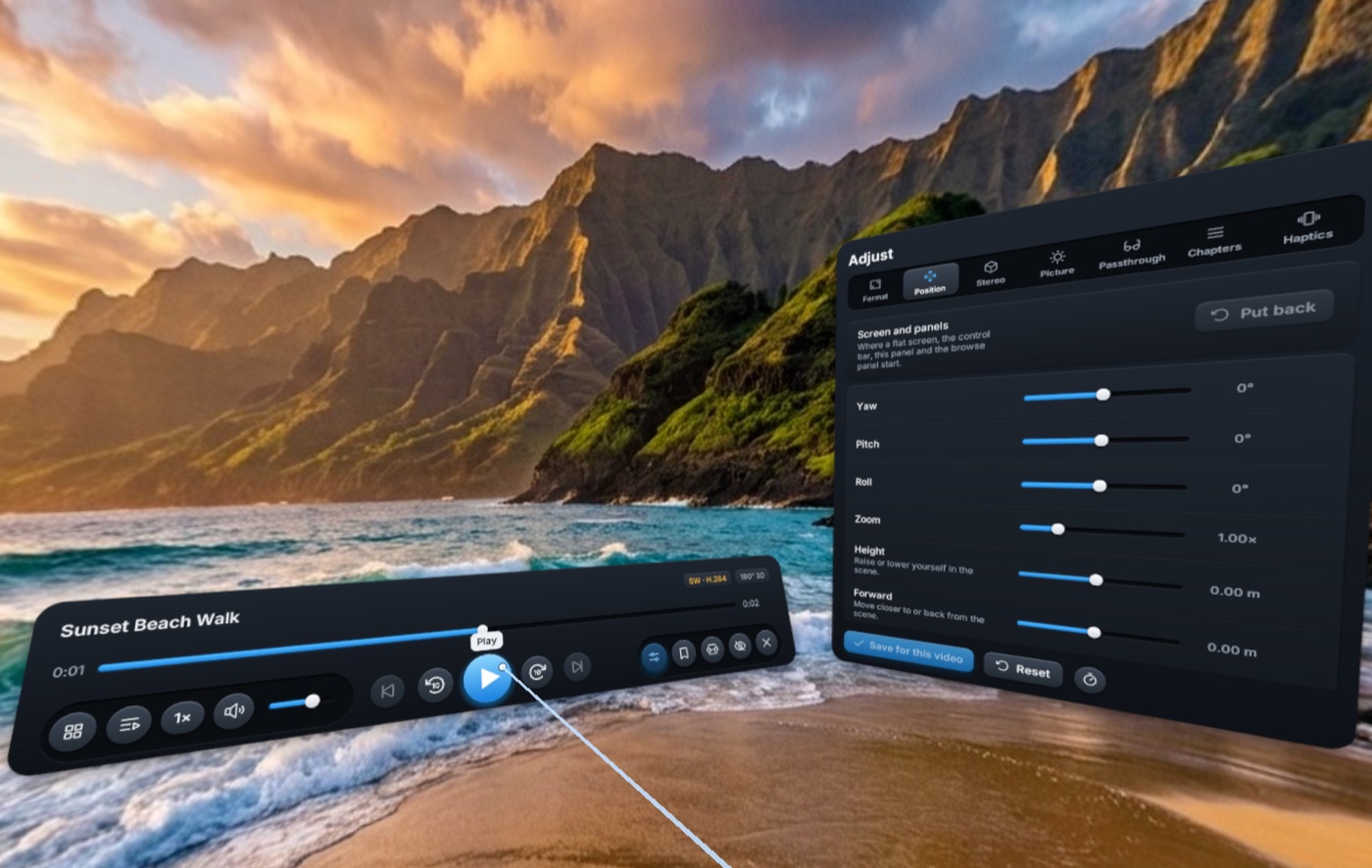
Whirligig: stays inside Steam
Whirligig is a paid Steam app with "Side-by-Side (SBS) and Over/Under (OU) support" [5]. Its maker says the Android build "runs better than the Windows version through Proton" [4]. Lepton is the layer that runs Android software on the headset [9].
- Open Properties. In your Steam library, open Whirligig and press the gear.
- Choose Lepton. On the Compatibility tab, turn on "Force the use of a specific Steam Play compatibility tool" and pick Lepton [4].
- Press Play. Close Properties, let Steam download the Android version, then start it [4].
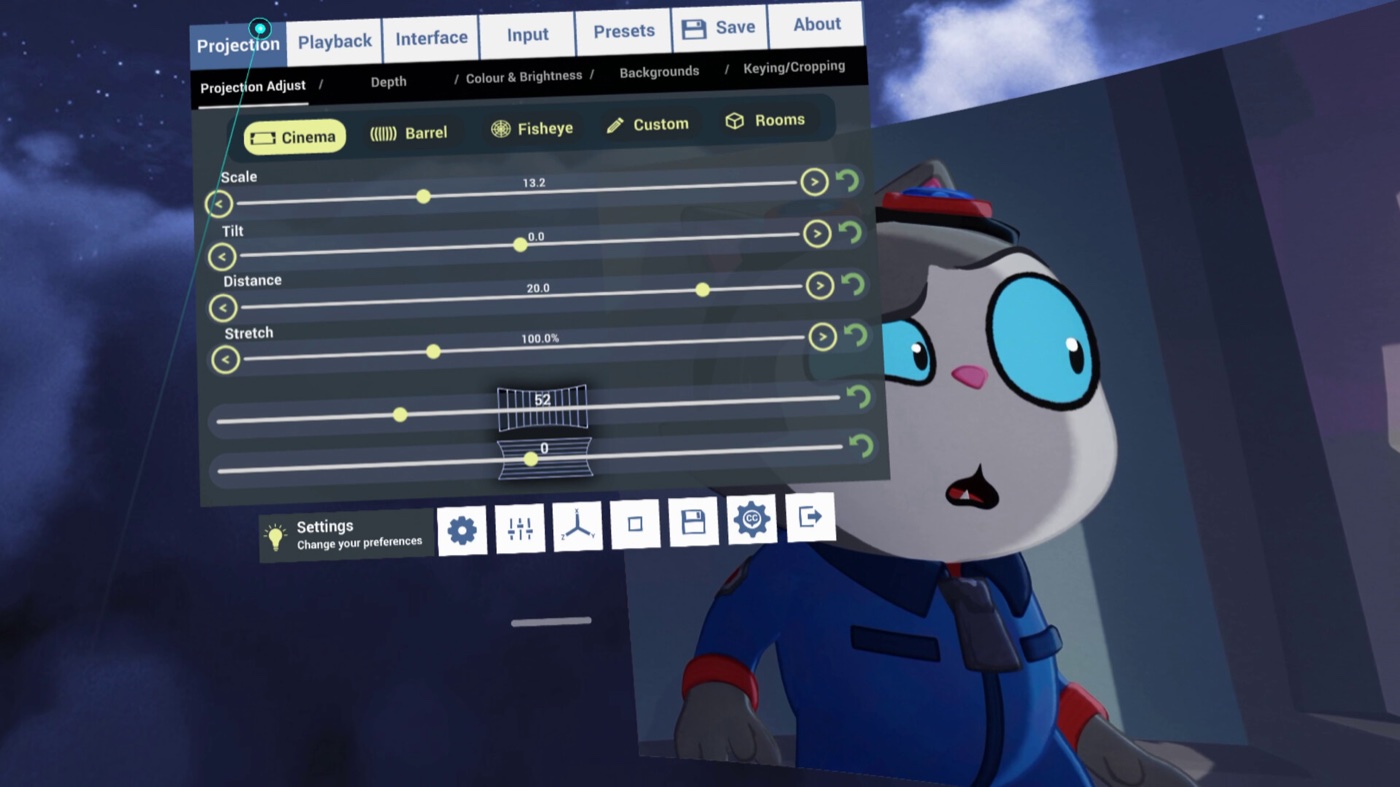
immerGallery: one purchase for both versions
immerGallery lists a "standalone Steam Frame" version, and "No connected PC is required" [6]. One purchase on Steam includes the PC and Frame versions [6]. Its makers tested version 1.4.5 in September 2026. A 3D film file at 1080p per eye played smoothly, and so did 4K at 60 fps. 6K hung and 8K was not smooth [7].
Stream from a PC
Valve calls the headset "streaming-first" and includes a wireless adapter [11]. Bigscreen's Steam page says you can watch "in side-by-side 3D or over-under 3D directly from your desktop" [12].
- Test ordinary PC VR first. Run a game. Start at 90 Hz [13].
- Change one SteamVR setting. Turn off Settings → Advanced Settings → Dashboard → Present Non-VR Applications on Theater Screen Upon Launch [13].
- Launch Bigscreen through SteamVR and show your Windows desktop [13].
- Play the film full-screen and set its layout to SBS or OU in Bigscreen. These desktop modes read half side-by-side and half over-under, not full side-by-side [13].
Those steps come from the maker of Stream to 3D, a rival converter. Whirligig also runs as a PC app [4]. With another headset, see Steam Link on a Quest or PS VR2 on PC.
When the picture looks wrong
- Two pictures side by side. The film is on a flat screen, not in a 3D player. Open it in an app above and set the layout. Terms: 3D video formats.
- Two squeezed pictures in a normal 16:9 frame. That is half side-by-side. FramePlayerX treats full-width files (3840x1080) as 3D by their shape, but 16:9 shapes play flat [10]. Set the layout by hand under ⚙ › Format.
- The same picture in both eyes. One owner saw this on a SKYBOX beta, not on the stable version [17].
- Stutter. In FramePlayerX it is usually AV1 or 4:2:2 video, which the hardware decoder cannot play [3]. In Lepton apps, drop the resolution or stream from the PC [4], [7].
- A microSD card or USB drive is not seen. Lepton apps need Developer Mode, ADB and a helper script, and the card should be exFAT [8]. FramePlayerX reads both directly [3]. In Whirligig the mapping resets when the app restarts, by one owner's report [16].
- The battery runs out. Engadget reports about two hours of video streaming [14]. You can run it on a USB-C charging cable [14].
What it cannot do yet
- A system 3D mode. Valve's words: "we don’t currently support it, but it’s on our list" [2]. An owner asked for an "Off / 3D SBS / 3D Over-Under" toggle on October 29, 2026 [1].
- 3D Blu-ray discs. This page covers video files. For discs, see 3D Blu-ray players.
- Turning flat games into 3D. Valve told Road to VR in 2025 that this is not something it is looking into [2].
A film with no 3D release
If the film only exists in 2D, a 3D player has nothing to show in 3D. Owl3D's converter runs on a Windows PC or Mac and makes a side-by-side, half side-by-side or top-bottom file from a 2D video you have the right to use. That is an AI conversion, not the studio's 3D version, and a full film takes time. Play the result in any app above. We have not tested it on a Steam Frame. The free tier adds no watermark and stops at 60 seconds per conversion; see pricing.
Two other options exist. immerGallery's site lists cloud 2D-to-3D conversion [15], and we could not confirm it on the Frame version. Stream to 3D converts live on a Windows PC, and its maker says it "is not currently a native Steam Frame system-wide conversion filter" [13].
From Owl3DOwl3D converterA desktop app for Windows and Mac that turns 2D videos and photos into 3D.What owners report
Five accounts from Steam forums, September and October 2026. We have not tested them.
- DeoVR, streamed from a PC: "at least the video itself plays smoothly" [18].
- DeoVR, on the headset: "unuseable right now on steam frame. horrible resolution and lag" [18].
- SKYBOX, streamed from a PC: on a beta, full side-by-side films "show the same image to each eye". The same owner wrote: "The current (non beta) version plays them all fine." [17]
- SKYBOX, on the headset: "as soon as I try to pause, or skip forward or back, I get a "waiting" screen that does not end" [20].
- Whirligig 5.8103 beta, streamed from a PC: half side-by-side failed to stretch in a 3D environment. Its developer replied: "A fix should be in the next release" [16].
FAQ
Can the Steam Frame play 3D movies without a PC?
Yes. FramePlayerX [3], Whirligig [4] and immerGallery [6] all run on the headset itself.
Can I watch 3D movies from Plex or Jellyfin?
FramePlayerX connects to Jellyfin and Emby [3], and added Plex in a beta on October 31, 2026 [19]. Whirligig's Steam page lists Plex over local and remote connections [5], and its version notes name Plex and Jellyfin [4].
Where do I get 3D movies if I own none?
Bigscreen says you can "rent and watch high quality 3D movies in VR" [12], though its page does not mention the Steam Frame. See free 3D videos and where to watch 3D movies at home.
Is a Steam Frame or a Quest 3 better for 3D movies?
immerVR's test favoured the Quest 3 for 8K VR180, and found the Steam Frame smooth up to 4K and with 1080p-per-eye 3D films [7]. Note that immerVR makes immerGallery. For the Quest route, see watching movies in VR.
Sources (20)
- Steam Frame forum, feature request for a native 3D display toggle, October 29, 2026 (user's report). https://steamcommunity.com/app/4165890/discussions/0/568175573451558005/ Opened 2026-11-02.
- Road to VR, Ben Lang, "Valve: Steam Frame Doesn't Support Stereoscopic Rendering of Flat Games but the Feature is "on our list"" (December 4, 2025). https://roadtovr.com/valve-steam-frame-stereoscopic-3d-support-flat-games-spatial-video/ Opened 2026-11-02.
- FramePlayerX, project page and FAQ. https://github.com/remotesojourner/frameplayerx Opened 2026-11-02.
- Whirligig, Steam news: version notes of October 4 and October 29, 2026. https://steamcommunity.com/app/451650/allnews/ Opened 2026-11-02.
- Steam, "Whirligig" store page. https://store.steampowered.com/app/451650/Whirligig_Media_Player/ Opened 2026-11-02.
- Steam, "immerGallery" store page. https://store.steampowered.com/app/3073280/immerGallery/ Opened 2026-11-02.
- immerVR, "Steam Frame vs. Quest 3: 3D Movies, VR180 & Photos Tested" (video, September 21, 2026; test of September 17). https://www.youtube.com/watch?v=MPaZYZst4vQ Opened 2026-11-02.
- immerNews, microSD and USB storage on Steam Frame (October 24, 2026). https://immernews.com/steam-frame-microsd-usb-storage/ Opened 2026-11-02.
- Valve, Steamworks documentation, Steam Frame compatibility. https://partner.steamgames.com/doc/steamhardware/steamframe/compatibility Opened 2026-11-02.
- FramePlayerX, User Guide. https://github.com/remotesojourner/frameplayerx/blob/main/docs/USER-GUIDE.md Opened 2026-11-02.
- Valve, Steam Frame page. https://store.steampowered.com/sale/steamframe Opened 2026-11-02.
- Steam, "Bigscreen Beta" store page. https://store.steampowered.com/app/457550/Bigscreen_Beta/ Opened 2026-11-02.
- Stream to 3D, Steam Frame guide (updated October 2, 2026). https://iwantaholodeck.com/stream-to-3d-steam-frame-2d-to-3d/ Opened 2026-11-02.
- Engadget, Steam Frame review. https://www.engadget.com/2257659/valve-steam-frame-review/ Opened 2026-11-02.
- immerVR, immerGallery home page. https://www.immervr.com/ Opened 2026-11-02.
- Steam discussions, Whirligig: "v5.8103 - Half SBS does not stretch when in a 3D environment." (October 29, 2026) and "SD Card Support in Lepton on Steam Frame" (October 26, 2026) (users' reports). https://steamcommunity.com/app/451650/discussions/0/574930972896777582/ and https://steamcommunity.com/app/451650/discussions/0/573804739774678005/ Opened 2026-11-02.
- Steam discussion, SKYBOX VR Video Player: "New Beta version Sept 2026 bugs", September 25, 2026 (user's report). https://steamcommunity.com/app/721090/discussions/0/586186803158068028/ Opened 2026-11-02.
- Steam discussion, DeoVR: "Steam Frame (Standalone Version?)", September 2026 (users' reports). https://steamcommunity.com/app/837380/discussions/0/563668523042347591/ Opened 2026-11-02.
- FramePlayerX, releases: v0.16.0-beta.1. https://github.com/remotesojourner/frameplayerx/releases Opened 2026-11-02.
- Steam discussion, SKYBOX VR Video Player: "Steam Frame Version", September 30, 2026 (user's report). https://steamcommunity.com/app/721090/discussions/0/586187095760081817/ Opened 2026-11-02.