How to Watch 3D Movies on XREAL, VITURE and RayNeo Glasses
How we researched this: written by Owl3D from published sources, all 28 listed at the end.
Short answer
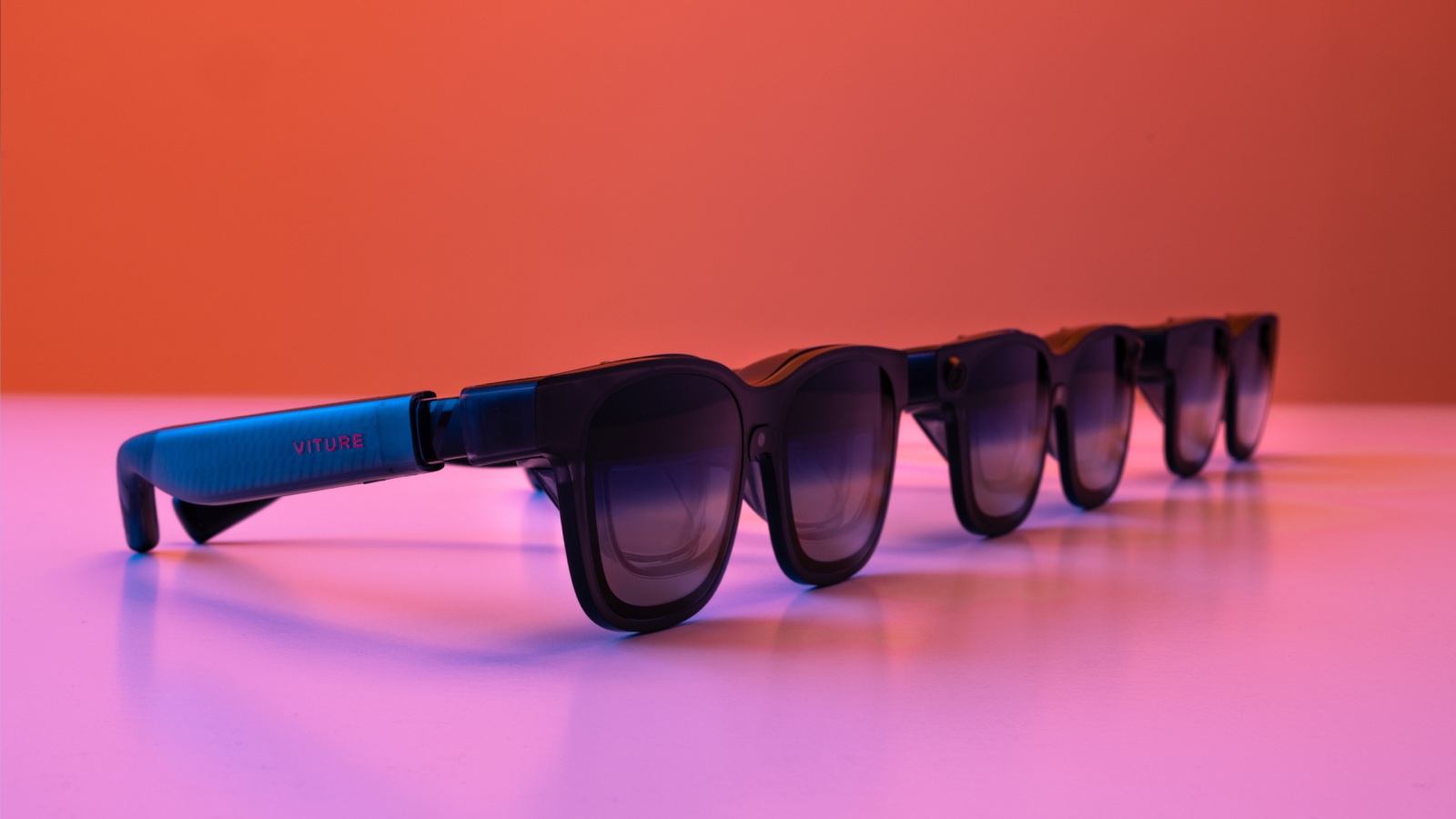
Video glasses from XREAL, VITURE and RayNeo show 3D from a side-by-side (SBS) video: play the film full screen on the phone or computer the glasses are plugged into, then switch the glasses to 3D mode. The usual format is Full SBS, 3840×1080; XREAL's One series also takes Half SBS. In most setups the glasses do not switch by themselves, and a phone that cannot send a 3840×1080 picture cannot switch them to 3D at all. Some glasses can also turn an ordinary 2D video into 3D as it plays.
Owl3D, the publisher of this guide, makes a 2D-to-3D converter that is described in one section below. What each pair of glasses does comes from its maker's own pages, read on October 9, 2026; where a press report or an owner is the source instead, the page says so.
Key takeaways
- Find your glasses in the table: which 3D file they take, which button switches 3D on, and whether they turn 2D into 3D themselves.
- Black screen, two copies of the picture, or a squashed picture? Go to when 3D does not work, then what owners report.
- A 3D Blu-ray player does not plug straight in as a 3D source on any maker's page we read: disc players and consoles.
- XREAL's One series converts any 2D picture to 3D inside the glasses; VITURE does it with an app on the phone or computer: 2D turned into 3D.
- Nothing to watch in 3D? Free 3D videos, your own footage, or a 2D video file made into a 3D file with Owl3D's converter, an AI conversion and not the studio's 3D.
Which 3D your glasses show, and how to switch it on
Two different things are called "3D" on these glasses. One is playing a video that already has a left-eye and a right-eye picture. The other is the glasses or an app adding depth to an ordinary 2D picture. The table keeps them apart.
| Glasses | 3D video they take | How to switch 3D on | Turns 2D into 3D? |
|---|---|---|---|
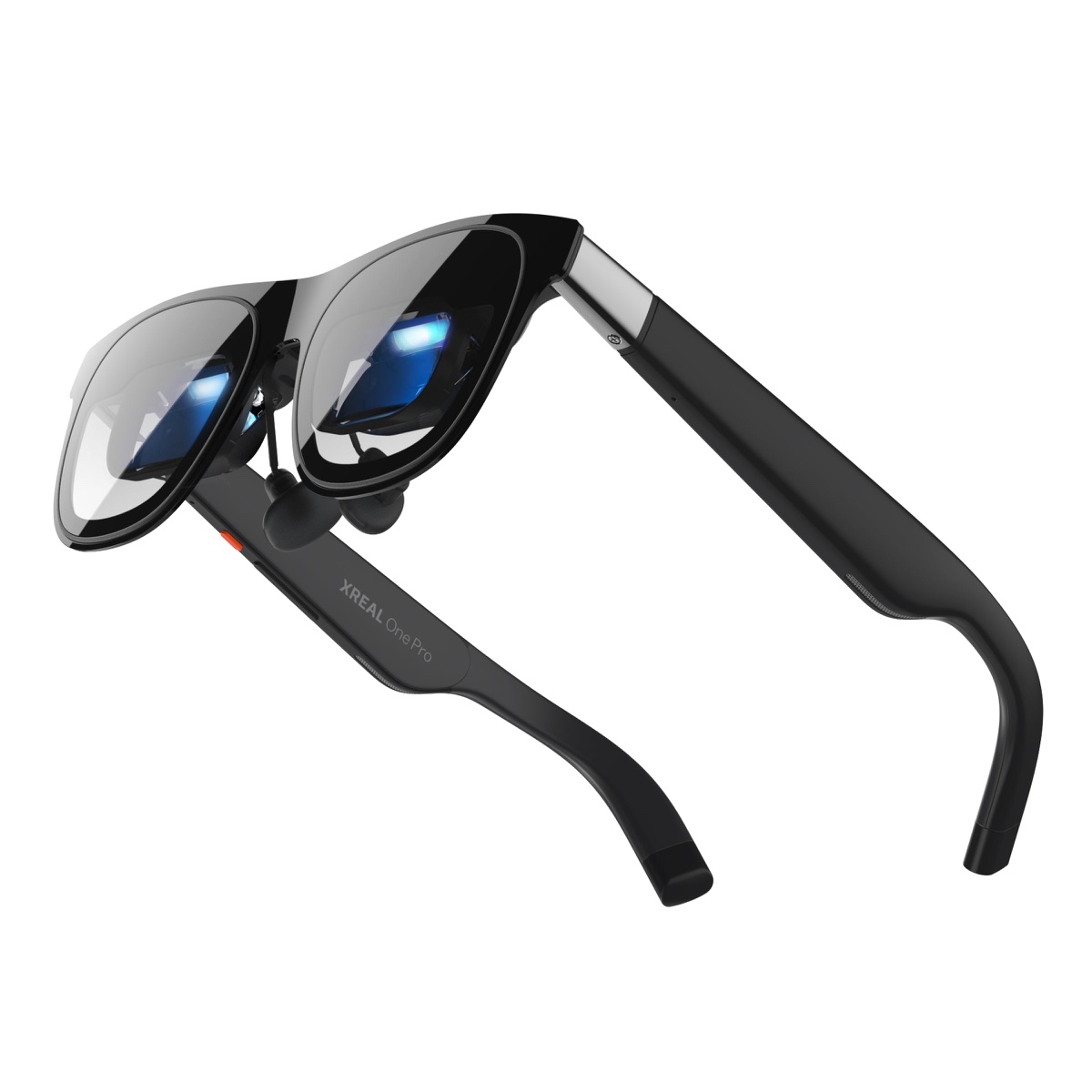
| XREAL One series: the One, One Pro and 1S, as XREAL's tutorial lists them [28] | Full SBS and Half SBS [1] | Double-click the red X button, then Spatial Screen, then 3D Mode [1] | Yes, in the glasses: REAL 3D, with current firmware [2]. TechRadar reports it came first on the 1S [13] |
| XREAL Beam Pro player with XREAL glasses | Side-by-side, top-and-bottom, 180° and 360° 3D [1] | Nothing to press: "There is no need to manually enable" 3D Mode [1] | Not covered here |
| VITURE Luma series | Full SBS only [4] | Press and hold R1 [4] | With an app: SpaceWalker on a phone, Immersive 3D on a Mac or Windows PC [4] |
| VITURE Beast | Full SBS [5] | Double-press R1 [5] | With VITURE's Immersive 3D [5] |
| VITURE Pro and One | Full SBS, 3840×1080 [6] | Press and hold the Mode button [6] | The page names Immersive 3D only for an iPhone with VITURE's USB-C XR Charging Adapter [6] |
| RayNeo Air 2s | Full SBS, 3840×1080 [9] | "turn 3D mode on"; the page text names no button [9] | Not stated [9] |
| RayNeo Air 3s Pro | Side-by-side, 3840×1080 in 3D mode [10] | Not stated [10] | Through the RayNeo XR app on iPhone, for photos and videos in the camera roll [10] |
| RayNeo Air 4 Pro | "native 3D" [12] | Not stated [12] | RayNeo's page says it "Supports native 3D & AI 2D-to-3D conversion" [12] |
Last checked : what each maker's own page says.
The words Full SBS only matter. VITURE's page says: "All VITURE glasses currently support only Full SBS (Side-by-Side) format for 3D content" [4]. If your film is Half SBS or top-and-bottom, see Full SBS or Half SBS.
Play a side-by-side 3D film, step by step
The order is the same on every brand: get the picture working in 2D first, start the film, then switch.
- Connect the glasses and check the 2D picture. They need a USB-C port that sends video. VITURE's wording for what to look for in a device's specifications: "DisplayPort over USB-C, DP Alt Mode, Alt DP over USB-C, or Thunderbolt 4" [5]. XREAL says an iPhone 15 or later with a USB-C port connects directly, the iPhone 16E excluded [3].
- On a computer, extend the desktop to the glasses. VITURE and RayNeo both say to set the glasses as an extended display, then move the player onto that screen [4][9].
- Open the film and make it full screen. On an Android phone, VITURE and RayNeo both name VLC [4][9]. XREAL's tutorial says to open the video "in your phone's video player" [1].
- Switch the glasses to 3D mode. Use the button or menu from the table. On XREAL's One series, choose Half SBS or Full SBS to match the film [1].
- If the picture is the wrong shape, fix it in the player. In VLC, VITURE and RayNeo say to long-press the aspect ratio button and choose the fit-to-screen option [4][9].
Three things the makers' pages warn about:
- The setting is not kept. On XREAL's One series, "The system does not retain the 3D Mode setting until the next reconnection" [3]. XREAL's answer is to put 3D Mode on the Quick Button [2][3].
- Only at 16:9. On the same glasses, "3D Mode is only available for 16:9 screen sizes" [3].
- A short black screen is normal. When VITURE's phone app switches the glasses for you, VITURE describes a "black screen for ~2 seconds" [8]. A screen that stays black is a different matter: see the fixes.
Full SBS or Half SBS: which one is your film?
Look at the video's size. XREAL's tutorial gives the rule in two lines: "Full SBS: 3840×1080 (No Horizontal Squeeze)" and "Half SBS: 1920×1080 (Squeezed Views)" [1]. In a Full SBS film each eye gets a whole 1920×1080 picture [10]. In a Half SBS film the two pictures are squeezed sideways into one ordinary 1920×1080 frame [1].
One 3D picture, four ways to pack it


- Your glasses take both (XREAL One series): pick the matching mode. XREAL's note: "Please match the mode setting to your video resolution!" [1]
- Your glasses take Full SBS only (VITURE says so [4]; RayNeo's Air 2s page names only Full SBS [9]) and the film is Half SBS: the makers' pages we read give no way to play it. One VITURE Pro owner on Blu-ray Forum, December 2024, wrote only that "half SBS can work", without saying how [24].
- Top-and-bottom films. On XREAL, the Beam Pro's player lists top-and-bottom; the glasses' own 3D Mode lists only the two side-by-side kinds [1].
- A side-by-side MKV file with the wrong shape. VITURE's page says the aspect ratio "may not be correct" and gives a fix: in the MKVToolNix program, open the Header editor and set "Video stereo mode" to 1 [4].
For what each layout looks like on other screens, see 3D video formats.
When 3D does not work: what you see, why, what to do
| What you see | Why | What to do |
|---|---|---|
| The screen goes black when you switch to 3D, and stays black | The cause the makers' pages name for 3D mode not starting: the phone or computer cannot send the 3840×1080 picture that 3D mode asks for. VITURE: "the Google Pixel 8 and 9 series do not support switching to 3D Mode", and the device "must support video output at 4K resolution or higher" [4]. Both VITURE and RayNeo warn that some Windows PCs do not support 3840×1080 [4][9]. The makers do not say what you see when it fails; the black screen is what owners describe [16] | Play the film from a device that can send that picture. One owner got the picture back only by unplugging the cable [16] |
| Two copies of the picture, side by side | A side-by-side film holds the left-eye and right-eye pictures next to each other [1], and glasses still in 2D show both. Or an app is already sending a 3D picture and the glasses did not follow | Switch the glasses to 3D mode by hand. VITURE says that with its Windows app and an adapter "you must enable 3D Mode manually by pressing and holding the Mode button" [7], and that glasses plugged straight into a phone are switched by hand too [8] |
| 3D, but squashed thin or stretched wide | A Half SBS film in Full SBS mode, or the other way round [1] | On XREAL, change the mode. On Full SBS only glasses, see formats; in VLC choose fit to screen [4][9] |
| A Samsung phone opens DeX and 3D will not start | Samsung DeX starts when the glasses are plugged in | VITURE and RayNeo both say to turn DeX off: Settings, Advanced Features, Samsung DeX, and switch off the auto-start option [4][9] |
| 3D Mode is missing or does nothing on XREAL | 3D Mode works only at the 16:9 screen size [3] | Go back to the 16:9 screen, then open 3D Mode |
| You have to switch 3D on every time | XREAL's One series does not keep the setting after reconnecting [3] | Set the Quick Button to 3D Mode [2][3] |
| A streaming film shows black or double when an app converts it to 3D | Copy protection (DRM) is the cause VITURE names: the feature "may be unavailable on some video streaming websites due to DRM restrictions" [8] | On a Mac or PC with VITURE's desktop app, see streaming. On a phone, the makers' pages we read give no fix |
What owners report about getting 3D mode to work
These are owners' own words from comments and forum posts. We have not tested any of it, and none of these comments says what finally fixed the problem. Most are about VITURE glasses only because most of the comments we read sit under VITURE videos, and people whose 3D worked first time rarely write: read them as what can go wrong, not as how often it does or as a verdict on a brand. YouTube shows only how long ago a comment was posted, so those dates are approximate.
- Black screen from a phone: three VITURE owners. Under a how-to for the Luma Pro's 3D switch, about June 2026: "Only a black screen appears. I connected it with my Google Pixel 10 Pro XL using the SpaceWalker Android app" [16]. A second owner there, about January 2026: "Display on glasses goes black and never turns back on unless I disconnect the cable. I have only gotten 3d mode to work using neckband 3d player." [16] Under a video about Immersive 3D, about September 2026, an owner with an iPhone 16 and a PS5 on VITURE's dock: "no 3d mode works black screen only" [19]. VITURE's own page names only the Pixel 8 and 9 [4]; the Pixel 10 report is one person's.
- VITURE's Android app: it failed for one owner and worked for another. Under a video on Immersive 3D for Android, about April 2026: "Doesn't work on my S26 Ultra. Always switches to a weird 4 tiny screens display. No 3D at all." [20] An earlier commenter there, about a year before, phone not named: "Just turned on Immersive 3D function & it becomes well 3D!" [20]
- A doubled picture instead of 3D: two people. Under a video on VITURE's line-up, about March 2026, a commenter who does not name the model: "all you get is the screen doubled up side by side" [17]. Under a VITURE Pro video, about November 2025, an owner using VITURE's phone app on an iPhone: "But I get nothing but a double screen when I try to convert Prime movies to 3D." The same comment also says: "The 3D works great" [18].
- Samsung DeX: one owner could not find the switch. Same line-up video, about November 2025: "Can't turn off dex w my z fold 6. So no 3d. Any ideas?" [17] Nobody had answered when we read it.
- Through an HDMI adapter the glasses shut off: one XREAL owner. On the Photo-3d group, September 2024, using a powered HDMI-to-USB-C adapter from a computer: "when I long-press the brightness-up button to switch to 3-D, the glasses simply shut off." On a USB-C port of the same computer, "the 3-D mode works as expected" [21].
- It worked from a Mac, not from an Android phone: one VITURE Pro owner. On Blu-ray Forum, December 2024: "it was nice to be able to just plug the glasses into my Apple laptop, switch to 3D mode and play the movie." The same person: "They also didn't work at all with my Android phone" [24].
- XREAL One: choose the mode each time. An owner on the Photo-3d group, February 2025, after XREAL added Half SBS: "I've tested it and it works perfectly. Half SBS mode has to be selected in the glasses' settings menu each time it's used." [22] An owner on the OSMC forum, December 2025: "The Xreal doesn’t automatically switch to 3d, but requires a button press" [23].
2D turned into 3D by the glasses: who does it, and what it needs
No 3D file is needed for this. The picture's depth is estimated by software as it plays. It is a conversion: not footage shot with two lenses, and not a studio's 3D version of a film.
XREAL: inside the glasses. REAL 3D "converts any 2D content into real-time 3D stereoscopic visuals", on XREAL One series glasses with current firmware [2]. Turn it on in the same menu: Spatial Screen, 3D Mode, REAL 3D. It has four strengths, Soft, Natural, Enhanced and Furious [2]. The Verge's report from CES in January 2026 says the 1S converts "without any extra apps, software, or proprietary players" [14], and TechRadar wrote later that month that the feature "first debuted on the Xreal 1S glasses and has since landed on Xreal’s One and One Pro specs" [13]. XREAL's own cautions: it is "Not recommended for office work, reading text documents, or precision tasks", and "Higher 3D intensity levels may increase power consumption, heat generation, or occasional frame drops" [2].
VITURE: an app does it. Immersive 3D comes in two forms. On a Mac or Windows PC it is a separate app that "converts your entire screen content into 3D in real time" [4]. On a phone it is part of the SpaceWalker app [4].
- Computer. Any Apple Silicon Mac, M2 or newer recommended. On Windows, 32 GB of memory, and for films VITURE recommends an "NVIDIA RTX 2050 or higher" [7].
- Phone. An iPhone or iPad with USB-C on iOS 18 or later, or an Android phone on Android 14 or newer. VITURE recommends a Samsung Galaxy S23 or newer, says the Pixel 8 and 9 "do not support the required resolution", and says Samsung phones with Exynos processors are not supported [8].
- A console. The app runs on the phone or computer [7][8]; VITURE's pages that we read describe no way to convert a console's picture without one.
RayNeo. RayNeo's page for the Air 4 Pro says it supports "AI 2D-to-3D conversion" [12]. Its blog describes conversion "through the RayNeo XR App" on the GT series [11], and for the Air 3s Pro on iPhone, for "photos and videos in your camera roll" [10].
Netflix, Disney+, Prime Video: does the conversion work? In a phone app, not always. VITURE says so itself: converting in SpaceWalker's browser "may be unavailable on some video streaming websites due to DRM restrictions" [8], and RayNeo's blog says "DRM restrictions, streaming-app rules, and device support can affect whether certain videos play normally or work with 2D-to-3D conversion" [11]. On a Mac or PC, VITURE's page gives a method for "Netflix or Disney+": use Chrome, Edge or Firefox and turn off the browser's hardware acceleration [7]. XREAL's page describes REAL 3D as converting "any 2D content" and says nothing about streaming services [2]. For where studios' own 3D versions are sold, see which streaming services have 3D movies.
Is the converted 3D any good? What owners say
Owners who describe it do not agree. These are six people's own words. Four are about XREAL's REAL 3D and two about VITURE's Immersive 3D, so this is not a comparison of the two makers, and we have not compared the glasses ourselves.
- Pleased, XREAL. An XREAL One Pro owner under a comparison of the two makers' converters, about February 2026: "I use real3d a lot on my one Pros and the nice thing is that I can use it with every source." The same owner on its limit: "What is noticeable is the low resolution in all dimensions of the generated depth map" [26]. Under a video on REAL 3D, about February 2026: "Converting 2D to 3D is an amazing feature also in XREAL ONE" [25].
- Not pleased, XREAL. Under the same video, about May 2026, someone who says they work in 3D film and tried REAL 3D: "the results from this were pretty poor. Lots of depth errors, warping backgrounds and other weird artefacts." And in the next breath: "The glasses are grest for actual 3d content viewing though" [25]. Under a tutorial for XREAL's Beam Pro, about February 2026, on the strength settings: "It's too glitchy going past soft, even in sound." [27]
- VITURE and streaming: two buyers. Under the VITURE Pro video, a year or more ago: "you cannot watch Netflix or Disney with this" [18]. The owner quoted above, whose Prime films came out as a double screen, wrote in the same comment: "The 3D works great" [18]. VITURE's page for its phone app says DRM can make the feature unavailable on some streaming sites [8]; its desktop page gives a browser method [7].
Two reviewers who tried it land in between. TechRadar on REAL 3D: "the effect is incredible, albeit still something of a work in progress at times" [13]. Android Central on VITURE's phone app, July 2025: "Several times while surfing through different YouTube videos, the Immersive 3D button would disappear." [15]
Can you plug in a 3D Blu-ray player, a PS4 or a console?
For 2D, yes, with an adapter: VITURE lists "HDMI supported via adapter" [5]. For 3D from a disc player, we found no maker's page that says it works. Every 3D instruction we read from XREAL, VITURE and RayNeo starts from a side-by-side video played on a phone, a computer or the maker's own player [1][4][9]. None lists a 3D Blu-ray player or a console's disc drive as a 3D source.
Two owners' own findings fit that. Both are about XREAL glasses, and we have not tested either:
- An XREAL One owner on the OSMC forum, December 2025, on which 3D layouts the glasses accept: "The Xreal One supports HSBS and Full SBS, (not TAB or MVC)" [23].
- An XREAL owner on the Photo-3d group, September 2024, after 3D mode failed through a powered HDMI-to-USB-C adapter from a computer: "Bottom line is the glasses REQUIRE a direct USB-C connection to the computer for 3-D viewing." [21]
For what does play a 3D disc, see 3D Blu-ray players and does a 3D Blu-ray disc play in a headset.
A game console, converted to 3D. XREAL's REAL 3D runs in the glasses [2]. VITURE's conversion runs in an app on a phone or computer [7][8]. See 2D turned into 3D.
What is there to watch in 3D on video glasses?
RayNeo puts it plainly for its own glasses: it "doesn’t run a streaming service or maintain a built-in library of 3D movies" [10]. XREAL's and VITURE's pages point to sample playlists, your own files, and conversion [1][4].
- Free side-by-side videos on YouTube. XREAL's and VITURE's pages both link a playlist of side-by-side 3D videos to play full screen [1][4]. More, with links: 3D videos you can watch today, free.
- Your own 3D footage. Side-by-side video from a 3D camera plays like any other SBS file: see 3D cameras and what their files play on.
- Studio 3D films. The streaming services that have studios' own 3D versions play them only on particular headsets; we could confirm none that plays one on a phone or computer, which is what feeds these glasses. Service by service: 3D movies on streaming. On discs, see the section above.
- 2D films and videos, converted. In the glasses or an app as they play (above), or as a file made ahead of time (below).
Owners ask this too. One, under a Beam Pro tutorial, about August 2026: "Would anyone know where I can get sbs movies from?" [27] Nobody had answered when we read it.
A 2D video made into a 3D file: the Owl3D converter
If your glasses play side-by-side files and do not convert 2D themselves, or you want the 3D made before you sit down, a file is the other route. Owl3D makes software for this, so read this section as the maker's description.
The Owl3D desktop app, for Windows and Mac, converts 2D videos and photos into stereoscopic 3D using AI, and the processing runs on your own computer. It opens ordinary video files such as MP4, MOV and MKV. Its output formats include Side-by-side and Half Side-by-Side. The file then plays on the glasses like any other SBS film: the steps above.
How it differs from the glasses' own conversion:
- Not instant. The glasses and VITURE's app convert as the video plays. The converter takes a file and time, and Owl3D's aim with it is quality. Its strongest model, StereoGen, is coming soon; it takes hours for a video and needs an NVIDIA RTX graphics card.
- Still a conversion. It is an AI conversion of a 2D picture, not the studio's 3D version of a film.
- Your own files. It works on video files you have the right to use.
- Not tested on these glasses by us. We have not played a converted file on any of these makers' glasses, so we cannot say how its size and shape suit each pair. Check a short clip against what your glasses take before converting a whole film.
There is a free tier and paid plans: see pricing.
From Owl3DOwl3D converterA desktop app for Windows and Mac that turns 2D videos and photos into 3D.Frequently asked questions
Do XREAL glasses play 3D movies?
Yes. XREAL's One series has a 3D Mode for side-by-side video, with Full SBS and Half SBS settings [1]. With a Beam Pro, XREAL's player also takes top-and-bottom files and switches the glasses by itself [1].
What does 3840×1080 mean on these glasses?
It is two 1920×1080 pictures next to each other, one for each eye. RayNeo's explanation for the Air 3s Pro: "3D mode sends a separate 1920x1080 frame to each panel" [10]. It is not a sharper picture than 2D mode.
Do I need an app to watch 3D?
Not for a side-by-side file: an ordinary video player and the glasses' 3D mode are enough [1][4][9]. For 2D turned into 3D, XREAL's One series needs no app [2]; VITURE needs SpaceWalker or the Immersive 3D app [4].
Why does the 3D switch itself off?
On XREAL's One series the 3D Mode setting is not kept after you reconnect the glasses [3]. Assign 3D Mode to the Quick Button so one press brings it back [2].
Can I watch 3D on video glasses from an iPhone?
XREAL says an iPhone 15 or later with a USB-C port connects directly, the iPhone 16E excluded [3]. For VITURE's conversion on iPhone you need the SpaceWalker app and iOS 18 or later, and VITURE lists an optional adapter that switches the glasses to 3D automatically [8]. The makers' pages we read name no iPhone player for side-by-side files.
Sources (28)
- XREAL, One series tutorial, "3D Mode". https://tutorials.xreal.com/docs/glasses/one-series/osd/3d-mode/ (opened 2026-10-09)
- XREAL, One series tutorial, "REAL 3D". https://tutorials.xreal.com/docs/glasses/one-series/osd/real-3d (opened 2026-10-09)
- XREAL US shop, "User Guide_XREAL One Series". https://us.shop.xreal.com/blogs/buying-guide/user-guide_xreal-one-series (opened 2026-10-09)
- VITURE Academy, "Luma Series XR Glasses", sections "Watch 3D Movies" and "Immersive 3D". https://www.viture.com/academy/xr-glasses/luma-series (opened 2026-10-09)
- VITURE Academy, "The Beast XR Glasses". https://www.viture.com/academy/xr-glasses/the-beast (opened 2026-10-09)
- VITURE Academy, Pro and One series XR Glasses. https://www.viture.com/academy/xr-glasses/pro-one-series (opened 2026-10-09)
- VITURE Academy, "Immersive 3D Desktop". https://www.viture.com/academy/immersive-3d/desktop (opened 2026-10-09)
- VITURE Academy, "Immersive 3D Mobile". https://www.viture.com/academy/immersive-3d/mobile (opened 2026-10-09)
- RayNeo, "Watch 3D Video" (Air 2s support page). https://www.rayneo.com/pages/watch-3d-video (opened 2026-10-09)
- RayNeo blog, "RayNeo Air 3s Pro Display Resolution Explained: 1920x1080 (2D) and 3840x1080 (3D)". https://www.rayneo.com/blogs/news/rayneo-air-3s-pro-display-resolution-explained (opened 2026-10-09)
- RayNeo blog, "Convert 2D Movies and Photos to 3D Instantly: A New Way to Relive Content With AR Glasses". https://www.rayneo.com/blogs/news/2d-to-3d-ar-glasses (opened 2026-10-09)
- RayNeo, "RayNeo Air 4 Pro" product page. https://www.rayneo.com/products/rayneo-air-4-pro-ar-smart-glasses (opened 2026-10-09)
- TechRadar, "XR glasses have had one major issue — and Xreal just solved it with a free update", by Hamish Hector, January 27, 2026. https://www.techradar.com/computing/virtual-reality-augmented-reality/xr-glasses-have-had-one-major-issue-and-xreal-just-solved-it-with-a-free-update (opened 2026-10-09)
- The Verge, "Xreal’s entry-level AR glasses get a spec bump and 3D conversion", January 4, 2026. https://www.theverge.com/tech/852821/xreal-1s-ces-hands-on-ar-glasses-wearables (opened 2026-10-09)
- Android Central, "Viture's immersive 3D video is the kind of voodoo magic I expect from XR glasses", by Nicholas Sutrich, July 17, 2025. https://www.androidcentral.com/gaming/virtual-reality/viture-immersive-3d-video (opened 2026-10-09)
- Users' reports: comments under the YouTube video "VITURE XR Luma Pro – How to Switch Between 3D and 2D". https://www.youtube.com/watch?v=MWvhS9CV4CM (opened 2026-10-09)
- Users' reports: comments under the YouTube video "These NEW Glasses Turn Everything 3D!! - VITURE Luma PRO and Full Lineup". https://www.youtube.com/watch?v=cnTaZRopygE (opened 2026-10-09)
- Users' reports: comments under the YouTube video "Instantly turn any video into a 3D movie experience! - VITURE Pro XR Glasses". https://www.youtube.com/watch?v=IQG7xO2yqnY (opened 2026-10-09)
- Users' reports: comments under the YouTube video "VITURE Immersive 3D? This is Insane!". https://www.youtube.com/watch?v=nRkzeNr6lbU (opened 2026-10-09)
- Users' reports: comments under the YouTube video "Immersive 3D has finally come to Android! And it's MIND-BLOWING!". https://www.youtube.com/watch?v=LGIUNIrhQQE (opened 2026-10-09)
- Users' reports: Photo-3d group on groups.io, message "XREAL glasses will not display 3-D through HDMI", September 30, 2024. https://photo-3d.groups.io/g/main/message/141743 (opened 2026-10-09)
- Users' reports: Photo-3d group on groups.io, message "XREAL One glasses now with built-in squashed SBS viewing", February 28, 2025. https://photo-3d.groups.io/g/main/message/143221 (opened 2026-10-09)
- Users' reports: OSMC forum, "Issues getting 3d using XREAL One AR", December 2025. https://discourse.osmc.tv/t/issues-getting-3d-using-xreal-one-ar/112211 (opened 2026-10-09)
- Users' reports: Blu-ray Forum, thread "VITURE XR Glasses", post of December 6, 2024. https://forum.blu-ray.com/showthread.php?t=361043 (opened 2026-10-09)
- Users' reports: comments under the YouTube video "XREAL One Pros REAL 3D - Here's How it Works". https://www.youtube.com/watch?v=MjUuimhpxNE (opened 2026-10-09)
- Users' reports: comments under the YouTube video "Real3D (XReal 1S) vs Immersive3D (Viture Beast) Comparison Review - Which 3D Converter is Better?". https://www.youtube.com/watch?v=pNxTsHYuyGE (opened 2026-10-09)
- Users' reports: comments under the YouTube video "How to Watch 3D Content With Xreal Beam Pro". https://www.youtube.com/watch?v=8uHS8LEUBj8 (opened 2026-10-09)
- XREAL, One series tutorial, "Specifications". https://tutorials.xreal.com/docs/glasses/one-series/spec (opened 2026-10-09)