How to Convert a 2D Video to 3D: Three Routes, the Tools, and What You Get
How we researched this: written by Owl3D from published sources, all 16 listed at the end.
Short answer
There are three ways to turn an ordinary 2D video into 3D. Convert the file first with software and play the 3D file on a headset, 3D TV or projector; convert as it plays, with a program that works on whatever is on your screen; or use a device that converts by itself, such as a Meta Quest, some video glasses and a glasses-free monitor. All three build a left-eye and a right-eye view from the flat picture, most by estimating depth with AI, so the result is not 3D that a camera or a studio made. (Turning a picture or drawing into a 3D model is a different job, not covered here.) Owl3D, the publisher of this guide, makes a 2D-to-3D converter, Owl3D Link and the Shift; every other tool is described from its maker's own pages.

What a 3D video file looks like when opened flat: side by side (SBS), one picture per eye. This frame is from the 3D version of Big Buck Bunny, not a conversion; converters write the same layout. Image: © Blender Foundation, bigbuckbunny.org, CC BY 3.0.
Key takeaways
- Decide where you will watch first; that picks the route: three routes.
- Free choices exist on every route: iw3 for files and for live conversion, and the Quest's own Gallery: file tools, devices.
- Expect flaws at the edges of objects and in transparent or reflecting areas; the makers say so themselves: what you get.
- Owl3D's converter makes a 3D file; Owl3D Link converts live to a Meta Quest. Both are AI conversions, not a studio's 3D: where Owl3D fits.
Three routes, and who each one fits
| Route | Fits you if | You need | Examples |
|---|---|---|---|
| Convert the file first | You want a 3D file to keep and replay on a headset, 3D TV, projector or video glasses | A video file, time, disk space | Immersity for Web, iw3, Stream to 3D, VisionDepth3D, Owl3D converter |
| Convert as it plays | You do not want to wait, or there is no file: a browser, a game, anything on screen | A computer that converts while you watch; see graphics cards | Deep Desktop, iw3-desktop, Stream to 3D, VITURE Immersive 3D, Owl3D Link |
| Let the device do it | You own, or plan to buy, one of these | The device; one needs a PC too | Meta Quest, Samsung Odyssey 3D, XREAL One series |
What you get
A converted file is usually side by side: both eyes' pictures in one frame, which the player or screen deals out to each eye. Half SBS squeezes the pair into a normal-width frame; top-bottom stacks them.
The depth is an estimate, and it can be wrong. Immersity's FAQ says "artifacts may be introduced at object edges and in areas with transparency or reflections" and that frames can jump because each is processed on its own [1]. iw3's author says accurate depth still "causes artifacts at foreground and background edges" [3]. Stream to 3D's store page says its output "does not reproduce footage captured with two physical cameras or professionally authored as native stereoscopic cinema" [5]. Owl3D's conversions are estimates too: an AI conversion, not the studio's 3D.
Older free do-it-yourself methods are a different thing. Under a 2018 YouTube tutorial for one, three commenters describe what they got; we have not tested it. One (about 2020): "There's no depth difference between objects in the scene." Another (about 2024): "There's not much depth but some frames does have little 3d effect. But the process was quick and easy to follow." A third (about 2022): "Takes half a day just to do 1 video that might not be great" [14]. Where a maker offers a free sample, free tier or trial, try it on your own video before paying.
Convert the file first: the tools
| Tool | Price | Where it runs, what it needs | Outputs | Limits its maker states |
|---|---|---|---|---|
| Immersity for Web | Plans at $4.99 (Image), $24.99 (Video) and $49.99 (Video Pro) a month [2]; "we do not offer a trial or free version", but a free sample before converting [1] | Online; you upload the file [1] | Side by side; MV-HEVC for Apple Vision Pro [1] | MP4, MKV or MOV, 2GB at most; edge and reflection artifacts [1] |
| iw3 | Free, open source (MIT license) [4] | Your own computer; a Windows installer, and install guides for Ubuntu and macOS [4]; tested by its author on a GTX 1050 Ti (4GB) and an RTX 3070 Ti [3] | Full SBS, Half SBS, VR180, anaglyph [3] | Edge artifacts; 60fps takes twice as long as 30fps [3] |
| Stream to 3D | $24.99 once (US Steam store and the maker's store, read October 10, 2026) [5][6], or $11 every 3 months; one-week free trial of live playback only [6] | Windows PC; the AI method needs a compatible graphics card, with acceleration for GeForce RTX 30-series or newer [5] | Full and Half SBS, Full and Half top-bottom, anaglyph [5] | AI conversion of a file can run slower than the video's length [5] |
| VisionDepth3D | Free tier; Pro $59.99 once (maker's GitHub page, read October 10, 2026) [7]; its itch.io download page says "Name your own price" [16] | Your own computer; Windows and an NVIDIA card recommended [7] | Full SBS, Half SBS, anaglyph; Pro adds VR180 [7] | Free tier: 3 minutes a video, 1080p, watermark [7] |
| Owl3D converter | Free plan and paid plans: see the pricing page | Your own Windows PC or Mac; minimum graphics card not stated | Side by side, Half SBS, top-bottom; on a Mac, Spatial Video for Apple Vision Pro | Free plan: 60 seconds of video per conversion, no watermark; not instant; needs a file you have the right to use |
Last checked : prices on the makers' sites and the US Steam store.
Convert as it plays
No file is made: the computer converts while you watch.
- Deep Desktop ($5.99, US Steam store, read October 10, 2026) adds depth to your screen, videos and games for a VR headset, side-by-side output or anaglyph glasses. Windows or Linux; on Windows, at least a GTX 1060 6GB or RX 6600 XT [8].
- iw3-desktop (free) turns the PC desktop into 3D and streams it over Wi-Fi [4].
- Stream to 3D also plays and streams live; its lighter method "does not require a high-end AI-capable GPU" [5].
- VITURE Immersive 3D is for VITURE's glasses, on Mac (M2 or newer recommended) and Windows (RTX 4060 or better recommended). VITURE's undated announcement calls it "100% FREE to our users" [9]; its Luma page says of another VITURE app, SpaceWalker, that some advanced features "may require in-app purchases" [10].
- Owl3D Link: see below.
Let the device do it
- Meta Quest. Since version 2.5 (rolling out from the week of June 22, 2026, to Quest 3, 3S, Pro and 2), "Photos and videos in Gallery now open in 3D automatically", and you can switch back to 2D [11]. That covers files in the headset's Gallery.
- Samsung Odyssey 3D (glasses-free monitor). Its AI 3D Video Conversion needs Odyssey 3D Hub running and the "video must be in full screen"; it "is not available for DRM content" or with HDR on, and works only with NVIDIA cards, "RTX 3080 or higher is recommended" [12].
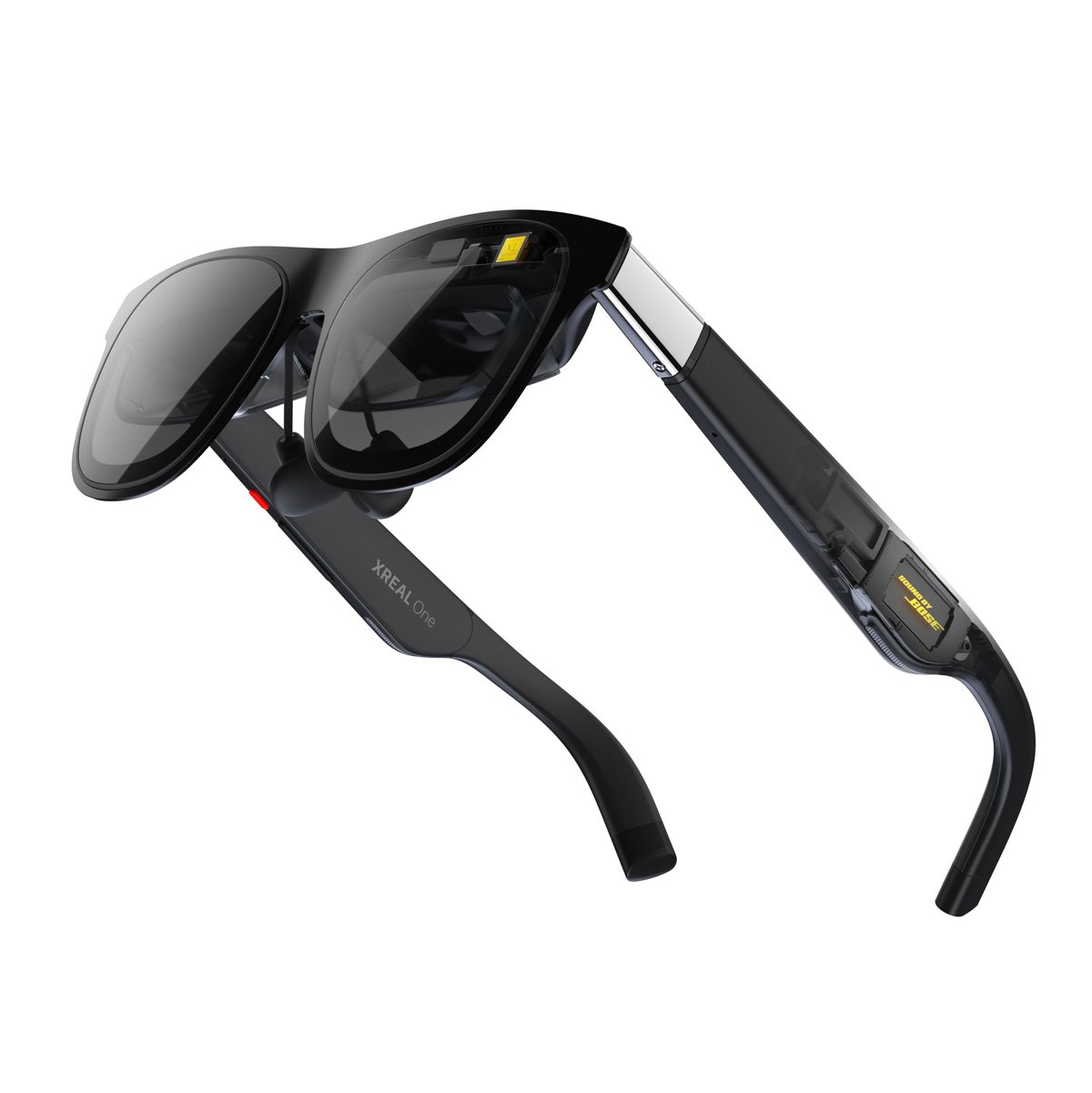
- XREAL One series. REAL 3D "converts any 2D content into real-time 3D stereoscopic visuals" inside the glasses; XREAL notes that higher intensity may bring more heat or "occasional frame drops" [13]. More in 3D movies on video glasses.
Where Owl3D fits
Owl3D's converter is on the file route: it turns a video file you have the right to use into a 3D file, with AI, on your own Windows PC or Mac. It is not instant, and the result is an AI conversion, not the studio's 3D version of a film. StereoGen, its higher-quality model, is coming soon; it needs an NVIDIA RTX card and takes hours.
To watch without waiting, Owl3D Link is free: it converts what is on a Windows PC instantly and streams it to a Meta Quest. The PC needs an NVIDIA RTX 3060 or better. Live 3D Screen does the same on the Owl3D Shift, our glasses-free display.
From Owl3DOwl3D converterA desktop app for Windows and Mac that turns 2D videos and photos into 3D.Frequently asked questions
Can I convert a video online, without installing anything?
Yes, by uploading it. Immersity for Web is paid [1][2]. Xclusive VR, another upload service, says "your first 2 minutes are free without a credit card" [15]. We have not tested either.
Does it work with Netflix and other streaming services?
Only while it plays, and the makers differ. Samsung says no for DRM content [12]. VITURE says its Mac and Windows versions support "browser-based DRM streaming services" [9]. Owl3D Link and Live 3D Screen work with streaming in a web browser once the browser's hardware acceleration is turned off.
Why does my converted file show two pictures?
The player has not been told it is 3D. iw3's guide says VR players read the format from the file name, such as a name ending _LRF_Full_SBS, and that some programs show "only one side" [3]. See VR video player settings, or how to play a 3D video on what you own.
Sources (16)
- Immersity (Leia Inc.), "FAQ". https://immersity.ai/faqs (opened 2026-10-10)
- Immersity (Leia Inc.), "Immersity for Web", section "Simple Pricing". https://immersity.ai/for-web (opened 2026-10-10)
- nagadomi, "iw3" README, GitHub. https://github.com/nagadomi/nunif/blob/master/iw3/README.md (opened 2026-10-10)
- nagadomi, "nunif" repository page (MIT license; iw3 and iw3-desktop descriptions; install guides), GitHub. https://github.com/nagadomi/nunif (opened 2026-10-10)
- Steam, "Stream to 3D" store page, US store view. https://store.steampowered.com/app/2494510/Stream_to_3D/?cc=us&l=english (opened 2026-10-10)
- IWAHDK Ltd, "Stream to 3D Store". https://iwantaholodeck.com/stream-to-3d-store/ (opened 2026-10-10)
- VisionDepth, "VisionDepth3D" repository page, sections "Free vs Pro" and "System Requirements", GitHub. https://github.com/VisionDepth/VisionDepth3D (opened 2026-10-10)
- Steam, "Deep Desktop" store page, US store view. https://store.steampowered.com/app/2947590/Deep_Desktop/?cc=us&l=english (opened 2026-10-10)
- VITURE, "A World's First: Turn 2D Into Magical 3D In Real Time!". https://www.viture.com/blog/a-worlds-first-turn-2d-into-magical-3d-in-real-time (opened 2026-10-10)
- VITURE Academy, "Luma Series XR Glasses". https://www.viture.com/academy/xr-glasses/luma-series (opened 2026-10-10)
- Meta, "Meta Quest release notes", Meta Horizon OS version 2.5. https://www.meta.com/help/quest/172903867975450/ (opened 2026-10-10)
- Samsung US, 27" Odyssey 3D G90XF product page, note under "AI 3D Video Conversion". https://www.samsung.com/us/monitors/gaming/27-inch-odyssey-3d-g90xf-4k-165hz-gaming-monitor-sku-ls27fg900xnxza/ (opened 2026-10-10)
- XREAL, One series tutorial, "REAL 3D". https://tutorials.xreal.com/docs/glasses/one-series/osd/real-3d (opened 2026-10-10)
- Users' reports: comments under the YouTube video "CONVERT 2D MOVIES TO 3D (SBS) VIRTUAL REALITY [FREE!!]" (F4CEpa1m, 2018). https://www.youtube.com/watch?v=xigjD679zmE (opened 2026-10-10)
- Xclusive VR, "The Easiest Way to Convert 2D Video to 3D", July 27, 2026. https://www.xclusivevr.com/blogs/easiest-way-to-convert-2d-video-to-3d (opened 2026-10-10)
- VisionDepth Studios, "VisionDepth3D" download page, itch.io. https://visiondepth3d.itch.io/visiondepth3d (opened 2026-10-10)