Spatial Video: What It Is, How to Record It on iPhone and Watch It
How we researched this: written by Owl3D from published sources, all 17 listed at the end.
Short answer
Spatial video is Apple's name for 3D video: one file that holds a left-eye view and a right-eye view of the same scene [1]. Recent iPhones (from the iPhone 15 Pro on, not every model) and Apple Vision Pro record it [1][3]. On the iPhone it plays as an ordinary flat video [2]. You see the depth on Apple Vision Pro, on a Meta Quest through Meta's app, or on any other 3D screen once the file is converted to side-by-side.
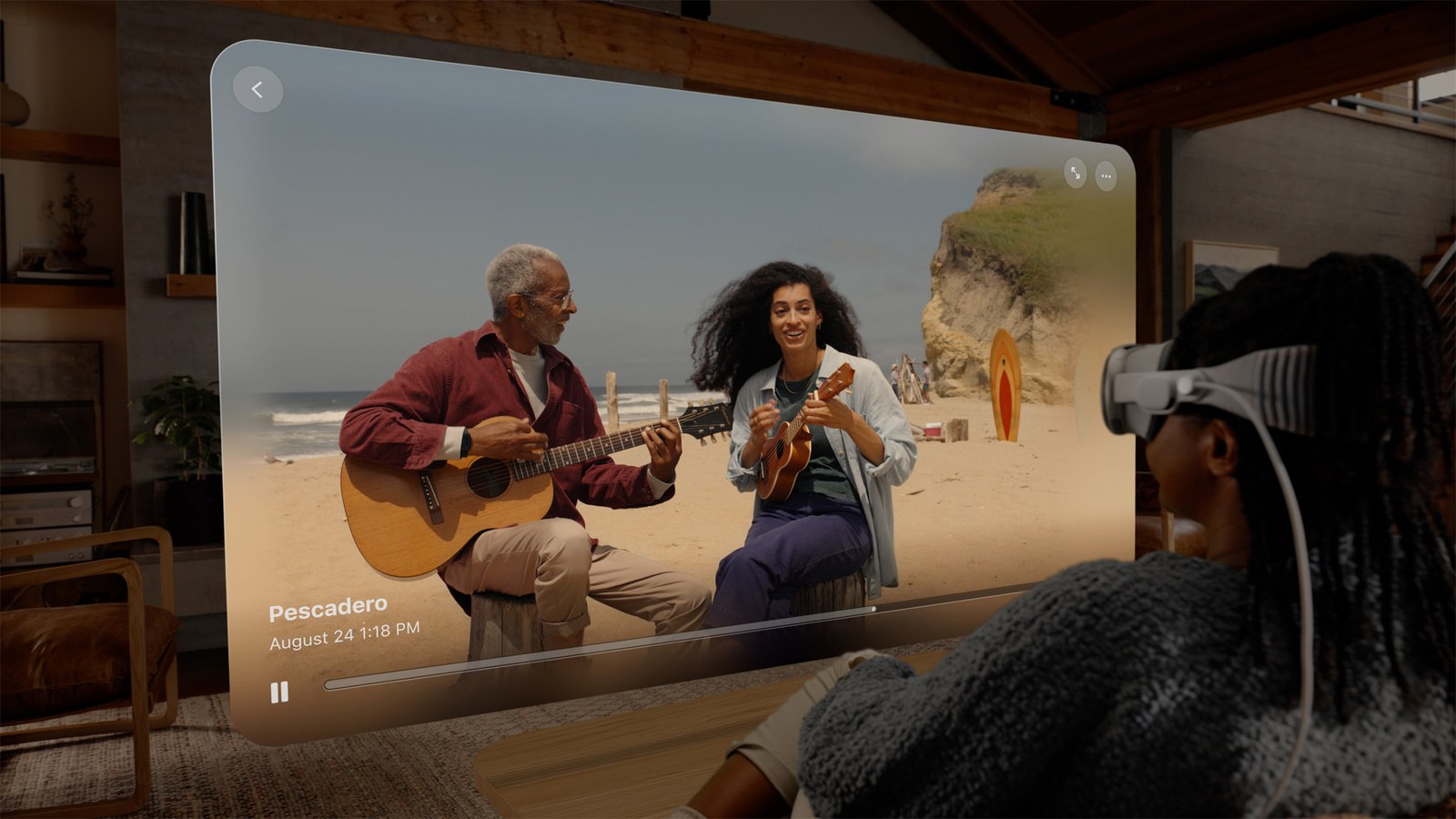
A spatial video playing in a window on Apple Vision Pro. Image: Apple.
Key takeaways
- Recording: which iPhones and the steps. No Spatial button? Check here.
- Recorded one and it looks flat on your phone? That is normal: where to see it in 3D.
- No Vision Pro? A Meta Quest plays spatial videos, and a side-by-side copy plays on other headsets, 3D TVs and glasses-free 3D screens: how.
- Only have a 2D video? Owl3D's converter on a Mac exports Spatial Video for Apple Vision Pro, by AI: details.
What is spatial video?
A spatial video is stereoscopic 3D video, two views of one scene from slightly different positions, like your two eyes, plus metadata that marks it as spatial video for Apple Vision Pro [1]. Technically it is a QuickTime movie with an MV-HEVC video track; MV-HEVC "stores the two views (one for each eye) in separate layers within the track" [1]. The still-picture version is the spatial photo.
On Vision Pro it opens in a window, with depth in the scene, or you can tap Immersive to see it at real-world scale [1]. It is not 360 or 180 video that surrounds you: Apple calls that immersive video, and describes its own Apple Immersive Video films as "180-degree 8K recordings" [12].
| iPhone spatial video | |
|---|---|
| Cameras used | Main and Ultra Wide, phone in landscape (iPhone 15 Pro) [2] |
| Resolution | 1080p at 30 frames per second [6] |
| Dynamic range | Standard (SDR) [2] |
| File size | About 130 MB a minute [2] |
Last checked : Apple's iPhone 18 Pro specifications.
Which iPhones can record spatial video
Apple's list, as of October 2026: iPhone 15 Pro and 15 Pro Max; iPhone 16, 16 Plus, 16 Pro and 16 Pro Max; iPhone 17, 17 Pro and 17 Pro Max; iPhone 18 Pro and 18 Pro Max [3]. The iPhone 16e and iPhone Air are not on it. Apple Vision Pro also records spatial video with its own cameras [7].
The iPhone 15 Pro was first, with iOS 17.2 in December 2023 [2]. Meta's help page still says the 15 Pro and Pro Max "are the only iPhones that can shoot Spatial Videos" [8]; Apple's list above is newer.
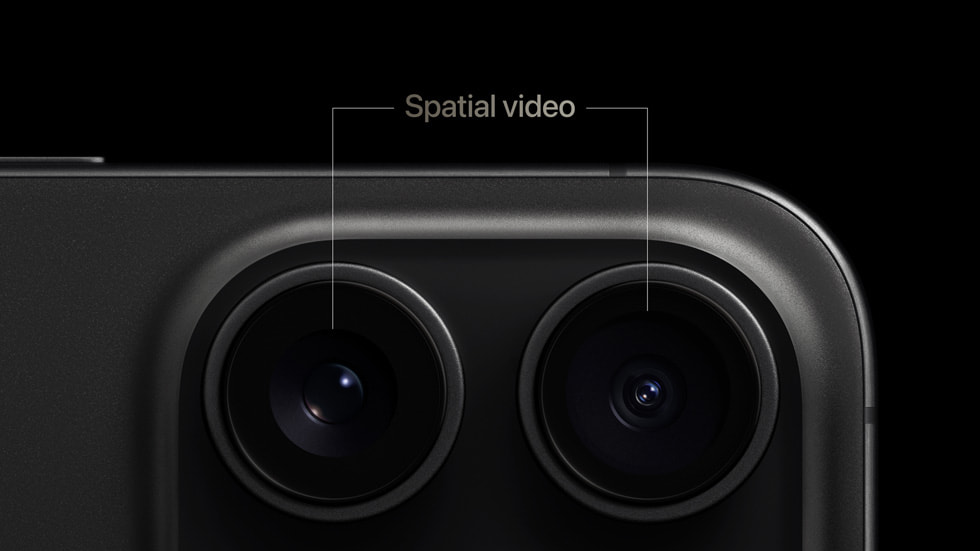
How to record spatial video on iPhone
- Open Camera and swipe right to Spatial mode [4].
- Turn the iPhone to landscape [4].
- Tap the spatial video button (the other button is for spatial photos) [4].
- Tap Record to start [4], and tap it again to stop [5].
Apple's advice for good results: keep the iPhone steady and level, frame your subjects 3 to 8 feet away, and use even, bright light [4]. On an iPhone 15 Pro with iOS 18 or earlier, the button sits in Video mode instead: choose Video, turn to landscape, and tap the spatial video button [5].
The video goes into your library like any other; Photos also gathers them in a Spatial album [2].
No Spatial mode or button?
| What you see | Why | What to do |
|---|---|---|
| No Spatial mode in Camera | Your model is not on Apple's list [3] | Use a listed iPhone |
| No spatial video switch in Settings > Camera > Formats | That switch was for the iPhone 15 Pro on iOS 17 [2][10]; newer iOS has Spatial as a Camera mode [4][5] | Swipe through the Camera modes to Spatial |
| No Spatial mode on an iPhone 15 Pro | Spatial mode came with iOS 18.1 on that model [5] | Update iOS, or use the button in Video mode [5] |
| The video looks flat on the iPhone | Spatial videos play as ordinary 2D videos on iPhone [2] | Watch it on one of the 3D screens below |
How to watch spatial video
| Where | 3D? | How |
|---|---|---|
| iPhone, iPad | No, plays as 2D [2] | Photos, like any video |
| Apple Vision Pro | Yes | Photos, Spatial tab [7] |
| Meta Quest | Yes | Upload with the Meta Horizon phone app [8] |
| Other VR headsets, 3D TV, projector, glasses-free 3D screen | Yes, from a side-by-side copy | Convert first |
On Apple Vision Pro
Spatial videos you record on the iPhone appear on Vision Pro by themselves if both devices use the same Apple Account with iCloud Photos turned on [4]. Open Photos, tap Spatial in the tab bar, choose a video, and tap the Immersive button to see it life-size [2][7]. If a video has too much motion, Vision Pro shows an alert when you open it in Immersive view [7]. A video recorded on someone else's iPhone can be shared with you to watch on your Vision Pro [7].
Apple's US store lists Vision Pro from $3,699 [9].
Last checked : Vision Pro price, Apple's US store page, opened from outside the US.
On Meta Quest
- On your iPhone, open the Meta Horizon app, tap Menu, then Gallery [8].
- Tap Upload, choose Spatial, select your videos and tap Upload [8]. Each video can be up to 20 minutes long [8].
- In the headset, open the Gallery app and choose Spatial videos from the drop-down at the top right [8].
Meta's page names only the iPhone 15 Pro models [8]. If videos from a later iPhone do not appear under Spatial, a side-by-side copy plays on a Quest too.
On other headsets, 3D TVs and 3D screens
Standard 3D players and video editors work with side-by-side or top-and-bottom files [11], so make a side-by-side copy:
- On the iPhone: i3DMovieMaker opens a spatial video from the Spatial album and saves its left and right images in other 3D formats; saving video needs a one-time in-app purchase [10].
- On an Apple silicon Mac: Mike Swanson's free command-line tool spatial exports a spatial video to side-by-side or top-and-bottom, and makes spatial video from those formats too [11].
Then play the copy as 3D side-by-side in a player on your headset (VR video players) or TV.
What owners report
First-hand comments; we have not tested them.
- Night scenes. A Vision Pro owner, under a YouTube video in 2024: "Currently videos take a hit on sharpness and low light performance so night scenes look muddy. But well lit scenes look fantastic." [15]
- On a 3D TV. A viewer, late 2023 or 2024: "I watched it on my LG 3D TV and looks awesome. The nearby contents have a good depth, but the far away contents looks flat." [16]
- Shared albums. A Vision Pro owner on Apple's Support Community, February 2024, found videos from a shared album "are recognized as regular videos"; ten people clicked "Me too". The reply: "we have to use airdrop to send videos directly to the AVP." [17]
Spatial video vs 3D side-by-side
The picture is the same kind of 3D: a pair of views, one per eye [1]. What differs is the packaging and where it plays.
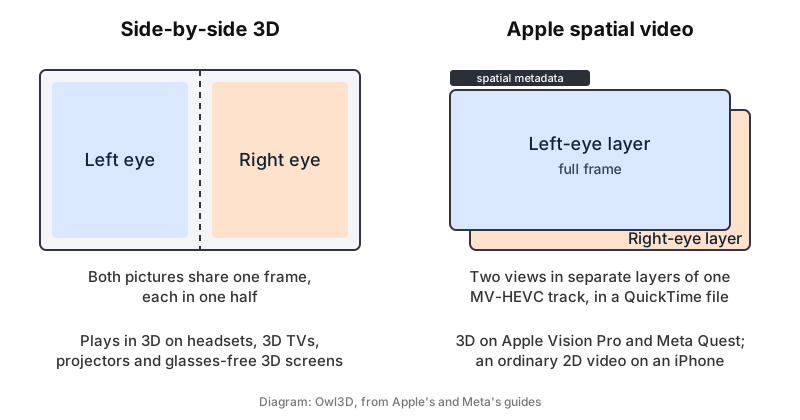
| Spatial video | Side-by-side 3D | |
|---|---|---|
| How the two views are stored | Separate layers of one MV-HEVC track [1] | The two halves of one frame [12] |
| Plays in 3D on | Apple Vision Pro [7], Meta Quest [8] | Standard 3D players [11] |
| On an ordinary screen | One flat view [2] | Two pictures next to each other |
Does spatial video show more of the scene when you move your head, as Apple's demos seemed to show? Mic Ty of 360rumors tested it on Vision Pro's launch day: "nothing I did changed the perspective of the spatial video", and he saw no difference from ordinary 3D video [13].
Make a spatial video from a 2D video
A video you recorded in 2D has no second view, so it cannot become spatial by changing the file format. Software can create the second view with AI.
Owl3D, the publisher of this guide, makes the Owl3D converter. On a Mac it exports Spatial Video for Apple Vision Pro; on Windows and Mac it exports side-by-side, half side-by-side and top-bottom 3D for a Quest, a 3D TV or a projector. The conversion runs on your own computer and takes time, not real time. It is an AI conversion of a 2D video, not footage filmed in 3D. The free plan has no watermark and a limit of 60 seconds of video per conversion; plans are on the pricing page. Immersity for Web, a paid service from Leia, also exports MOV MV-HEVC, a format "for viewing stereoscopic videos on the Apple Vision Pro headset" [14].
From Owl3DOwl3D converterA desktop app for Windows and Mac that turns 2D videos and photos into 3D.Frequently asked questions
Can I watch spatial video without a Vision Pro?
Yes. A Meta Quest plays it after you upload it with the Meta Horizon app [8], and a side-by-side copy plays on other 3D headsets and screens (how).
Is spatial video 4K?
Not from an iPhone. Apple lists spatial video recording at 1080p and 30 frames per second, on the iPhone 15 Pro and still on the iPhone 18 Pro [2][6].
Sources (17)
- Apple Support, Final Cut Pro User Guide for Mac, "Intro to stereo and spatial video in Final Cut Pro for Mac". https://support.apple.com/guide/final-cut-pro/intro-to-stereo-and-spatial-video-verdad9a56bb/mac (opened 2026-10-17)
- Apple Newsroom, "Apple introduces spatial video capture on iPhone 15 Pro", December 11, 2023. https://www.apple.com/newsroom/2023/12/apple-introduces-spatial-video-capture-on-iphone-15-pro/ (opened 2026-10-17)
- Apple Support, iPhone User Guide (iOS 27), "Models that capture spatial photos and videos". https://support.apple.com/guide/iphone/aside/ipheee23829a/27/ios/27 (opened 2026-10-17)
- Apple Support, iPhone User Guide (iOS 27), "Take spatial photos and record spatial videos for Apple Vision Pro with your iPhone camera". https://support.apple.com/guide/iphone/spatial-photos-record-videos-apple-vision-iph6e3a6d4fe/ios (opened 2026-10-17)
- Apple Support, iPhone User Guide (iOS 18), the same page for iOS 18. https://support.apple.com/guide/iphone/spatial-photos-record-videos-apple-vision-iph6e3a6d4fe/18.0/ios/18.0 (opened 2026-10-17)
- Apple, "iPhone 18 Pro and iPhone 18 Pro Max - Technical Specifications". https://www.apple.com/iphone-18-pro/specs/ (opened 2026-10-17)
- Apple Support, Apple Vision Pro User Guide, "Capture, view, and share spatial photos and videos on Apple Vision Pro". https://support.apple.com/guide/apple-vision-pro/capture-dev7068c3c93/visionos (opened 2026-10-17)
- Meta Quest Help Center, "Spatial video on Meta Quest". https://www.meta.com/help/quest/372981992147360/ (opened 2026-10-17)
- Apple Store (US), "Buy Apple Vision Pro". https://www.apple.com/shop/buy-vision (opened 2026-10-17)
- Masuji Suto, i3DMovieMaker help, "Read/write spatial video/spatial photos". https://stereo.jpn.org/eng/iphone/i3dmoviemaker/spatial/index.html (opened 2026-10-17)
- Mike Swanson, "Spatial Video Tool". https://blog.mikeswanson.com/spatial/ (opened 2026-10-17)
- Mike Swanson, "Spatial Video", March 7, 2024. https://blog.mikeswanson.com/spatial-video/ (opened 2026-10-17)
- Mic Ty, 360rumors, "Spatial video vs 3D: Apple LIED to us (UPDATE: what about the shadow box effect?)", February 3, 2024. https://360rumors.com/spatial-video-vs-3d/ (opened 2026-10-17)
- Leia, Immersity FAQ. https://www.leiainc.com/faqs (opened 2026-10-17)
- YouTube, comment by acslater017 under "iPhone 16 New Spatial Features + Pro Max vs Base Model", 2024 (shown as "2 years ago"). Users' report. https://www.youtube.com/watch?v=qcmtNb9YfUk (opened 2026-10-17)
- YouTube, comment by pub80 under "Apple Spatial Video Real-World 3D Footage | Shot on iPhone 15 Pro Max", late 2023 or 2024 (shown as "2 years ago"). Users' report. https://www.youtube.com/watch?v=PisoaRRHmLc (opened 2026-10-17)
- Apple Support Community, "How to share iPhone 15 Pro spatial videos?", thread of February 4, 2024. Users' reports. https://discussions.apple.com/thread/255457495 (opened 2026-10-17)