How to Play 3D Video Files on a 3D TV or Projector
How we researched this: written by Owl3D from published sources, all 19 listed at the end.
Short answer
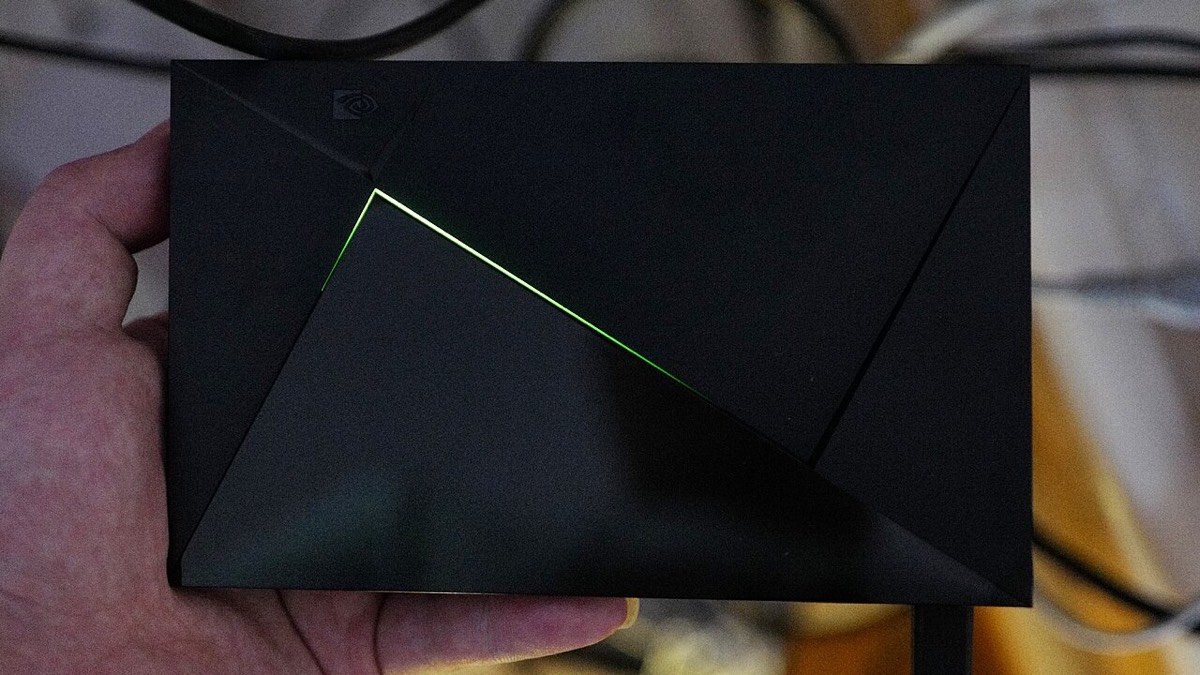
On Plex, including on an NVIDIA Shield, play the 3D MKV or SBS file like any other video, then switch the 3D TV or projector to its side-by-side or top-bottom 3D mode yourself: Plex says its app cannot tell the TV that a video is 3D [1]. Kodi is different: it recognizes a 3D file from tags in the file name, such as Movie.3D.HSBS.mkv, and asks how to play it [2][3][4]. Send the set 1080p, not 4K [5]. MVC files and 3D Blu-ray ISOs need a player that decodes MVC, such as Zidoo's UHD3000, which lists it [6].
Owl3D, the publisher of this guide, makes the Owl3D converter and Owl3D Cloud.
Key takeaways
- Two pictures side by side on the screen? The set is still in 2D mode: see two pictures.
- Plex never switches the set; Kodi reads the file name: see each route.
- Half SBS or top-bottom at 1920×1080 fits a 3D set's 1080p modes: see which file plays.
- MVC or a 3D ISO needs a player that lists MVC: see MVC.
Where the 3D switch is, route by route
| Route | Who switches to 3D | What the maker says |
|---|---|---|
| USB stick in the TV or projector | The set, if it detects the layout; otherwise you, in its 3D menu | Panasonic's 2012 ET5 TVs can detect side-by-side and top-and-bottom by themselves (Auto 2), and say to choose the 3D mode by hand when that fails. Their media player lists H.264, MPEG1 and MPEG2 for MKV files [8] |
| PC by HDMI | You, in the set's 3D menu | BenQ: from a PC, "please select the correct 3D format via OSD Display > 3D > 3D mode" [9] |
| Plex | You, on the set | Plex support: "You will need to enable the appropriate 3D viewing mode on the television yourself" [1]. A Plex employee, 2025: "Plex has no support for 3D in any app." [10] |
| Kodi | Kodi recognizes the file; the set may still need you | Tags in the file name (below); Settings > Player > Videos > "Playback mode of stereoscopic 3D videos" [4][11] |
| NVIDIA Shield | Not stated by NVIDIA; Plex or Kodi, as above | NVIDIA's SHIELD TV user guide does not mention 3D. The output resolution is under Settings > Device Preferences > Display & Sound > Resolution [7] |
| Zidoo | The player, with Auto 3D Mode, or the TV | Zidoo's X6 Pro guide: select Auto 3D Mode unless the TV recognizes 3D by itself; the 3D options appear under Menu, 2D-3D [12] |
For a PC, any player that shows the file full screen will do; which players and what "frame packed" means: 3D video players.
Two pictures side by side: what to do

- Pick the 3D mode by hand. Sony's manual for its XBR-55X905B: "If two pictures are displayed side-by-side, press the 3D button repeatedly until [3D (Side-by-Side)] appears" [5]. Pictures one above the other take the top-bottom (over-under) mode [5]. On a BenQ projector: Display > 3D > 3D mode [9].
- Send 1080p, not 4K. The same Sony manual: "3D signal of 4K cannot be displayed" [5]. BenQ's TK710 manual lists no 3D format at 3840×2160 [13]. On a Shield, set it under Settings > Device Preferences > Display & Sound > Resolution [7]. Then try step 1 again.
- In Kodi, leave the preferred mode alone. Kodi's default for "Preferred mode", under Settings > System > Display, is "Same as movie" [3][4][11]. An OSMC developer to an owner with SBS trouble: "I would stay with “same as movie”, otherwise you trigger some additional conversions that are not needed." [14]
- Still doubled with the glasses on? Then check the glasses and the projector's own 3D settings: 3D greyed out or not working.
Kodi: the file name is the switch
Kodi's source code looks for "3d" in the file name between dots, dashes, spaces or underscores. If it finds it, "sbs" or "hsbs" marks a side-by-side file and "tab" or "htab" a top-bottom one [2][3]. Case does not matter [3]. So name a half side-by-side film Film.2012.3D.HSBS.mkv, and a top-bottom one Film.2012.3D.HTAB.mkv.
What Kodi then does is set under Settings > Player > Videos > "Playback mode of stereoscopic 3D videos": "Ask me" (the default), "Preferred mode", "Monoscopic / 2D" or "Ignore" [4][11]. We have not tested which sets switch to 3D by themselves when Kodi plays such a file.
Which file plays: Half SBS, Full SBS, top-bottom
Half SBS and half top-bottom squeeze both eyes into one ordinary 1920×1080 frame (3D video formats). That is the size a 3D set's 1080p modes take [13].
Full SBS is twice as wide: 3840×1080 for a 1080p film. A Raspberry Pi engineer, on Kodi for the Pi: "Full SBS is not supported (resolution > 1920x1080)." [15] We have not tested Full SBS on Plex, a Shield, a Zidoo, or a TV's own USB player.
A TV's own USB player may not open a newer file at all: check the codec list in its manual, as in Panasonic's [8].
MVC and 3D Blu-ray ISO files
MVC is the 3D Blu-ray's own format, with full 1080p for each eye [15]. The same Raspberry Pi engineer: "However MVC is supported by the Pi which is the 3D format used by Blu-Rays." [15]
Of the boxes on this page, Zidoo is the one whose product page we read lists it. For the UHD3000: "Almost all common 3D video formats could be played, including MVC 3D (Blu-ray, MKV)." [6] Check the model you have: a Z30 Pro owner reports 3D ISOs playing in 2D, and a forum post says the Z9X 8K does not support 3D [16]. We found nothing from NVIDIA saying the Shield decodes MVC; owners have asked for it on NVIDIA's forum [17]. A Plex employee says Plex has no 3D support [10].
For the discs themselves, a 3D Blu-ray player is the route: 3D Blu-ray players.
A 2D video you want in 3D
Owl3D makes a 3D file from a 2D video you have the right to use. It is an AI conversion, not a studio's 3D release, and a whole film takes hours.
For the routes on this page, ask for Half SBS. Owl3D's desktop app writes Half SBS, Full SBS or full-height top-bottom on your own computer, nothing uploaded; it suits you if you have an NVIDIA RTX graphics card or an Apple silicon Mac. Leave its Output resolution on 1080p, even for a 4K video: set higher, Half SBS comes out 3840×2160, not 1920×1080. Owl3D Cloud converts on Owl3D's servers from a web browser, with no graphics card needed, but saves Full SBS only: a 1080p video comes back 3840×1080. For most 3D TVs and projectors, that file needs an extra step. We have not tested a Cloud file on any TV, projector or player. Neither makes MVC, ISO or frame-packed files. All the routes: converting 2D video to 3D.
What owners report
Three people's own accounts; we have not tested them.
- A Shield Pro to a projector, Emby forum, July 2023. The owner: "I'm afraid that the Shield cannot play any 3D videos". Emby's administrator: "It does support certain 3D formats but it may not automatically trigger 3D mode on your projector." [18]
- A Zidoo Z30 Pro, February 2026. "My Poster Wall recognize movie as 3D, but always playing them in 2D." [16]
- A Vero V running Kodi, OSMC forum, March 2025. "SBS titles just don’t play properly", while top-bottom and MVC played. The developer: "h.264 material for instance should just play fine" [14].
Frequently asked questions
How do I play 3D MKV or SBS files on Plex, Kodi or an Nvidia Shield?
On Plex, and on a Shield running Plex, play the file normally and set the TV or projector to its side-by-side or top-bottom 3D mode yourself [1][10]. In Kodi, put "3D" and "HSBS" or "HTAB" in the file name, and Kodi recognizes it [2][3]. In all three, send 1080p to the set [5].
Does the file name matter in Plex?
Not to Plex. A Plex employee, 2017: "Plex itself does nothing with 3D files and has no specific naming for it." [19] It matters in Kodi [2].
Do I need a 3D TV to play these files?
To see them in 3D, you need a 3D TV, a 3D projector, video glasses or a VR headset: what plays a 3D video.
Sources (19)
- Plex Support, "What media formats are supported on Smart TVs?" (about Plex's Smart TV app), section "Is 3D playback supported?". https://support.plex.tv/articles/203810286-what-media-formats-are-supported/ (opened 2026-10-30)
- Kodi (XBMC Foundation), source code on GitHub,
xbmc/settings/AdvancedSettings.cpp, default 3D file-name patterns. https://github.com/xbmc/xbmc/blob/master/xbmc/settings/AdvancedSettings.cpp (opened 2026-10-30) - Kodi (XBMC Foundation), source code on GitHub,
xbmc/guilib/StereoscopicsManager.cpp,DetectStereoModeByString. https://github.com/xbmc/xbmc/blob/master/xbmc/guilib/StereoscopicsManager.cpp (opened 2026-10-30) - Kodi (XBMC Foundation), source code on GitHub,
system/settings/settings.xml, stereoscopic 3D settings and defaults. https://github.com/xbmc/xbmc/blob/master/system/settings/settings.xml (opened 2026-10-30) - Sony, BRAVIA i-Manual for the XBR-55X905B, "3D Picture/Glasses Symptoms"; the model name is on the manual's top page, https://helpguide.sony.net/gbmig/C7021001/v1/uen/index.html. https://helpguide.sony.net/gbmig/C7021001/v1/uen/index_988_585.html (opened 2026-10-09)
- Zidoo, UHD3000 product page. https://www.zidoo.tv/Product/index/model/UHD3000/target/JslBV16DI5FKKmVViAFMcQ%3D%3D.html (opened 2026-10-30)
- NVIDIA, "SHIELD TV User Guide", section 21, "Adjusting Display Modes". https://www.nvidia.com/en-us/shield/support/shield-tv/ (opened 2026-10-30)
- Panasonic, eHELP for the TC-L42ET5, L47ET5 and L55ET5 (PDF), "Auto detect 3D" and media player formats; Panasonic's 3D eyewear list puts ET5 under its 2012-year models, https://av.jpn.support.panasonic.com/support/global/cs/tv/compatibility/3d_eyewear/na.html. https://help.na.panasonic.com/wp-content/uploads/2023/02/TCL42ET5_L47ET5_L55ET5_EHELP_ENG.pdf (opened 2026-10-11)
- BenQ US, FAQ 0323072: "3D is not working or getting lost sync on my projector", dated July 9, 2024. https://www.benq.com/en-us/support/faq/0323072.html (opened 2026-10-30)
- Plex Forum, thread "3D movies not working with Android", reply by a Plex employee, February 27, 2025. https://forums.plex.tv/t/3d-movies-not-working-with-android/907195 (opened 2026-10-30)
- Kodi (XBMC Foundation), source code on GitHub, English setting labels,
addons/resource.language.en_gb/resources/strings.po. https://github.com/xbmc/xbmc/blob/master/addons/resource.language.en_gb/resources/strings.po (opened 2026-10-30) - Zidoo, guide "How to play 3d movies using the ZIDOOX6 Pro". https://www.zidoo.tv/Support/guide_step/guide_target/ZjFO4W5q8KlKKmVViAFMcQ%3D%3D.html (opened 2026-10-30)
- BenQ, TK710 user manual (PDF), 3D timing table. https://esupportdownload.benq.com/esupport/PROJECTOR%20FOR%20CONSUMER/UserManual/TK710/TK710_UM_EN_260223155422.pdf (opened 2026-10-09)
- Users' reports: OSMC forum, thread "3D Half & Full SBS Titles Not Playing Properly", posts of March 2025, with replies by an OSMC developer. https://discourse.osmc.tv/t/3d-half-full-sbs-titles-not-playing-properly/108890 (opened 2026-10-30)
- OSMC forum, thread "Who has a step by step guide for FULL SBS 3D? | Raspberry pi 2 B", reply by a Raspberry Pi engineer, August 2016. https://discourse.osmc.tv/t/who-has-a-step-by-step-guide-for-full-sbs-3d-raspberry-pi-2-b/18485 (opened 2026-10-30)
- Users' reports: Zidoo forum, tag "3d iso", threads of February 2026 (Z30 Pro) and March 2026 (Z9X 8K). https://forum.zidoo.tv/index.php?tags/3d-iso/ (opened 2026-10-30)
- Users' reports: NVIDIA forum, thread "nVidia, is 3D MVC support a possibility or won't be considered?", page 2. https://www.nvidia.com/en-us/geforce/forums/shield-tv/9/232121/nvidia-is-3d-mvc-support-a-possibility-or-wont-be-/?commentPage=2 (opened 2026-10-30)
- Users' reports: Emby forum, thread "Lecture des films 3D depuis Shield Pro", posts of July 16, 2023. https://emby.media/community/topic/119965-lecture-des-films-3d-depuis-shield-pro/ (opened 2026-10-30)
- Plex Forum, thread "Proper 3D movie naming", reply by a Plex employee, July 26, 2017. https://forums.plex.tv/t/proper-3d-movie-naming/200249 (opened 2026-10-30)