Virtual Desktop vs Air Link vs Steam Link on a Quest
How we researched this: written by Owl3D from published sources, all 28 listed at the end.
Short answer
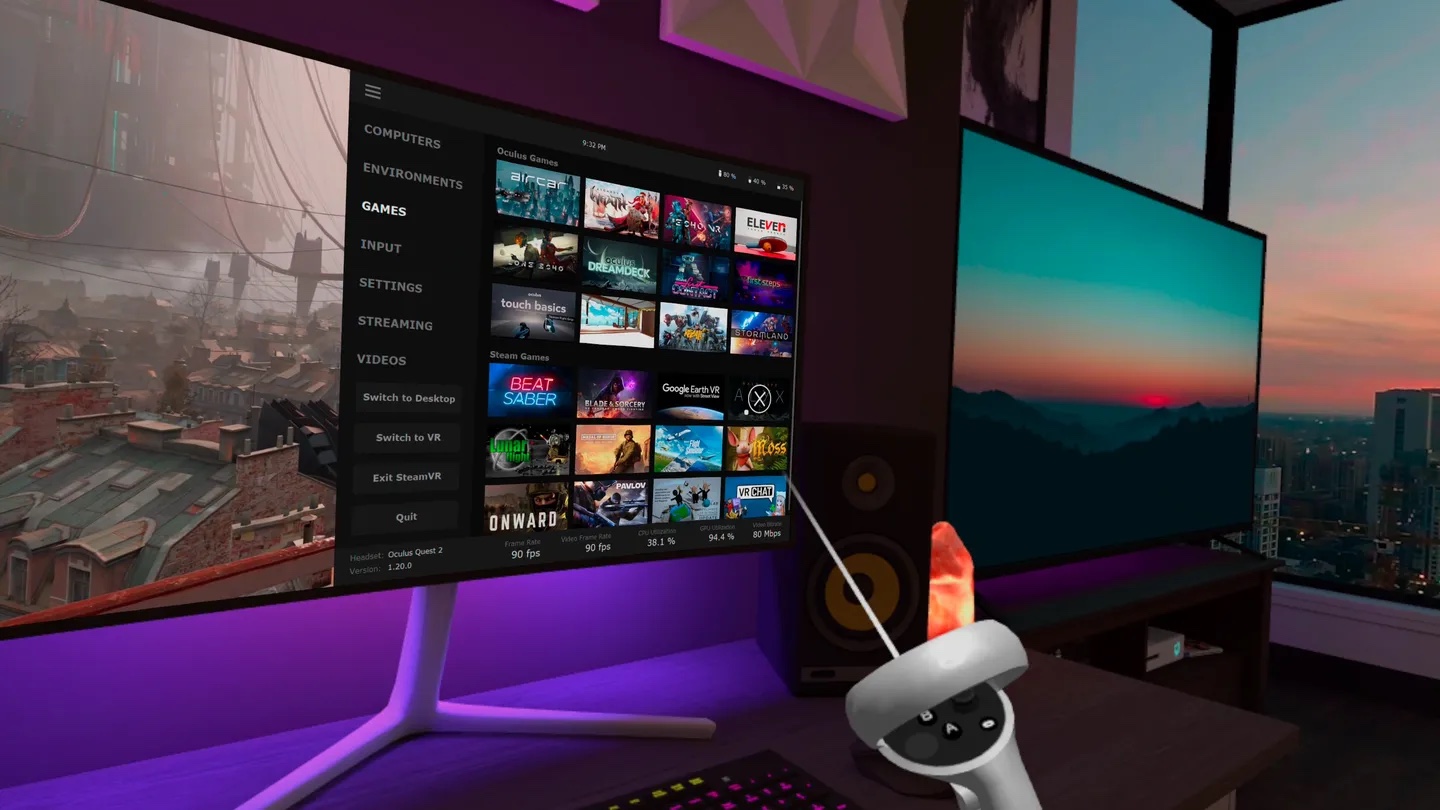
All three play PC VR games on a Meta Quest over Wi-Fi, and which one fits depends on where your games are and what else you want from it. Steam Link streams a Steam library, and its store listing shows no price. Air Link is part of Meta's free PC app. Virtual Desktop is the paid one, and the one whose store listing also covers a Mac's screen, videos stored on the computer and side-by-side 3D video. So try Steam Link or Air Link before you pay; owners report each of the three as the one that worked on their setup.
Owl3D, the publisher of this guide, makes Owl3D Link, one of the apps in the table below. It is not a way to play PC VR games and not an alternative to the three apps compared here. Every app is described from what its maker states, in the same columns: the other makers' from their own pages, ours from Owl3D's own product facts.
Key takeaways
- Is Virtual Desktop worth paying for? Yes if Air Link and Steam Link stutter or will not connect on your setup, or if you want games, desktop and films in one app. No if Air Link or Steam Link already runs well for you: the answer, with its conditions.
- Owners disagree. Each of the three has owners who say it was the one that worked for them, on strong PCs as well as weak ones: what owners report.
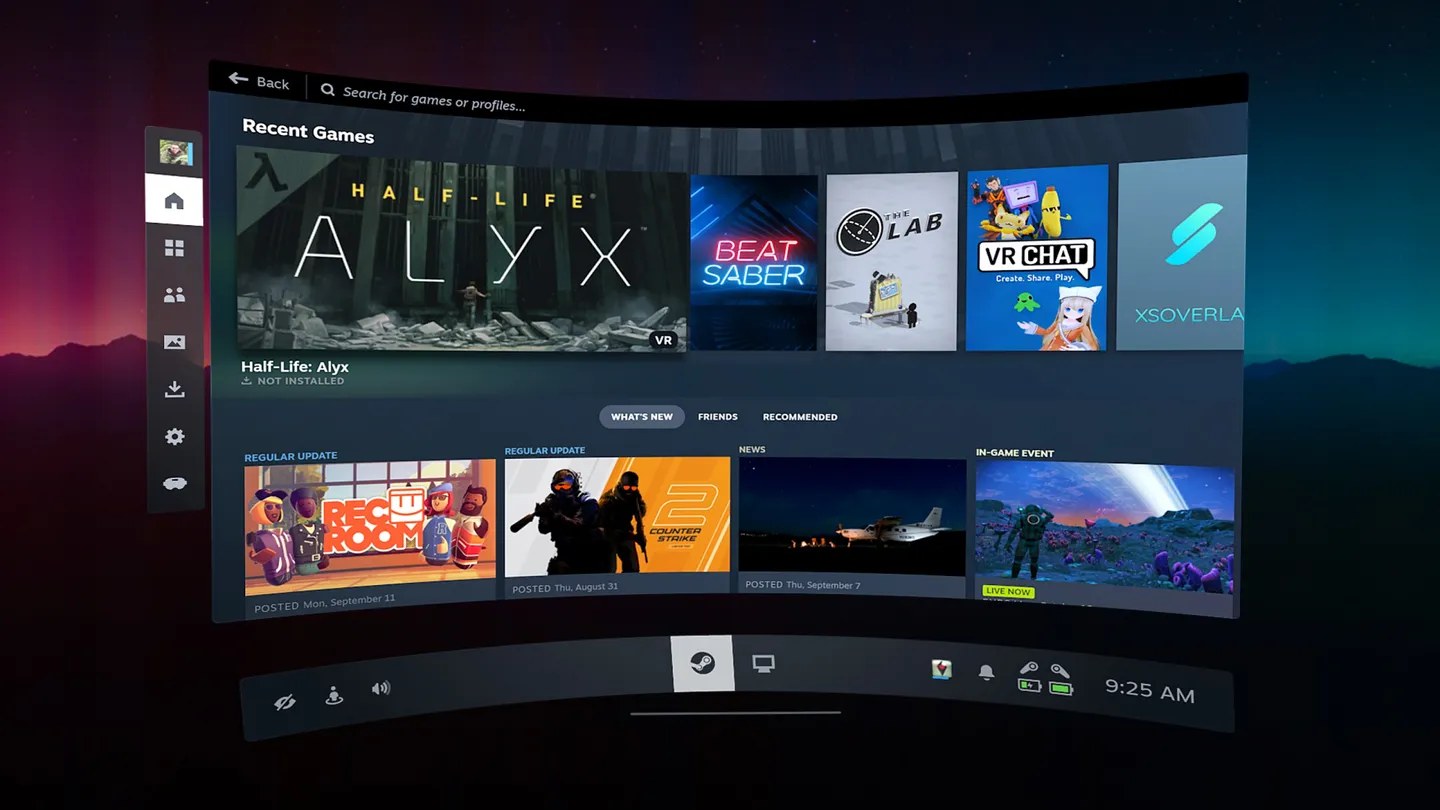
- Games bought in Meta's PC store are the catch: Virtual Desktop's maker says "Not all games are compatible" [1], and Steam Link is for a Steam library: which games each one plays.
- For the desktop, a film or a flat game on a big screen, you do not need any of the game-streaming apps. Meta Virtual Display, Virtual Desktop, Immersed and Bigscreen show the PC's screen. For a 2D video or an ordinary non-VR game on the PC, Owl3D Link shows it converted to 3D as it plays: the PC's screen in the headset.
- Steam Link cannot find the PC, a black screen, the wrong "Virtual Desktop" bought on Steam: when one of them will not work.
Quick picks
- A Steam librarySteam Link
- Games from Meta's PC storeAir Link, or Link by cable
- Games, desktop and films in one appVirtual Desktop
- A Mac's screen in the headsetMeta Virtual Display, Virtual Desktop or Immersed
- A 2D film or an ordinary PC game, seen in 3DOwl3D Link
The apps side by side
Everything in this table is from each maker's own page or store listing, read on October 9, 2026; the Owl3D Link row is from Owl3D's own product facts. "Not stated" means the page we read does not say. PC VR means VR games that run on the computer and are shown in the headset.
| App | Made by | PC VR games | The PC's desktop | Computer | Connection | Cost |
|---|---|---|---|---|---|---|
| Air Link | Meta | Yes [4] | Not stated on the setup page [4] | Windows 10 or 11 [6] | Wi-Fi, "preferably 5GHz" [4] | The PC app is free [5] |
| Link (cable) | Meta | Yes [4] | Not stated on the setup page [4] | Windows 10 or 11 [6] | USB-C 3.2 cable, 5 Gbps or more [4] | The PC app is free [5]; Meta's cable is sold separately [6] |
| Steam Link | Valve | Games in your Steam library [3] | "access your desktop apps" [3] | Windows 10 or newer, running Steam and SteamVR [3] | A 5 GHz, Wi-Fi 5 router; a wired PC is recommended [3] | No price on the listing; the button says "Get" [3] |
| Virtual Desktop | Virtual Desktop, Inc. | SteamVR and Oculus Rift games; "Not all games are compatible" [1] | Yes, with several monitors, videos from the computer and side-by-side 3D [2] | Windows 10 or 11, or macOS Catalina or later; PC VR needs Windows [2] | Computer wired by Gigabit Ethernet to a 5 GHz router [2] | Paid; the price is on its store page [2] |
| ALVR | An open-source project | Yes, through SteamVR [11] | Not stated [11] | Windows 10 or 11, or Linux; not macOS [11] | 5 GHz Wi-Fi; a wired PC is recommended [11] | Open source under the MIT License; no price on its page [11] |
| Meta Virtual Display | Meta | Not stated [7] | Yes, up to 3 virtual displays [7] | Windows 11 (22H2 or newer) with a Quest 3 or 3S; a Mac or older Windows through Meta's app [7] | Same network; 5 GHz or 6 GHz Wi-Fi on Windows 11 [7] | Not stated on Meta's page [7] |
| Immersed | Immersed | Not stated [9] | Yes, "up to 5 virtual monitors" [10] | Mac, PC or Linux [9] | Wi-Fi; the listing recommends its WiFi Direct mode [9] | The listing says "FREE app" [9]; its site also has a Pricing page [10] |
| Bigscreen | Bigscreen | Not stated; PC games on a virtual screen [12] | Yes, a Windows PC's screen [12] | Windows [12] | Wireless [12] | No price on the listing; the button says "Get", and the listing notes "In-App Purchases" [12] |
| Owl3D Link | Owl3D | No. It is not for PC VR games | What is on the PC (a 2D video, an ordinary non-VR game), converted from 2D to 3D as it plays | A Windows PC with an NVIDIA RTX 3060 or better, running the Owl3D desktop app; not a Mac | Wireless | Owl3D Link is free |
Last checked : what each maker's page says; prices are not quoted here, see each store page.
Air Link and Link are two ways into the same free Meta program on the PC, the Meta Horizon Link app: one over Wi-Fi, one over a cable [4], [5]. Older videos and comments call them Oculus Air Link and Oculus Link [16], [19]. The steps for each are in our guide to connecting a Quest to a PC: by cable and by Air Link.
Is Virtual Desktop worth paying for?
Yes in three cases, no in one.
Yes, if Air Link or Steam Link will not behave on your setup. This is a reason owners give. One, about August 2026: "Been using Airlink for years and am at my wit’s end with it. Bought Virtual Desktop solely for the reliability" [13]. It is a report, not a promise: other owners had the opposite result, and both sides are in the next section.
Yes, if you want more than games. Virtual Desktop's listing covers things the other two do not mention: videos stored on the computer, "3D Side-by-Side / Over-Under content on screen", several monitors, and connecting to your computer from outside your home [2]. A Quest 3 owner of one month, about 2025: "I use Virtual Desktop for launching Steam games and streaming movies from my PC." [19]
Yes, if the computer is a Mac and you want its screen. Virtual Desktop supports macOS Catalina or later for the desktop and videos. It does not play PC VR games from a Mac: its site says of those games that "it won't work on a Mac" [1].
No, if Air Link or Steam Link already runs well. Then the paid app buys you the extras above and nothing you need for games. A flight-sim player, May 2024, comparing it with Air Link: "I don’t see any significant differences compared to Air Link." [24] And one buyer from about 2021, under a video comparing it with Air Link: "i bought virtual desktop 2 weeks ago. i could've waited another 2 weeks" [16].
Two things to know before paying:
- Read the network line first. The listing says the "Computer must be wired with Gigabit Ethernet cable to a 5 GHz router" [2]. If your PC is on Wi-Fi, that is the first thing to change, whichever app you use: Valve recommends a wired PC for Steam Link [3], and Meta's Air Link advice is to "Connect your computer to your router with an Ethernet cable so only the headset uses Wi-Fi" [26].
- The store has a refund policy. The listing links Meta's refund policy [2]. We have not read what the policy allows; check it before you rely on it.
What owners report: each of the three is somebody's best
These are owners' own reports about PC VR games, from comments under four comparison videos on YouTube, Steam's forums and the Microsoft Flight Simulator forum. We have not tested the apps against each other. YouTube shows only how long ago a comment was posted, so those dates are approximate. The counts below are only of the reports quoted here; they are not a survey and do not show how common each result is.
Virtual Desktop worked where Steam Link or Meta's Link did not: five owners.
- About 2024, in a comment with 144 likes when we saved it: "to anyone on the fence about getting virtual desktop in 2024, i was having crazy preformance problems playing on 5 ghz through steam link." The owner goes on to say Virtual Desktop fixed it [19].
- About May 2026, a Quest 3 owner who started on Meta's Link: "I pretty swiftly switched to Virtual Desktop and haven't regretted it for a second." [15]
- About 2024, on a weak laptop: "Wife plays VRC on a laptop 3050 with 4gb and it performs better on VD than even cable link." [13]
- March 2022, a flight-sim player with a new PC: "there is no way to tweak the native Oculus link to come close to the clarity and smoothness of Virtual Desktop." [25] This one is old.
- About August 2026, the Air Link owner quoted above [13].
Steam Link was the one that worked: five owners.
- About December 2025, in a comment with 66 likes: "then I installed Steam Link VR to see if it would work better and by god did it work and have the best quality. No need for tinkering or nothing." [15]
- About 2025, with an RTX 4090 and a Wi-Fi 7 router: "Virtual Desktop was a no-go for me in terms of performance, it just randomly and noticeably skips frames." The comment ends: "Steam Link runs perfectly" [13].
- About December 2025, a new Quest 3 owner: "for me the only near-perfect experience is Steam Link. With virtual desktop I have micro-stutters all the time" [15].
- About 2025: "Steam link runs smooth as butter as soon as i boot up a game. Its plug and play and i have little to no lag. However with virtual desktop all my games feel floaty and have lots of lag." [19]
- About December 2025: "I cannot get VD to work well on my PC and constantly have stutters with it. Steam link doesnt have these issues" [19].
Meta's Link or Air Link was best: three owners.
- About 2024, a Quest Pro owner with the router eight feet away: "Virtual desktop and SteamLink both fell short of Oculus Link" [19].
- May 2024, a flight-sim player with an RTX 3090: "The FSVR image looks sharper using Meta Link only , without VD or with OpenXRTK, and the frame rates are higher! Maybe wrong settings in VD?" [24]
- About 2025: "I think i am the only one that had a better experience using air link that virtual desktop" [19].
And one for whom none worked well. A Quest 3 owner, about 2024: "So far i have tried air link, virtual desktop, and steam link on my quest 3, and unfortunately. none of them really work good for me." [14]
And one whose answer changed with the game. On Steam's forum, July 2024, an owner first wrote "I have found a solution to all of my VR related issues; Meta's Airlink!", then came back after a day of testing five games on all three apps: "So it seems like it really depends on which game and platform" [22].
What to take from this: the app is one part of a chain with your PC, your router and the game, and people with strong PCs land on different answers. Dates matter too. Two threads on Steam's own forum from Steam Link's first weeks, December 2023, are about stutter [23], and the complaints about Steam Link quoted above are from about 2024. One long-time Virtual Desktop user's advice from about 2024 fits what the makers' pages say about cost: "For me I'll stick with VD n' suggest SL for new pcvr players to test how they're internet/rig will do" [14].
Which games each one plays
This is the question that decides it for some people. One asker under a comparison video: "If you use virtual desktop are you able to play your oculus PC games or just your steam library?" [13]
- Air Link and Link connect the headset to Meta's own PC software "to unlock a more immersive, powerful and richer PC VR experience" [4]. One owner, about 2021, on what that means for games from Meta's PC store: "One advantage to AirLink I didn't see mentioned is that it works with all Oculus games" [16]. For Steam's games over Air Link we have one owner's report and no maker's page: on Steam's forum, July 2024, an owner describes "opening steamvr in airlink" [22]. The Meta and Valve pages we opened do not describe it.
- Steam Link "streams the games you love in your Steam library" [3]. Its listing says nothing about games from Meta's PC store.
- Virtual Desktop plays both kinds, with a warning from its maker. Its site answers "Can I play SteamVR or Oculus Rift games?" with yes, then: "Not all games are compatible with Virtual Desktop" [1]. Launch games from the Games tab in its menu, the site adds [1].
- ALVR lists SteamVR as a requirement [11].
Two owners name the gap. On Steam's forum, June 2024: "Virtual desktop is rock solid. But Air Link supports games that VD doesn't, for example, Chronos (Meta PCVR store)." [20] And under a comparison video, about 2025: "Con with Virtual Desktop - some Rift games/experiences are not compatible with it." [15] We have not tested which titles.
A graphics card Meta's app refuses. Meta's requirements page says "Intel Arc GPUs are currently not supported by Meta Horizon Link" [6]. ALVR's page lists Intel Arc among the cards it supports [11]. One Quest 2 owner, about 2024, reports that Virtual Desktop was the way round: "I have an Oculus Quest 2 and an Intel A770 GPU and I have to use Virtual Desktop to be able to play in PCVR" [14]. That is one owner; Virtual Desktop's own requirement reads "a VR Ready PC (GTX 970) running Windows" [1].
Your desktop, films and flat games in the headset
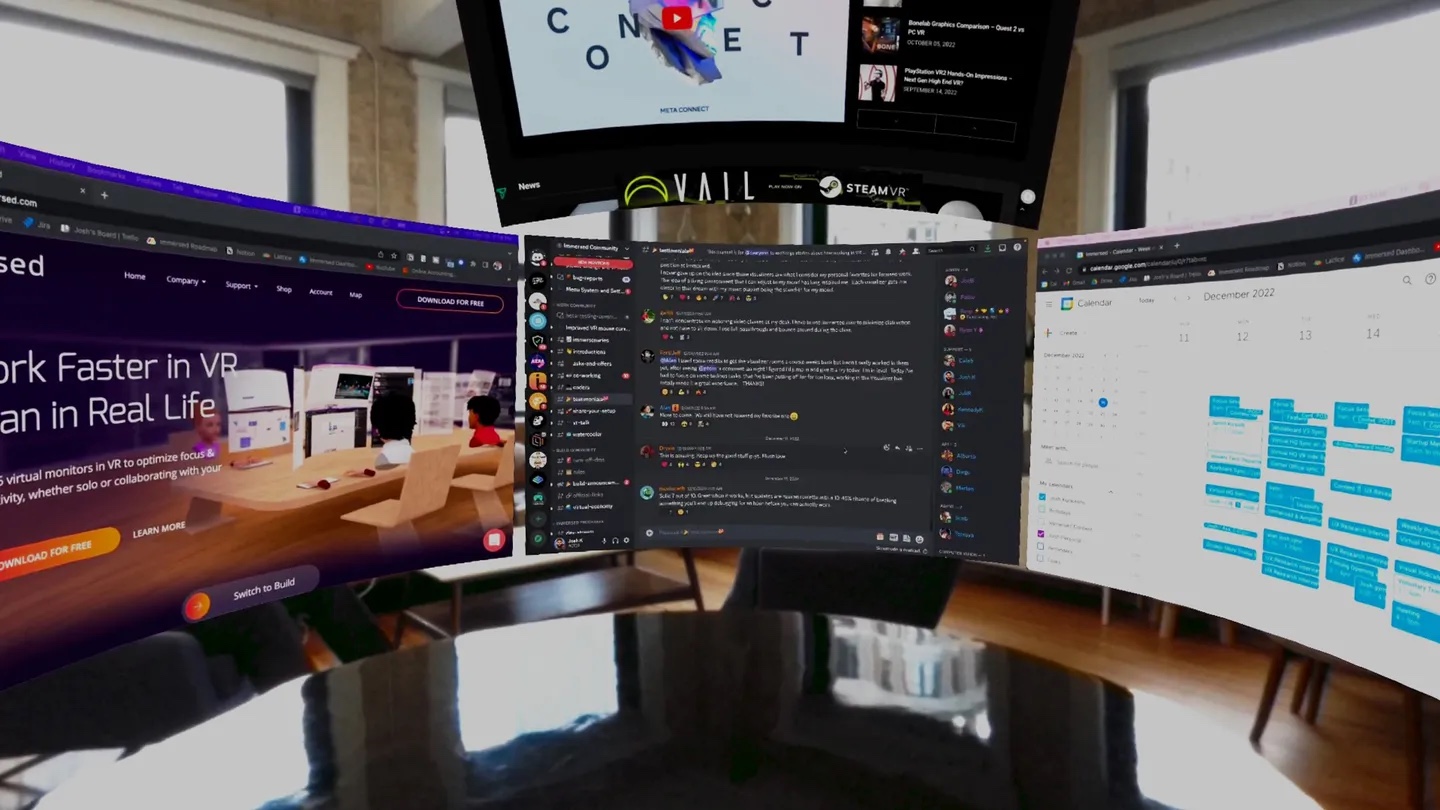
For the PC's screen, a film from the PC or an ordinary game on a giant screen, you are choosing among different apps, and the PC matters less: Virtual Desktop's listing says it "Supports most PCs and laptops running Windows 10 or 11, macOS Catalina or later" and asks for a VR-ready PC only for game streaming [2]. Askers put it this way: "How can I use my oculus as a gigantic monitor to play non vr games" [14], and "What's the best virtual desktop app for the quest 3? Remote Display Beta? Virtual Desktop? Immersed? Horizon Workrooms?" [17]

- Meta Virtual Display is Meta's own, and it was called Remote Desktop until August 2026 [8]. It shows the computer as up to three virtual displays, in portrait, 16:9, wide or ultrawide shapes [7]. On Windows 11 with a Quest 3 or 3S it pairs through Microsoft's Mixed Reality Link; a Mac or older Windows uses Meta's Virtual Display app [7]. UploadVR reports that it is installed on Quest headsets already and that, on Windows and Mac, you can now control the computer from inside the headset [8]. A comment from about 2025 that calls it a screen you "can't do anything with" was written before that report [17].
- Virtual Desktop shows the desktop on one or several monitors, has a Videos tab that streams or downloads "regular/180/360 videos directly from your computer", and supports Bluetooth mice, keyboards and gamepads [2].
- Immersed is built for work: "up to 5 virtual monitors" from a Mac, PC or Linux computer, and shared rooms for working with other people [9], [10].
- Bigscreen streams a Windows PC's screen into a virtual cinema: "Play a movie or video on your PC and watch it wirelessly in your VR headset in a virtual movie theater" [12].
- Steam Link lists access to "your desktop apps" as well as games [3].
3D films. If you have a side-by-side 3D video file on the computer, Virtual Desktop can show it in 3D: its site says to "press the trigger while pointing outside the screen to bring up the Desktop Toolbar and select the 3D mode" [1]. For players that run on the headset itself, see the app tables in our VR movies guide.
Netflix shows a black screen in Virtual Desktop. That is copy protection. Virtual Desktop's site: "Microsoft Edge, Internet Explorer, Chrome and some Windows Store apps have DRM that prevent those services from being captured" [1]. Watch the service in the headset instead: see the fixes in our VR movies guide.
What owners report, which we have not tested: three people use Virtual Desktop this way. "I actually use Virtual Desktop for just light web browsing and watching YouTube videos", about 2024 [14]; "I love the cinema environments for watching movies from my PC", about 2021 [16]; and the Quest 3 owner quoted earlier [19]. On Meta's app, three people under two videos, about 2024 and 2025, could not get its PC program to install or sign in; one wrote "I can't even get it to install, running the Meta Quest Remote Desktop setup just closes and nothing happens." [17], [18] Those comments are from before the rename, and none says what fixed it.
A 2D film or a flat game on the PC, in 3D: Owl3D Link
None of the makers' pages we read for the apps above describes turning a 2D picture into 3D. That is the one thing Owl3D Link is for. Owl3D Link is Owl3D's companion app for Meta Quest headsets. With the Owl3D desktop app running on a Windows PC, it streams what is on the PC to the headset wirelessly, converted from 2D to 3D instantly, as it plays. So an ordinary 2D video playing on the PC arrives in the headset in 3D, with no file to convert first. An ordinary PC game that is not a VR game shows in 3D the same way, as you play it; multiplayer competitive games and games with anti-cheat software often block screen capture, and then it cannot convert them. Netflix and other copy-protected streaming work in a web browser on the PC, but the browser's hardware acceleration must be turned off first; Owl3D's tutorial video shows the setting.
- What it needs: a Meta Quest headset and a Windows PC with an NVIDIA RTX 3060 or better graphics card, running the Owl3D app. It does not work from a Mac.
- Cost: Owl3D Link is free.
- What it is not: a way to play PC VR games, and not a replacement for the three apps this page compares. The 3D is an AI conversion of a flat picture, not a studio's own 3D version of a film.
- Where to start: Owl3D's site, owl3d.com.
When one of them will not work
Find what you see. The middle column is the maker's own page; where it has nothing, the table says so.
| What you see | What the maker says | What to do |
|---|---|---|
| Steam Link does not find the PC | The PC must be "on the same network as your headset with Steam installed and running" [3] | Check both are on the same network and Steam is open. Then see owners' fixes: Remote Play |
| Virtual Desktop says "Computer is unreachable" | The headset may be on a guest network; a firewall, antivirus or VPN may be blocking it [1] | Put both on the same network; "Make sure your PC isn't running VPN software" [1] |
| Virtual Desktop connects, but the screen is black | Windows does not detect a monitor, or HDR or Night light is on [1] | Turn the monitor on; turn off HDR and Night light [1] |
| A black screen only on Netflix or Hulu | Copy protection in the browser or app [1] | Watch in the headset's own app or browser: fixes |
| Choppy picture in Virtual Desktop | "Make sure your computer is wired to your router and not wirelessly connected" [1] | Wire the PC to the router; use 5 GHz [1] |
| Air Link stutters or drops | Wi-Fi band, channel width, signal strength, a PC on Wi-Fi [26] | Wire the PC; use 5 GHz; "Move closer to the router, preferably into the same room with a clear line of sight" [26]. More: when it will not connect |
| Meta's Virtual Display will not pair on Windows 11 | It needs Windows 11 22H2 or newer, a Quest 3 or 3S, and headset software v81 or newer [7] | Check all three; on a Mac or older Windows use Meta's Virtual Display app instead [7] |
| You bought "Virtual Desktop Classic" on Steam for a Quest | The Classic version is for Rift, Vive, Index and Windows Mixed Reality headsets [1] | Buy the Quest version in the headset's store: which one to buy |
Fixes owners say worked (we have not tested them)
- Steam Link cannot see the PC: turn on Remote Play. In a Steam forum thread from December 2023, one owner wrote "Make sure in steam settings, remote play is enabled", and two others came back: "Yep, turning on Remote Play in Steam Settings fixed it! I was able to connect using Steam Link." and "Ok, it works for me now. Remote Play was disabled." A fourth was not helped: "i have Remote Play enabled and it still wont connect to my PC." Another reply in the thread says an Ethernet cable to the PC was what fixed it [21].
- Virtual Desktop and a VPN: one owner. About 2024: "I have to disable my VPN to use it." [14] That matches the maker's page [1].
- Steam Link on a mesh Wi-Fi network: one owner, no fix. About 2025: "Steam just could not see the network. Virtual Desktop just worked." [19]
Which Virtual Desktop to buy, and do you buy it twice?
Buy the one in the Quest's own store. One buyer's worry, about 2024: "where do i get virtual desktop i dont wanna get the wrong one do i buy it in store on my headset or in steam but in steam its called virtual desktop classic" [19].
The maker's site lists two products. The standalone version is for Meta Quest 1, 2, 3, 3S and Pro (and Pico, HTC and Samsung Galaxy XR headsets) and is sold in each headset's store. The Classic version on Steam is for the Oculus Rift, HTC Vive, Valve Index and Windows Mixed Reality headsets [1]. A Quest owner asked exactly this on Steam's forum in June 2024, "So for a Quest 3 I want the standalone app?", and the account marked as the app's developer replied "Yes, you want the standalone one." The same account's earlier reply describes Classic as "for older wired PCVR headsets" [27].
On the computer you also install the Streamer app, which the site offers as a download next to the store links [1]. So for a Quest: one purchase in the Quest store, plus the Streamer download. The site does not put a price on the Streamer.
Frequently asked questions
Is Steam Link the same as SteamVR?
No. SteamVR is Valve's software on the PC for VR games: its Steam page says to "Grab SteamVR to access and play VR games" [28]. Steam Link is the app on the headset that streams them to you, and its listing asks for "A computer running Steam and SteamVR" [3]. ALVR lists SteamVR as a requirement too [11].
Does Virtual Desktop work with a cable?
Its listing describes a wireless connection: "Connect wirelessly to your computer(s)" [2]. Two owners under a comparison video, about 2025, report a wired way that uses a network adapter in place of Wi-Fi. One: "You CAN use VD wired with a ethernet to usb-c adapter and plug it straight into your router." [15] The other comment, saying the same, had 646 likes when we saved it [15]. Those are two owners' reports: the maker's pages we opened do not describe it, and we have not tested it. Meta's own cable route is Link [4].
Can I use any of these with a Mac?
Not for PC VR games: Meta's Link needs Windows [6], Steam Link lists "Supported OS: Windows 10 or newer" [3], Virtual Desktop's game streaming needs Windows [2], and ALVR marks macOS as unsupported [11]. For the Mac's screen, yes: Meta Virtual Display, Virtual Desktop and Immersed all list the Mac [7], [2], [9].
Which Quest headsets do they run on?
Virtual Desktop's listing names Meta Quest, Quest 2, Quest Pro, Quest 3 and Quest 3S [2]. Steam Link's names Quest 2, Pro, 3 and 3S [3]. Virtual Display's Windows 11 pairing needs a Quest 3 or 3S [7].
Can I reach my PC from outside the house?
Virtual Desktop's listing says it "Supports remote connections over the internet (enable UPnP on your router)" [2]. Steam Link's listing describes a computer "on the same network as your headset" [3], and Meta's Air Link page asks for the computer to be "on the same Wi-Fi network as your Meta Quest headset" [26].
Sources (28)
- Virtual Desktop, official site (versions, requirements, FAQ). https://www.vrdesktop.net/ Opened 2026-10-09.
- Meta Horizon Store, "Virtual Desktop". https://www.meta.com/experiences/virtual-desktop/2017050365004772/ Opened 2026-10-09.
- Meta Horizon Store, "Steam Link". https://www.meta.com/experiences/steam-link/5841245619310585/ Opened 2026-10-09.
- Meta Quest Help, "Set up and connect Meta Horizon Link and Air Link". https://www.meta.com/help/quest/509273027107091/ Opened 2026-10-09.
- Meta Help Center, "Getting started with Meta Horizon Link App". https://www.meta.com/help/quest/1517439565442928/ Opened 2026-10-09.
- Meta Quest Help, "Windows PC requirements for Meta Horizon Link". https://www.meta.com/help/quest/140991407990979/ Opened 2026-10-09.
- Meta Quest Help, "Use your computer in VR with Meta Virtual Display". https://www.meta.com/help/quest/1370025034331518/ Opened 2026-10-09.
- UploadVR, "Quest's Meta Virtual Display Got A New Name, Input Forwarding & Mac Parity" (September 8, 2026). https://www.uploadvr.com/quests-meta-virtual-display-got-a-new-name-input-forwarding-mac-parity/ Opened 2026-10-09.
- Meta Horizon Store, "Immersed". https://www.meta.com/experiences/immersed/2849273531812512/ Opened 2026-10-09.
- Immersed, official site. https://immersed.com/ Opened 2026-10-09.
- ALVR, project page on GitHub. https://github.com/alvr-org/ALVR Opened 2026-10-09.
- Meta Horizon Store, "Bigscreen Beta". https://www.meta.com/experiences/bigscreen-beta/2497738113633933/ Opened 2026-10-09.
- Users' reports: comments under the YouTube video "Wireless VR Deep Dive & Showdown (Airlink, Steam Link, Virtual Desktop)". https://www.youtube.com/watch?v=iPzkppT7PHU Opened 2026-10-09.
- Users' reports: comments under the YouTube video "Steam Link vs Virtual Desktop! Which is the BEST PCVR Streaming Method?". https://www.youtube.com/watch?v=fXxgZNoflzs Opened 2026-10-09.
- Users' reports: comments under the YouTube video "Quest PCVR Comparison: Air Link vs Steam Link vs Virtual Desktop vs ALVR". https://www.youtube.com/watch?v=wzRFJl2Dem0 Opened 2026-10-09.
- Users' reports: comments under the YouTube video "Oculus Air Link Vs Virtual Desktop - Oculus Quest 2". https://www.youtube.com/watch?v=bYkuvLil9x0 Opened 2026-10-09.
- Users' reports: comments under the YouTube video "Is Meta Remote Display Useful? We put it to the Test on Quest 3". https://www.youtube.com/watch?v=zsESsETRv6c Opened 2026-10-09.
- Users' reports: comments under the YouTube video "turn your Meta Quest into a screen for ANYTHING." https://www.youtube.com/watch?v=L5ZkQ78DRsc Opened 2026-10-09.
- Users' reports: comments under the YouTube video "Steam Link vs Virtual Desktop for the Ultimate PC VR Experience". https://www.youtube.com/watch?v=pCAx92WdaVI Opened 2026-10-09.
- Users' reports: Steam Community, SteamVR discussions, "Is it common for Quest Link cable and Airlink to not work on Quest 3?" (thread of January 2024; the reply quoted is from June 2024). https://steamcommunity.com/app/250820/discussions/0/4036980006267970602 Opened 2026-10-09.
- Users' reports: Steam Community, Steam Link discussions, "Steam Link Meta Quest 3 doesn´t see my Steam PC" (December 2023). https://steamcommunity.com/app/353380/discussions/11/4038102936180067953 Opened 2026-10-09.
- Users' reports: Steam Community, SteamVR discussions, thread on stutter with a Quest 3 (July 2024). https://steamcommunity.com/app/250820/discussions/0/6361981015149365960 Opened 2026-10-09.
- Users' reports: Steam Community, Steam Link discussions, two threads on stutter (December 2023). https://steamcommunity.com/app/353380/discussions/11/4038102936180056187 and https://steamcommunity.com/app/353380/discussions/11/4040356398509055685 Opened 2026-10-09.
- Users' reports: Microsoft Flight Simulator forums, "Quest 3, Meta Link Only?" (May 2024). https://forums.flightsimulator.com/t/quest-3-meta-link-only/640450 Opened 2026-10-09.
- Users' reports: Microsoft Flight Simulator forums, "Quest Airlink vs Virtual Desktop" (March 2022). https://forums.flightsimulator.com/t/quest-airlink-vs-virtual-desktop/506406 Opened 2026-10-09.
- Meta Quest Help, "How to troubleshoot your Air Link connection over Wi-Fi". https://www.meta.com/help/quest/2094726341404944/ Opened 2026-10-09.
- A user's question and the replies of the account marked as developer: Steam Community, Virtual Desktop Classic discussions, "Virtual Desktop "Classic"?" (June 2024). https://steamcommunity.com/app/382110/discussions/0/4347743930585789601 Opened 2026-10-09.
- Valve, "SteamVR" on Steam. https://store.steampowered.com/app/250820/SteamVR/ Opened 2026-10-09.