Steam Link on Meta Quest 3: How to Play Steam Games, With Fixes
How we researched this: written by Owl3D from published sources, all 35 listed at the end.
Short answer
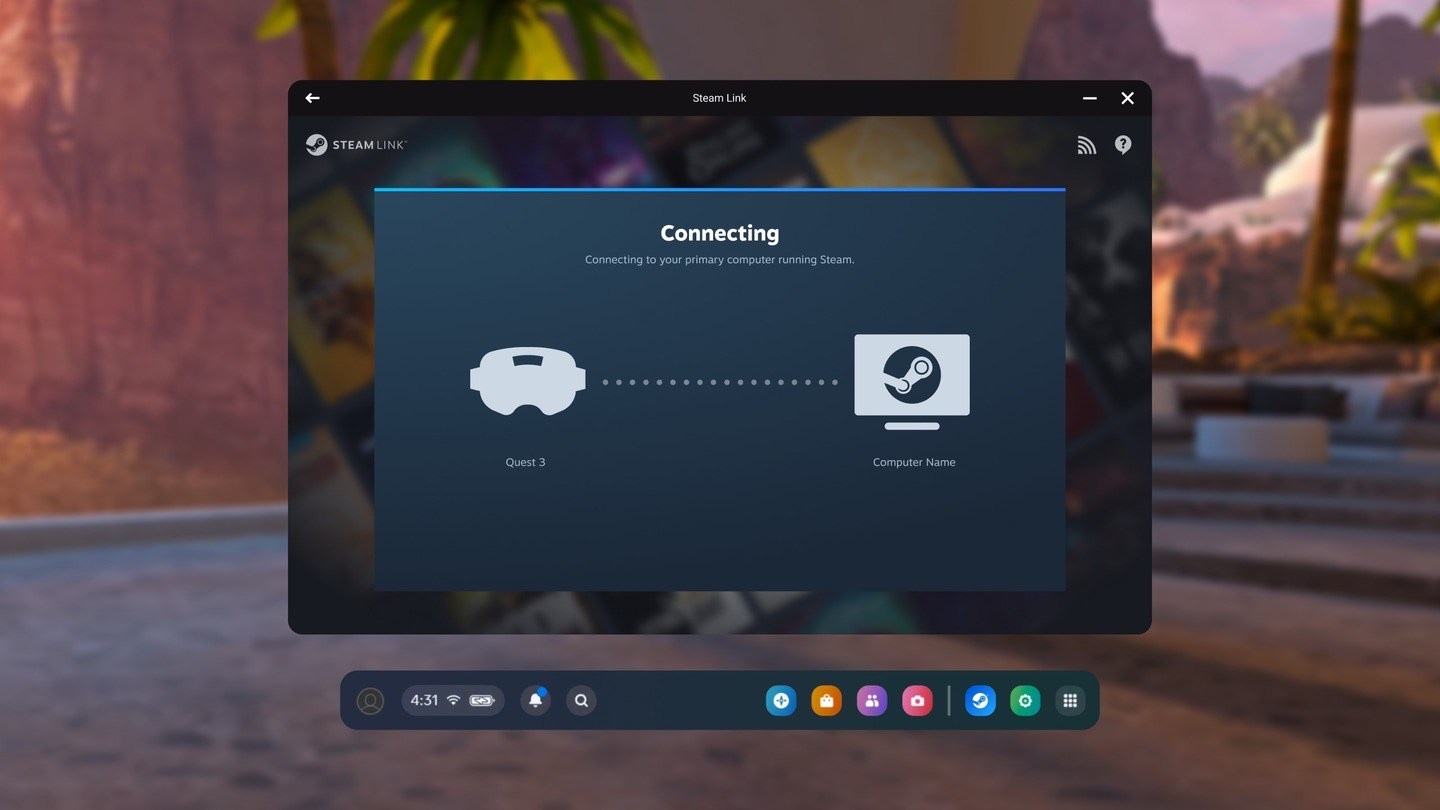
Yes, a Meta Quest 3, 3S or 2 plays Steam games. Install Valve's free Steam Link app from the store in the headset, keep Steam running on a Windows PC on the same home network, open the app and follow the pairing steps. VR games also need SteamVR installed on the PC. Ordinary non-VR games play on a big floating screen from the same app. Valve added a USB cable mode in September 2026; by its release notes it still needs the Steam Client Beta on the PC. Steam Link always needs a computer; it does not run games on the headset itself.
Owl3D, the publisher of this guide, makes Owl3D Link, one of the apps in the table of ways to play a non-VR game in the headset. Every app there is described in the same columns: the other makers' from their own pages, ours from Owl3D's own product facts. Owl3D Link is not a way to play Steam VR games.
Key takeaways
- Four steps, no Meta PC app: sign in to Steam on the PC, put the headset on the same network, install Steam Link, follow its pairing screen: set up Steam Link.
- "Computer not found"? Check that Remote Play is turned on in Steam's settings first; two owners in one thread say that alone fixed it: when it will not connect.
- The app has two modes. One opens SteamVR for VR games; the other opens Steam's Big Picture screen in a window for ordinary games, with a gamepad paired to the headset: VR games, non-VR games.
- A USB cable works with Steam Link since September 2026: Valve calls it "initial support", for Meta headsets on Horizon OS v2.5 or later, and its notes still ask for the Steam Client Beta on the PC: with a cable.
- No PC, a Mac or only a Steam Deck: Steam Link will not run VR games for you, and the cloud services' own posts describe flat games on a virtual screen: without a PC.
Quick picks
- It will not connect, lags or looks wrongfixes by symptom
- With a cableSteam Link over USB, or Meta's Link cable route
- An ordinary Steam game on a big screenSteam Link, 2D mode
- Steam VR games, wirelessSteam Link, VR mode
- An ordinary PC game, seen in 3DOwl3D Link
- No gaming PCwhat is left
Set up Steam Link on a Quest
Steam Link is Valve's own app, and it is free: Valve's support page says "To download it for free, head to the store in your headset or on your phone" [1]. Valve's steps do not involve Meta's PC app. In its words [1]:
- On the PC. "Sign into Steam on your PC." For VR games, install SteamVR from Steam as well; the requirement reads "A computer running Steam and SteamVR" [1].
- Same network. "Ensure your headset is connected to the same network as your PC." Valve asks for a 5 GHz Wi-Fi network for the headset and recommends a wired connection between the PC and the router [1].
- Install the app. "Download and install the Steam Link app from the store in your headset. You can also download from the store app on your phone (where applicable)".
- Open it and pair. "After you’ve installed Steam Link, open it and follow the on-screen instructions for connecting your headset to your PC."
One thing Valve's four steps leave out and its troubleshooting list adds: "You have enabled Remote Play in your Steam Settings on your desktop" [1]. Remote Play is a page in Steam's Settings on the PC [7]. Check it before the first try; two owners report that turning it on was the whole fix, further down.
What the PC and the network need
All from Valve's support page [1].
| Minimum | Recommended | |
|---|---|---|
| Computer | Windows 10 or newer, running Steam and SteamVR | Intel Core i5-4590 or AMD FX 8350 equivalent or better, 16 GB RAM |
| Graphics card | NVIDIA GTX 970 or better; AMD RX 570 or better, except the RX 6400 and RX 6500 XT | NVIDIA RTX 2070 or better |
| Router | 5 GHz channel, Wi-Fi 5 | Wi-Fi 6 or Wi-Fi 6E |
| Headset | Meta Quest 2, 3 or Pro; "Meta Headsets require v74 OS" |
Valve's page does not name the Quest 3S. The app's Meta Horizon Store listing does: its supported platforms read "Meta Quest 3S, Meta Quest 3, Meta Quest Pro, Meta Quest 2" [2]. Valve calls AMD support experimental: "Some AMD GPUs are experimentally supported" [1].
Two network rules from the same page save the most trouble. The PC should be wired: "Using a wireless connection between your PC and home router is not advised, as this can cause connectivity failures and other latency issues" [1]. And the headset should not be on 2.4 GHz; when the app's Wi-Fi indicator shows an exclamation mark, Valve's answer is "Your wireless network is on 2.4Ghz and not 5 (or 6) Ghz" [1].
A Mac will not do for VR: "Windows 10 and Windows 11 are fully supported. There is experimental Linux support. Other operating systems such as macOS are not supported" [1].
Steam VR games
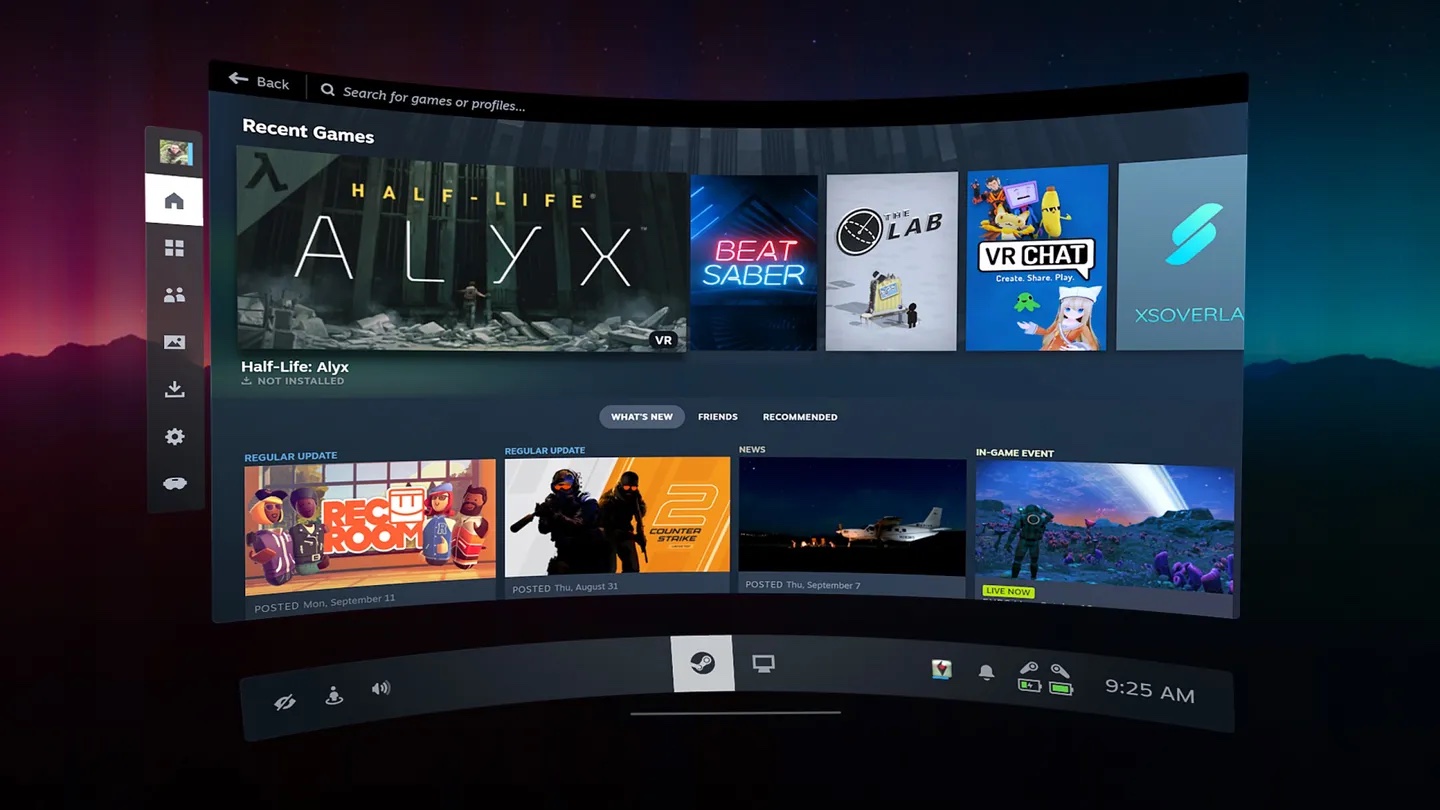
Steam Link was made for this. Valve's announcement of December 2023 says it lets you "wirelessly play VR games from your Steam library" [3], and SteamVR is the software on the PC that runs them: its Steam page says to "Grab SteamVR to access and play VR games" [9]. In VR mode the app puts you in SteamVR, with your library on a panel in front of you.
Three things trip people up here.
Steam Link and SteamVR are not the same thing, and the app holds two things. A reply in a thread on Valve's Steam Link forum, June 2026, put it this way: "Steam Link and Steam VRLink are two separate things. On Quest they're bundled into one app so that you can launch either" [25]. By that reply, one is the VR stream and the other is the older Steam Link for ordinary games, below.
A VR game starts but does not appear in the headset. If the game uses OpenXR and another program was set as the PC's OpenXR runtime (Meta's Link app or Virtual Desktop, for example), Valve says "you will need to change your system's OpenXR runtime to SteamVR", from the OpenXR tab of SteamVR's settings [1]. A reply on Valve's forum in September 2026 adds that the setting "will only appear on the host PC", so look for it on the monitor, not in the headset [31]. If the game simply opens on the monitor when you use Meta's cable, that is a different route with its own answer: see Steam games through Meta's Link.
A gamepad in VR mode. A gamepad paired to the headset works in the 2D mode and, by one owner's report of January 2025, not in VR mode: "in the VR mod ist not possible to use the xbox controller" [28]. A second owner said the same in August 2026 with another gamepad [28]. Valve's page lists only "Controllers corresponding to your headset" as supported input [1]. A reply in a December 2023 thread on Valve's forum, when the app had no 2D mode yet, said "You will need to pair your controllers with your host PC" [17].
Whether Steam Link, Air Link or Virtual Desktop runs VR games best on your setup is its own question, and owners disagree: see Virtual Desktop vs Air Link vs Steam Link.
Ordinary (non-VR) Steam games on a big screen
Yes, and without SteamVR in between. UploadVR reported in February 2025 that "the Steam Link app for Quest can now connect to the same Big Picture Mode interface you'd find when using Steam Link on other devices, instead of launching into SteamVR" [4]. What that changed, by the same report [4]:
- The game is a window in the headset. You "can use passthrough as your background" and run it "alongside other Quest panels and apps including web browser windows".
- A gamepad can be paired to the headset: the mode "passes through input from gamepads connected to your headset". Before, the gamepad "had to be connected to the PC".
- You do not need the Touch controllers to operate it, "since you can interact with the window using hand tracking".
This is what people asked Valve for from the app's first week. One Quest 3 owner, December 2023: "As soon as I tried SteamLink on Quest 3, I wanted to play my flat 2d Games on a big virtual screen" [17]. Another, February 2024, wanted to "just play any ol' regular game without having to go to my basement to my PC" [17].
You choose the mode when the app starts, by owners' accounts: one writes of the moment "I select controller and launch steam link in 2D" [27]. We have not tested the app.
From a Steam Deck. A Steam Deck can be the computer for this mode, by one poster's account on Steam's forum in February 2025: "One thing you can do is install the Steam Link app on your Quest and Stream non-VR Steam games from your Deck to a big virtual AR display. This works really well." Asked how big the screen goes: "You can stretch the screen out to ridiculous iMax theatre sizes if you want" [23]. The same poster on VR from a Deck: "Steam Deck isn't designed to support PC VR" [23]. That is one person; we have not tested it.
Ways to play a non-VR game in the headset
Steam Link is one of several. Each row is from the maker's own page, read on October 10, 2026, or a dated report where marked; the Owl3D Link row is from Owl3D's own product facts. "Not stated" means the page we read does not say.
| Way | What you see | What it needs | The game in 3D | Cost |
|---|---|---|---|---|
| Steam Link, 2D mode | Steam's Big Picture screen in a window; gamepad paired to the headset [4] | A computer running Steam on the same network [1] | Not stated [1], [4] | Free [1] |
| Virtual Desktop | "play games on a giant virtual screen" [10] | Windows 10 or 11, or macOS; computer wired to a 5 GHz router [10] | Has a 3D mode for side-by-side 3D content [10], [15]; converting a flat game is not stated | Paid; the price is on its store page [15] |
| Meta Virtual Display | The computer's screen as "multiple large virtual displays" [11] | Windows 11 with Mixed Reality Link, or a Mac or older Windows with Meta's app [11] | Not stated [11] | Not stated [11] |
| Xbox Cloud Gaming | Game Pass games "on a massive virtual 2D display" [12] | No PC or console; Xbox Game Pass Ultimate, a supported controller, fast internet [12] | No, a 2D display [12] | A Game Pass Ultimate membership [12] |
| GeForce NOW | PC games "on a massive virtual screen", in the headset's browser; gamepad-compatible titles [13] | No PC; a Quest 3 or 3S and a GeForce NOW membership [13] | Not stated [13] | A GeForce NOW membership; price not stated [13] |
| Owl3D Link | What is on the PC, such as an ordinary non-VR game, converted from 2D to 3D as it plays | A Windows PC with an NVIDIA RTX 3060 or better, running the Owl3D desktop app; not a Mac | Yes, as an AI conversion of the flat picture, not true stereo rendered from a game's geometry; multiplayer competitive games and games with anti-cheat software often block screen capture, and then it cannot convert them | Free |
Last checked : what each maker's page says; prices are not quoted here.
Xbox Cloud Gaming and GeForce NOW are their own services, not Steam Link. Their rows are what Meta wrote about the Xbox app in December 2023 and what NVIDIA announced for GeForce NOW in January 2025 [12], [13]; check each service's own page for what it carries today.
An ordinary PC game in 3D: Owl3D Link
The apps above show a flat game as a flat picture on a big screen. Owl3D Link does one different thing: it is Owl3D's companion app for Meta Quest headsets, and with the Owl3D desktop app running on a Windows PC it streams what is on the PC to the headset wirelessly, converted from 2D to 3D instantly, as it plays. So an ordinary PC game that is not a VR game shows in 3D in the headset while you play it, with nothing to prepare.
- What it needs: a Meta Quest headset and a Windows PC with an NVIDIA RTX 3060 or better graphics card, running the Owl3D app. It does not work from a Mac.
- Where it stops: multiplayer competitive games and games with anti-cheat software often block screen capture, and then it cannot convert them. Single-player games are the best fit.
- What it is not: it is not for Steam VR games or any other PC VR game; use Steam Link's VR mode for those. The 3D is an AI conversion, depth estimated from the 2D picture, not true stereo rendered from a game's geometry.
- Cost: Owl3D Link is free.
Steam Link with a USB cable
Yes, since September 2026, with conditions. For most of the app's life the answer was no: Valve's 2023 announcement describes it as wireless [3], an owner wrote in the launch thread on Valve's Steam Link forum that December, "Please make it so we can use a link cable, my wifi not good enough for streaming" [16], and as late as June 2026 a reply on that forum said "Steam Link does not (currently) use the USB link cable" [25].
Valve's own notes record the change. The SteamVR beta notes dated September 2, 2026 list, under Steam Link, "Adds initial support for USB streaming" and "USB streaming can be used without WiFi by opting into the Steam Client Beta" [26]. On September 11 the same line appeared in Valve's notes for the regular SteamVR 2.17 release, with a condition: "Adds initial support for USB streaming. Note: Requires new Steam Client Beta" [34]. Valve's support page has a USB section too: "USB connectivity allows a direct wired connection between the headset and the host PC. It allows for low latency, high quality streaming in situations where wireless usage is not preferable" [1].
What it needs:
- A Meta headset on a recent system version. Valve: "At this time, USB is only supported on Meta headsets and requires Horizon OS v2.5 or later" [1].
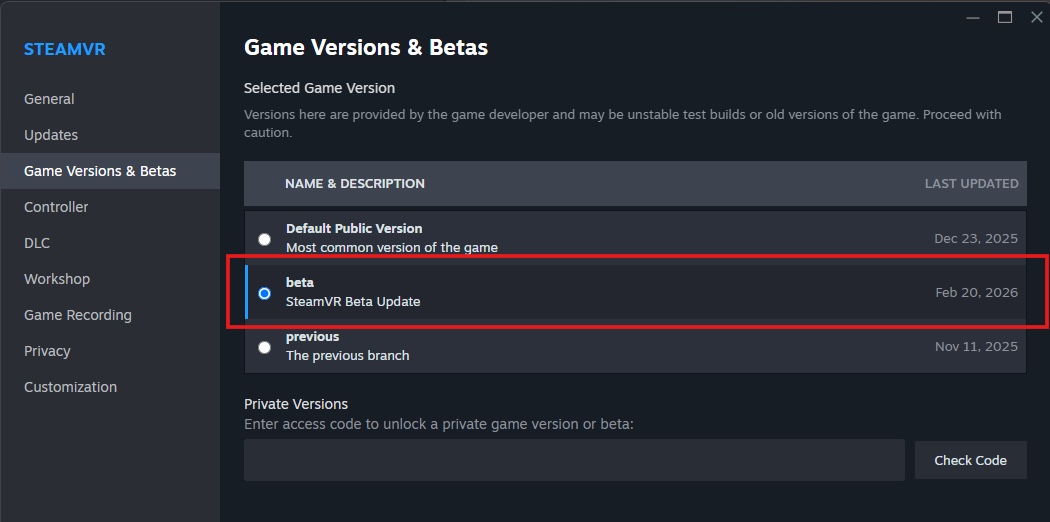
- The Steam Client Beta on the PC. Valve's release notes ask for it [34]. It is under Steam, Settings, Interface, "Client Beta Participation" [14].
- Perhaps the beta versions of SteamVR and of the headset app as well. Valve's beta notes of September 2 say "To get the most up-to-date features for Steam Link for Meta Quest, please opt-in to the Steam Link for Meta Quest Beta here as well as the SteamVR Beta" [26], and Road to VR, on September 3, listed three opt-ins: "subscribe to the public beta on the Horizon Store for Quest, opt into the SteamVR beta branch, and opt into the Steam Client Beta" [6]. For the headset app, Valve's page says to opt in "by using the Meta application on your phone to select the Public Beta channel in the settings for the Steam Link application" [1].
- A data-capable USB-C cable. UploadVR, on September 2, describes "simply plugging a data-capable USB-C cable into the headset after launching the app" [5]. Road to VR notes that "Valve hasn’t specified exactly what sort of USB-C cable you should use" [6].
Then connect the cable and start Steam Link on the headset. Valve: "When connected to the PC, after starting the Steam Link application on the headset, the headset will automatically create a USB NCM connection" [1]. By UploadVR's report, the headset first asks you to approve a system-wide permission that lets apps use the USB connection [5].
The USB icon stays gray
Threads on Valve's forum in September and October 2026 are about this [18], [31]. Valve's own explanation: "If you plug in your headset via USB and do not see the associated USB icon when streaming, the most common cause is that your computer doesn't properly support "Automatic IPv6 link-local addresses"" [1]. Its workaround is to give the PC's USB network connection the address 10.86.13.38 with netmask 255.255.255.248, and it notes "Quest users must be on HorizonOS v2.7 or later" for that [1].
Two owners in one thread came back with what fixed it for them [18]. We have not tested either.
- A Quest 3S owner, September 2026: the PC had no driver for the connection. The steps given: in Windows Device Manager, find the headset's entry under "Other devices", choose Update driver, pick from a list, then "Choose "Network adapters" as the device type, then select "Microsoft" as the manufacturer and "UsbNcm Host Device" as the model."
- A Quest 3 owner on Windows 10, the next day: "i've resolved the problem, it was stuck as a flash drive, deleted the MTP Device and it fell back to NCM Device".
Not everyone got there. In the same thread, in October 2026, another owner wrote that it "worked kind of" and that "the USB needs WiFi for no reason" [18]. UploadVR's writer found the same in September: "in my testing, Steam Link would still fail to find the host PC without an active Wi-Fi connection" [5].
Steam games on a Quest without a PC
Steam Link cannot do it. Its first requirement is "A computer running Steam and SteamVR" [1], and the app streams from that computer. What each kind of asker can do:
- No computer at all. The two cloud services in the table above put flat games on a virtual screen with no PC, by their makers' own posts. Meta wrote in December 2023 that the Xbox Cloud Gaming app streams games "on a massive virtual 2D display" for Game Pass Ultimate members [12]. NVIDIA announced in January 2025 that GeForce NOW would reach the Quest 3 and 3S "by opening the browser to play.geforcenow.com", for "gamepad-compatible titles" on "a massive virtual screen" [13]. Neither post describes VR games on a Quest.
- A Mac. Not for Steam VR: "Other operating systems such as macOS are not supported" [1]. For ordinary games, Valve's Remote Play page says "Steam Link connects your device to any computer that’s running Steam" [8]; it does not name a Mac with the Quest app's 2D mode, and we have not tested one.
- A Steam Deck. Flat games, by the one poster's account above [23]. Not PC VR.
Apps that run Steam games on the headset itself. The Valve and Meta pages we read describe no way to run Steam games on a Quest without a computer [1], [2]. People do ask about unofficial apps that claim to, and the question that comes up again and again in comments is whether such apps play VR games. We have not tested any and do not cover them. For Steam's VR games, Valve's requirement is a Windows PC [1].
When it will not connect, lags, or looks wrong
Find what you see. The middle column is Valve's support page [1], or Valve's network settings page where marked [7]; where they have nothing, the table says so.
| What you see | What Valve's page says to check | What owners report |
|---|---|---|
| "Computer not found", or the PC is not listed | Steam is running and signed in; same network; "You have enabled Remote Play in your Steam Settings on your desktop"; the PC's network is "Private" not "Public"; all VPNs off; try with the firewall off; not a guest network [1] | Remote Play, restarts, a VPN |
| A Wi-Fi icon with an exclamation mark | "Your wireless network is on 2.4Ghz and not 5 (or 6) Ghz" [1] | One owner saw it while connected; a restart of the headset cleared it for another [20] |
| "Only supported on local network", "not on the same network" | Guest networks and mesh networks: connect only to the Wi-Fi name that belongs to your own network; try turning mesh features off [1]. Access point or client isolation must be off [7] | Restarting the router; removing a VPN program [19] |
| Stutter, lag, a hitch every so often | Wire the PC to the router, gigabit; move closer; 5 GHz or higher; channel width 80 or 160 MHz; bandwidth on "Auto"; recording software such as OBS or Discord set to software encoding; NVIDIA drivers no older than 546.29 [1] | 5 GHz in place of 6 GHz worked for one |
| The picture is too dark | "try disabling power saver in your Meta Quest Settings under "Settings" -> "System" -> "Power" -> "Battery Saver"" [1] | Mixed; see below |
| No sound, or the microphone does not work | "Steam Streaming Speakers" enabled in Windows sound settings; "HMD" as the audio output in SteamVR's audio settings; microphone permission for Steam Link in the headset [1] | One owner had sound in the 2D mode and none in VR, and only a Windows reinstall fixed it [29] |
| A black screen in the 2D mode, with sound | Nothing on Valve's page | No agreed fix; see below |
| A VR game runs on the PC but not in the headset | Set SteamVR as the OpenXR runtime [1] | See VR games |
| The Steam menu will not open in VR | The menu button on the left controller; "VR Dashboard on System Button" on [1] | None recorded |
| The USB icon stays gray | See the cable section | Same |
If nothing helps, Valve asks you to send its support two log files, remote_connections.txt and driver_vrlink.txt, from the Steam logs folder on the PC [1].
Fixes owners say worked (we have not tested them)
These are owners' own reports from Valve's Steam forums, each from one thread unless counted otherwise.
- Remote Play was off: two owners. "Yep, turning on Remote Play in Steam Settings fixed it! I was able to connect using Steam Link." And the person who started the thread, six days later: "Ok, it works for me now. Remote Play was disabled." Both December 2023 [16]. A third in the same thread had it on and still could not connect; an Ethernet cable to the PC was what did it for that owner [16].
- Restart the headset: two. "Had the same issue right now, restarted Quest 3 and it works now", January 2025 [20]. For the black screen in 2D mode, December 2024: "Restarting the VR is the only solution for me." [27]
- Restart the router: two in one thread. For "Only supported on local network", March 2024: "restarting the router worked so yippee" [19]. The owner who suggested it first blamed the router's mesh setting, then wrote six months later that turning mesh off had caused new problems and that what lasted was setting the 5 GHz band to a fixed channel instead of automatic [19].
- A VPN program, even switched off: one. March 2025: "the issue disappeared once I've uninstalled NordVPN." [19] An earlier owner let Steam bypass the VPN and through the Windows firewall, and the headset then found the PC [16].
- 5 GHz in place of 6 GHz: one. After several days of tests on a hitch that came back about once a minute, March 2025: "5Ghz seems to be working great for me." Two later posters in that thread, July 2025 and August 2026, had the same hitch and no fix [22].
More owners' reports: passthrough, a dark picture, a black screen in 2D mode
- Headset in passthrough: one, unconfirmed. A new Quest 3 owner, November 2024, could not get SteamVR to connect until "tapping the side of the Meta Quest 3 to get into the Virtual Environment mode, started Steamlink and bam, I had access to my steam VR games" [21]. Nobody else in the thread confirms it.
- Dark picture: no agreement. Valve's suggestion is the Battery Saver switch [1]; a Quest 3 owner answered "Battery saver was off on my quest 3" [24]. One owner, May 2024: "try increasing the brightness slider on the Quest home quick settings" [24]. Another, May 2026, said to turn the headset's contrast setting, under accessibility and vision, all the way down [24].
- Black screen in 2D mode: no agreed fix. Twelve people in one thread from March 2024 to January 2025 report a black screen [27]. One found that signing in to the headset with a different Meta account cleared it; another went back to an earlier SteamVR version [27].
Some gave up on it: "I have now avoided Steam Link & use Virtual Desktop", January 2025 [20]. If you reach that point, the paid app's case is laid out in is Virtual Desktop worth paying for.
How well it runs, by owners' reports
Owners on Valve's forums land on both sides, and we have not tested it.
- For: two, at launch. "Steam Link for Quest is a stellar release that I'm extremely impressed with! I'm particularly pleased with the image quality and ease of use." And, in three words, "better than air link". Both December 2023 [16].
- Against: two. An owner who "tried them all", December 2024: "steamlink right now is the worst in term of visual quality", with the cable route best and Virtual Desktop the steadiest of the wireless ones [30]. A Quest 3 owner with a fast PC and a 6 GHz access point, November 2024: "Quest 3 over wifi has stutter over SteamLink that makes playing impossible", while Air Link ran "nearly flawless" on the same equipment [25].
That is four people on a support forum, not a survey. Valve's own advice for a better picture is to wire the PC to the router and keep the headset on a 5 GHz or 6 GHz network [1].
Frequently asked questions
Is Steam Link free on a Quest?
Yes. Valve: "To download it for free, head to the store in your headset or on your phone" [1]. The games are the ones in your Steam library.
Do I need Meta's PC app as well?
No. Steam Link connects the headset to Steam directly; its requirements list Steam and SteamVR and nothing from Meta [1]. Meta's app is for Meta's own routes, Link and Air Link: see how to connect a Quest to a PC.
Does Steam Link work on a Quest 3S or a Quest 2?
The store listing names Quest 3S, 3, Pro and 2 [2]. Valve's support page names Quest 2, 3 and Pro and asks for "v74 OS" on Meta headsets [1].
Can I use Steam Link away from home?
Valve's support page asks for the headset and the computer to be on the same network [1]. A reply in a thread on Valve's forum, January 2024, drew a line between the two modes: "Steam Link when 2D streaming is permitted to route across networks which may differ by subnet or are on different broadcast domains, whereas Steam Link when in VR mode cannot" [32]. That is one forum reply. The Valve pages we read do not say whether the Quest app's 2D mode works over the internet [1], [7], [8].
Is this the Steam Link box Valve used to sell?
No. Valve's support pages speak of "The Steam Link hardware and streaming app" as two things [7]. A reply on Steam's forum, March 2024: "The Steamlink hardware dongle does not support VR" [33]. Steam Link on a Quest is the app, which Valve's Remote Play page lists for "Meta Quest 2, 3 and Pro" among phones, tablets and TVs [8].
Sources (35)
- Valve, Steam Support, "Steam Link For Meta, HTC and PICO Headsets" (requirements, steps, and the folded sections Frequently Asked Questions, Troubleshooting, Settings & Technical Details, USB Connectivity). https://help.steampowered.com/en/faqs/view/0E2C-406B-9135-38A4 Opened 2026-10-10.
- Meta Horizon Store, "Steam Link". https://www.meta.com/experiences/steam-link/5841245619310585/ Opened 2026-10-10.
- Valve, "New: Play Steam VR games on Meta Quest 2, 3, and Pro" (December 1, 2023). https://store.steampowered.com/news/app/593110/view/3823053915991825335 Opened 2026-10-10.
- UploadVR, "Steam Link For Quest Now Lets You Play Flatscreen PC Games In A Window" (February 19, 2025). https://www.uploadvr.com/steam-link-for-quest-flatscreen-pc-games-window/ Opened 2026-10-10.
- UploadVR, "Steam Link's Latest Public Beta Adds Wired USB Support On Quest Headsets" (September 2, 2026). https://www.uploadvr.com/steam-links-latest-public-beta-adds-wired-usb-support-on-quest-headsets/ Opened 2026-10-10.
- Road to VR, "Steam Link for Quest Adds Wired USB-C Streaming in Public Beta" (September 3, 2026). https://roadtovr.com/steam-link-quest-wired-usb-update/ Opened 2026-10-10.
- Valve, Steam Support, "Steam Link - Suggested Network Settings". https://help.steampowered.com/en/faqs/view/3E3D-BE6B-787D-A5D2 Opened 2026-10-10.
- Valve, "Steam Remote Play". https://store.steampowered.com/remoteplay Opened 2026-10-10.
- Valve, "SteamVR" on Steam. https://store.steampowered.com/app/250820/SteamVR/ Opened 2026-10-10.
- Virtual Desktop, official site. https://www.vrdesktop.net/ Opened 2026-10-10.
- Meta Quest Help, "Use your computer in VR with Meta Virtual Display". https://www.meta.com/help/quest/1370025034331518/ Opened 2026-10-10.
- Meta, "Xbox Cloud Gaming (Beta) Is Here!" (December 13, 2023). https://www.meta.com/blog/xbox-cloud-gaming-beta-launch/ Opened 2026-10-10.
- NVIDIA, "PC Gaming in the Cloud Goes Everywhere With New Devices and AAA Games on GeForce NOW" (January 6, 2025). https://blogs.nvidia.com/blog/geforce-now-ces-2025/ Opened 2026-10-10.
- Valve, Steam Support, "Steam Client Beta". https://help.steampowered.com/en/faqs/view/276C-85A0-C531-AFA3 Opened 2026-10-10.
- Meta Horizon Store, "Virtual Desktop". https://www.meta.com/experiences/virtual-desktop/2017050365004772/ Opened 2026-10-10.
- Users' reports: Steam Community, Steam Link discussions, "Steam Link now available on supported VR headsets" (pinned thread, December 2023) and "Steam Link Meta Quest 3 doesn´t see my Steam PC" (December 2023). https://steamcommunity.com/app/353380/discussions/11/4038102696017466355/ and https://steamcommunity.com/app/353380/discussions/11/4038102936180067953/ Opened 2026-10-10.
- Users' reports and a reply in the thread: Steam Community, Steam Link discussions, "Steam Link Meta Quest 3 app doesn't see my controllers. Problem with flat gaming" (December 2023 to February 2024). https://steamcommunity.com/app/353380/discussions/11/4038102936180070207/ Opened 2026-10-10.
- Users' reports: Steam Community, Steam Link discussions, "(Solved) Steam Link USB connection isn't working" (September and October 2026). https://steamcommunity.com/app/353380/discussions/11/562541634873790514/ Opened 2026-10-10.
- Users' reports: Steam Community, Steam Link discussions, "Only supported on local network..." (March 2024 to March 2025). https://steamcommunity.com/app/353380/discussions/11/4298195716599405623/ Opened 2026-10-10.
- Users' reports: Steam Community, SteamVR discussions, "Meta Quest 3 & Steam Link App Issue!" (November 2024 to January 2025). https://steamcommunity.com/app/250820/discussions/0/4633736978453533039/ Opened 2026-10-10.
- Users' reports: Steam Community, SteamVR discussions, "Quest 3 won't connect to SteamVR" (November 2024). https://steamcommunity.com/app/250820/discussions/0/4633734820102478335/ Opened 2026-10-10.
- Users' reports: Steam Community, Steam Link discussions, "Large ~1 second hitch every 60 seconds on Quest 3 with Steam Link" (March 2025 to August 2026). https://steamcommunity.com/app/353380/discussions/11/597396012525495400/ Opened 2026-10-10.
- Users' reports: Steam Community, "Steam Deck OLED and Meta Quest 3" (February 2025). https://steamcommunity.com/discussions/forum/11/592890004253058909/ Opened 2026-10-10.
- Users' reports: Steam Community, Steam Link discussions, "Quest Pro is much darker via Steam Link" (December 2023 to June 2024) and "Steam Link Is Darker" (December 2023 to May 2026). https://steamcommunity.com/app/353380/discussions/11/4038102936184517580/ and https://steamcommunity.com/app/353380/discussions/11/4039230033362870628/ Opened 2026-10-10.
- Users' reports and a reply in the thread: Steam Community, Steam Link discussions, "SteamLink Stutters Over With Quest3, AirLink Works Fine" (November 2024 to June 2026). https://steamcommunity.com/app/353380/discussions/11/4629232694089278866/ Opened 2026-10-10.
- Valve, Steam news, "SteamVR Beta Updated - 2.17.8" (September 2, 2026). https://store.steampowered.com/news/app/250820/view/697648355380036491 Opened 2026-10-10.
- Users' reports: Steam Community, SteamVR troubleshooting, "Meta Quest 3 - Opening Steam link results in black screen, audio and no video." (March 2024 to January 2025). https://steamcommunity.com/app/250820/discussions/2/4299320559093069294/ Opened 2026-10-10.
- Users' reports: Steam Community, Steam Link discussions, "using XBOX controller in VR mode" (January 2025 and August 2026). https://steamcommunity.com/app/353380/discussions/11/734749878368927548/ Opened 2026-10-10.
- Users' reports: Steam Community, Steam Link discussions, "No audio on Quest 2 or Quest Pro through Steam Link" (March 2026). https://steamcommunity.com/app/353380/discussions/11/798964455929085882/ Opened 2026-10-10.
- Users' reports: Steam Community, "What's the best way to play Steam PC games with Quest 3?" (December 2024). https://steamcommunity.com/app/1850050/discussions/0/596261724753042039/ Opened 2026-10-10.
- Users' reports and replies: Steam Community, Steam Link discussions, "Steam Link 20.0.23 and Beta Connection to Quest 2" (September 30, 2026). https://steamcommunity.com/app/353380/discussions/11/585061535402979928/ Opened 2026-10-10.
- A reply in the thread: Steam Community, Steam Link discussions, "Computer Not Found" (December 2023 to January 2024). https://steamcommunity.com/app/353380/discussions/11/4029096129893409212/ Opened 2026-10-10.
- Users' reports: Steam Community, "Meta Quest 3, Steam Link and Remote Play" (March 2024). https://steamcommunity.com/discussions/forum/1/4299321616495687871/ Opened 2026-10-10.
- Valve, Steam news, "Introducing SteamVR 2.17" (September 11, 2026). https://store.steampowered.com/news/app/250820/view/679635225181946198 Opened 2026-10-10.
- Valve, Steam Support, "SteamVR Beta". https://help.steampowered.com/en/faqs/view/4F5E-AD22-7402-2EAD Opened 2026-10-10.