VITURE Beast and 3D Movies: What It Plays, What to Connect, Price
How we researched this: written by Owl3D from published sources, all 16 listed at the end.
Short answer
Yes, VITURE Beast plays 3D movies in Full Side-by-Side (SBS). Double-press the R1 button to switch between 2D and 3D, and no app is required [1][2]. It does not work with 3D Blu-ray players that output frame-packed or over-under 3D [3]. VITURE sells it for $549 [2]. Owl3D, the publisher of this guide, makes a 2D-to-3D converter, described in one passage below. Device facts come from VITURE's own pages, and we say where they are silent. We have not tested a Beast.
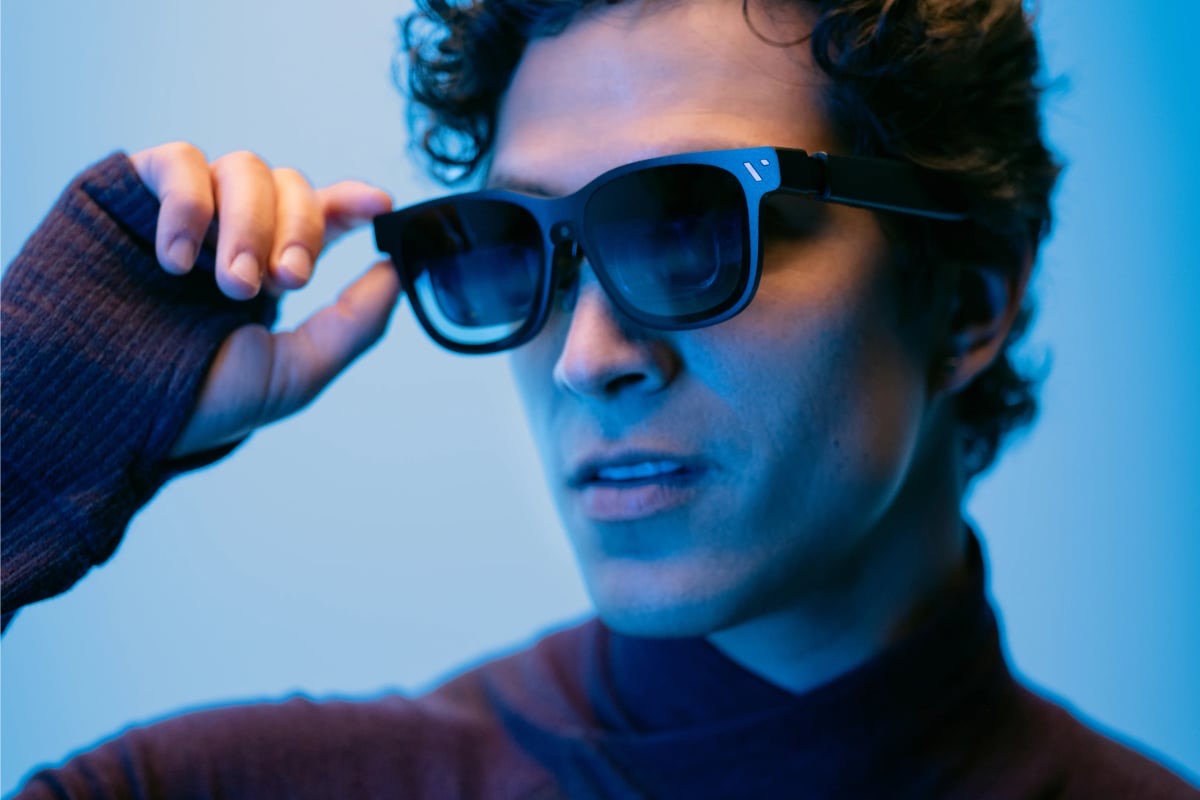
VITURE Beast XR Glasses, which connect over USB-C. Image: VITURE.
Key takeaways
- The glasses' 3D Mode takes Full SBS. VITURE names no other format for it: play your own file.
- 3D Blu-ray players are out, in VITURE's own words: the disc answer.
- Which source reaches 3D, device by device: what to connect.
- Immersive 3D converts 2D live, on a computer or phone only: what it needs.
- A file with no 3D version can become one with an AI conversion, not the studio's 3D version: Owl3D's converter.
Two ways to watch 3D on VITURE Beast
| Route | What you watch | What it needs | The limit |
|---|---|---|---|
| 3D Mode | Files already in Full SBS | A player that shows the file full screen [1] | Full SBS only, in VITURE's words [1] |
| Immersive 3D | 2D video or games, converted live [2] | A computer or phone that meets the list below | Results vary in reviews [10][11] |
For what SBS files are, and Full against Half, see 3D movies on video glasses. This page covers only what is different about Beast. Comparing with XREAL's Android XR glasses? See XREAL Aura and 3D movies.
Play your own 3D file
- Connect the glasses with the USB-C cable in the box to a source with display output. VITURE says to look for "DisplayPort over USB-C, DP Alt Mode, Alt DP over USB-C, or Thunderbolt 4" [1].
- Open a Full SBS file in your player, full screen.
- Double-press R1 [1]. You can also long-press L+ to open the display modes, pick 3D with L+ and L-, then confirm with L1 [1].
On a phone, VITURE's SpaceWalker app has a Media Player for "3D videos (Side-by-Side and Top-Bottom)" [6]. It enters full screen by itself when it detects a Full SBS 3840 × 1080 file [6]. If you connect an iPhone 15 or later directly, you switch to 3D Mode by hand [6].
John Yan of Gaming Nexus played The Martian in VLC on a phone in April 2026. Yan switched to 3D mode, adjusted the aspect ratio, and watched "without any issues" [10]. Yan also wrote that top and bottom films need re-encoding, or SpaceWalker [10].
3D Blu-ray discs
No, not in 3D, according to VITURE. VITURE's dock manual says: "VITURE Pro Mobile Dock and all XR Glasses models are not compatible with 3D Blu-ray players that output frame-packed 3D or over-under 3D formats." [3] That line covers Beast.
The same manual says you can connect a standard Blu-ray player through HDMI, for your regular discs [3]. The dock's HDMI ports do not support 4K [3].
For your 3D discs, use a 3D Blu-ray player with a 3D TV or projector. See 3D Blu-ray players.
What to connect
| Source | How it connects | 3D route |
|---|---|---|
| iPhone 15 or later (not 16e, 17e or Air), USB-C iPad | Included USB-C cable [2] | SBS files in SpaceWalker, or Immersive 3D [5][6] |
| Android phone | USB-C with display output [1] | SBS files, or Immersive 3D. Google Play asks for 4K video output, and Pixel 8 and 9 cannot switch to 3D Mode [8] |
| Windows PC or Mac | USB-C with display output [1] | SBS files in your player, or Immersive 3D [4] |
| Steam Deck, ROG Ally X | Direct USB-C [2] | VITURE names no film route |
| Switch, Switch 2 | Pro Mobile Dock, Mobile Dock Mini or USB-C XR Charging Adapter Ultra [2] | VITURE names no film route |
| PS5, Xbox | Pro Mobile Dock or HDMI to USB-C Adapter Cable [2] | VITURE names no film route. The cable "mirrors the device's video output directly" [9] |
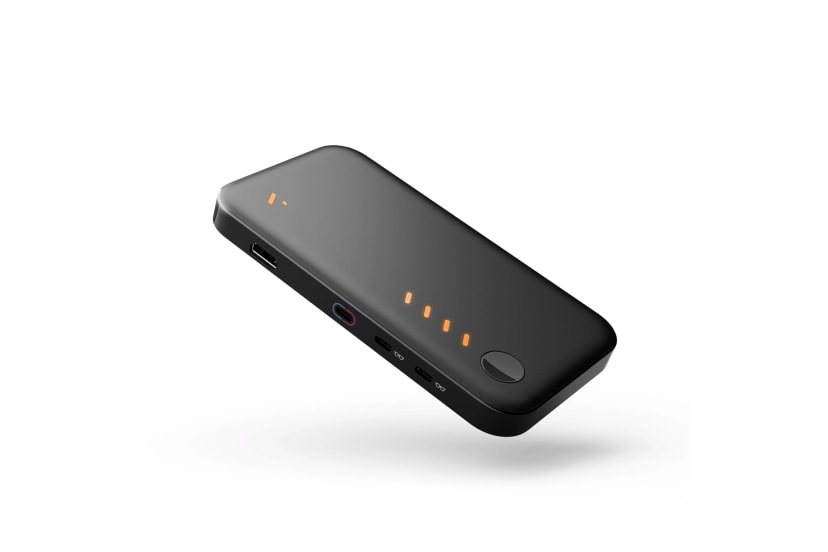
Accessory limits matter for 3D:
- The Pro Mobile Dock takes "3D: Up to 3840×1080@60Hz" on HDMI 1.4 [3].
- VITURE lists Mobile Dock Mini with "3840×1200 side-by-side 3D at up to 60 Hz" [2].
- The USB-C XR Charging Adapter does not support 3D Mode on Beast [1].
- The HDMI XR Adapter does not support Beast [1].
- One Mobile Dock and One Neckband are not supported [1].
What Immersive 3D needs
Immersive 3D is VITURE's real-time 2D-to-3D conversion. VITURE lists macOS, Windows, iOS and Android [1]. It lists no console.
| Platform | VITURE's stated need |
|---|---|
| Mac | Apple silicon, "We recommend M2 or newer" [4] |
| Windows | 32 GB RAM, and "NVIDIA RTX 2050 or higher recommended" for 1080p at 60 fps [4] |
| iPhone, iPad | USB-C, iOS 18 or later, SpaceWalker 1.9.1 or later [5] |
| Android | Android 14 or later, SpaceWalker 1.5.0 or later. Samsung Galaxy S23 or newer recommended, not Exynos phones [5][6] |
The App Store listing says "In-app purchase required" [7]. We did not find the amount. VITURE lists 30 FPS on M1 and up to 60 FPS on M4 [4].
Reviews are mixed. Yan could not get the application to work correctly [10]. Zubi Khan of CGMagazine called the conversion "cool but ultimately inconsistent" [11]. Tom's Guide noted you need an app for it [12].
Price and where to buy
Last checked : VITURE's product page, read from outside the US.
VITURE lists Beast at $549 in Regular or Large, and a Dock Pack with the Pro Mobile Dock and a controller at $648 [2]. The HDMI to USB-C Adapter Cable is $29 and was on backorder [2]. A prescription frame with lenses adds $79 [2]. VITURE lists free US shipping and free 30-day returns [2].
Road to VR reported that Beast went on sale at Amazon and Best Buy on April 27, 2026, priced at $549 [13]. We did not read today's shop prices there.
What users report
We read 187 YouTube comments under four Beast videos, plus app-store reviews, on November 2, 2026. Comment dates below are approximate. These are users' reports, not tested by us.
Four commenters and one Google Play reviewer said 3D failed for them:
- "3D just doesnt work", about May 2026 [14].
- "I found that I couldn't turn on 3d", about August 2026 [15].
- "the picture still scrambles" after an update, about June 2026 [16].
- "Immersive 3D doesn't work, at least on Samsung Galaxy S25", about February 2026 [16].
- "S25 Ultra and Immersive3D hasn't worked for me once", February 8, 2026 [8].
One commenter who tried the Pro Mobile Dock and the HDMI XR Adapter with consoles reported "double vision twitching" (about February 2026) [15]. Note that VITURE says the HDMI XR Adapter does not support Beast [1]. On Samsung, VITURE says to turn off DeX first [6]. General fixes are in our video glasses guide.
A film with no 3D release
Immersive 3D converts as you watch. If you want the 3D made before you sit down, the Owl3D desktop app for Windows and Mac converts 2D video files you have the right to use into stereoscopic 3D, with AI, on your own computer. One output is Side-by-side. It is an AI conversion, not the studio's 3D version, and it takes a file and time. We have not played a converted file on Beast, so try a short clip first.
From Owl3DOwl3D converterA desktop app for Windows and Mac that turns 2D videos and photos into 3D.FAQ
Does VITURE Beast need an app for 3D movies?
No. VITURE says it supports native 3D SBS content through the on-device menu, "with no app required" [2]. You need an app only to convert 2D, or to use SpaceWalker's player.
Can VITURE Beast play Half SBS or top-bottom files?
VITURE's manual names Full SBS for 3D Mode and is silent on Half SBS [1]. Top-Bottom is listed for SpaceWalker's Media Player [6].
Can I watch Netflix in 3D on VITURE Beast?
VITURE lists "Netflix (Mac / Windows)" for Immersive 3D [1]. The desktop app's page lists browser services and needs a browser setting changed [4]. On phones, it "may be unavailable on some video streaming websites due to DRM restrictions" [6]. This is an AI conversion, not a studio 3D version.
Does VITURE Beast have a microSD slot for 3D movies?
VITURE's tech specs list no microSD slot [1]. Store your movies on your phone or computer.
Does VITURE Beast work with glasses?
No built-in diopter adjustment, but a free prescription lens frame is included [2].
Sources (16)
- VITURE, "The Beast XR Glasses" (manual). https://www.viture.com/academy/xr-glasses/the-beast (opened 2026-11-02)
- VITURE, "VITURE Beast XR Glasses". https://www.viture.com/product/viture-beast-xr-glasses (opened 2026-11-02)
- VITURE, "Pro Mobile Dock" (manual). https://www.viture.com/academy/mobile-dock/pro-one-series (opened 2026-11-02)
- VITURE, "Immersive 3D, Desktop". https://www.viture.com/academy/immersive-3d/desktop (opened 2026-11-02)
- VITURE, "Immersive 3D, Mobile". https://www.viture.com/academy/immersive-3d/mobile (opened 2026-11-02)
- VITURE, "SpaceWalker, Mobile". https://www.viture.com/academy/spacewalker/mobile (opened 2026-11-02)
- Apple App Store, "SpaceWalker by VITURE". https://apps.apple.com/us/app/spacewalker-by-viture/id6450915765 (opened 2026-11-02)
- Google Play, "SpaceWalker". https://play.google.com/store/apps/details?id=com.viture.spacewalker&hl=en_US&gl=US (opened 2026-11-02)
- VITURE, "HDMI to USB-C Adapter Cable". https://www.viture.com/product/viture-hdmi-to-usb-c-adapter-cable (opened 2026-11-02)
- Gaming Nexus, John Yan, "VITURE Beast", April 27, 2026. https://www.gamingnexus.com/Article/16375/VITURE-Beast/ (opened 2026-11-02)
- CGMagazine, Zubi Khan, "VITURE Beast XR Glasses", May 30, 2026. https://www.cgmagonline.com/review/hardware/viture-beast-xr-glasses/ (opened 2026-11-02)
- Tom's Guide, "VITURE Beast review", April 27, 2026. https://www.tomsguide.com/computing/smart-glasses/viture-beast-review (opened 2026-11-02)
- Road to VR, Viture Beast retail launch, April 27, 2026. https://www.roadtovr.com/?p=127102 (opened 2026-11-02)
- YouTube, comments on "Master Your Beast", March 11, 2026. https://www.youtube.com/watch?v=iETae_6Ia9A (opened 2026-11-02)
- YouTube, comments on "Unboxing VITURE BEAST in 3D", January 7, 2026. https://www.youtube.com/watch?v=PdDol9Hkhnk (opened 2026-11-02)
- YouTube, comments on "Viture The BEAST Review - The Biggest FOV.", January 9, 2026. https://www.youtube.com/watch?v=aL-DeltksPs (opened 2026-11-02)