Real-Time 2D to 3D Converters: Oku3D, VRto3D and More
How we researched this: written by Owl3D from published sources, all 8 listed at the end.
Short answer
A real-time converter makes the second eye's picture while the video or game plays, so there is no file to prepare. Oku3D is the free one most people name: it converts video, photos and screen capture with AI depth, on NVIDIA, AMD or Intel graphics [1]. VRto3D is a different thing. It does not convert 2D: it shows VR games, or flat games with a VR mod, in true stereo on a 3D screen [2]. For flat PC games, SuperDepth3D builds 3D from the game's own depth data [3]. Skip to: the tools compared · Oku3D · VRto3D · games · which one for your screen.
Owl3D, the publisher of this guide, makes the Owl3D app's Live 3D Screen, the Owl3D Shift and Owl3D Link, which are compared below on the same terms as the others.
Key takeaways
- AI converters (Oku3D, VisionDepth3D's Live 3D, Owl3D) guess depth from the finished 2D picture. They work on almost any video or game, but it is an estimate, not the film's or the game's own 3D.
- VRto3D needs a game that already renders two views: a VR game, or a flat game fixed with a VR mod [2].
- Oku3D is free and runs on Windows, Linux and Apple Silicon Macs [1]. Owl3D's live conversion needs an NVIDIA RTX 30 series card on Windows, or an Apple Silicon Mac [6].
The tools compared
| Tool | What it turns into 3D | Kind of 3D | Runs on | Cost |
|---|---|---|---|---|
| Oku3D | Video files, streams, webcam, screen capture, photos [1] | AI depth from the 2D picture | Windows 10 and 11, Linux, Macs with Apple Silicon; NVIDIA, AMD or Intel graphics [1] | Free [1] |
| VRto3D | VR games and VR-modded games [2] | True stereo, rendered by the game | Windows and Linux, with SteamVR [2] | Free (LGPL-3.0) [2] |
| SuperDepth3D for ReShade | Flat PC games [3] | Depth-buffer 3D | PC games ReShade can load [3] | Free for personal use [3] |
| VisionDepth3D Live 3D | Screen capture, camera or capture card [4] | AI depth from the 2D picture | Windows recommended; CUDA build for NVIDIA, DirectML build for supported AMD or Intel graphics [4] | Live 3D needs Pro, a one-time paid licence [4] |
| Owl3D Live 3D Screen, Owl3D Link | Any window on the computer: video, browser, games [6] | AI depth from the 2D picture | Windows with NVIDIA RTX 30 series or newer, or an Apple Silicon Mac [6]. Owl3D Link: Windows, RTX 3060 or better | Free plan: 15 minutes a session on a PC screen or in Owl3D Link, whose free picture carries a watermark; no time limit on the Shift |
Last checked : each maker's own page.
The three kinds of 3D work differently. True stereo gives each eye a picture the game really rendered. Depth-buffer 3D shifts one rendered view by the distance the game stores for each pixel. An AI converter only sees the flat picture and estimates the distances. Oku3D's maker says of its own AI conversion that "it will not match a hand-crafted stereo conversion, where a person decides what sits where." [1]
Oku3D: a free player that converts as it plays
Oku3D is "a hobby project that earns me nothing", in its developer's words on the Photo-3D list [5]. Its site calls it "Real-time AI conversion, a full 3D photo editor and 3D export. Free." [1] It plays files, network streams, capture devices and screen capture, and it lists the Samsung Odyssey 3D and Acer SpatialLabs among the screens it is built for. Its outputs include Leia SR weaving, VR headsets through OpenXR, HDMI 3D frame packing, side-by-side, top-bottom and anaglyph [1].
- Games: "Point Oku3D's screen capture at the game and it converts the 2D image to 3D in real time." Windowed or borderless games capture directly; an exclusive-fullscreen game needs a virtual display first [1].
- Graphics: minimum GTX 1070 or RX 580 with 4 GB of video memory; recommended RTX 3060 or RX 6700 XT with 8 GB [1]. A slower card can use a lighter depth model at a lower resolution [1].
- Mac: In October, a member of the Photo-3D list wrote, "I had not thought about OKU not working on Mac's, so that's a problem for a lot of people on the list." [5] On November 17, 2026, version 4.0.0 offered a macOS download for Apple Silicon (M1 or newer, macOS 14 Sonoma or newer) [1].
- Is it safe? Its site says the downloads are signed, that Windows may still warn that the app is unrecognized, and that "Your files never leave your computer." [1] We have not tested Oku3D.
VRto3D: VR games on a 3D screen, not a 2D converter
VRto3D is a free SteamVR driver. Its page puts it plainly: "VRto3D itself does not 'fix' games for 3D, but it allows you to run VR modded (fixed) games on a 3D Display" [2]. The game renders both eyes, as it would for a headset, and VRto3D repacks the picture for your screen. Its list of screens includes 3D TVs and projectors, passive 3D monitors, AR glasses from Rokid, Xreal, Viture and RayNeo, the Lume Pad, SR displays (Acer SpatialLabs, Asus Spatial Vision, Samsung Odyssey 3D) and 3D Vision shutter glasses [2].
You install SteamVR, run VRto3D's installer, and pick your display and output mode in its menu (Ctrl + Home) [2]. Its makers say that "Compatible games play great with a XInput controller", so you do not need motion controllers [2]. Its makers keep a compatibility list of tested games [2]. Mods that make flat games run in VR, such as UEVR for Unreal Engine games, have their own guide.
Search tip: on November 16, 2026, most of Google's results for "vrto3d" were for Verto Studio VR, a different program. The real VRto3D is on GitHub, by oneup03 [2].
Flat PC games: depth buffer or AI
For an ordinary PC game you have two choices. SuperDepth3D runs inside the game as a ReShade shader. It makes "depth map-based 3D, similar to what NVIDIA offers with Compatibility Mode 3D", and its profiles cover "well over nine hundred titles" [3]. It outputs side-by-side, top-and-bottom, interlaced and anaglyph, and has a VR mode for OpenXR headsets [3]. Multiplayer games with anti-cheat may not allow it: see is ReShade safe.
An AI converter works on the finished screen picture instead, so it does not depend on the game's depth data. That covers games where SuperDepth3D gets no usable depth, but it is a guess at depth. For geo-11 and the other 3D gaming routes, see what replaced 3D Vision.
Owl3D's live 3D: the app, the Shift and Owl3D Link
The Owl3D app converts what is on the computer screen from 2D to 3D in real time, with no file to prepare. You see it glasses-free on the Owl3D Shift, a 14-inch 3D display that sits beside your laptop or PC as a second monitor, by dragging a window onto it [6]. Owl3D Link, an app for Meta Quest, shows the same live 3D in the headset from a Windows PC with an NVIDIA RTX 3060 or better. Owl3D Link is free to use; on the free plan a session lasts 15 minutes and the picture carries a watermark.
The Shift needs an NVIDIA RTX 30 series card or newer, or Apple Silicon: "M1 Pro, or any M2, M3 or M4 chip and newer" [6]. AMD graphics cards are not supported for live conversion [6], which is where Oku3D's any-GPU support helps. It is an AI conversion, not a film's own 3D version. Competitive multiplayer games and games with anti-cheat software often block screen capture, and then it cannot convert them.
Which one for your screen
| Your screen | Tools that output to it |
|---|---|
| Samsung Odyssey 3D, Acer SpatialLabs | Oku3D (Leia SR weaving) [1], VRto3D (SR displays) [2]. Samsung's own Odyssey 3D Hub converts video too: see Samsung Odyssey 3D. |
| 3D TV or projector | Oku3D (frame packing, side-by-side, top-bottom) [1], VRto3D [2], SuperDepth3D [3] |
| XR glasses (Xreal, Viture, Rokid, RayNeo) in 3D mode | VRto3D [2]; any tool with side-by-side output |
| VR headset | Oku3D (OpenXR) [1], SuperDepth3D VR mode [3], Owl3D Link on Meta Quest |
| No 3D screen yet | The Owl3D Shift, or a glasses-free monitor: the models compared |
Frequently asked questions
What is "Stream to 3D"?
Google's first page for "stream to 3d" on November 16, 2026 showed no product by that name, only general articles about converting video to 3D. If you mean watching a stream in 3D as it plays, Oku3D takes network streams and screen capture [1], and Owl3D's Live 3D Screen converts any browser window [6].
Can a real-time converter match a 3D Blu-ray?
No. A live converter estimates depth from the flat picture, so expect mistakes. Even Oku3D's maker says his AI conversion will not match a stereo conversion made by hand [1].
Is real-time 2D to 3D the same as "2D image to 3D model"?
No. Many pages for "2D to 3D converter" make a 3D model for printing or games from a picture. The tools here make a stereo picture, one view for each eye, for a 3D screen or headset.
Sources (8)
- Oku3D, home page: features, comparison, system requirements and FAQ; version 4.0.0. https://oku3d.com/ (opened 2026-11-17)
- oneup03, "VRto3D" README on GitHub. https://github.com/oneup03/VRto3D (opened 2026-11-17)
- BlueSkyDefender, "Depth3D" (SuperDepth3D) README on GitHub. https://github.com/BlueSkyDefender/Depth3D (opened 2026-11-17)
- VisionDepth, "VisionDepth3D" README on GitHub: Free vs Pro, Live 3D tab, CUDA and DirectML builds. https://github.com/VisionDepth/VisionDepth3D (opened 2026-11-17)
- Photo-3d list, "OKU Free 3d Player now has 3D Editing - impressive", October 21 to 24, 2026. https://photo-3d.groups.io/g/main/topic/121862606 (opened 2026-11-17)
- Owl3D, "Owl3D Shift" page, including its requirements and a customer review. https://www.owl3d.com/shift (opened 2026-11-17)
- Owl3D, "Photo to 3D" tool. https://www.owl3d.com/tools/photo-to-3d (opened 2026-11-17)
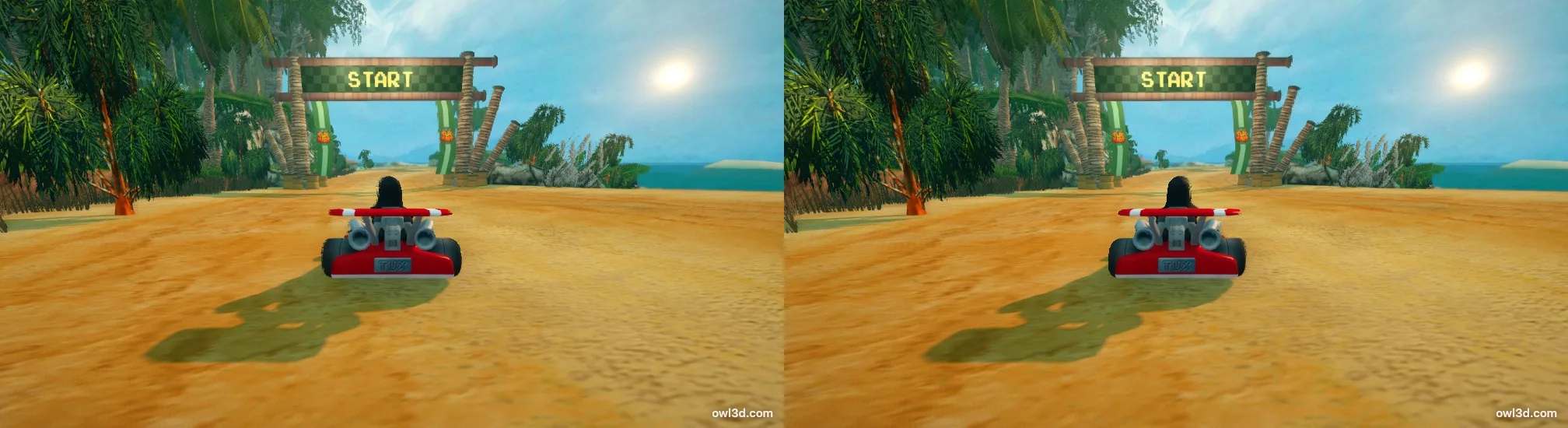
- Wikimedia Commons, "Supertuxkart-0.9-screenshot-2.jpg", STK dev team, CC BY 3.0. https://commons.wikimedia.org/wiki/File:Supertuxkart-0.9-screenshot-2.jpg (opened 2026-11-17)