Will a Glasses-Free 3D Monitor Play Your 3D Blu-rays, Files, Streaming or Console?
How we researched this: written by Owl3D from published sources, all 14 listed at the end.
Short answer
It shows 3D from a computer (a Looking Glass also from certain iPhones and iPads), not from a disc player or a console. None of the five makers' pages we read on October 10, 2026 describes plugging in a 3D Blu-ray player, and none says a PlayStation, Xbox or Switch plays in 3D. Side-by-side 3D video files do play, by each maker's own description: on the Acer Predator SpatialLabs View 27, the Owl3D Shift and the Samsung Odyssey 3D, and on Sony's display through a paid app. Paid streaming is where they split: Samsung says no, Acer does not say, and the Shift converts it in a web browser, with one browser setting changed. Owl3D, the publisher of this guide, makes the Shift and sells it; the makers are in alphabetical order and each gets the same rows.
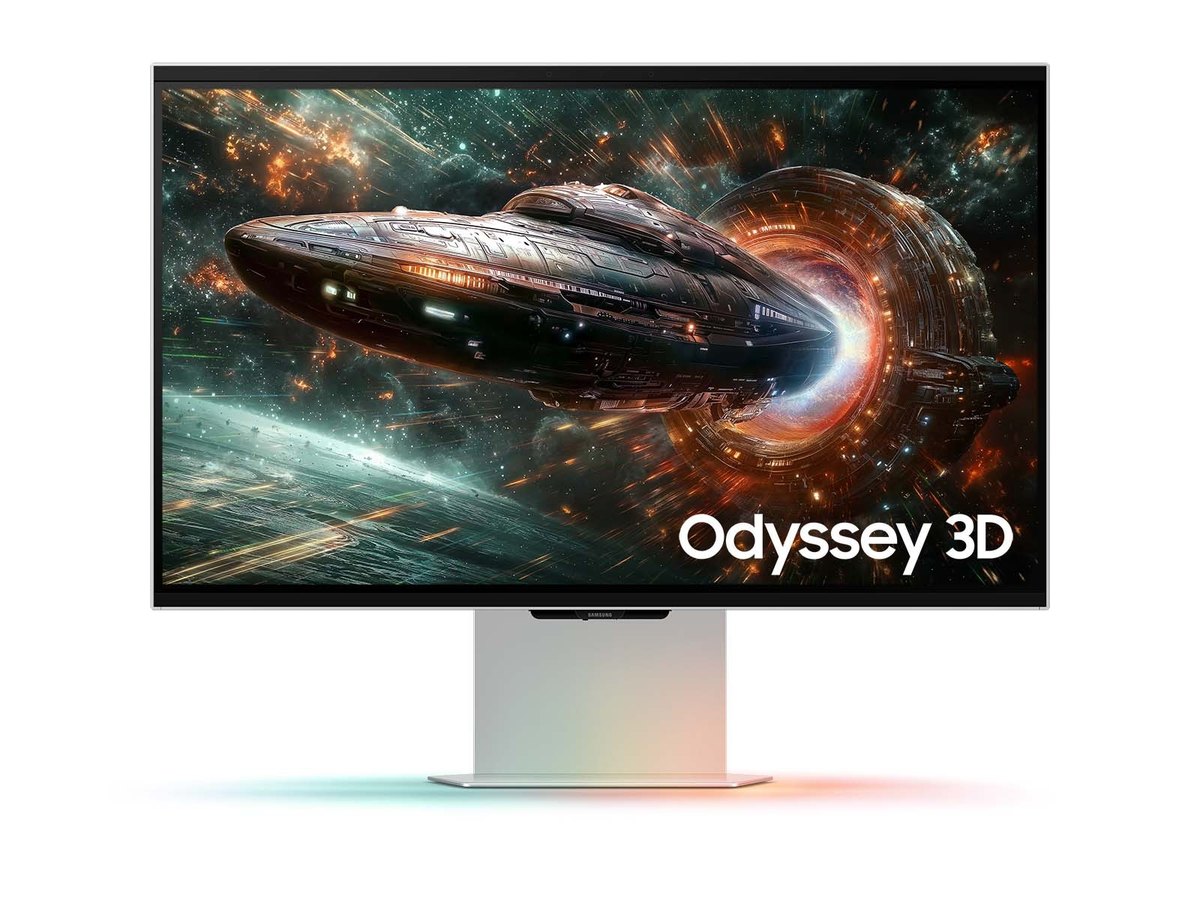
Samsung's Odyssey 3D G90XF, one of the five. The picture on its screen is Samsung's rendering. Image: Samsung.
Key takeaways
- Find what you own in the table: seven things, five makers, each cell from that maker's own page or manual.
- None of the makers' pages we read describes its screen showing a 3D Blu-ray's own 3D; see what to do for each no.
- Three screens take side-by-side files, and three convert ordinary 2D video; none of that is a film's own 3D unless the file is.
- The Shift converts whatever is on the computer's screen, with limits worth reading first.
What each one plays, by its maker's own pages
"Not stated" means the maker's pages we read do not say. It does not mean no. For Sony we read only its developer user guide and its App Select list; its product pages would not open for us. The Shift's cells are our own description, because we make it.
| You have | Acer Predator SpatialLabs View 27 | Looking Glass Go and 16-inch | Owl3D Shift | Samsung Odyssey 3D G90XF | Sony Spatial Reality Display ELF-SR2 |
|---|---|---|---|---|---|
| A 3D Blu-ray player to plug in | Not stated [1][2] | Not stated [4][5] | No. It shows 3D only from a computer running the Owl3D app | No route given. 3D works "through Odyssey 3D Hub software only", and the Hub is PC software [11] | Not stated. "A separate PC is required" [12] |
| Side-by-side 3D video files | Acer says its SpatialLabs Go software works with "side-by-side 3D content" [1] | Not listed. Looking Glass Studio lists RGB-D and quilt video [6] | Yes: Full SBS, Half SBS and top-bottom, through Stereo 3D Playback | Yes, in a full-screen app with "side-by-side mode" chosen and Odyssey 3D Hub running [11] | Through a paid app from another developer, SRD Movie Player, listed on Sony's App Select [13] |
| Netflix and other paid streaming | Not stated. Acer's page says nothing about copy-protected streams [1] | Not stated [4][5][6] | In a web browser, with the browser's hardware acceleration turned off first; desktop streaming apps not confirmed | No. "3D conversion is not available for DRM content" [10] | Not stated [12][14] |
| YouTube and other 2D video | Acer says SpatialLabs Go works with "2D video streams", adding depth by AI [1] | A video file converted first, then loaded in Looking Glass Studio, by Looking Glass's tutorial [7] | Yes, in any window, converted as it plays; needs an NVIDIA RTX 30 series card or newer, or an Apple Silicon Mac | Yes, converted in full screen (the manual's example is YouTube); NVIDIA cards only, not with HDR on, and "Some video players may not support 3D conversion" [10][11] | Not stated [12][14] |
| PC games | Games with a TrueGame 3D profile [3] | Not stated for these two models; its docs carry a tutorial for two outside tools written for the Looking Glass Portrait [8] | Almost any game, as an AI conversion of the screen picture, not 3D from the game's geometry; multiplayer and anti-cheat games often block it | Only "games that are compatible with Samsung Odyssey 3D Hub" [11] | Not stated; Sony lists apps built for the display [14] |
| A PlayStation, Xbox or Switch | Not stated [1][2] | Not stated [4][5] | No. A console cannot be plugged straight in | No. "3D conversion is not available on non-PC gaming consoles" [10] | Not stated [12] |
| A phone | Not stated [1][2] | Certain iPhones and iPads over USB-C, for Looking Glass's iOS apps [9]; the Go's store page says "Works on iOS and Android" [4] | Needs a computer running the Owl3D app | Not stated [10][11] | Not stated [12] |
Last checked : makers' pages and Samsung's manual.
Two notes on the cells. Acer's professional View Pro 27 runs a different software package: as we read Acer's table, TrueGame comes with its standard Experience Center, not the Pro one, and SpatialLabs Go with both [1]. And Sony's display is built for 3D apps and models; the side-by-side player on its app list comes from a university lab and a separate publisher, and is marked "Paid" [13].
What to do for each "no"
3D Blu-ray discs. Keep the discs and the player. For screens that take a disc player's 3D signal, see your 3D TV died and you have a 3D Blu-ray collection; for players, see 3D Blu-ray players.
A disc in a computer's drive is a different matter. None of the fourteen pages listed under Sources names a player program for 3D discs or says its screen shows a disc's own 3D, so no maker describes a route. Three screens take a side-by-side picture; whether a licensed player program can show a film that way is for that program's own documentation to say.
Netflix, Disney+, Prime Video and the rest. On these screens a stream is a 2D picture converted by software, not a film's 3D version. Samsung's conversion is "not available for DRM content", which it explains as "video protected by Digital Rights Management" [10]. Acer's page is silent [1]. The Shift does it in a browser, with hardware acceleration turned off. For 3D on the services themselves, see which streaming services have 3D movies.
A PS5, Xbox or Switch. No maker here describes 3D from a console, and Samsung says its 3D conversion is not available on consoles [10]. For consoles and 3D discs, see consoles and 3D Blu-ray.
A game that is not on the list. Acer and Samsung work from lists [3][11]. For other ways to play a PC game in 3D, see what replaced Nvidia 3D Vision.
Side-by-side on a Looking Glass. Looking Glass Studio lists RGB-D and quilt files; side-by-side is not on its list [6]. For side-by-side videos to try on the other screens, see 3D videos you can watch today.
For screen sizes and how many people can watch at once, see glasses-free 3D monitors compared.
The Owl3D Shift: what it takes, and its limits
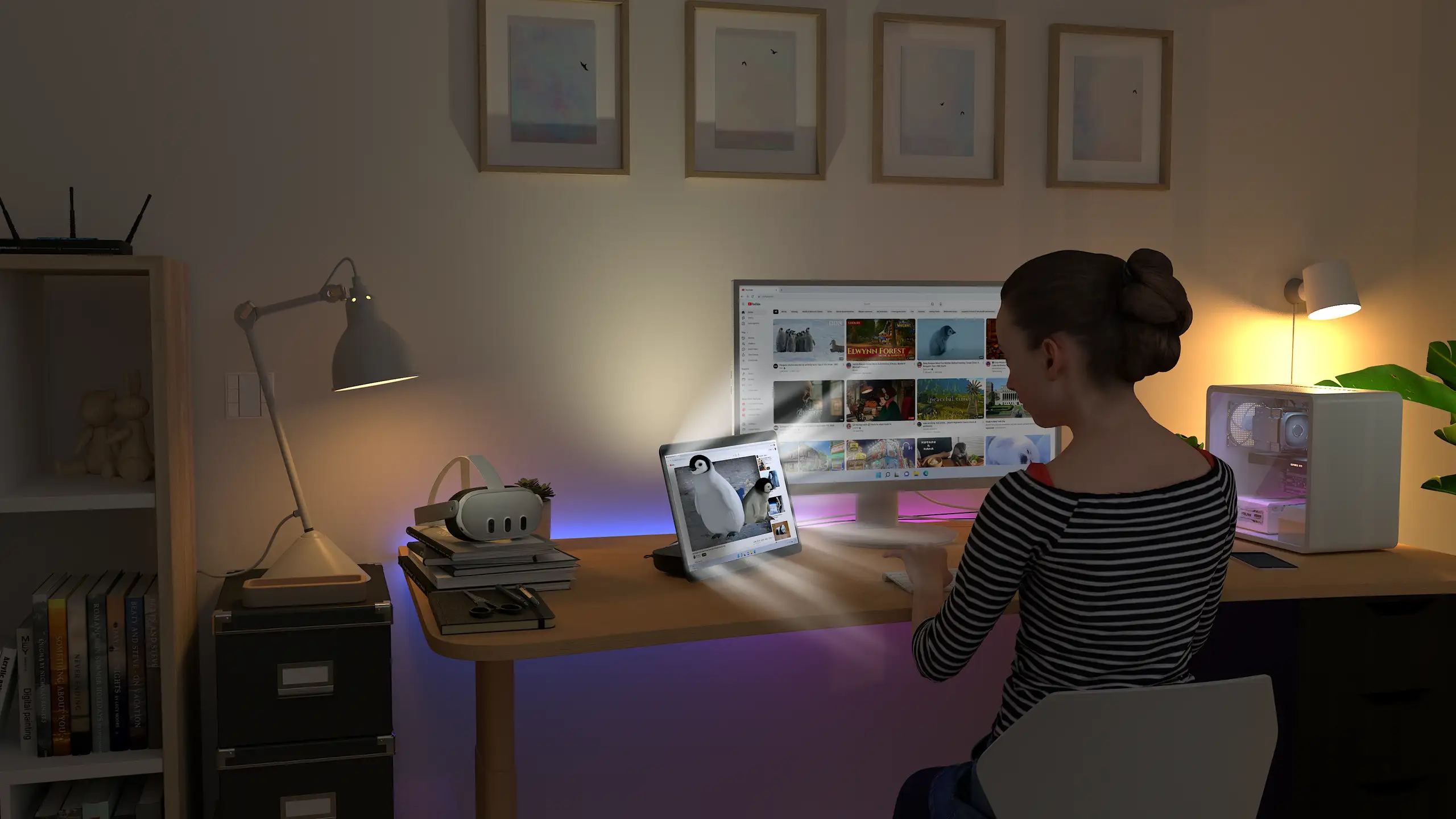
The Shift is a 14-inch display that works in two ways. Live 3D Screen converts any window you drag onto it (a film, a browser, a game) from 2D to 3D instantly, as it plays. Stereo 3D Playback shows a side-by-side or top-bottom picture that is already 3D, such as a 3D video file in your own media player.
Its limits, plainly:
- It needs a computer running the Owl3D app. No disc player or console plugs in directly, and it has no built-in player or apps.
- Live 3D needs a Windows PC with an NVIDIA RTX 30 series card or newer, or a Mac with Apple Silicon (M1 Pro, or any M2, M3 or M4 chip and newer).
- Live 3D is an AI conversion of a 2D picture. It is not the studio's 3D version of a film, and not stereo rendered from a game's geometry.
- Multiplayer competitive games and games with anti-cheat software often block screen capture, and then it cannot convert them.
- Copy-protected streaming works in a web browser only after you turn off the browser's hardware acceleration.
- One viewer sees the 3D at a time.
Frequently asked questions
Does a glasses-free 3D monitor work with a Mac?
Two of the five say yes. Looking Glass Studio supports "Windows and MacOS (Apple Silicon)" [6], and the Shift works with a Mac with Apple Silicon on macOS 15.5 or later. Samsung's manual lists Mac as "Not support" [11], Sony lists Windows 11 [12], and Acer's pages do not say [1][2].
Will it work with an AMD graphics card?
It depends on the job. Samsung converts 2D video with NVIDIA cards only [10]; its manual's table lists AMD cards for side-by-side video (6900 XT or 7900 and later) and, for games, says only that performance depends on the game [11]. Sony recommends an NVIDIA GeForce RTX 2070 SUPER or an AMD Radeon RX 5700 XT, or higher [12]. Acer's Predator View 27 page names no card [2]. On the Shift, AMD cards are not supported for real-time conversion; playing existing side-by-side 3D works on a Radeon RX 570 or better, in fullscreen only.
Sources (14)
- Acer United States, "Acer SpatialLabs Stereoscopic 3D Solutions". https://www.acer.com/us-en/spatiallabs (opened 2026-10-10)
- Acer United States, "Predator SpatialLabs View 27" product page. https://www.acer.com/us-en/predator/monitors/spatiallabs-view-27 (opened 2026-10-10)
- Acer United States, "Acer SpatialLabs TrueGame". https://www.acer.com/us-en/spatiallabs/truegame (opened 2026-10-10)
- Looking Glass Factory store, "Looking Glass Go". https://checkout.lookingglassfactory.com/products/looking-glass-go (opened 2026-10-10)
- Looking Glass Factory store, "16" Light Field Display". https://checkout.lookingglassfactory.com/products/16-lightfield-display (opened 2026-10-10)
- Looking Glass Factory documentation, "Looking Glass Studio". https://lfdocs.lookingglassfactory.com/software/looking-glass-studio (opened 2026-10-10)
- Looking Glass Factory documentation, "Convert Any Video into a Hologram". https://lfdocs.lookingglassfactory.com/community/convert-any-video-into-a-hologram (opened 2026-10-10)
- Looking Glass Factory documentation, "Turn Videogames Holographic with Refract". https://lfdocs.lookingglassfactory.com/community/refract (opened 2026-10-10)
- Looking Glass Factory documentation, "Running Looking Glass Displays with iOS Devices". https://lfdocs.lookingglassfactory.com/getting-started/running-looking-glass-displays-with-ios-devices (opened 2026-10-10)
- Samsung US, 27" Odyssey 3D G90XF product page, notes under "AI 3D Video Conversion". https://www.samsung.com/us/monitors/gaming/27-inch-odyssey-3d-g90xf-4k-165hz-gaming-monitor-sku-ls27fg900xnxza/ (opened 2026-10-10)
- Samsung, user manual for its 2025 gaming monitors including the Odyssey 3D, PDF BN81-28255B-01, "Using the 3D Monitor" and "Recommended computer specifications", pages 29 to 32; linked from Samsung US support for model LS27FG900XNXZA. https://www.samsung.com/us/support/computing/monitors/?modelCode=LS27FG900XNXZA (opened 2026-10-10)
- Sony, Spatial Reality Display User Guide, "Recommended PC Specs". https://www.sony.co.jp/en/Products/Developer-Spatial-Reality-display/manual/en-us/recommended-pc-specs/ (opened 2026-10-10)
- Sony, Spatial Reality Display App Select, "SRD Movie Player". https://appselect.xr.sony.net/en/spatial-reality-display/app/srd-movie-player-4670eb7d/ (opened 2026-10-10)
- Sony, Spatial Reality Display App Select, list of apps. https://appselect.xr.sony.net/en/spatial-reality-display/ (opened 2026-10-10)