GBさん、こんにちは。フィードバックありがとうございます!お使いのShiftが正しくキャリブレーションされていないようです。そのせいで、ご覧になっているモアレ模様や揺らめきが起きます。同じ問題があったほかのユーザーの方も、キャリブレーション後に大きく改善しています。
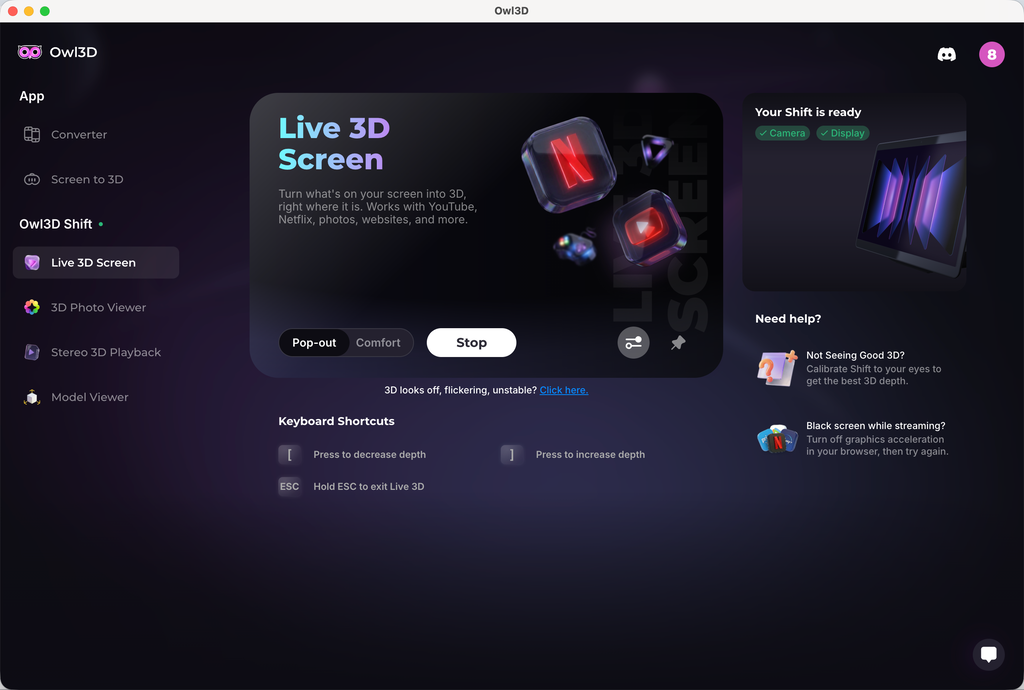
キャリブレーションするには、Live 3D Screenに移動してください。右側に「Not Seeing Good 3D?」というセクションがあります。そこをクリックすると、キャリブレーションプログラムに入ります。プログラム内にスライダーがあり、3Dのオフセットを調整できます。通常、キャリブレーション値は0前後になるはずです。3Dが最もきれいで、揺らめきが少ない値を探してみてください。正しくキャリブレーションしたと思っても、まだひどい揺らめきが見える場合は、お知らせください。さらに詳しく調べます。
もう一つのご要望、フルのサイドバイサイドの画像や動画の表示については、フルのサイドバイサイドのメディアに対応したネイティブのメディアプレーヤーをまもなく追加する予定です。
Hi GB, thanks for the feedback! It sounds like your Shift wasn't calibrated correctly, which will cause the moiré patterns/shimmering effect you're seeing. Some users had the same issue and saw great improvement after calibration.
To calibrate, go to Live 3D Screen, and on the right-hand side, you'll see a section "Not Seeing Good 3D?" Click that, and you'll enter a calibration program. Within the program, there will be a slider you can use to adjust the 3D offset. Normally speaking, your calibration value should be around 0. Try to find a value that has the best 3D and less shimmering. If you believe you've done the calibration correctly and are still seeing bad shimmering, let me know. We'll dig deeper.
To your other request, viewing full side-by-side image or video, we're gonna add a native media player soon that supports full side-by-side media.


 Shiftが届きました。
MacBook Pro M1 pro(16 Go Ram)で、新しいバージョン2.4.0でテストしました。
リッピングしたBlu-ray 3D 4K 10 bitでとてもよく動いて、感心しています。
後でMac mini M4 Proと、Windows PCでもテストします(時間ができたら)。
皆さんのお仕事に本当に感謝します。3Dの没入感を、しかもメガネなしで、もっと楽しめるようにしてくれてありがとう。💯
この最新バージョンは没入感をくれます。
Shiftが届きました。
MacBook Pro M1 pro(16 Go Ram)で、新しいバージョン2.4.0でテストしました。
リッピングしたBlu-ray 3D 4K 10 bitでとてもよく動いて、感心しています。
後でMac mini M4 Proと、Windows PCでもテストします(時間ができたら)。
皆さんのお仕事に本当に感謝します。3Dの没入感を、しかもメガネなしで、もっと楽しめるようにしてくれてありがとう。💯
この最新バージョンは没入感をくれます。