vorpX: Play Flat PC Games in VR, and the Free Alternatives
How we researched this: written by Owl3D from published sources, all 19 listed at the end.
Short answer
vorpX is a paid Windows program that lets you play ordinary PC games, made for a monitor, on a PC VR headset, in many cases in stereoscopic 3D [1][4]. On November 11, 2026 its checkout showed €39.99 as a one-time payment, with no subscription and no free trial [5]. It is worth buying if your game is on its list of 3D profiles and you do not mind tuning settings per game [2][3]. For an Unreal Engine game, try the free UEVR first [9][11].
Owl3D, the publisher of this guide, makes Owl3D Link, one of the alternatives compared below.
Key takeaways
- Price: €39.99, paid once, according to its checkout on November 11, 2026. See Price.
- You need a Windows 10 or 11 PC and a PC VR headset. A Meta Quest must be connected to the PC. See What you need.
- Check that your game has a 3D profile before you buy. See Is vorpX worth it?
- UEVR is free and SuperDepth3D is free for personal use, but they cover different games. See Free alternatives.
- Zoomed-in picture, menus out of view, low frame rate: see When it does not work.
What vorpX does
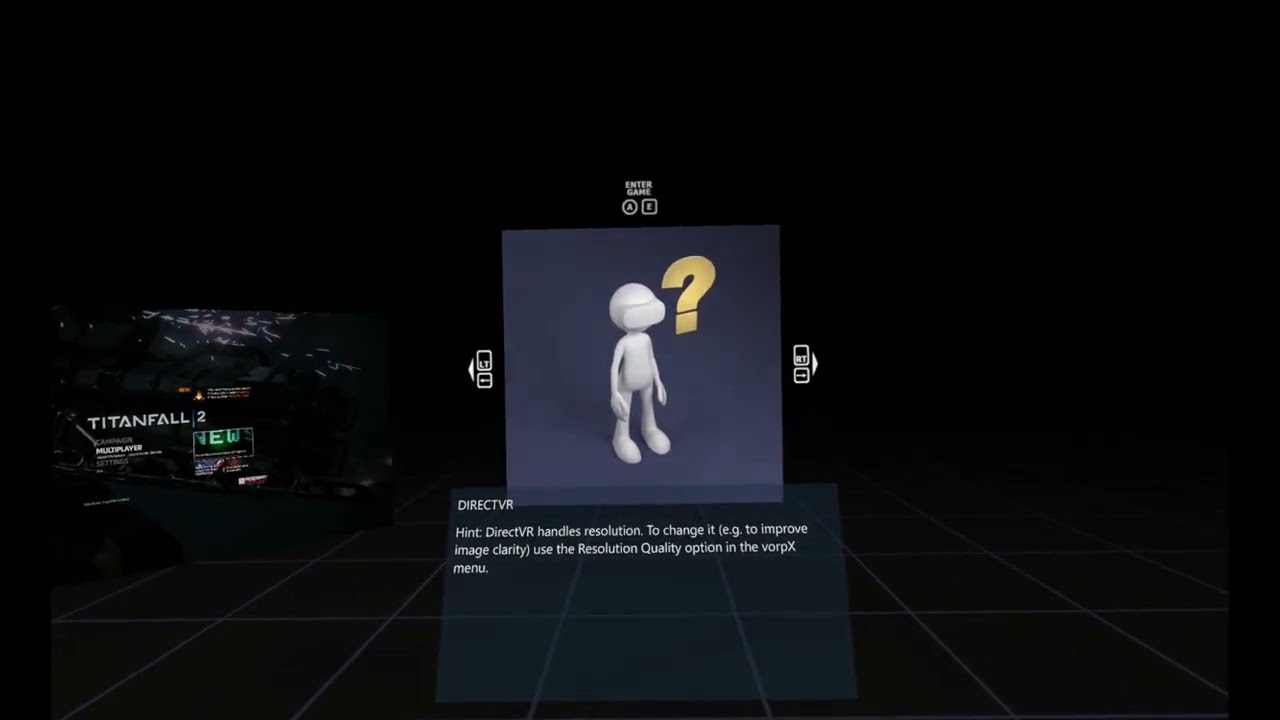
vorpX sits between the game and the headset. It converts the game's picture into one the headset can show, in many cases in stereoscopic 3D [4]. Its maker says more than 250 DirectX 9 to 12 games, and some OpenGL games, have a 3D profile. Many more work without 3D [1]. The official list is on the vorpX site [8].
You pick one of three play styles [2]:
- FullVR: you are inside the game. Usually best for first-person games.
- Immersive Screen: a very large screen, for third-person games.
- Cinema: a virtual cinema screen, for sports and strategy games.
For many games you can switch between two 3D modes. "Geometry 3D" renders everything twice. A faster but less accurate mode builds the 3D from the game's depth buffer [2]. You play with mouse and keyboard, a gamepad, or your VR controllers [2].
Price
On November 11, 2026, the vorpX checkout said "You will be charged €39.99." It listed the price as a one-time payment, not a subscription, with no free trial [5]. The checkout runs in euros; its own data converted the total to $44.53 that day (read from a computer outside the US, so your bank's amount can differ) [5]. The vorpX purchase page still printed €39.00 the same day [4].
On updates, the maker says vorpX "should auto update as soon as a new version becomes available" [3]. If you lose your download link, the vorpX site lets you request a new one [3].
Last checked : vorpX checkout and purchase page.
What you need
vorpX lists these system requirements [4]:
- a reasonably fast quad-core processor;
- an NVIDIA or AMD graphics card;
- Windows 10 or 11;
- a PC VR headset that works with SteamVR or OpenXR, such as a Meta Quest or a Valve Index.
The game and vorpX run on the PC, not in the headset. Connect a Quest to the PC first, by cable or Wi-Fi: see how to connect a Meta Quest to a PC or Virtual Desktop. Expect lower frame rates than on a monitor, especially in Geometry 3D mode [3].
Is vorpX worth it?
Yes, if your game has a 3D profile and you enjoy adjusting settings. Each new game needs some setup: field of view, head-tracking speed, menus [3]. If your game runs on Unreal Engine, try UEVR first: it is free and made for those games [9][11] (see below).
What owners report
These are owners' own posts on the vorpX forum, Steam and GitHub. We have not tested what they report.
- One tool per engine, or vorpX for all. In one forum thread, February 2026, an owner wrote: "I play all my games in VR using UEVR for Unreal Engine, UUVR with Rai Pal for Unity games (when it works), and Vorpx for everything else :)". Another owner in the same thread disagreed: "Personally I prefer VorpX over UEVR for First Person games and AAA games" [17].
- The free SuperDepth3D route against vorpX. In one GitHub issue, a GTX 1070 user (January 2022) streamed through Virtual Desktop in SBS mode: "60+fps but image quality is not that great due to compression artifacts." An RTX 3080 user in the same issue (January 2023): "VorpX ran the same game butter-smooth." [18]
- Check your game first. One buyer on the vorpX forum, November 2022: "I bought it thinking I could play GTA 5 and PUBG, 5 mins later I don’t even think I can play either of them?" [16]
- No trial, and it takes tuning. A two-month user on Steam, April 2021: "- no trial / demo version so you go in the dark basically" and "It is costly and you need to spend time to tweak settings for your game, but in the end it works just as intended" [15].
Free alternatives: UEVR, SuperDepth3D and Owl3D Link
| Tool | Price | Games | What you get |
|---|---|---|---|
| vorpX | €39.99, once [5] | 250+ DirectX 9 to 12 games with a 3D profile [1] | 3D, head tracking, three play styles [2] |
| UEVR | Free [11] | Unreal Engine 4.8 to 5.4 games [9] | Stereoscopic 3D and full 6DOF head tracking, out of the box [9] |
| SuperDepth3D (with ReShade) | Free for personal use [12] | Profiles for over 900 games [12] | 3D from the game's depth buffer; side-by-side, top-and-bottom or VR output [13] |
| Owl3D Link | Free plan: 15-minute sessions, watermark | Single-player flat PC games that allow screen capture | 3D made by AI from the picture, in a Meta Quest, as you play |
Last checked : makers' pages.
UEVR runs from UEVRInjector.exe and needs the .NET 6.0 SDK [9]. Its GitHub page names Unreal Engine 4.8 to 5.4; its website now says 4.8 to 5.6 [9][11]. The latest release is UEVR 1.05 [10].
SuperDepth3D is a ReShade shader that builds a 3D picture from the game's own depth buffer, like NVIDIA's old Compatibility Mode 3D [13]. ReShade works with Direct3D 9 to 12, OpenGL and Vulkan, on Windows 7 SP1 to 11 [14]. Its author gives four steps [13]:
- Install ReShade for your game.
- Put the Depth3D shaders in your shader folder.
- Launch the game and press Home to open the ReShade menu.
- Tick SuperDepth3D.
The author warns: "Using ReShade in competitive multiplayer can break a game's terms of service. Check the game's rules first." [13] Step-by-step install: ReShade and SuperDepth3D.
Owl3D Link is our app for Meta Quest. It is not a game mod and changes nothing in the game. With the Owl3D desktop app running on a Windows PC, it shows an ordinary PC game in 3D in the headset, converted instantly as it plays. The 3D is an AI conversion of the picture, not true stereo from the game's geometry as vorpX's Geometry 3D gives. The PC needs an NVIDIA RTX 3060 or better. Multiplayer competitive games and games with anti-cheat software often block screen capture, and then it cannot convert them. It is not for PC VR games. Owl3D Link is free to use; on the free plan a session lasts 15 minutes and the picture carries a watermark.
When it does not work
| What you see | What the maker suggests |
|---|---|
| The picture looks zoomed in; field of view too low | The field of view has to be higher than on a monitor; the options vary by game [3] |
| Menus are hidden or out of view | Press the mouse wheel (EdgePeek) to look around the screen. In some games you can scale the HUD and menus in the vorpX in-game menu (shortcut Alt + mouse wheel) [3] |
| Low frame rate | Set "3D-Reconstruction" to "Z-Normal", or lower the game's graphics settings or resolution [3] |
| "The configured device was not found" | Pick the right device in the vorpX config app, connect the headset, and update the headset maker's software [3] |
| vorpX cannot hook into the game | Try another DirectX version or the 32/64-bit version of the game. If several games fail, turn off virus scanners, CPU/GPU utilities, capture and chat programs [3] |
| The activation key is refused | Check that the request code matches the one in the key e-mail, and enter the name exactly as in the e-mail [3] |
If vorpX cannot hook a game at all, the maker suggests its rewritten desktop viewer, which shows the game on a virtual screen without hooking [6].
Only one eye shows the game. One owner on the vorpX forum, June 2026, fixed it in Age of Empires 3: "Turn off the clarity(Fidelity FX) under Image Enhancements" [19]. This is one owner's report; we have not tested it.
FAQ
Is vorpX a one-time purchase?
Yes. On November 11, 2026, its checkout listed €39.99 as a one-time payment, not a subscription [5].
Is there a free version or trial of vorpX?
The checkout lists no free trial [5]. The maker's free Cyberpunk 2077 VR mod is a separate download [7]. For free tools, see Free alternatives.
Does vorpX work with Meta Quest 3?
vorpX names Meta Quest among supported headsets, without a model number, with the headset connected to the PC [3][4]. It does not run on the headset alone.
Sources (19)
- vorpX, home page. https://www.vorpx.com/ (opened 2026-11-11)
- vorpX, "Features". https://www.vorpx.com/features/ (opened 2026-11-11)
- vorpX, "Support FAQ". https://www.vorpx.com/support-faq/ (opened 2026-11-11)
- vorpX, "Purchase vorpX". https://www.vorpx.com/downloads/vorpx-purchase/ (opened 2026-11-11)
- vorpX checkout (Lemon Squeezy). https://vorpx.lemonsqueezy.com/checkout/buy/32819a72-ac75-4517-b702-358d17892e9a (opened 2026-11-11, from outside the US)
- vorpX, "vorpX 25.1.5 Released". https://www.vorpx.com/vorpx-25-1-0-released/ (opened 2026-11-11)
- vorpX, "Cyberpunk VR Download". https://www.vorpx.com/cyberpunk-vr-download/ (opened 2026-11-11)
- vorpX, "Supported Games". https://www.vorpx.com/supported-games/ (opened 2026-11-11)
- praydog, "UEVR" (GitHub). https://github.com/praydog/UEVR (opened 2026-11-11)
- praydog, "Releases · UEVR" (GitHub). https://github.com/praydog/UEVR/releases (opened 2026-11-11)
- UEVR, home page. https://uevr.io/ (opened 2026-11-11)
- BlueSkyDefender, "Depth3D" (GitHub). https://github.com/BlueSkyDefender/Depth3D (opened 2026-11-11)
- Depth3D, "Post-Process shaders for ReShade". https://www.depth3d.info/ (opened 2026-11-11)
- ReShade, home page. https://reshade.me/ (opened 2026-11-11)
- Steam Community, vorpX discussion (users' reports). https://steamcommunity.com/app/250820/discussions/0/3077621988057008619/ (opened 2026-11-11)
- vorpX forum, "Why did I buy vorpX" (users' reports). https://www.vorpx.com/forums/topic/why-did-i-buy-vorpx/ (opened 2026-11-11)
- vorpX forum, "First time user: WoW, Far Cry 4, Pimax Crystal Light" (users' reports). https://www.vorpx.com/forums/topic/first-time-user-wow-far-cry-4-pimax-crystal-light/ (opened 2026-11-11)
- BlueSkyDefender, Depth3D issue #58 (GitHub, users' reports). https://github.com/BlueSkyDefender/Depth3D/issues/58 (opened 2026-11-11)
- vorpX forum, "Some games only rendering in one eye" (users' reports). https://www.vorpx.com/forums/topic/some-games-only-rendering-in-one-eye/ (opened 2026-11-11)