3D Desktop on Windows: A 3D Look or Real Depth
How we researched this: written by Owl3D from published sources, all 6 listed at the end.
Short answer
"3D desktop" means one of two things. If you want your desktop to look 3D, use a wallpaper app: Wallpaper Engine plays 3D and 2D animated wallpapers [1], and the 3D Desktop app in the Microsoft Store puts a 3D model on your wallpaper [2]. If you want to see depth, each eye must get its own picture. That takes a VR headset, a 3D monitor, or software that turns the 2D screen into 3D as it plays. Owl3D, the publisher of this guide, makes the Owl3D app and the Owl3D Shift, which give one of the depth routes below.

The desk photo we turned into 3D for this page. Photo: Luke Chesser, CC0, via Wikimedia Commons.
Key takeaways
- A 3D-looking desktop is a wallpaper or theme: it moves and has shading, but it is still a flat picture. See the 3D look.
- Real depth needs two pictures, one per eye. See what changes with our own desk example.
- To see your own Windows desktop with depth: a Meta Quest, a 3D monitor, or live 2D-to-3D conversion. See the three ways.
Want it to look 3D? Use a wallpaper app
Wallpaper Engine (Steam, since November 2018) puts "live wallpapers" on a Windows desktop. Steam's page says "Various types of animated wallpapers are supported, including 3D and 2D animations, websites, videos and even certain applications" [1]. Some respond to your mouse, and they pause while you play games [1].
3D Desktop (Microsoft Store) is a theme app. Its listing says it can "set the 3D model as a desktop wallpaper" and lets you set "the visual angle, size, and animation of the 3D model" [2].
Both give a 3D look. Your eyes still see one flat picture on a flat screen, so nothing comes out of the glass.
Want real depth? Each eye needs its own view
Depth comes from two slightly different pictures: one for the left eye and one for the right. We took the desk photo above and made a depth map and a second view from it.
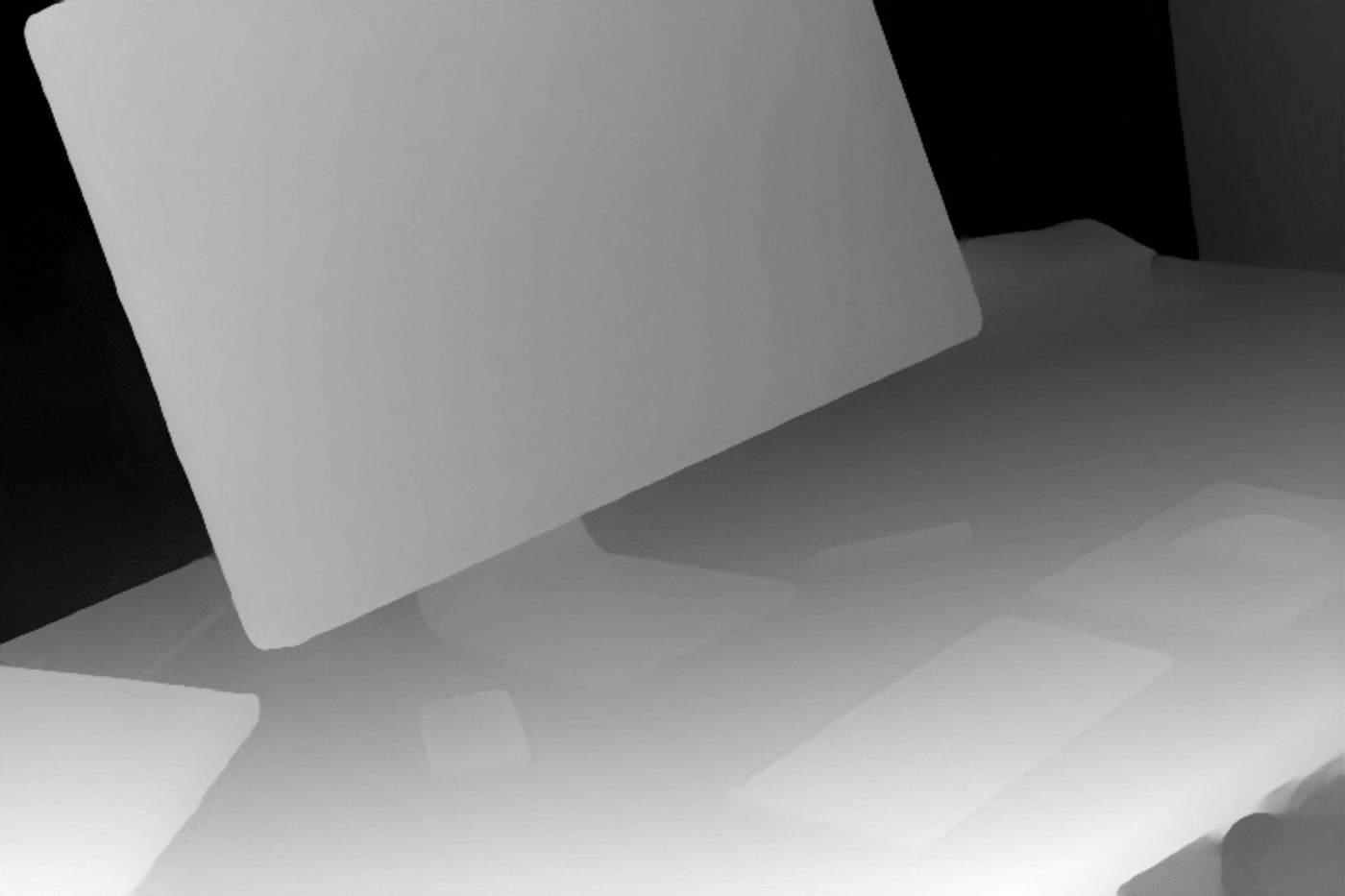
Look at the monitor: it is one smooth shade, with no detail from the wallpaper. The wallpaper's mountains get no depth of their own, because the screen is flat. A 3D desktop needs that depth inside the picture too.
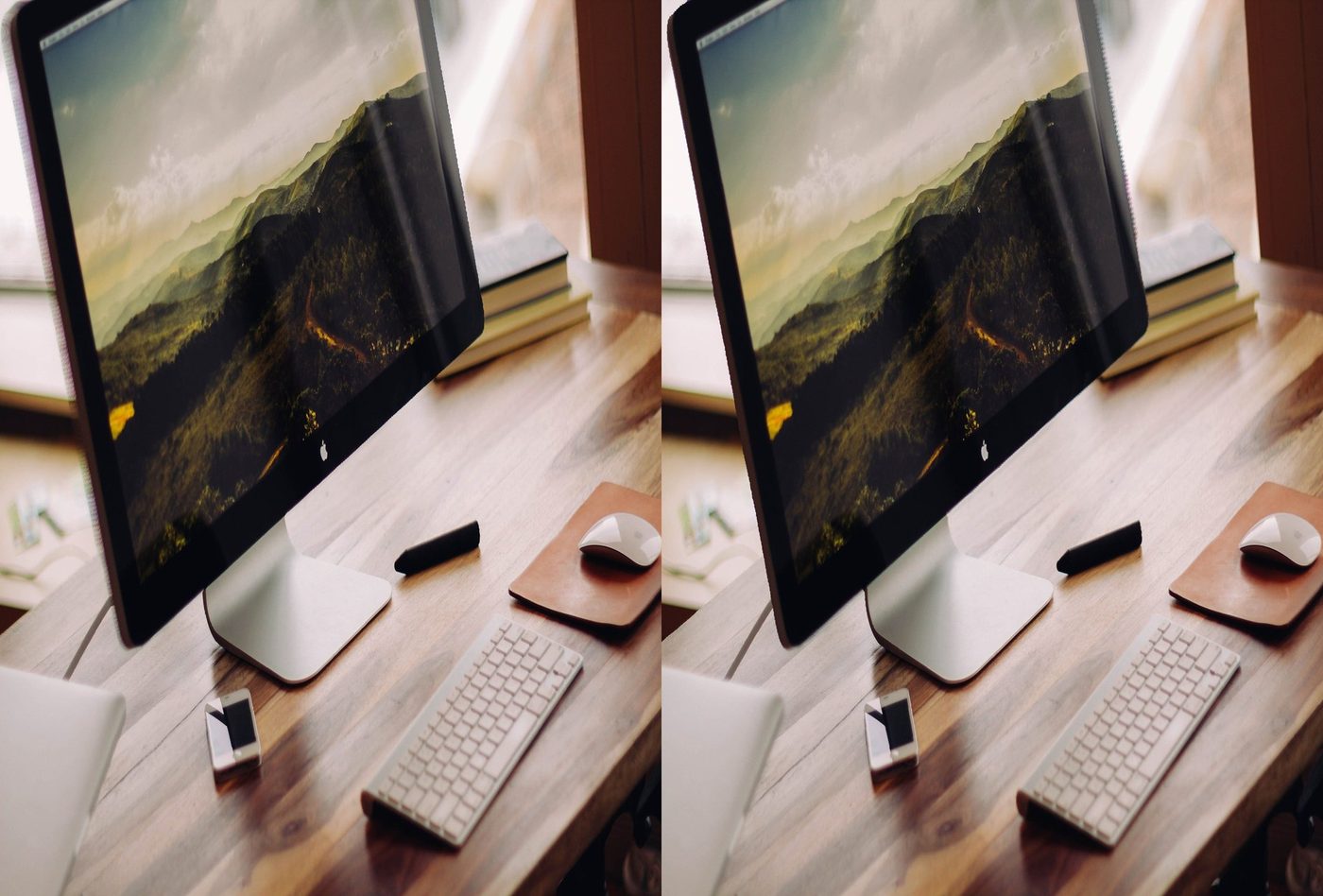
No 3D screen? With red-cyan glasses you can see the depth on any monitor:

Three ways to see your Windows desktop with depth
| Way | What you need | What gets depth |
|---|---|---|
| A VR headset | Meta Quest and an app such as Mixed Reality Link or Virtual Desktop [3][4] | Large virtual screens [3][4]; 3D (SBS) films play in 3D [3] |
| A 3D monitor or laptop | A stereo 3D display, such as Acer's SpatialLabs models [6] | 3D content, and 2D turned into 3D by the maker's software [6] |
| Live 2D-to-3D | Software that converts the screen as it plays, shown on a headset or 3D display | Everything on the screen |
A VR headset. Microsoft's Mixed Reality Link connects a Meta Quest 3 or 3S to a Windows 11 PC as "a private, high-quality, multiple-monitor workstation" [4]. It became generally available on October 30, 2025 [5]. Virtual Desktop shows your PC on "a giant virtual screen" in a Quest 1, 2, 3, 3S or Pro [3]. The windows are large, but each one is still a flat 2D picture. Virtual Desktop can play side-by-side 3D films in 3D from its toolbar [3]. Setup: Meta Quest as a PC monitor.
A 3D monitor or laptop. Acer's Predator SpatialLabs View is a 27-inch "2D-3D switchable 4K panel" [6]. Acer's SpatialLabs Go software turns 2D photos and videos into 3D "in real-time" on its Aspire 3D 15 laptop [6]. Other models and what each needs: glasses-free 3D monitors.
Live 2D-to-3D of the whole screen. Live 3D Screen in the Owl3D app turns your computer screen into live side-by-side 3D in real time. It is an AI conversion of the 2D picture, not 3D that the program itself makes. You can show it in three places:
- In a Meta Quest, through Owl3D Link. It runs on Windows and needs an NVIDIA RTX 3060 or better. It is free to use; on the free plan a session lasts 15 minutes and the picture carries a watermark.
- On your current screen, or a 3D TV, projector or monitor set to SBS mode. The free plan has the same 15-minute session limit and watermark.
- On the Owl3D Shift, a glasses-free 3D display for one viewer, with no session time limit. On Windows it needs an NVIDIA RTX 30 series card or newer.
It converts instantly, with no file to prepare: your desktop, a browser, a photo or a game. Competitive multiplayer games and games with anti-cheat software often block screen capture, and then it cannot convert them. Other live converters: real-time 2D to 3D converters.
From Owl3DOwl3D converterA desktop app for Windows and Mac that turns 2D videos and photos into 3D.Frequently asked questions
How do I make my desktop 3D?
For the look, install a 3D or live wallpaper app such as Wallpaper Engine [1] or 3D Desktop [2]. For real depth, show the desktop on a VR headset or a 3D display, and convert the 2D picture to 3D. See the three ways.
Is there 3D desktop software for Windows 11?
Yes. Wallpaper Engine and 3D Desktop give a 3D-looking desktop [1][2]. Mixed Reality Link puts your Windows 11 desktop in a Meta Quest [4]. Live 3D Screen in the Owl3D app gives the desktop itself depth.
How do I turn off 3D display mode?
Turn it off where you turned it on. On Acer's SpatialLabs displays, 2D and 3D are viewing modes you switch between [6]. In Virtual Desktop, 3D mode is chosen in the Desktop Toolbar, which opens when you press the trigger while pointing outside the screen [3]. In the Owl3D app, stop Live 3D Screen.
Can I see my desktop in 3D without glasses?
Yes, on a glasses-free 3D display such as Acer's Aspire 3D 15 SpatialLabs Edition laptop [6] or the Owl3D Shift. Compare them in glasses-free 3D monitors.
Sources (6)
- Steam, Wallpaper Engine store page (Wallpaper Engine Team, released November 16, 2018). https://store.steampowered.com/app/431960/Wallpaper_Engine/ Opened 2026-11-29.
- Microsoft Store, "3D Desktop" listing (publisher chengcong). https://apps.microsoft.com/detail/9n9x0jp2jd8t Opened 2026-11-29.
- Virtual Desktop, home page and FAQ. https://www.vrdesktop.net/ Opened 2026-11-29.
- Microsoft Support, "About Windows Mixed Reality Link". https://support.microsoft.com/en-us/windows/about-windows-mixed-reality-link-4155d287-182d-4003-b189-b42a4e357fc5 Opened 2026-11-29.
- Windows Experience Blog, "Immersive productivity with Windows and Meta Quest: Now generally available" (October 30, 2025). https://blogs.windows.com/windowsexperience/2025/10/30/immersive-productivity-with-windows-and-meta-quest-now-generally-available/ Opened 2026-11-29.
- Acer News, "Acer Expands SpatialLabs Stereoscopic 3D Portfolio with New Laptop and Gaming Monitor" (January 7, 2024). https://news.acer.com/acer-expands-spatiallabs-stereoscopic-3d-portfolio-with-new-laptop-and-gaming-monitor Opened 2026-11-29.