TCL NXTWEAR S AR Glasses: Specs, S+ and G, and 3D Mode
How we researched this: written by Owl3D from published sources, all 10 listed at the end.
Short answer
TCL NXTWEAR S (also called RayNeo XR [7]) is a pair of glasses with two 1080p micro-OLED screens inside [5]. It works as an external display. Digital Camera World says it is entirely powered by USB-C [7]. Power and picture come over one cable [4][7]. TCL compares the picture to a 130-inch TV seen from 4 m (about 13 feet) away [4]. A laptop, iPad, Steam Deck or Android phone with DisplayPort over USB-C plugs straight in [4]. An iPhone with a Lightning port, or a phone without DisplayPort, needs TCL's $99 Portable Adapter [4][6]. The glasses have a 3D mode for side-by-side (SBS) movies: hold the knob on the right arm for 2 seconds [1][2]. The newer S+ has 120Hz screens, and the older G weighs 100 g [8][10].
Owl3D, the publisher of this guide, makes a 2D-to-3D converter, described in one passage below. Device facts come from TCL's support pages and from five published reviews. We have not tested NXTWEAR S glasses.

Key takeaways
- NXTWEAR S shows 1920 × 1080 in 2D and 3840 × 1080 in 3D, at 60Hz. The S+ adds 120Hz and 600 nits: S, S+ and G compared.
- First check that your phone or laptop has DisplayPort over USB-C. Without it you need the $99 Portable Adapter, and reviewers found it slow: what connects.
- 3D mode plays SBS files. On a phone, TCL says you need the TCL AR app, which does not support iPhone or computers: 3D mode, step by step.
- TechRadar's tester found the nose bridge got warm after about 20 minutes: downsides.
- You can turn a 2D video you own into an SBS file. It is an AI conversion, not the studio's 3D version: make your own 3D.
NXTWEAR S vs S+ vs G
TCL made three generations of these glasses. The NXTWEAR G came first, in 2021 [9]. The NXTWEAR S was reviewed in 2023 [4][7]. TechRadar covered the NXTWEAR S+ (also written S Plus) as a new launch in February 2024 [8].
| NXTWEAR G | NXTWEAR S | NXTWEAR S+ | |
|---|---|---|---|
| Screens | Two 1080p Sony micro-OLED [10] | Two 1080p micro-OLED [5] | Two 1080p OLED [8] |
| Resolution in 3D | Not stated | 3840 × 1080 [5] | 3840 × 1080 [8] |
| Refresh rate | 60Hz [9] | 60Hz [5][6] | 120Hz [8] |
| Brightness | Not stated | Up to 400 nits [5] | 600 nits [8] |
| Screen size, by the maker | 140-inch at 4 m [10] | 130-inch at 4 m [4], or 201-inch at 6 m [5] | 215-inch at 6 m [8] |
| Weight | 100 g, plus 30 g cable [10] | About 75 g [6] to 89 g [6][7] | 87 g [8] |
| Price, as reported | AU$899 at launch in Australia [9] | $449 at launch, $399 on sale in July 2023 [4] | $399 [8] |
MIXED notes that TCL quotes 130 inches at 4 m and TCL's RayNeo site quotes 201 inches at 6 m [6]. Reviewers give the NXTWEAR S weight as 85 g [5] and 89 g [7]. Digital Camera World lists 81 g on the spec sheet [7]. MIXED gives about 75 g, and 89 g with the tinted shades [6]. In October 2023 Popular Science quoted $349 [5], and MIXED saw it on sale for $350 [6]. We did not check today's prices.
Will it work with your phone or laptop?
The glasses need a USB-C port that sends video, called DisplayPort Alt Mode or DisplayPort over USB-C [4][6].
| Device | How it connects |
|---|---|
| Mac or iPad with USB-C | Plug in the cable. MIXED says every USB-C iPad and Mac works [6]. |
| Windows laptop | Plug in the cable if the port has DisplayPort. TCL's NXTWEAR Mirror Studio app gives up to 10 virtual monitors [4]. |
| Android phone with DisplayPort | Plug in the cable. TechRadar names the Samsung Galaxy S22 [4]. MIXED names Samsung and Sony flagships [6]. |
| Steam Deck | Plug in the cable [4][6]. |
| Nintendo Switch | An HDMI to USB-C adapter, per TCL as quoted by MIXED [6]. |
| iPhone, or Android without DisplayPort (Google Pixel 6 and 7) | TCL's Portable Adapter, $99 in the US, which mirrors the screen and has its own battery [4][7]. |
The Portable Adapter is also called MiraScreen [6][7]. TechRadar found its instructions unclear. The tester had to allow several app permissions on Android before it worked [4]. On an iPhone 14 Pro Max, Digital Camera World saw a lag of about 0.5 to 1 second for every button press [7]. TechRadar could not play Disney Plus or Amazon Prime through the adapter, but YouTube worked [4].
3D mode, step by step
TCL says NXTWEAR S plays 3D movies in the side-by-side format [2]. For a phone, TCL's support pages give these steps [1][2][3]:
- Install the TCL AR app on the Android phone. TCL says that without the app only 2D works, and that the app does not support iPhone or computers [3].
- Connect a phone whose USB-C port supports DisplayPort. Through the Portable Adapter, the glasses only mirror the screen, and 3D does not work properly [2][3].
- Play the SBS video. For a file in phone storage, choose "3D" on the right side of the player screen [2].
- Hold the knob on the right arm for 2 seconds. The glasses switch between 2D and 3D mode [1].
MIXED switched to 3D by holding an earpiece button for a few seconds and called the effect "very nice" [6]. Digital Camera World wrote that the app for DisplayPort Android phones "opens up 3D and motion-based functionality" [7].
If you play an SBS file while the glasses are still in 2D mode, you see the same scene twice, side by side, each half squeezed.
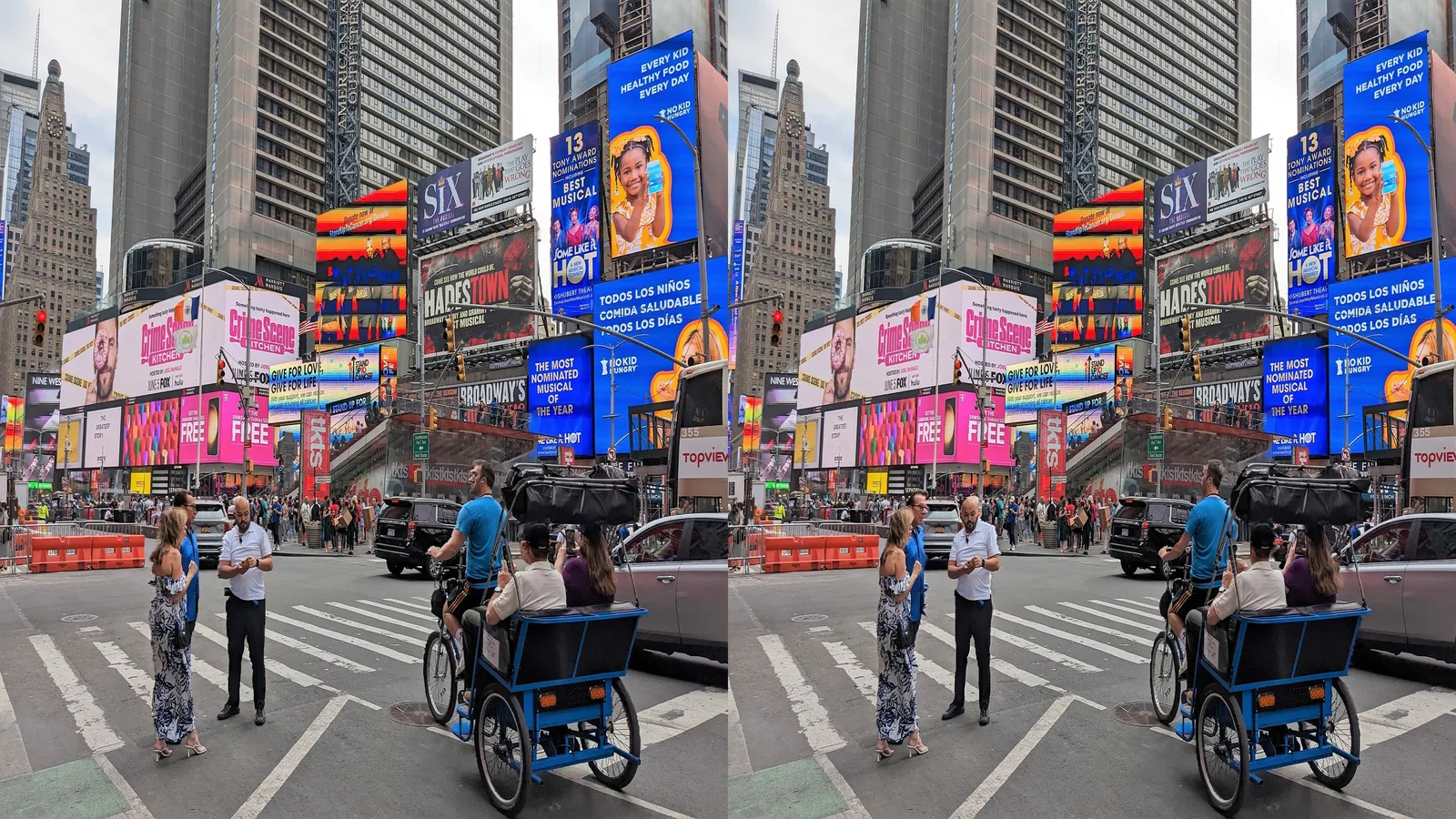
In 3D mode, the left half goes to your left eye and the right half to your right eye. The two views differ a little, so the scene has depth.
Downsides to know before you buy
These points come from reviews in 2023. Each is one tester's experience.
- Warm bridge. The bridge above the nose got warm and uncomfortable in sessions longer than about 20 minutes [4]. MIXED felt pressure on the nose after an hour or two [6].
- Smaller than the 130-inch claim suggests. As a laptop's second screen, it felt like "a fairly normal 24-inch monitor" to TechRadar's tester [4].
- Nose pads. Changing them takes a small screwdriver and a tiny screw [4].
- Streaming apps. Popular Science had problems with Amazon Prime and MoviesAnywhere [5].
- Prescription. A corrective lens frame comes in the box, but you supply the lenses [4].
- App support. TCL's 3D steps depend on the TCL AR app for Android [3]. We could not confirm that it is still offered.
- Not true AR. MIXED notes that the glasses have displays but lack the sensors and processor of true AR glasses [6].
Make your own 3D files
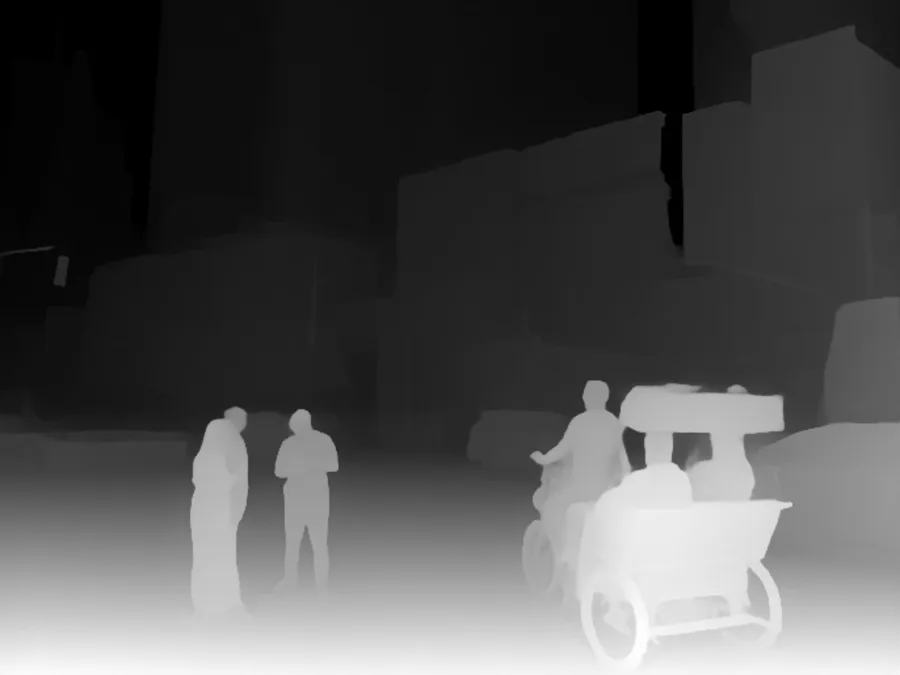
The Owl3D desktop app for Windows and Mac converts 2D video files you have the right to use into full side-by-side 3D, the format the glasses' 3D mode plays [2]. It is an AI conversion, not the studio's 3D version. It needs a video file and takes time to run. We have not played a converted file on NXTWEAR S glasses, so try a short clip first.
From Owl3DOwl3D converterA desktop app for Windows and Mac that turns 2D videos and photos into 3D.For other glasses, see 3D movies on video glasses, the best XR glasses and AR glasses for work.
Frequently asked questions
Can TCL NXTWEAR S play 3D movies?
Yes. TCL says it plays 3D movies in the side-by-side format [2]. Hold the knob on the right arm for 2 seconds to switch to 3D mode [1]. On a phone, TCL says you also need the TCL AR app [3].
What is the difference between NXTWEAR S and S+?
The S+ has 120Hz screens instead of 60Hz, 600 nits instead of 400, and weighs 87 g [8]. Both show 1920 × 1080 in 2D and 3840 × 1080 in 3D [5][8].
Does TCL NXTWEAR S work with an iPhone?
Yes, through the $99 Portable Adapter, which mirrors the iPhone screen [4][6]. On an iPhone 14 Pro Max, Digital Camera World saw a lag of up to 1 second [7]. TCL says 3D does not work properly this way, and the TCL AR app does not support iPhone [3]. The 2023 reviews tested Lightning iPhones. We did not check a USB-C iPhone.
Is TCL NXTWEAR G the same as NXTWEAR S?
No. NXTWEAR G is the 2021 model. TCL lists it at 100 g plus a 30 g cable and a 140-inch picture at 4 m [10]. Engadget found it painful to wear for long periods [9].
Does NXTWEAR S need charging?
No. Power comes from the connected device or from the Portable Adapter's battery [4][7].
Sources (10)
- TCL, FAQ 15787, "How do I adjust the brightness, volume and 2D/3D mode?", https://www.tcl.com/sa/en/support/faq/15787 (read November 24, 2026)
- TCL, FAQ 15791, "What can I do if the video in phone storage cannot be played normally?", https://www.tcl.com/sa/en/support/faq/15791 (read November 24, 2026)
- TCL, FAQ 15781, "What can I do if the TCL NXTWEAR S glasses 3D function cannot work properly on my device?", https://www.tcl.com/sa/en/support/faq/15781 (read November 24, 2026)
- TechRadar, "TCL Nxtwear S AR glasses review: the XR future is clunky" (updated July 26, 2023), https://www.techradar.com/computing/virtual-reality-augmented-reality/tcl-rayneo-nxtwear-s-glasses-review
- Popular Science, "TCL NXTWEAR S XR glasses review: A smart wearable with an emphasis on wearability" (October 13, 2023), https://www.popsci.com/gear/tcl-nxtwear-s-xr-glasses-review/
- MIXED, "TCL NXTwear S Review: The chameleon of smart glasses" (October 1, 2023), https://mixed-news.com/en/tcl-nxtwear-s-review/
- Digital Camera World, "TCL NXTWEAR S review: can XR glasses change your workflow?" (July 3, 2023), https://www.digitalcameraworld.com/reviews/tcl-nxtwear-s-review-can-xr-glasses-change-your-workflow
- TechRadar, "TCL has launched a new pair of AR glasses with 120Hz OLED screens" (February 15, 2024), https://www.techradar.com/computing/virtual-reality-augmented-reality/tcl-has-launched-a-new-pair-of-ar-glasses-with-120hz-oled-screens
- Engadget, "TCL's Nxtwear G cinema glasses could have been great" (July 9, 2021), https://www.engadget.com/tcl-nxtwear-g-wearable-display-140057578.html
- TCL, "TCL NXTWEAR G", https://tcl.com/iq/en/glasses/tcl-nxtwear-g (read November 24, 2026)