Parallel View 3D: How to See Side-by-Side Stereo Pairs
How we researched this: written by Owl3D from published sources, all 5 listed at the end.
Short answer
A parallel view pair has the left eye's picture on the left and the right eye's picture on the right [1]. Look "through" the screen as if at something far away, until the two pictures slide together into a third one in the middle. That middle picture is in 3D and looks larger and farther away than the two pictures [1]. It is easiest when the pair is small: matching points of the far background should be no farther apart than your eyes, about 63 mm (2.5 in) on average [1]. Owl3D, the publisher of this guide, makes the Owl3D app and the free tools named here.
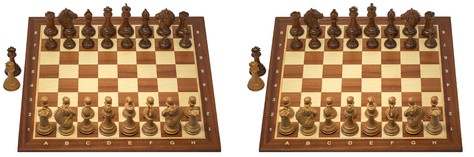
Try it: a parallel pair. Relax your eyes until you see three boards, then look at the middle one: the light pieces in front stand up off the board. Made by Owl3D from one ordinary photo with the depth model of our Photo to 3D tool, so the depth is an AI estimate. Photo: Wilfredor, CC0, via Wikimedia Commons [4].
Key takeaways
- Parallel means the left eye's picture is on the left. You look through the screen, not at it [1]. The steps are below.
- Keep the pair small: matching far points no more than about 63 mm apart [1]. A wider pair usually needs training and strains the eyes [1]; see if it does not work.
- If the depth looks inside out, the pair is a cross-eye pair. See parallel or cross-eye.
- To make your own pair from a photo or a video, see make your own.
How to see a parallel view pair
The hard part is that your eyes normally point and focus together. Parallel viewing asks them to point at something far away while the screen stays near [1]. The way round it is to fuse first and focus second [1].
- Get close. Put your face close to the pair, so each eye sits roughly in front of its own picture. Relax your eyes completely. Do not try to see the pictures sharply [1].
- Let the two blurry pictures merge. Look "through" the screen, as if at a wall far behind it [1]. You see the two pictures drift toward each other. Where they overlap, a third picture forms.
- Now focus. Once the middle picture is one picture, slowly try to make it sharp [1]. If it splits again, relax and start over.
- Move back. Slowly lean back to a normal reading distance, keeping the middle picture fused [1]. Ignore the two pale pictures at the sides.
The fused picture looks larger and farther away than the pictures on the screen, so a scene can look close to life-size [1]. Many people need several tries. Stop if your eyes hurt: free-viewing asks the eyes for an unnatural mix of pointing and focusing, and people differ in how easy and comfortable they find it [1].
Practise both ways with a triplet
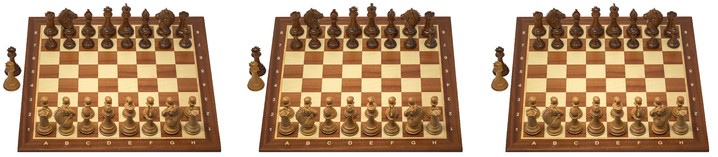
If one method gives you nothing after a few minutes, try the other one on the same triplet.
Parallel or cross-eye: which is which?
Side-by-side pairs come in two layouts that look almost the same [1].
| Parallel | Cross-eye | |
|---|---|---|
| Left eye's picture | On the left [1] | On the right [1] |
| What your eyes do | Look through the screen, almost parallel [1] | Cross: the left eye looks at the right picture [1] |
| The 3D picture | Larger and farther away [1] | Smaller and closer, like a model [1] |
The test: fuse the pair and look at something you know is near, such as the front row of pieces. If it looks farther away than the back, the depth is inside out: you are using the wrong method for this pair. Switch methods, or swap the two halves. Our Stereo Photo Maker swaps them with "Swap left and right" [5]. For the cross-eye method in detail, see cross-eye 3D photos.
A Magic Eye picture is a different thing: one picture with a hidden shape, not two photos [3]. Most of them are made for the wall-eyed way [3], the same eye movement as parallel viewing. See how to see Magic Eye pictures.
If it does not work
| What you see | Why | What to do |
|---|---|---|
| The two pictures never meet | The pair is too wide. In normal use your eyes never point outward, so a wider pair usually needs training and tends to strain the eyes [1] | Zoom the page out, or step back, until the two picture centres are no more than about 6 cm apart. On a phone, keep it upright |
| They meet, but the middle picture is blurry | Focus and eye direction normally move together, so your eyes try to focus far away [1] | Hold the fused picture and slowly bring it into focus. Moving back a little helps [1] |
| The 3D looks inside out | It is a cross-eye pair | Use the cross-eye method, or swap the halves (which is which) |
| Nothing works after many tries | By one estimate, about 12% of people cannot see 3D pictures properly, for medical reasons [1] | Check your depth vision with our free Stereo Vision Test. A viewer does the work instead of your eyes |
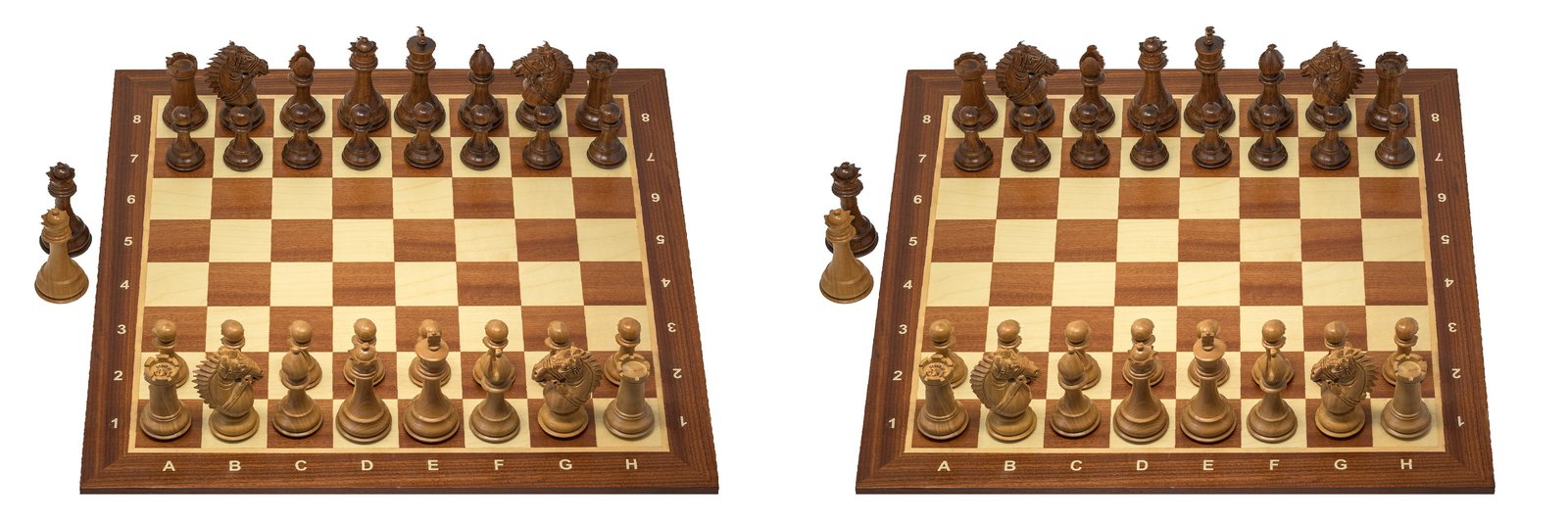
Viewers. Any viewer that uses prisms, mirrors or lenses to help your eyes fuse or focus the pair counts as a stereoscope [1]. VR headsets and 3D screens that take side-by-side pictures show a pair like the one above, one half to each eye [2]. For more ways to see a pair, see stereoscopic 3D and 3D without glasses.
Make your own parallel view pair
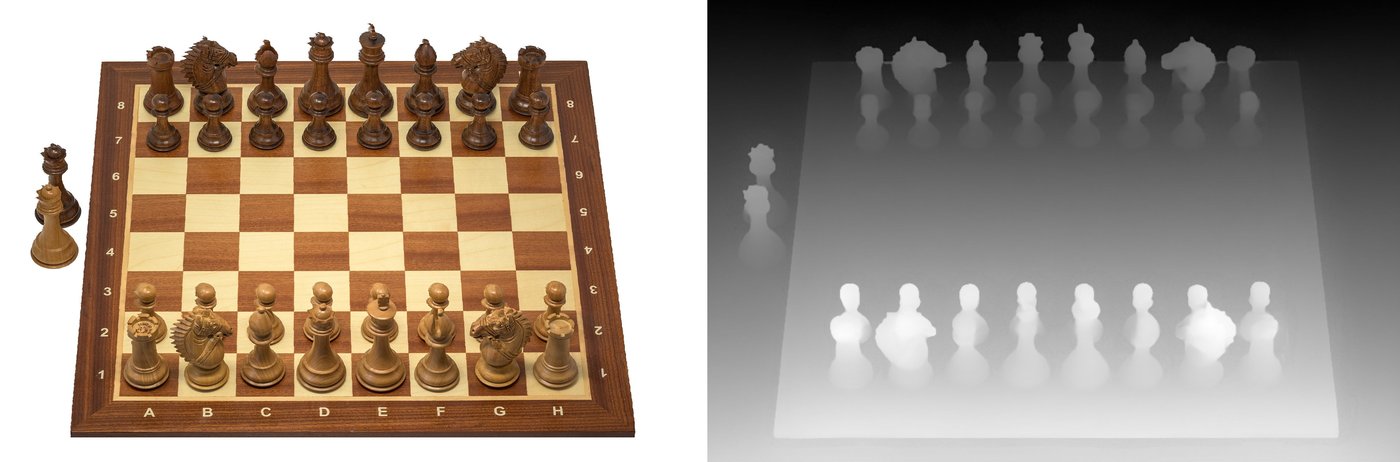
A camera with one lens takes one view. A pair needs a second view from a few centimetres to the side. You can take two photos, or let AI estimate the depth of one photo and draw the second view.
| You have | Route | What you get |
|---|---|---|
| One photo | Free Photo to 3D in your browser, "Side-by-side" | A parallel pair at the photo's full width [2]. Show it small to free-view it |
| Two photos of the same still scene, a few cm apart | Free Stereo Photo Maker | The real pair, aligned, as parallel, cross-eye or red-cyan [5] |
| Photos or videos, at higher quality | The Owl3D app for Windows and Mac | A side-by-side 3D file, or a cross-eye one |
The Owl3D app converts 2D photos and videos to 3D on your own computer. Its "Side-by-side" format puts both eyes' views next to each other, the layout of a parallel pair. Its "Cross-Eye" format swaps them for the cross-eye method. The free plan converts photos up to 1280 px and the first 60 seconds of a video. It is an AI conversion: the depth is estimated, not a second camera's view, so check edges such as hair and thin objects.
From Owl3DOwl3D converterA desktop app for Windows and Mac that turns 2D videos and photos into 3D.Frequently asked questions
Is parallel viewing easier than cross-eye viewing?
For most beginners, no: Wikipedia calls the cross-eye method "usually easier for freeviewing novices" [1]. Parallel viewing has one strength: the 3D picture looks larger and farther away, so it can feel life-size [1]. People differ in how easily they fuse a pair, so try both [1].
Is parallel viewing bad for your eyes?
It asks your eyes for an unnatural combination of pointing and focusing, and some people get tired eyes from it [1]. We do not give medical advice: stop when it is uncomfortable, and ask an eye doctor if you have a squint or another eye condition.
Why do I see three pictures?
That is the goal. The middle picture is the fused 3D one. The two side pictures are what each eye sees of the other picture. Look only at the middle one.
Can I parallel-view a 3D video?
Yes, if the video is small enough on the screen and you can hold the fusion. A side-by-side 3D video is the same layout as a parallel pair, one frame after another.
Sources (5)
- Wikipedia, "Stereoscopy" (sections "Visual requirements" and "Freeviewing"). https://en.wikipedia.org/wiki/Stereoscopy (opened 2026-11-28)
- Owl3D, "Photo to 3D" (section "What each saved file is for"). https://www.owl3d.com/tools/photo-to-3d (opened 2026-11-28)
- Wikipedia, "Autostereogram". https://en.wikipedia.org/wiki/Autostereogram (opened 2026-11-28)
- Wilfredor, "Chess game Staunton No. 6 perfil view 8.jpg", Wikimedia Commons, CC0. https://commons.wikimedia.org/wiki/File:Chess_game_Staunton_No._6_perfil_view_8.jpg (opened 2026-11-28)
- Owl3D, "Stereo Photo Maker" (section "How to use it"). https://www.owl3d.com/tools/stereo-photo-maker (opened 2026-11-28)