Cross-Eye 3D Photos: How to See Them and Make Your Own
How we researched this: written by Owl3D from published sources, all 6 listed at the end.
Short answer
A cross-eye 3D photo is two nearly identical pictures side by side, with the left eye's view on the right and the right eye's view on the left [1]. Cross your eyes until the two pictures overlap in the middle, and the middle one shows depth. Wikipedia calls this way of viewing "usually easier for freeviewing novices" than the parallel way [1]. To make your own from an ordinary photo or video, the Owl3D app has a Cross-Eye output; a pair of two photos goes through the free Stereo Photo Maker [2]. Owl3D, the publisher of this guide, makes the Owl3D app, the Stereo Photo Maker and the Stereo Vision Test named here.
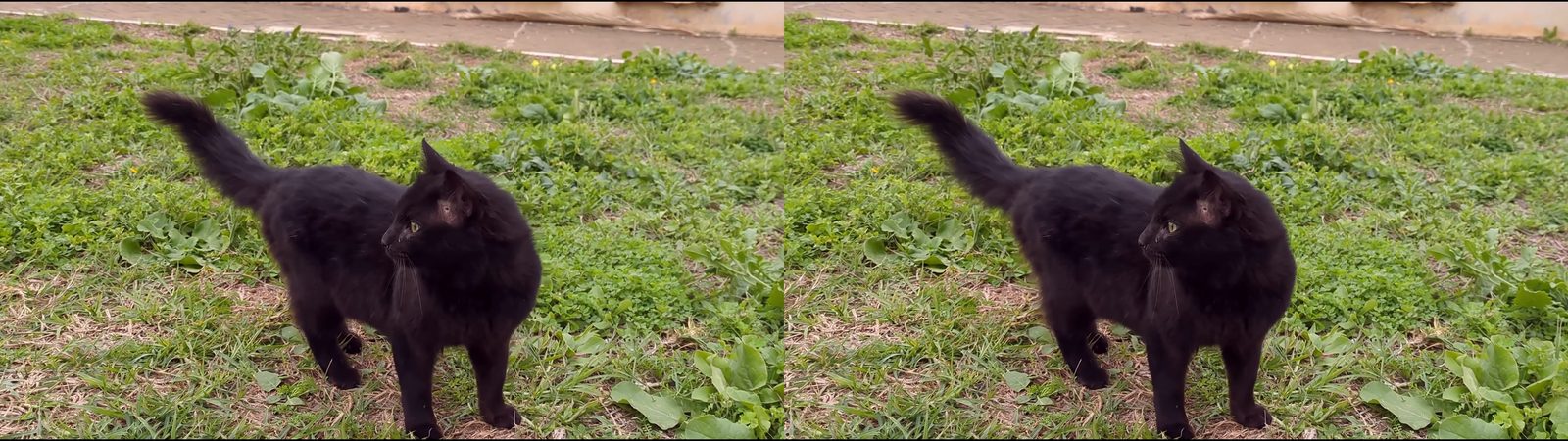
Try it: cross your eyes until you see three cats, then look at the middle one. A frame of the Owl3D app's Cross-Eye output, converted by Owl3D from one ordinary 2D video, so the depth is estimated by AI. Video: "Black Cat walking" by Dzkouslavia, CC0, via Wikimedia Commons [5].
Key takeaways
- Cross-eyed means the views are swapped: left eye's view on the right [1]. If the depth looks inside out, the pair is a parallel pair; see which is which.
- To fuse it, look at a fingertip held in front of the screen and move it toward your eyes until a third picture appears in the middle [1]. The steps are below.
- Some people cannot see stereo depth properly; one estimate is about 12% [1]. See if it never works.
- To make your own from an ordinary photo or video, see make your own.
How to see a cross-eye 3D photo
- Sit back. Put the pair at arm's length, with the screen straight in front of you and your head level. On a phone, turn it sideways so the pair is not too wide.
- Use a fingertip. Hold a fingertip just below the gap between the two pictures. Slowly bring it toward your eyes while you keep looking at the fingertip [1].
- Wait for the third picture. Behind the fingertip you see the two pictures slide together. At one distance, a third, fused picture appears in the middle, as if it floats just above the finger [1].
- Move your eyes to the middle picture. Drop the finger and keep your eyes on the middle picture. Give it a few seconds to come into focus. The pictures at the sides are only a distraction.
The fused picture looks smaller and closer than the two real pictures, so a large scene can look like a miniature [1]. That is normal for cross-eyed viewing. A piece of paper with a small hole in it, held between your eyes and the pair, works the same way as the fingertip [1].
Stop if it hurts. Cross-eyed viewing makes your eyes converge in front of the screen while they focus on the screen, an unnatural combination for the eyes [1].
More pairs to try, from the same video:
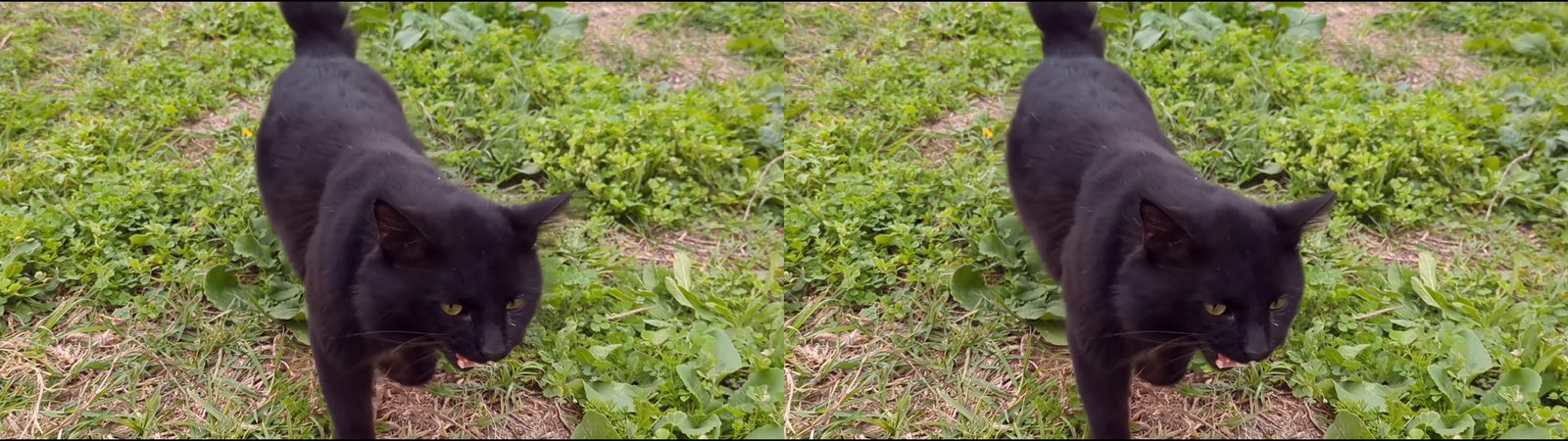
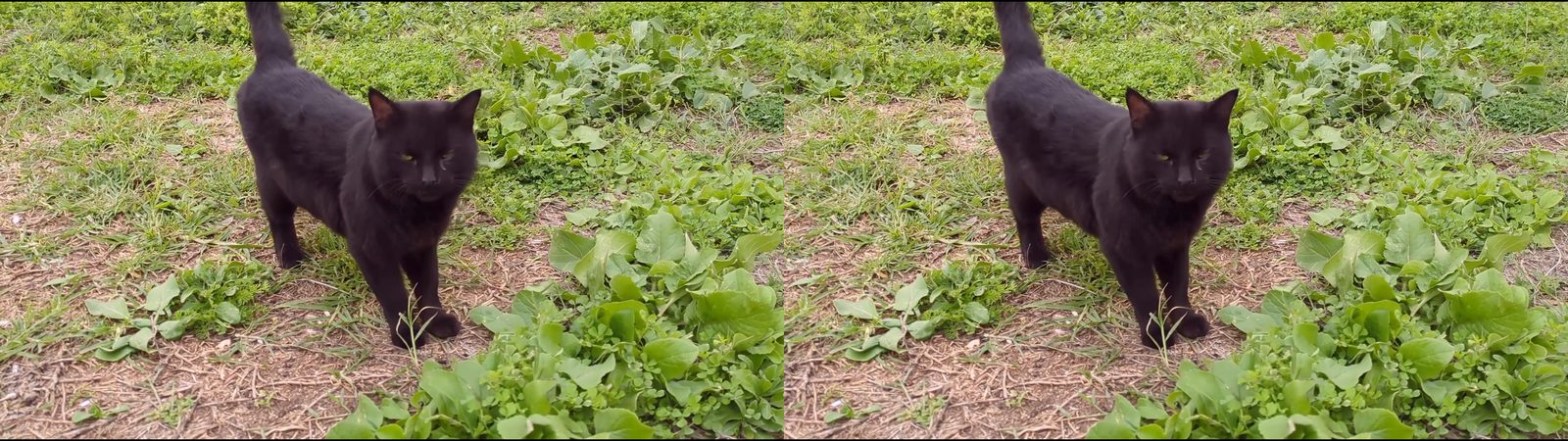
Cross-eyed or parallel: which is which?
Side-by-side 3D pictures come in two layouts, and they look almost the same [1].
| Layout | Left eye's view | How you look at it | The 3D picture |
|---|---|---|---|
| Cross-eyed (cross-view) | On the right [1] | Cross your eyes until the two pictures overlap [1] | Smaller and closer than the pictures [1] |
| Parallel | On the left [1] | Look "through" the screen as if at something far away [1] | Larger and farther away than the pictures [1] |
The picture below is the same frame with its two halves swapped, so it is a parallel pair.
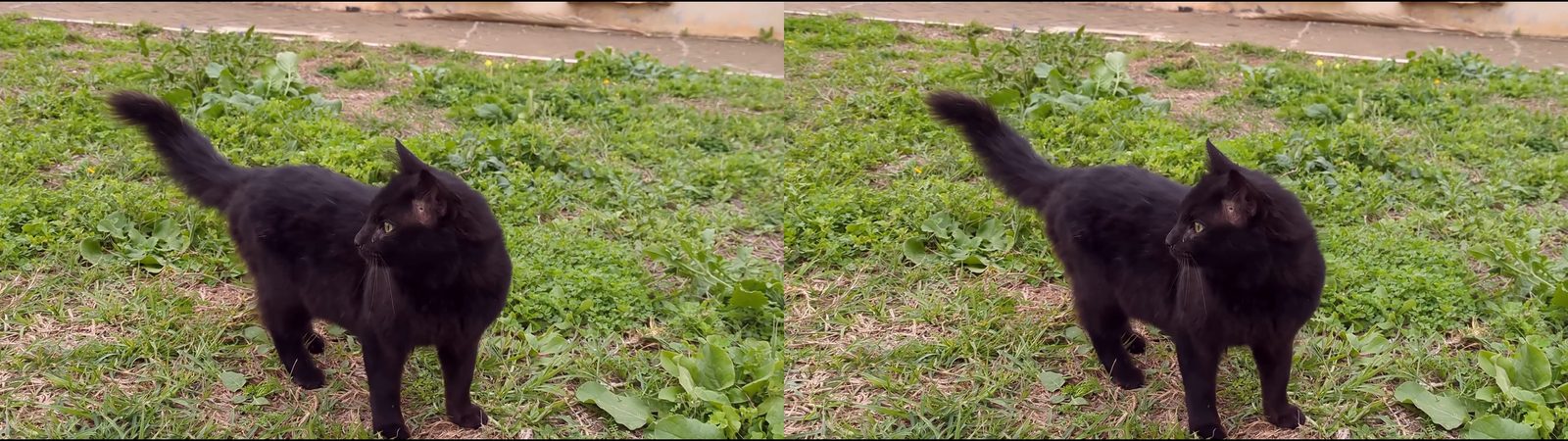
The test: cross your eyes at a pair and look at something you know is near, for example the cat, a nose or a fence in front. If it seems farther away than the background, the depth is inside out, and you are looking at a parallel pair with crossed eyes. Use the parallel way, or swap the halves. The Stereo Photo Maker does that with "Swap left and right" [2].
Is a Magic Eye picture the same thing?
No. A Magic Eye picture is an autostereogram: one picture with a repeating pattern that hides the 3D shape [4]. A cross-eye 3D photo is two photos. An autostereogram can be viewed two ways, wall-eyed (parallel) and cross-eyed, but most are designed for one way only, usually wall-eyed [4]. For those, see Magic Eye pictures.
If it never works
Seeing depth in two flat pictures needs three things from your eyes: seeing with both at once, fusing the two images into one, and stereopsis, the depth sense itself [1]. Wikipedia cites an estimate that about 12% of people cannot see 3D images properly because of medical conditions, and one experiment in which up to 30% had very weak stereo vision [1]. In some people, strabismus (a squint) disrupts the development of stereopsis [1]. If your eyes never fuse the pair, the method may not be the problem.
What to try:
- Check your depth vision. The free Stereo Vision Test checks how fine a depth difference your two eyes can see, in about two minutes, and finds your dominant eye [3].
- Try the other layout. If crossing never works, try the parallel way on a parallel pair, and the other way round.
- Use a viewer instead of your eyes. Open the pair in the Stereo Photo Maker, save it as red-cyan, and use red-cyan glasses [2]. A parallel side-by-side pair also works in a VR headset or on a 3D screen; see stereoscopic 3D for the ways to view a pair.
What other viewers report
Users' words in a GitHub discussion about a 3D tool; we have not tested them.
- February 2023: "I can't parallel view to save my life" [6].
- March 2023: "I can do both but parallel is much harder." [6]
Make your own cross-eye 3D photos
There are two routes. Which one you take depends on what you start with.
| You have | Route | What you get |
|---|---|---|
| An ordinary photo or video | The Owl3D app, 3D format "Cross-Eye" | A cross-eye 3D photo or video; AI estimates the depth |
| Two photos of the same scene, a few centimetres apart, or a file from a 3D camera | The Stereo Photo Maker, free in your browser | The real pair, aligned and saved as cross-eyed, parallel or red-cyan [2] |
From one ordinary photo or video, with the Owl3D app
The Owl3D app for Windows and Mac converts 2D photos and videos to 3D. One of its 3D formats is Cross-Eye: both eyes side by side, swapped, for viewing with crossed eyes and no glasses or headset. It does not accept iPhone HEIC or camera RAW photos.
- Add the photo or video to the Owl3D app.
- Choose "Cross-Eye" in the 3D format menu above the files.
- Convert, then open the result and try it with the fingertip steps above.
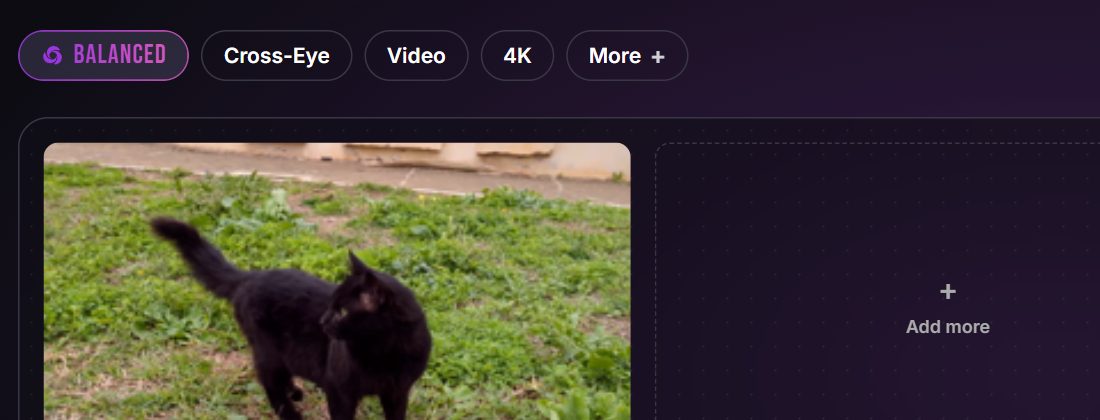
What we saw in our own run, on a Windows laptop with the app's "Balanced" model and the strongest 3D setting: a 16-second, 1920 × 1080 cut of the clip took 37.9 seconds to convert. The output was a 3840 × 1080 video, two full 1920 × 1080 views side by side. The depth is estimated, so look for errors at edges such as fur and grass; with a two-photo pair the depth is real.
From two photos, with the Stereo Photo Maker
Take one photo, step a few centimetres sideways, and take a second one of the same still scene. Add both to the Stereo Photo Maker, press "Auto align", choose "Side-by-side (cross-eyed)" and press "Download" [2]. It also opens MPO and JPS files from 3D cameras [2].
Frequently asked questions
Is cross-eyed viewing bad for your eyes?
It asks your eyes for an unnatural combination of converging and focusing [1]. We do not give medical advice: stop when it is uncomfortable, and ask an eye doctor if you have a squint or other eye condition.
Why do I see three pictures?
That is the goal. The middle picture is the fused 3D one; the side pictures are each eye's leftover view. Look only at the middle one.
Why does the middle picture look small, like a model?
Cross-eyed viewing makes the fused picture look smaller and closer than the real pictures, so scenes look miniaturized [1]. The parallel way makes it look larger and farther away [1].
Can I make a cross-eye 3D video, not only a photo?
Yes. The Owl3D app's Cross-Eye format works on videos as well as photos; every pair on this page is a frame of such a video.
Sources (6)
- Wikipedia, "Stereoscopy" (sections "Visual requirements" and "Freeviewing"). https://en.wikipedia.org/wiki/Stereoscopy (opened 2026-11-16)
- Owl3D, "Stereo Photo Maker" (sections "How to use it" and "Frequently asked questions"). https://www.owl3d.com/tools/stereo-photo-maker (opened 2026-11-16)
- Owl3D, "Stereo Vision Test". https://www.owl3d.com/tools/stereo-vision-test (opened 2026-11-16)
- Wikipedia, "Autostereogram". https://en.wikipedia.org/wiki/Autostereogram (opened 2026-11-16)
- Dzkouslavia, "Black Cat walking.webm", Wikimedia Commons, CC0. https://commons.wikimedia.org/wiki/File:Black_Cat_walking.webm (opened 2026-11-16)
- Users' reports: stable-diffusion-webui-depthmap-script Discussions #105, "Side by Side both ways" (February to April 2023). https://github.com/thygate/stable-diffusion-webui-depthmap-script/discussions/105 (opened 2026-11-16)