LG Cinema 3D Monitor (D2342P): How to Watch 3D on It Today
How we researched this: written by Owl3D from published sources, all 8 listed at the end.
Short answer
An LG Cinema 3D monitor, such as the 23-inch Flatron D2342P, is a passive 3D monitor. You watch it with light, passive polarized glasses [3]. The monitor has no 3D player of its own. It shows 3D only when the picture already holds two views, side by side, top and bottom, or line by line [1]. You pick that layout with the 3D button, and the 3D mode works only over HDMI [1]. So today you need one of three sources: a 3D Blu-ray player, a PC that plays side-by-side 3D files full screen, or your own 2D videos made into side-by-side 3D. Skip to: the models · the 3D menu · three ways to watch · our test frames · is it worth buying
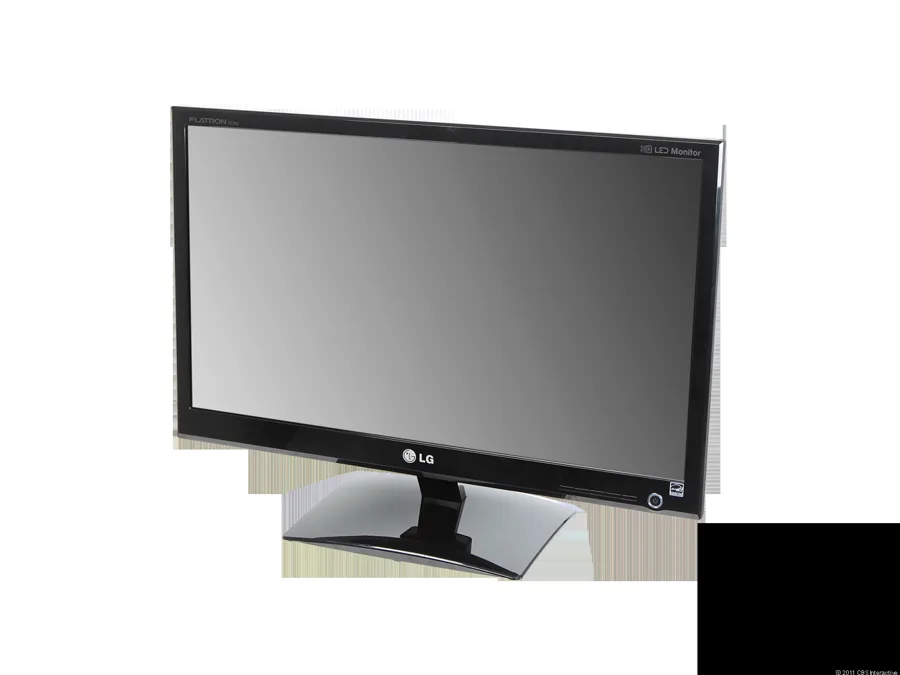
The LG Flatron D2342P. Photo: CNET review, June 2011 [2].
Key takeaways
- The D2342P has HDMI, DVI-D and VGA inputs, but its 3D MODE menu works only with an HDMI video signal [1].
- Set the PC to 1920 x 1080 at 60 Hz. LG says the 3D software may not work properly at a lower resolution [1].
- Pick the 3D mode that matches the file. LG warns: "If the 3D option selected is incorrect, images may not be displayed properly" [1].
- For side-by-side files, the monitor's 3D MODE should do the work without the bundled TriDef 3D software [1].
- Sit straight in front of it, 50 to 70 cm away. Off that angle, the 3D shows double images [1][3].
Which LG Cinema 3D monitors exist
Two 23-inch models show up in the search results: the D2342P and the D2343P. We found no source for a 27-inch model.
| LG Flatron D2342P | LG D2343P | |
|---|---|---|
| Screen | 23-inch, 1920 x 1080 [1] | 23-inch, 1920 x 1080 [6] |
| Panel | TN (per CNET's test) [2] | IPS (per a retailer's spec sheet) [6] |
| Inputs | HDMI, DVI-D, VGA, headphone jack [1][2] | HDMI, DVI-D, VGA, headphone out [6] |
| 3D type | Passive (FPR film), polarized glasses [3] | Passive, battery-free glasses [6] |
| Price in 2011 reviews | US$350 [2][4] | Not found |
LG did not publish the D2342P's panel type in the manual we read [1]. CNET tested it and wrote that it "uses a TN panel" [2]. A TN panel gets dark when you look from below [2]. In the box, LG packed a TriDef 3D software CD, a normal pair of 3D glasses and a clip-on pair [1]. The clip-on pair goes over prescription glasses [3].
What the 3D button does: the 3D MODE menu
Press any front button, then 3D [1]. The menu has three settings [1]:
| Setting | Options | Use it when |
|---|---|---|
| 3D MODE | SIDE BY SIDE, TOP & BOTTOM, LINE INTERLACED, OFF | Always: pick the layout of your file |
| 3D L/R CHANGE | R-L, L-R | The depth looks inside out |
| 3D -> 2D | ON, OFF | You want to watch a 3D file flat |
The 3D MODE and 3D -> 2D options are "Enabled only for HDMI VIDEO TIMING" [1]. If you connect the PC with the DVI or VGA cable from the box, use HDMI instead.
LG lists the HDMI 3D signals the monitor takes [1]:
- Frame packing: 1080p at 24 Hz, 720p at 50 or 60 Hz. This is what a 3D Blu-ray player sends.
- Side-by-side (half): 1080p and 1080i at 50 or 60 Hz, 720p at 50 or 60 Hz.
- Top-and-bottom: 1080p at 24, 50 or 60 Hz, 720p at 50 or 60 Hz.
Three ways to watch 3D on it today
1. A 3D Blu-ray player over HDMI
This is the simplest path. Connect a 3D Blu-ray player to the HDMI input and play the disc. TechRadar played the 3D Blu-ray of Tron: Legacy on a D2342P and wrote that the LG "does a grand job of giving it depth" [3]. For players you can still buy, see 3D Blu-ray players.
2. A PC playing side-by-side or top-and-bottom files
The monitor's 3D mode does the splitting. Your PC only has to show the file full screen.
- Connect the PC to the monitor's HDMI input [1].
- In Windows display settings, set 1920 x 1080 at 60 Hz [1].
- Open the 3D file in any video player and go full screen. A half side-by-side file shows two squeezed pictures next to each other.
- Press 3D on the monitor and set 3D MODE to SIDE BY SIDE, or TOP & BOTTOM for a top-and-bottom file [1].
- Put on the LG glasses. If the depth looks inside out, change 3D L/R CHANGE [1].
This path should not need TriDef, because the monitor's own 3D MODE does the splitting [1]. We have not tested it. TriDef was needed for 3D games and for its own 3D players [5]. The last installer we found is TriDef 3D 7.4, linked from tridef.com in October 2017 [7]. By November 2019 the domain showed a "coming soon" parking page [7]. We did not test TriDef on Windows 10 or 11.
For a 3D Blu-ray disc in a PC drive, see how to play a 3D Blu-ray on a PC.
3. Your own videos, made into side-by-side 3D
New 3D films on disc are rare, so your own videos are a source too. The Owl3D app converts an ordinary 2D video into 3D. Choose the output Half Side-by-Side, which the app describes as "for older 3D TVs". That is the layout the monitor's SIDE BY SIDE mode reads [1]. Play the result full screen as in path 2.
The app can also turn the whole screen into live side-by-side 3D. Choose Current screen as the device. The app's own words: "Owl3D will show side-by-side 3D on this screen. Cast or project it to your 3D device, then enable SBS mode on that device." If the LG is your PC's screen, you do not need to cast. On the LG, that means 3D MODE: SIDE BY SIDE. We have not tested either feature on an LG Cinema 3D monitor.
What a side-by-side frame for this monitor looks like
We made test frames for the monitor's two main 3D modes. The source is the 3D version of Big Buck Bunny, an open movie by the Blender Foundation [8]. We cut one frame at 5 min 10 s and laid it out at 1920 x 1080, the size LG asks for [1].
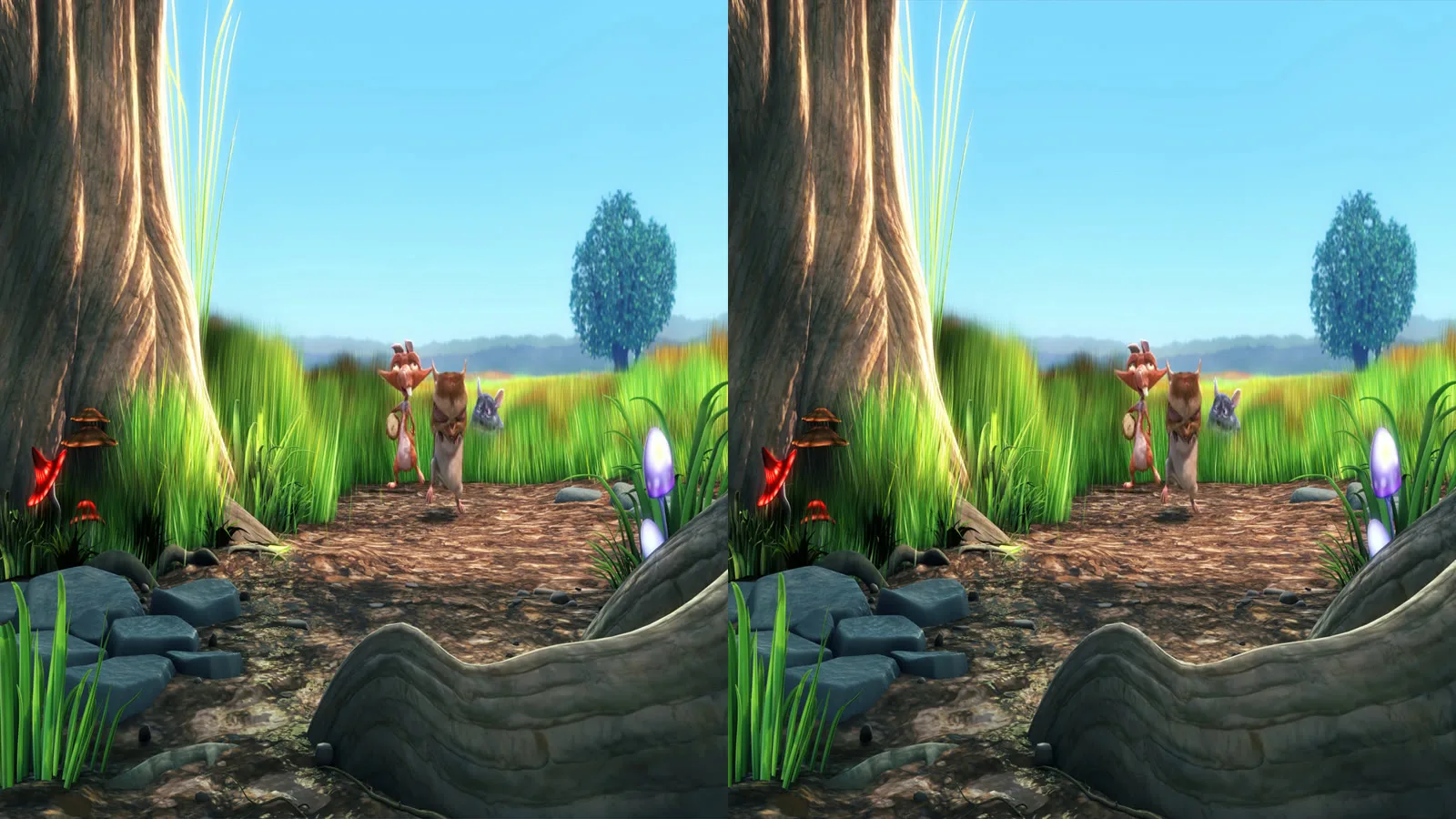
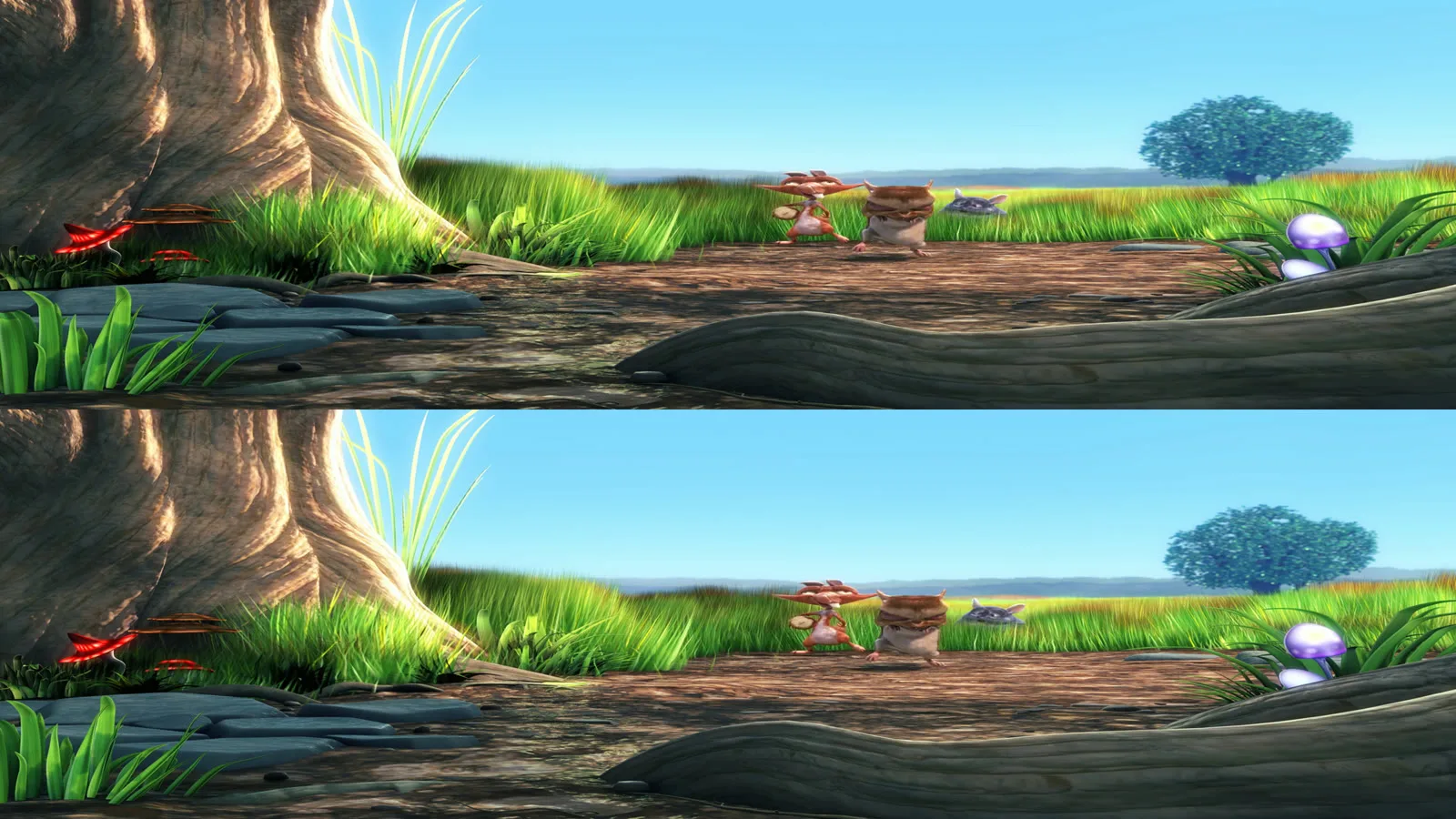
The two views differ only a little. Look at the rabbit's edge against the trees in the left and right views below: it sits in a slightly different place. The monitor sends each view to one eye through its line filter and the glasses.


We have not shown these frames on an LG panel.
Is an LG Cinema 3D monitor worth buying in 2026?
It is worth it only if it is cheap and you mainly want to watch 3D films. Read the 2011 reviews first:
- Narrow sweet spot. TechRadar: "Move off axis, particularly vertically, and double imaging spills across the picture" [3]. LG gives an optimal angle of -4° to 8° and a distance of 50 to 70 cm [1].
- Half the lines per eye. Each eye sees every second line [5]. TechRadar says this matters less on a monitor than on a big TV [3].
- Grey blacks and ghosting in games. CNET saw "plenty of ghosting" in games and black that "looks more like medium gray" [2]. PC Gamer saw "substantial ghosting" with fast movement [4].
- The glasses. LG says to use the glasses that came with the monitor. Third-party glasses may not show 3D properly [1]. Check that a used one comes with them. For the kinds of 3D glasses, see 3D glasses types.
If you want 3D on your desk without glasses, we sell the Owl3D Shift, a glasses-free 3D monitor, so weigh our view with that in mind. Its SBS Mode shows half side-by-side, full side-by-side and top-and-bottom files. For LG 3D TVs, see 3D TV brands.
From Owl3DOwl3D converterA desktop app for Windows and Mac that turns 2D videos and photos into 3D.Frequently asked questions
Why does my LG 3D monitor not show 3D?
Check three things. The cable must be HDMI, since 3D MODE works only with an HDMI video signal [1]. The PC must output 1920 x 1080 at 60 Hz [1]. The 3D MODE must match the file: SIDE BY SIDE for a side-by-side file [1].
Does the LG D2342P work with Windows 10 or 11?
As a normal monitor, yes: it is a plug-and-play HDMI, DVI and VGA monitor [1]. For 3D, play side-by-side files full screen and use the monitor's 3D MODE. That does not depend on Windows. TriDef, the 3D software in the box, was listed for Windows XP, Vista and 7 [5].
Can it turn 2D into 3D by itself?
The D2342P manual lists no 2D-to-3D mode [1]. A retailer's sheet for the D2343P lists "2D to 3D Converting" [6]. LG warns that 2D pictures shown in 3D mode "might not be displayed properly" [1].
Sources (8)
- LG Electronics, "D2342P Owner's Manual (3D Monitor)", text copy on manualsdir.com, pages 3, 10, 14, 17 to 21. https://www.manualsdir.com/manuals/164762/lg-d2342p.html (opened 2026-11-20)
- Eric Franklin, "LG D2342P review", CNET, 2011-06-10. https://www.cnet.com/reviews/lg-d2342p-review/ (opened 2026-11-20)
- Steve May, "LG D2342P Cinema 3D Monitor review", TechRadar, 2011-09-09. https://www.techradar.com/reviews/pc-mac/monitors-and-projectors/monitors/lg-d2342p-cinema-3d-monitor-1020068/review (opened 2026-11-20)
- Seamus Bellamy, "Review: LG Flatron D2342P passive 3D monitor", PC Gamer, 2011-11-16. https://www.pcgamer.com/review-lg-flatron-d2342p-passive-3d-monitor/ (opened 2026-11-20)
- benchmark.pl, "LG D2342P: polaryzacyjne Cinema 3D i wrażenia" (in Polish), 2011. https://www.benchmark.pl/lg-d2342p-polaryzacyjne-cinema-3d-i-wrazenia-7267015626040385a (opened 2026-11-20)
- ComX Computers, "LG D2343P-bn 23" 3D LED Display" specification sheet. https://www.comx-computers.co.za/LGD2343PBN-specifications-74442.htm (opened 2026-11-20)
- tridef.com, Internet Archive copies of 2017-10-01 and 2019-11-25. https://web.archive.org/web/20171001060410/http://www.tridef.com/ and https://web.archive.org/web/20191125010359/http://tridef.com/ (opened 2026-11-20)
- Blender Foundation, "Big Buck Bunny" 3D stereo version (bbb_sunflower_1080p_30fps_stereo_abl.mp4), CC BY 3.0. http://bbb3d.renderfarming.net/ (downloaded 2026-11-20)