3D Movies on Gear VR and Oculus Go: What Still Works
How we researched this: written by Owl3D from published sources, all 8 listed at the end.
Short answer
Yes. A Samsung Gear VR or an Oculus Go still shows a 3D movie when two things are true. The movie is a 3D file, side-by-side (SBS) or top-bottom. The player's 3D mode is set to the same layout. On a Gear VR, Oculus Video and Samsung Gallery play 3D files saved on the phone [2][6]. On a Go, Skybox VR Player and WhirligigGo have 3D modes [5][7]. Both headsets stopped getting new apps in 2020 [1][3]. A headset you already own still works, and so does a player app that is already installed on it [1][2]. 3D Blu-ray discs and 3D films bought online are copy protected and do not copy over as files. Owl3D, the publisher of this guide, makes a 2D to 3D video converter.
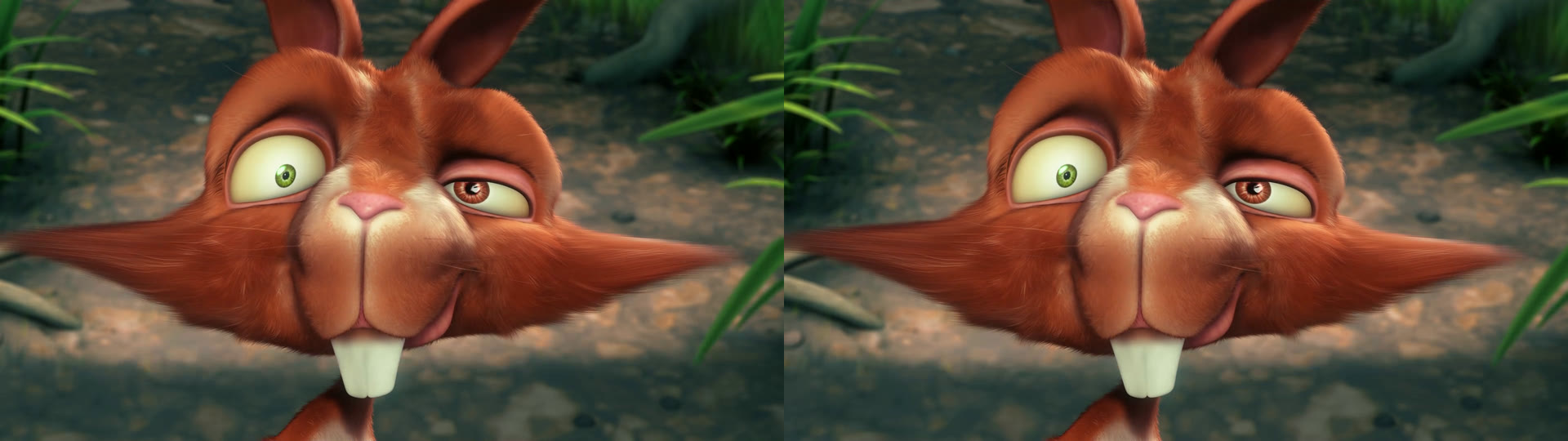
A full side-by-side 3D frame: one picture for each eye, in one 3840 x 1080 frame (shown smaller). The player shows the left half to your left eye and the right half to your right eye. We made it on November 22, 2026 from one frame (00:05:40) of Big Buck Bunny 3D, a film released in stereo 3D. This is not a capture from a Gear VR or a Go: we have not tested these files on either headset. Big Buck Bunny CC-BY Blender Foundation 2008; 3D Sunflower version CC-BY Janus B. Kristensen 2013 [8].
Key takeaways
- What still installs in 2026: see what still works.
- Two pictures side by side, or flat: fix it in the 3D mode.
- Copy the file and play it: steps for Gear VR and steps for Oculus Go.
- No 3D version of the film: make an SBS file.
What still works in 2026
Both headsets ran the same Oculus mobile store [2]. In 2020 Facebook (now Meta) stopped new apps for both headsets in that store [1][3], and Samsung ended its own VR video service [3].
| What | Gear VR | Oculus Go |
|---|---|---|
| New apps in the store | None since September 15, 2020 [3] | None after December 18, 2020 [1] |
| System software | No new features since March 2020 [2] | Bug fixes and security patches through 2022 [1] |
| Oculus Video app | No longer downloadable since March 2020; an installed copy still runs [2] | — |
| Samsung VR / Samsung XR video app | Ended September 30, 2020 [3] | Removed June 30, 2020 [3] |
| Phones | Some Samsung Galaxy phones from the Note 4 (2014) on; the Note 10 and the S20 do not work with it [2][3] | No phone needed |
Rented and bought films in Oculus Video are gone on Gear VR [2]. Your own video files are not affected: a player reads them from the phone or headset storage.
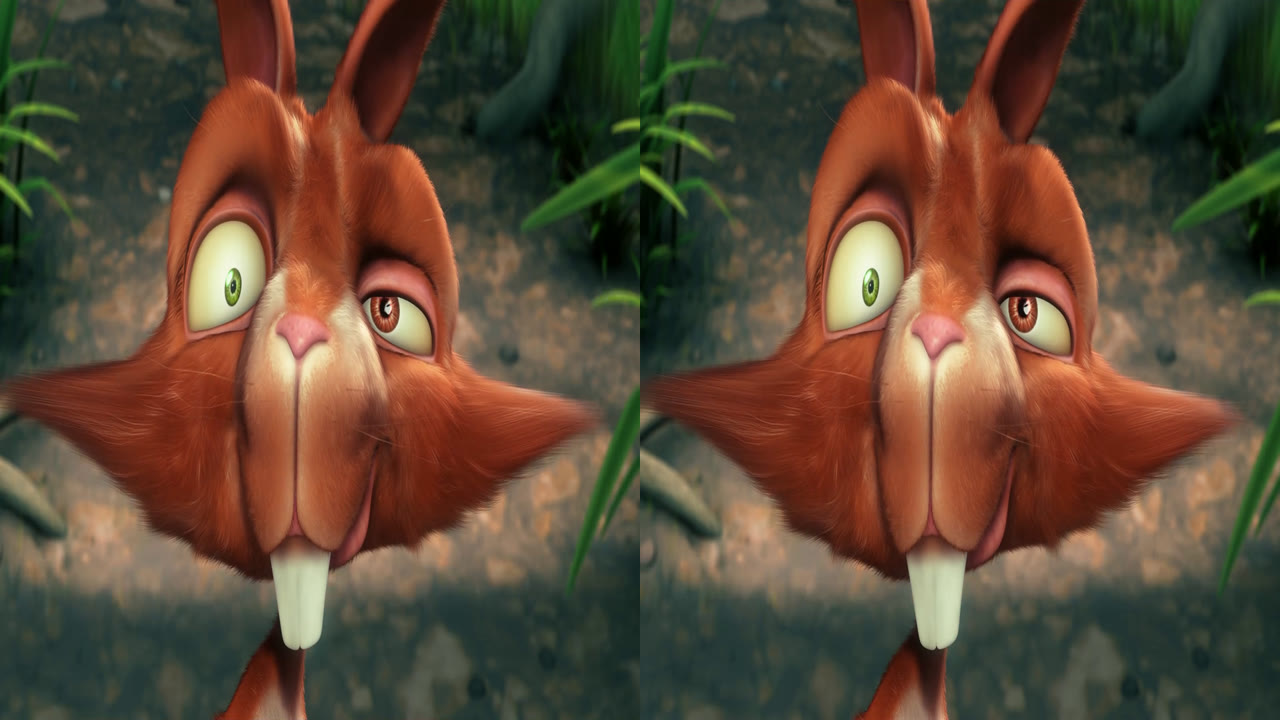
Two pictures side by side, or a flat picture
What you see: two copies of the film next to each other (or one above the other), or a picture with no depth.
Why: a 3D file holds two pictures, one per eye, in one frame. If the player's 3D mode is off, it shows the whole frame on one flat screen. You see both pictures at once, as in the frame below.
What to do: open the player's video settings and pick the 3D layout of the file. In Skybox on the Go, click once during playback, then click the cube icon at the right of the menu and pick 3D [5]. If the film then looks stretched or squeezed, you picked full when the file is half, or the other way round.
How to watch a 3D movie on a Gear VR
- Copy the 3D file from your computer to the phone [4].
- For Oculus Video, put the file in the folder /oculus/movies/3d on the phone [4]. Samsung Gallery shows videos saved on the phone [6].
- Put the phone in the Gear VR and put the headset on.
- Open the player from the Oculus Home screen: Library > Oculus Video, or Library > Samsung Gallery [6].
- Select the movie. If it shows two pictures, set the 3D mode as in the fix above.
Samsung's own help page says Samsung Gallery on the Gear VR plays 2D and 3D videos saved on the phone [6]. Oculus Video works only if it is still installed: it left the store in March 2020 [2].
How to watch a 3D movie on an Oculus Go
- Install a player. Skybox VR Player was in the Oculus Store for the Go [5]. WhirligigGo is a free Oculus Go player offered as a download on itch.io, outside the store. It has side-by-side and over-under modes [7].
- Get the 3D file to the Go. Skybox can stream it from a PC or Mac on your network: install the Skybox server app on the computer, then open Airscreen in the Skybox menu on the Go [5]. Skybox also plays files saved on the headset [5].
- Open the file in the player. In Skybox, files on the headset show under All Files [5].
- Set the 3D mode to the layout of the file, as in the fix above.
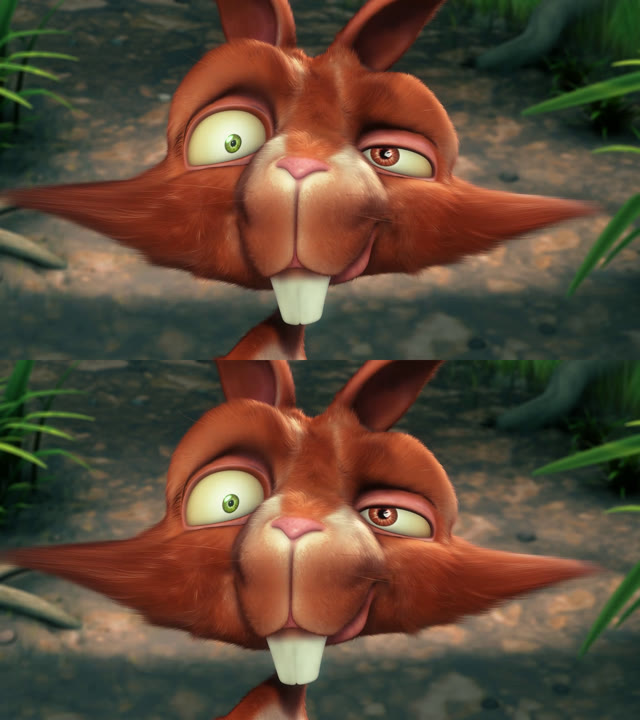
The three file layouts
| Layout | Frame | What is in it |
|---|---|---|
| Full side-by-side (Full SBS) | 3840 x 1080 for a 1080p film | Two full-width pictures, left and right |
| Half side-by-side (Half SBS) | 1920 x 1080 | Two pictures, each squeezed to half width |
| Top-bottom (over-under, TB) | 1920 x 2160 full, or 1920 x 1080 half | Left-eye picture on top, right-eye picture below |
Half SBS keeps the file at normal 1080p size.
3D Blu-ray discs and 3D films bought online
3D Blu-ray discs and 3D films bought from digital stores are copy protected, so you cannot copy them to the phone or the Go as a file. This guide does not explain how to get around copy protection. For 3D films you can watch, see our guide free 3D movies.
The film has no 3D version: make an SBS file
Many films were never released in 3D. The Owl3D app converts a 2D video file that you have the right to use into a full SBS, half SBS or top-bottom 3D file, on your computer. Copy the file to the phone or the Go and play it as above. It is an AI conversion: the second picture is estimated, so it is not the studio's 3D version.
From Owl3DOwl3D converterA desktop app for Windows and Mac that turns 2D videos and photos into 3D.FAQ
Can you watch 3D movies on an Oculus Go?
Yes, as side-by-side or top-bottom files in a player with a 3D mode, such as Skybox VR Player or WhirligigGo [5][7].
Can you still download 3D movies for Gear VR?
Not from Oculus Video or Samsung VR: Oculus Video films are gone, and Samsung's VR video service ended in 2020 [2][3]. You can copy your own 3D files to the phone. See free 3D movies for films you can download.
What is Samsung Gear VR compatible with?
Some Samsung Galaxy phones, starting with the Galaxy Note 4 in 2014 [2]. The Galaxy Note 10 and the Galaxy S20 do not work with it [2][3].
Why does my 3D movie show two pictures?
The player's 3D mode is off, or set to the wrong layout. See two pictures side by side.
What replaced the Gear VR and the Oculus Go?
The Meta Quest headsets: Facebook ended Go sales in 2020 to focus on the Quest [1]. Players and steps for them are in watch movies in VR and VR video player.
Sources (8)
- UploadVR, "Facebook To Stop Selling Oculus Go, Vows No More 3DOF Headsets" (June 2020). https://uploadvr.com/oculus-go-gone/ Opened 2026-11-22.
- UploadVR, "Facebook Ends Samsung Gear VR Software Updates, 360 Video Downloads & Films" (March 31, 2020). https://uploadvr.com/samsung-gear-vr-updates-end/ Opened 2026-11-22.
- XDA Developers, "Samsung is killing off its XR service and VR Video apps" (May 18, 2020). https://www.xda-developers.com/samsung-killing-off-xr-service-vr-video-apps/ Opened 2026-11-22.
- Android Central, "How to watch 3D movies on your Gear VR". https://m.androidcentral.com/how-watch-3d-movies-your-gear-vr Opened 2026-11-22.
- How-To Geek, "How to Stream VR Videos and Movies to Oculus Go from PC or Mac". https://www.howtogeek.com/351815/how-to-stream-vr-videos-and-movies-to-oculus-go-from-pc-or-mac/ Opened 2026-11-22.
- Samsung Singapore support, "Using Gear VR to view content on Oculus or Mobile Device". https://www.samsung.com/sg/support/mobile-devices/using-samsung-gear-vr-to-view-content-on-oculus-home-screen-or-mobile-device/ Opened 2026-11-22.
- itch.io, "WhirligigGo" by phileday. https://phileday.itch.io/whirligiggo Opened 2026-11-22.
- Big Buck Bunny 3D, bbb3d.renderfarming.net (licence: Big Buck Bunny CC-BY Blender Foundation 2008; 3D Sunflower version CC-BY Janus B. Kristensen 2013). http://bbb3d.renderfarming.net/ Opened 2026-11-22.