360 Video and VR180: What They Are and How to Watch Them
How we researched this: written by Owl3D from published sources, all 17 listed at the end.
Short answer
A 360 video records every direction at once, and you choose where to look while it plays [3]. On a computer you drag the picture. On a phone you move the phone or swipe. In a VR headset you turn your head. On YouTube, use Chrome, Firefox, Edge or Opera on a computer, or the YouTube app on a phone [1]. VR180 records only the half in front of you, usually in 3D [11]. A 360 video has depth only if it was shot in stereo [2][3]. Owl3D, the publisher of this guide, makes software that adds depth to ordinary flat videos, described in one passage below.

One frame of a 360 video, unwrapped into a flat 2:1 picture: left and right edges meet behind the camera. Video: Jan Ainali, Wikimedia Commons, CC BY-SA 4.0.
Key takeaways
- No headset needed: drag on a computer, move your phone: watch by device.
- iPhone browsers and Safari are where it most often fails: when it plays wrong.
- 360 is about where you can look. 3D is about depth. A video can be one, both or neither: 360, VR180 and 3D.
- A 360 video looks soft because you see only part of the frame: why it looks blurry.
- Want depth from an ordinary flat video? Owl3D converts it to 3D: Owl3D.
How does 360 video work?
A 360 camera has two or more lenses pointing different ways. It records them at the same time, and software stitches the views into one sphere [3]. The sphere is saved as an ordinary video file, unwrapped into a rectangle twice as wide as it is tall, like a world map. That layout is called equirectangular [2][3].
When you play the file, the player wraps the rectangle back into a sphere around you. You see only the part you face, and you control the direction [3].

How to watch 360 video on your device
| Your device | How | Notes |
|---|---|---|
| Computer | YouTube in Chrome, Firefox, Edge or Opera [1]; your own files in VLC [4] | Drag, the pan button, or WASD keys [1] |
| Android phone | YouTube app [1] | Move the phone or swipe [3]; Cardboard viewer works [5] |
| iPhone or iPad | YouTube app [1] | No Cardboard mode [5] |
| Meta Quest | YouTube app, filter 360° or VR180 [6] | Turn your head |
| Apple Vision Pro | YouTube for visionOS [7]; camera files with visionOS 26 [9] | Turn your head |
| Android XR (Galaxy XR) | YouTube, filters for 360, 3D, VR180 [8] | Turn your head |
On a computer
Open the video on YouTube. YouTube says "360° videos feature a pan button in the top left, and can be rotated using the WASD keys". You can also click and drag [1]. YouTube names four browsers: Chrome, Firefox, MS Edge and Opera [1]. Safari is not on that list.
For a 360 file on your own computer, VLC plays it: "VLC supports 360 video and 3D audio" [4]. More players, including headset players, are on our VR video player page.
On a phone
Use the YouTube app. "VR180 and 360-degree video playback is not supported on mobile browsers" [5]. In the app, swipe, or move the phone: its gyroscope turns the view with you [3].
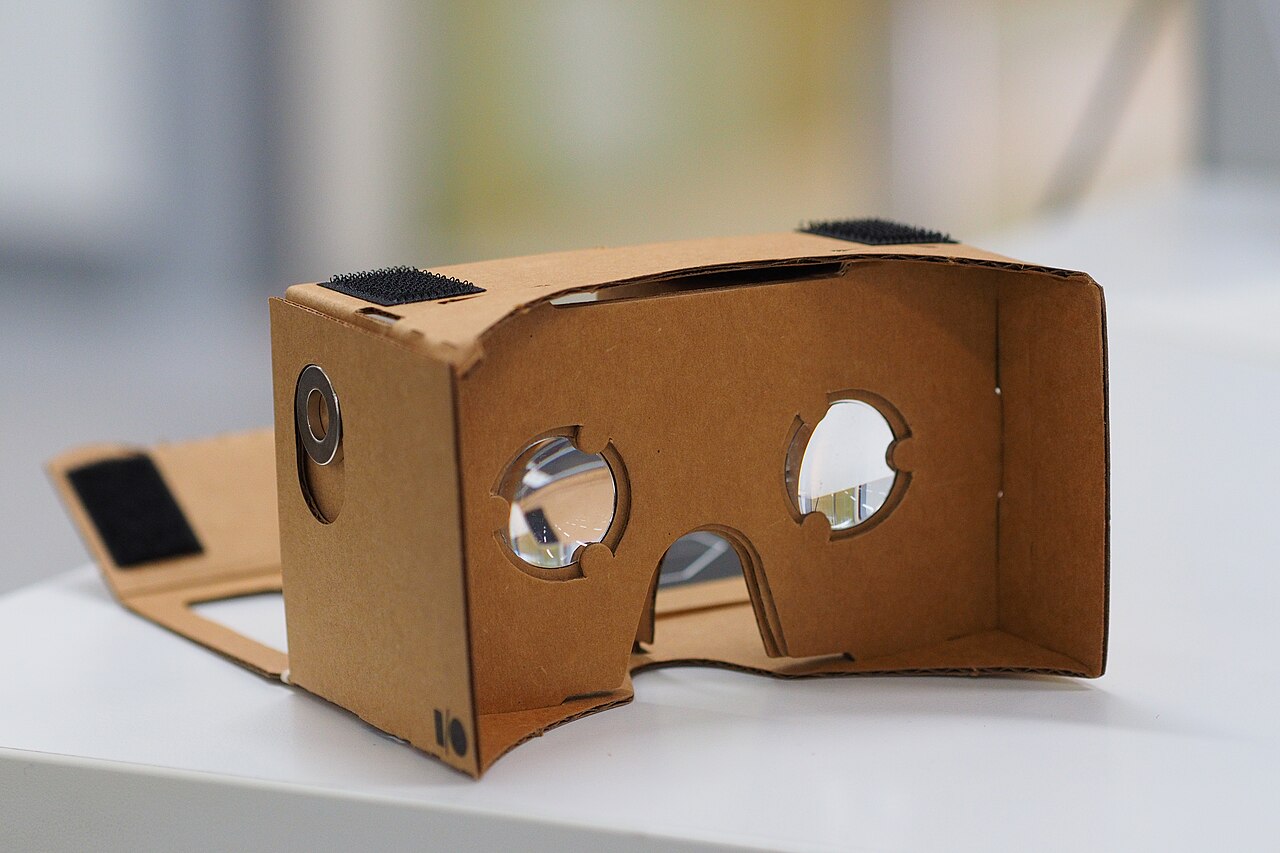
On Android, a Cardboard viewer turns the phone into a simple headset. On iPhone, "Cardboard is not supported for iPhone and iPad" [5]. Our YouTube VR page covers that change.
In a VR headset
In a headset you turn your head to look around. Use YouTube's own app and its search filters: on Quest, "360°, VR180, 4K, 3D and CC" [6]. YouTube for visionOS plays "360°, VR180°, and 3D formats" [7]. On Android XR there are "filters for finding spatial videos in 360, 3D, and VR180" [8]. Which app each headset needs is on our YouTube VR page.
Apple Vision Pro also plays 360 files from cameras. Apple said in June 2025: "visionOS 26 supports native playback of 180-degree, 360-degree, and wide field-of-view content from Insta360, GoPro, and Canon" [9]. For your own files on a Quest, see VR video player.
360 video, VR180 and 3D: what is the difference?
Two separate questions decide what you see. How far around can you look? Does each eye get its own picture (stereoscopic 3D)?
| Format | Where you can look | Depth (3D)? |
|---|---|---|
| 360 video, mono | All around | No: "one image directed to both eyes" [3] |
| 360 video, stereo ("3D 360") | All around | Yes: "two stacked panos", one per eye [2] |
| VR180 | The half in front of you | Usually: "captured in 3D by default" [11] |
| Apple Immersive Video | 180 degrees [10] | Yes: "a 180-degree, 3D 8K recording format" [10] |
| Ordinary 3D video | A flat screen in front of you | Yes |
How to tell from the file. Google's format guide says mono 360 videos "should be 2:1 aspect ratio" and stereo ones "should be 1:1" [2]. A wide 2:1 picture is flat. A square picture with two views stacked is 3D.
Is 360 video VR? Loosely: you can watch it in a VR headset. But "In 360-degree video, the locations of viewers are fixed" [3]. You can turn your head, not walk around.
How 3D itself works is on our stereoscopic 3D page.
Why 360 video looks blurry
The frame above is 1,920 pixels wide, and those pixels cover the whole circle. A 90-degree view uses a quarter of them, about 480 pixels across, stretched over your screen or headset view. So a 360 video needs far more pixels than a flat one to look sharp. Pick 4K or 8K videos, and set the quality yourself in the player's settings [6].
A Pimax owner on the OpenMR forum in May 2026 was told the same: a 360 video "needs to be at least 8k or 12k for it be high quality" [15]. More fixes for YouTube in a headset: YouTube VR looks blurry.
When it plays wrong
You see the whole wide picture and cannot look around. The player does not treat the file as 360. On an iPhone in Safari, Opera or Chrome, a creator in April 2024 found YouTube "displays all the complete equirectangular video (so, non interactive)" [13]. Use the YouTube app instead [5]. A Mac question from 2017, "When safari is going to support 360 degree video ?", has 65 "Me too" votes. One reply in January 2018 said it worked in Safari 11.0.3 [14]. Use Chrome, Firefox, Edge or Opera [1].
On Windows 11, a 360 file does not play in 360 mode. In December 2023 an owner reported that the new Media Player and VLC played their files "side by side but not in 360 mode" [12]. The accepted answer was the Movies & TV app, then "Play as 360 video" from the three-dots menu. The owner replied: "This is exactly what i needed" [12]. In October 2024, two people on Windows 11 24H2 reported that Movies & TV stopped playing 360 files after an update [17]. We have not tested it.
In a headset's web browser, the video is flat. One owner reported in 2021 that the SteamVR browser "shows flat video that you can rotate with mouse/controller" [16]. Use YouTube's headset app [6].
Your own upload does not turn yet. YouTube says "It may take up to an hour for 360° playback to be available" [1].
Two pictures, side by side or stacked. It is a 3D video, or the player has the wrong layout. Set the layout by hand: VR video player settings.
If what you wanted was depth: Owl3D
A mono 360 video is flat, and so is an ordinary video. If you came for depth rather than looking around, the Owl3D converter turns an ordinary 2D video file you have the right to use into a 3D file: side-by-side for VR headsets, or Spatial Video for Apple Vision Pro (exported on a Mac). It takes a file and time, and aims for quality. It is an AI conversion, not the studio's 3D version or footage shot in 3D. It does not take 360 video as input, and it does not make 360 video. The free tier has no watermark and converts up to 60 seconds of video per conversion. On a Meta Quest with a Windows PC (NVIDIA RTX 3060 or better), Owl3D Link shows the PC's screen in 3D instantly, as it plays. Owl3D Link is free to use; on the free plan a session lasts 15 minutes and the picture carries a watermark.
From Owl3DOwl3D converterA desktop app for Windows and Mac that turns 2D videos and photos into 3D.FAQ
Can I watch 360 videos without a VR headset?
Yes. Drag the picture on a computer, or move your phone in the YouTube app [1][3].
Is 360 video 3D?
Only a stereo 360 video, which gives each eye its own picture [2][3].
What is VR180?
A format YouTube and Google introduced in 2017: the 180 degrees in front of you, usually in 3D [11].
Sources (17)
- YouTube Help, "Upload 180- or 360-degree videos". https://support.google.com/youtube/answer/6178631?hl=en (opened 2026-11-02, folded steps opened)
- Google VR, "360° Media" (site archived, last updated 2019). https://developers.google.com/vr/discover/360-degree-media (opened 2026-11-02)
- Wikipedia, "360-degree video". https://en.wikipedia.org/wiki/360-degree_video (opened 2026-11-02)
- VideoLAN, "VLC 3.0 Vetinari" release notes. https://www.videolan.org/vlc/releases/3.0.0.html (opened 2026-11-02)
- YouTube Help, "Watch VR180 and 360-degree videos with Cardboard". https://support.google.com/youtube/answer/6239930?hl=en (opened 2026-11-02)
- YouTube Help, "Get started with YouTube VR". https://support.google.com/youtube/answer/7205134?hl=en (opened 2026-11-02, folded sections opened)
- YouTube Help, "Get started with YouTube XR on Apple visionOS". https://support.google.com/youtube/answer/16868229?hl=en (opened 2026-11-02)
- YouTube Help, "Get started with YouTube for XR" (Android XR). https://support.google.com/youtube/answer/16644997?hl=en (opened 2026-11-02, folded sections opened)
- Apple Newsroom, "visionOS 26 introduces powerful new spatial experiences for Apple Vision Pro", June 9, 2025. https://www.apple.com/newsroom/2025/06/visionos-26-introduces-powerful-new-spatial-experiences-for-apple-vision-pro/ (opened 2026-11-02)
- Apple, "Apple Vision Pro" product page. https://www.apple.com/apple-vision-pro/ (opened 2026-11-02)
- Fstoppers, "An Introduction to VR180 Format", by Burak Erzincanli, December 31, 2019. https://fstoppers.com/originals/introduction-vr180-format-440235 (opened 2026-11-02)
- Microsoft Q&A, "Getting 360 videos to work with Windows Media Player on Windows 11", December 4, 2023. https://learn.microsoft.com/en-us/answers/questions/4079062/getting-360-videos-to-work-with-windows-media-play (opened 2026-11-02)
- Apple Community, "Only iOS displays Youtube 360 videos in equirectangular format in any browser instead of narrower and interactive", April 16, 2024. https://discussions.apple.com/thread/255578917 (opened 2026-11-02)
- Apple Community, "360 degree video", June 14, 2017. https://discussions.apple.com/thread/7983917 (opened 2026-11-02)
- OpenMR forum, "How do I watch 360 videos on YouTube?", May 9–10, 2026. https://forum.openmr.com/t/how-do-i-watch-360-videos-on-youtube/43081 (opened 2026-11-02)
- OpenMR forum, "How to watch Youtube 360/180/VR video?", June 6, 2021. https://forum.openmr.com/t/how-to-watch-youtube-360-180-vr-video/36211 (opened 2026-11-02)
- Microsoft Q&A, "Movie TV", October 8–12, 2024. https://learn.microsoft.com/en-us/answers/questions/d57265b9-6601-405b-8448-7f6f41b8565c/movie-tv (opened 2026-11-02)