YouTube VR: How to Watch YouTube in a Headset or on a Phone
How we researched this: written by Owl3D from published sources, all 13 listed at the end.
Short answer
Install YouTube's own app on the headset and search with the 360°, VR180 or 3D filter. On Meta Quest the app is called YouTube, in the Meta Horizon Store [1][2]. Apple Vision Pro has YouTube for visionOS, free in the App Store since February 2026 [4][5][6]. Android XR headsets such as the Samsung Galaxy XR have YouTube built for Android XR [7][8]. On a phone, only Android works with a Cardboard viewer: "Cardboard is not supported for iPhone and iPad" [9]. Owl3D, the publisher of this guide, makes Owl3D Link, described in one passage below. Device facts come from Google's, Meta's, Apple's and Samsung's own pages, read on November 2, 2026. We have not tested these apps ourselves.
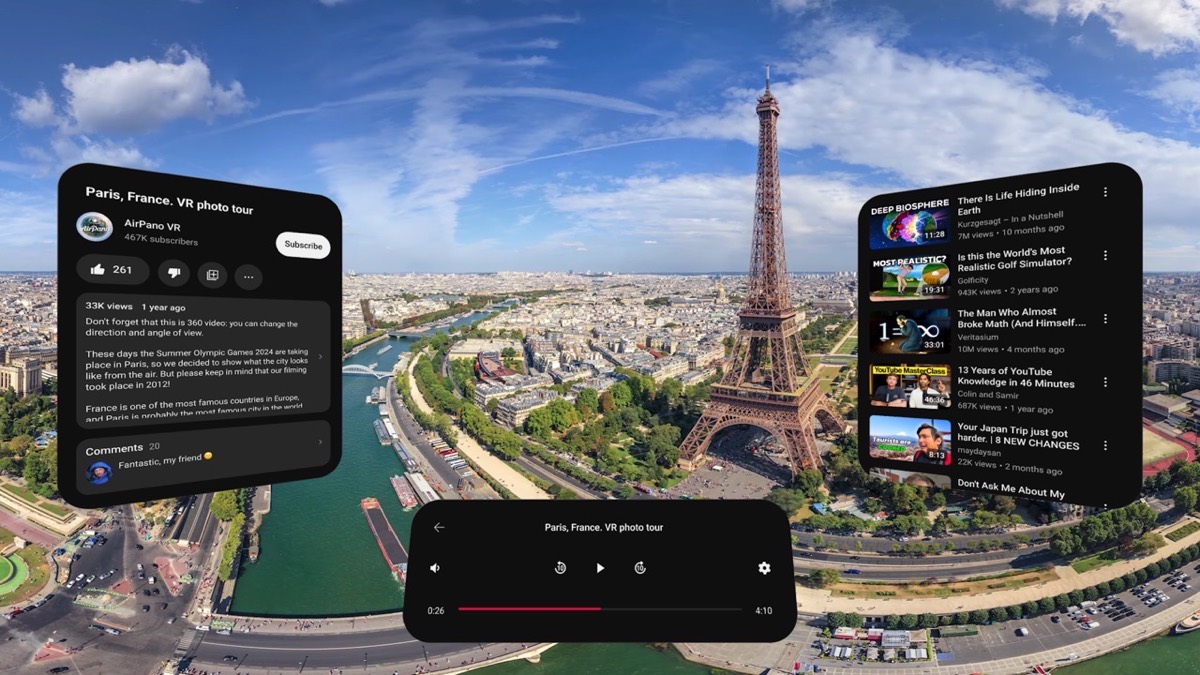
A 360 video in YouTube for visionOS on Apple Vision Pro. Screenshot: Google, from the app's App Store listing.
Key takeaways
- Use the YouTube app on the headset, not the browser: which app for your headset.
- In the app's search, filter by 360°, VR180 or 3D: find VR videos.
- iPhone has no Cardboard "VR mode" in YouTube: on a phone.
- Blurry? Set the quality yourself and pick 4K or 8K videos: why it looks blurry.
- Ordinary videos in 3D: use the Spatial tab on a Galaxy XR, or a Quest with a Windows PC (how).
Which YouTube app for your headset
YouTube's help names the headsets with its VR app: "Meta Quest 2, Meta Quest Pro, Meta Quest 3, PICO 4, and Apple Vision Pro" [1]. Android XR has its own YouTube app [7]. The table adds what each maker's page says today.
| Your device | The app | What it plays | Most detail |
|---|---|---|---|
| Meta Quest 3, 3S, 2, Pro | YouTube, Meta Horizon Store [2] | 360, VR180, 3D and ordinary videos [1][2] | 8K "Quest 3+ only" [2] |
| Apple Vision Pro | YouTube for visionOS, App Store, needs visionOS 26.0 or later [5] | "360°, VR180°, and 3D formats" [4] | 8K on the M5 model, 4K on the M2 [5][6] |
| Samsung Galaxy XR and other Android XR headsets | YouTube for Android XR [7] | 360, 3D, VR180; on Galaxy XR also 2D videos with added depth [7][8] | Not stated |
| PICO 4 | YouTube VR [1][10] | 360 and ordinary videos [10] | Not stated |
| Android phone in a Cardboard viewer | The YouTube app [9] | VR180 and 360 [9] | Not stated |
| iPhone | No VR mode [9] | Flat videos only | — |
| PC VR headsets, PlayStation VR2, Steam Frame | Not on YouTube's lists [1][3] | Not stated | — |
Meta's store lists the Quest 3S, though YouTube's own list stops at the Quest 3 [1][2]. PICO 4 Ultra is not named on either page [1][3].
How to watch YouTube VR on Meta Quest
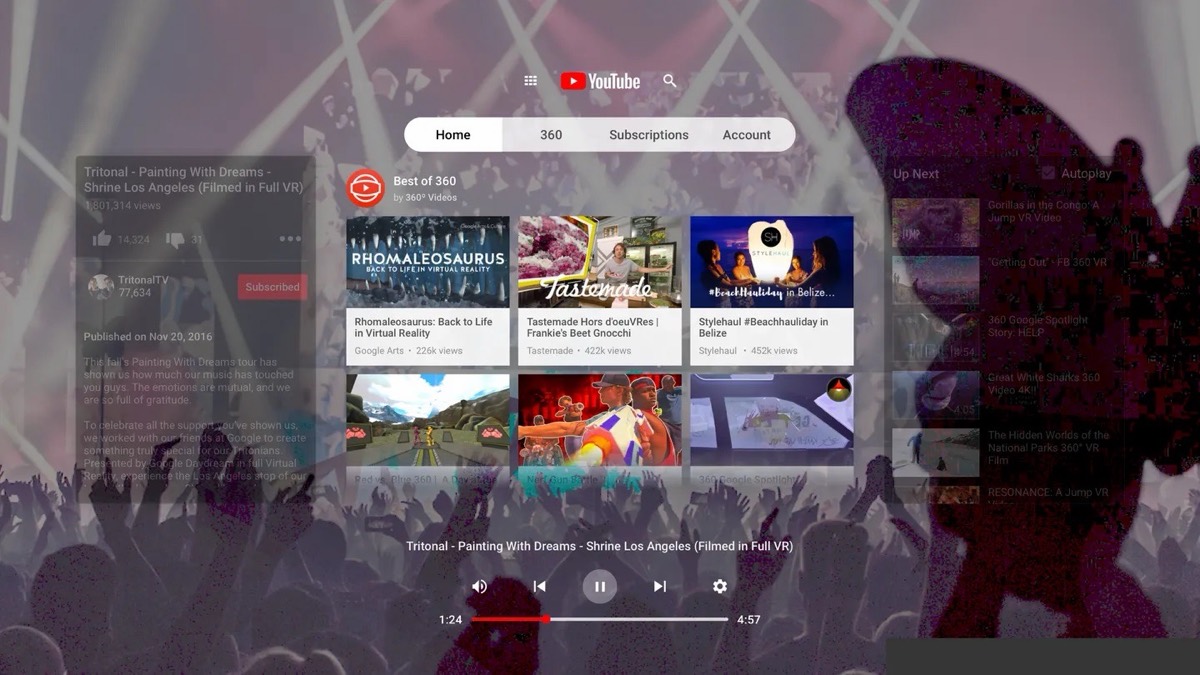
- Install YouTube from the Meta Horizon Store; Google is the developer [2].
- Sign in. In immersive mode the app shows a code; enter it at youtube.com/activate on a phone or computer [1].
- Search, then filter by "360°, VR180, 4K, 3D and CC" [1].
- Play the video. In immersive mode a 360 video surrounds you. "Watch in Panel" takes you to "the Quest home with YouTube in panel mode" [1].
Use the app rather than a browser. A Quest 2 owner on Meta's forum who watched in a desktop browser over Quest Link saw only a flat picture, whatever the video format. Meta's support account pointed them to the YouTube VR app. That report is on our YouTube 3D page, which also covers 3D-labelled videos in a headset.
Apple Vision Pro
YouTube for visionOS arrived on February 12, 2026, two years after the headset [6]. It is free, and "You do not need a YouTube Premium subscription to use the app" [4]. YouTube's help gives the install steps: open the App Store, search for YouTube, download "YouTube for visionOS" [4]. Premium adds downloads for offline viewing [6].
Before February 2026 owners used third-party apps; UploadVR notes that YouTube forced one of them, Juno, off the store in late 2024 [6].
Samsung Galaxy XR and Android XR
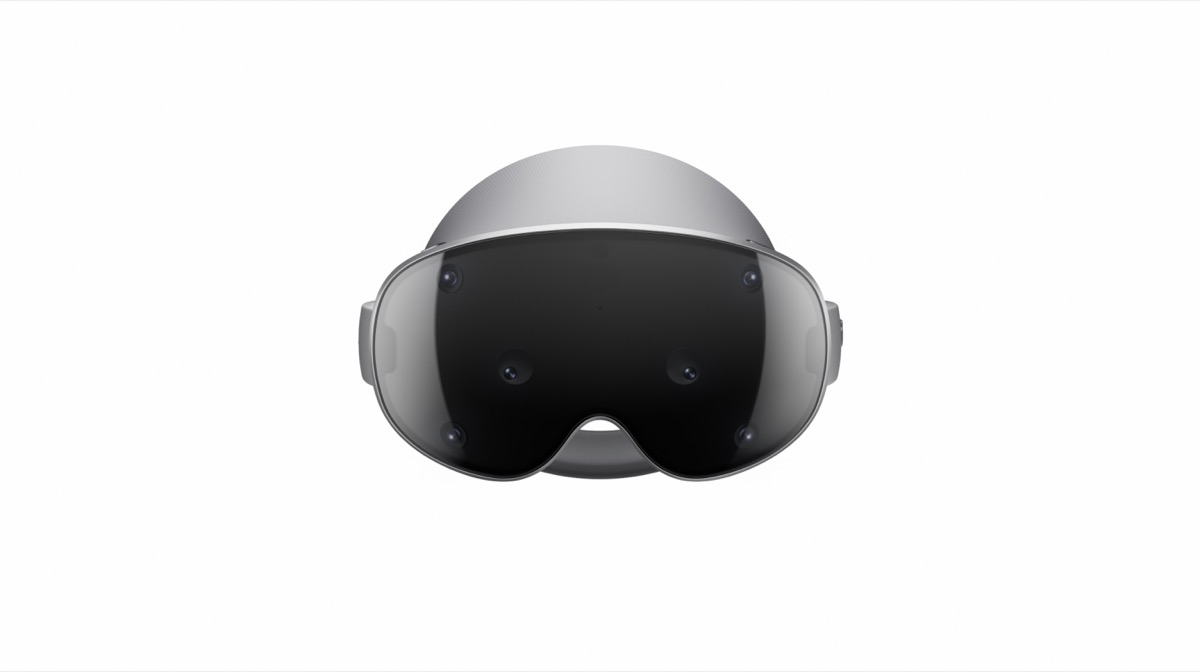
On Android XR, YouTube has filters under the search bar "for finding spatial videos in 360, 3D, and VR180" [7]. Choose "Full space" at the top right of a video to fill your view [7]. One limit is in plain words: "While 3D videos are available, 3D movies are not available on Android XR" [7]. Movies you buy on YouTube play there, but not in 3D [7].
Samsung's page adds a Spatial tab, with "auto-spatial videos tagged '3D'" and a row of 180 and 360 videos [8].
On a phone: Cardboard, and why iPhone has no VR mode
On Android, open a 360 or VR180 video in the YouTube app and tap the Cardboard icon. "The screen split will split into two smaller screens", and the phone goes into the viewer [9].
On iPhone there is no such button. YouTube says "Cardboard is not supported for iPhone and iPad" [9]. Phone browsers do not play these videos either: "VR180 and 360-degree video playback is not supported on mobile browsers" [9].
People noticed. An Apple Community question from December 2022, "How do you unlock VR videos on YouTube?", has 215 "Me too" votes [11]. A second, from April 2023, says "The cardboard viewer icon has been removed from you tube and other sources" and has 46 [12]. In both threads, Apple's replies give only general troubleshooting steps, not a fix.
How to find VR videos on YouTube
- In a headset: use the filters. Quest: 360°, VR180, 4K, 3D [1]. Android XR: 360, 3D, VR180 [7].
- In the Android app: search for "Virtual Reality" to reach YouTube's own VR channel [9].
- What the labels mean: 360 surrounds you. VR180 fills the view in front of you. 3D gives each eye its own picture, in a flat frame or in 360.
For a list of 3D videos to start with, see 3D videos to watch today.
Why YouTube VR looks blurry, and what to try
A 360 video is a whole sphere of picture, and you see only the part in front of you. So the source's resolution matters more than on a flat screen. What helps:
- Set the quality yourself: Settings, then Quality, in the player [1].
- Filter for 4K, and on Quest 3 or the M5 Vision Pro look for 8K videos [1][2][5].
- Compare with a second video. If only one video is soft, the upload is the limit.
An ordinary YouTube video, watched in 3D
An ordinary YouTube video is flat. In a headset it shows on a big virtual screen, with no depth. Two routes add depth, both by software, not by a second camera.
- Samsung Galaxy XR: the YouTube app offers "auto-spatialized 2D content" in its Spatial tab [8]. Samsung does not say whether every video qualifies.
- Meta Quest with a Windows PC: Owl3D Link, below.
On Vision Pro, YouTube's help does not say that ordinary videos are turned into 3D [4].
Owl3D Link: ordinary YouTube videos in 3D on a Quest
Owl3D Link is Owl3D's app for Meta Quest headsets. With the Owl3D desktop app running on a Windows PC (not a Mac) with an NVIDIA RTX 3060 or better, it streams the PC's screen to the headset wirelessly, converted to 3D as it plays. So an ordinary YouTube video playing in the PC's browser appears in 3D in the headset instantly, with no file to make. It is an AI conversion, not footage shot in 3D. We have not yet tested it with YouTube ourselves. Owl3D Link is free to use; on the free plan a session lasts 15 minutes and the picture carries a watermark.
FAQ
Is YouTube VR free?
Yes, for the app. YouTube for visionOS is a free download [4][5]. Meta's store page lists in-app purchases and shows no price for the app [2].
Does YouTube VR work on Meta Quest 3S?
Meta's store lists the Quest 3S among the supported headsets [2]. YouTube's help list does not name it yet [1].
Can I watch YouTube VR on an iPhone?
Not in VR. YouTube does not support Cardboard on iPhone or iPad, and phone browsers do not play 360 or VR180 [9]. Ordinary playback works.
Can I watch YouTube in VR with friends?
Meta's store says you can "host a watch party with friends" in the Quest app [2]. UploadVR wrote in February 2026 that the Quest app has co-watching support [6]. One store reviewer in July 2026 asked why co-watch was removed. We have not checked whether the feature is still available.
Why does a VR video show two pictures next to each other?
That is a 3D video seen without a 3D player. See YouTube 3D.
Sources (13)
- YouTube Help, "Get started with YouTube VR". https://support.google.com/youtube/answer/7205134?hl=en (opened 2026-11-02, folded sections opened)
- Meta Horizon Store, "YouTube" (Google LLC). https://www.meta.com/experiences/youtube/2002317119880945/ (opened 2026-11-02)
- YouTube Help, "YouTube VR system requirements & availability". https://support.google.com/youtube/answer/7205886?hl=en (opened 2026-11-02)
- YouTube Help, "Get started with YouTube XR on Apple visionOS". https://support.google.com/youtube/answer/16868229?hl=en (opened 2026-11-02)
- Apple App Store, "YouTube for visionOS" (Google), with ratings and reviews. https://apps.apple.com/us/app/youtube-for-visionos/id6745572359 (opened 2026-11-02)
- UploadVR, "YouTube Launches Official Apple Vision Pro App", by David Heaney, February 12, 2026. https://www.uploadvr.com/youtube-launches-official-apple-vision-pro-app/ (opened 2026-11-02)
- YouTube Help, "Get started with YouTube for XR" (Android XR). https://support.google.com/youtube/answer/16644997?hl=en (opened 2026-11-02, folded sections opened)
- Samsung, "Samsung Galaxy XR: Spatialized experience". https://www.samsung.com/us/support/answer/ANS10007528/ (opened 2026-11-02)
- YouTube Help, "Watch VR180 and 360-degree videos with Cardboard". https://support.google.com/youtube/answer/6239930?hl=en (opened 2026-11-02)
- UploadVR, "Pico 4 Gets Official YouTube VR App", by David Heaney, December 6, 2023. https://www.uploadvr.com/pico-4-official-youtube-vr-app/ (opened 2026-11-02)
- Apple Community, "How do you unlock VR videos on YouTube?", December 8, 2022. https://discussions.apple.com/thread/254449701 (opened 2026-11-02)
- Apple Community, "Watching VR on iPhone", April 2, 2023. https://discussions.apple.com/thread/254760029 (opened 2026-11-02)
- Apple Community, "How to watch 360 degree video content on Apple Vision Pro", November 11, 2025. https://discussions.apple.com/thread/256186130 (opened 2026-11-02)