2D to 3D video API for glasses-free 3D displays
Owl3D Cloud converts 2D video into side-by-side 3D files, up to 4K, on Owl3D's servers. Makers of glasses-free 3D displays, 3D screen protectors for phones and 3D display SDKs can add it to their own app through the Owl3D API, or bundle Cloud credits with their hardware. The API and MCP are available. Sign in to Owl3D Cloud to create an API key.
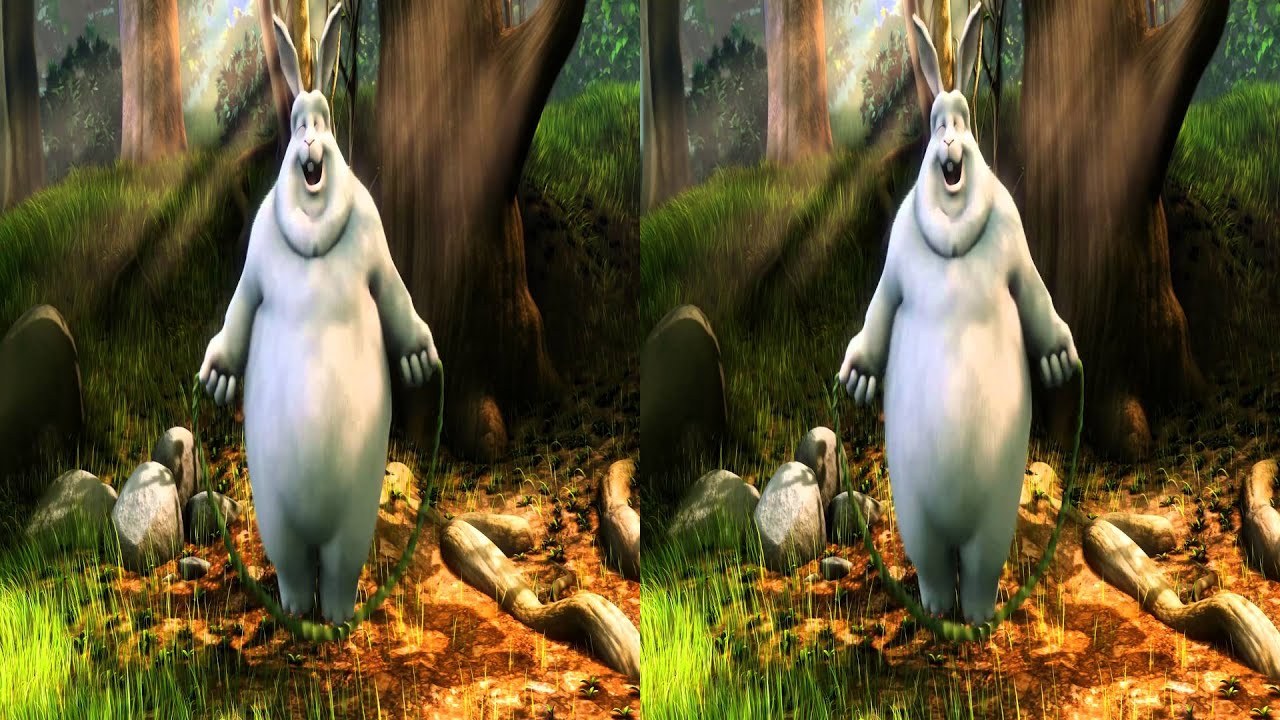
2D video in
Side-by-side 3D out
What fits what you make
| You make | What fits |
|---|---|
| A glasses-free 3D monitor, laptop or tablet | The API in your companion app, or Cloud credits in the box. |
| A 3D screen protector for phones | The API in your phone app, or Cloud credits with the protector. |
| A 3D display SDK | The API next to your SDK, so the apps built on it can offer whole-video conversion. |
Start now
You can try the API before you contact us.
- Sign in to Owl3D Cloud and create an API key.Create an API key
- Convert one of your videos with a script from the API docs. The API gives the price before it charges credits.API docs
- Or connect your AI agent to the Owl3D MCP server. It signs in with your Owl3D account, with no API key.MCP setup
Use of the API and the MCP server follows the Owl3D Cloud API Terms. API terms
Why StereoGen looks different
To make the second eye's view, a converter moves each part of the picture by its depth. Near objects move more than the background behind them. This uncovers thin strips of background that the 2D video never showed.
StereoGen fills the uncovered areas with new image content. The classic method leaves color blotches there. Both pictures below use the same depth map. Only the fill is different.
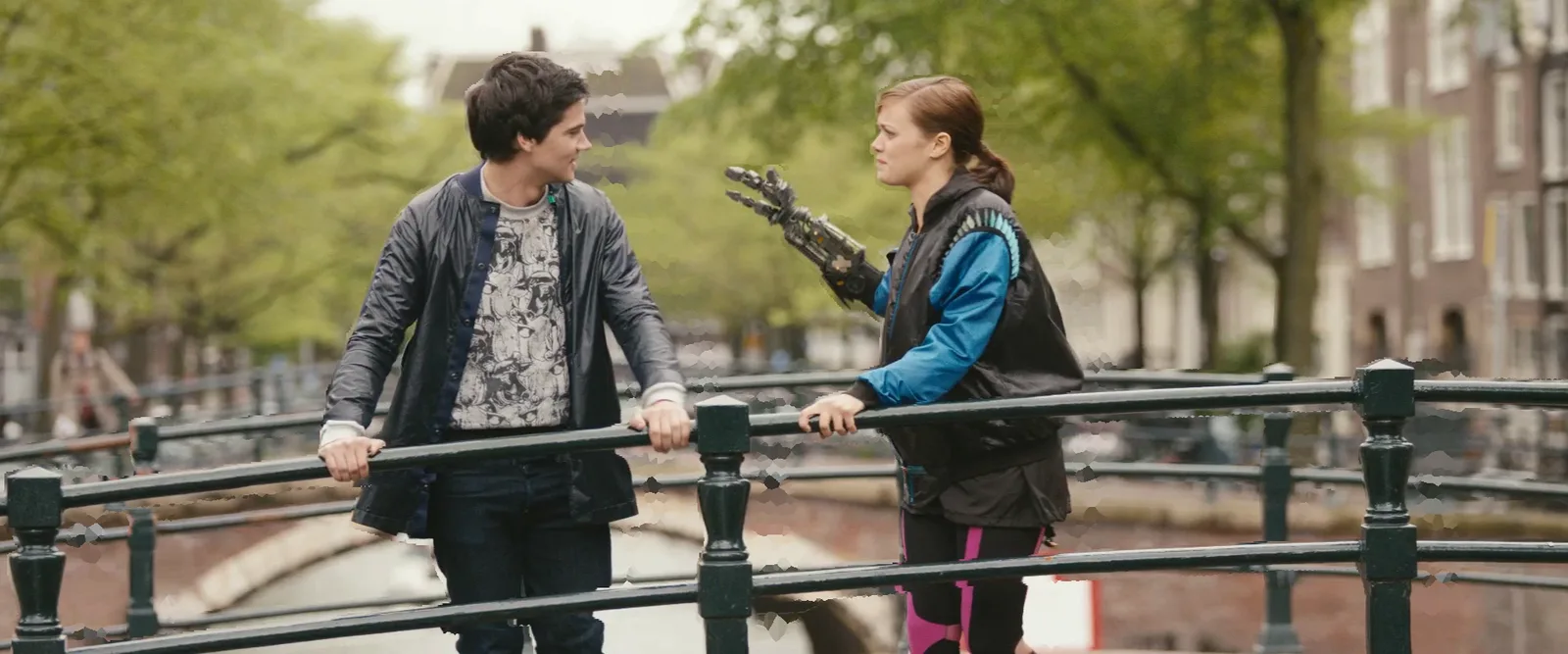
Classic depth shift
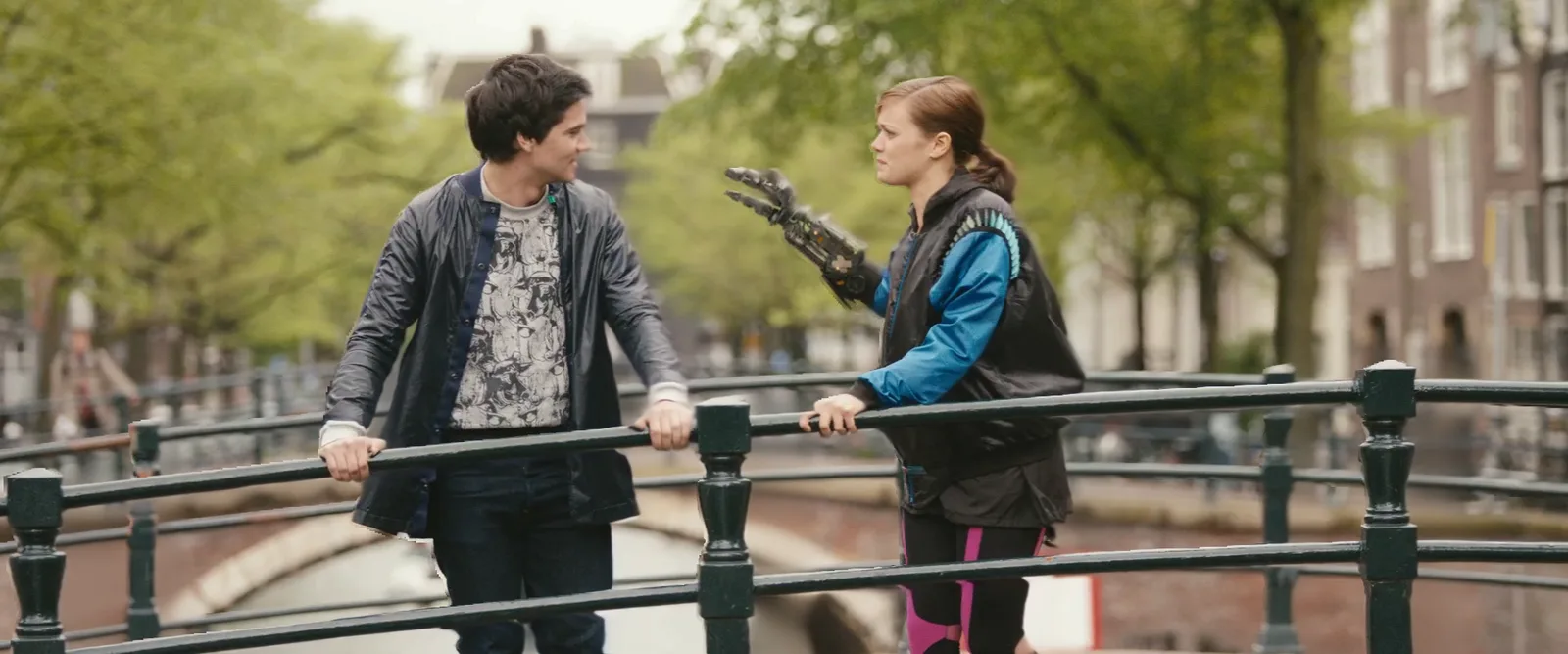
StereoGen
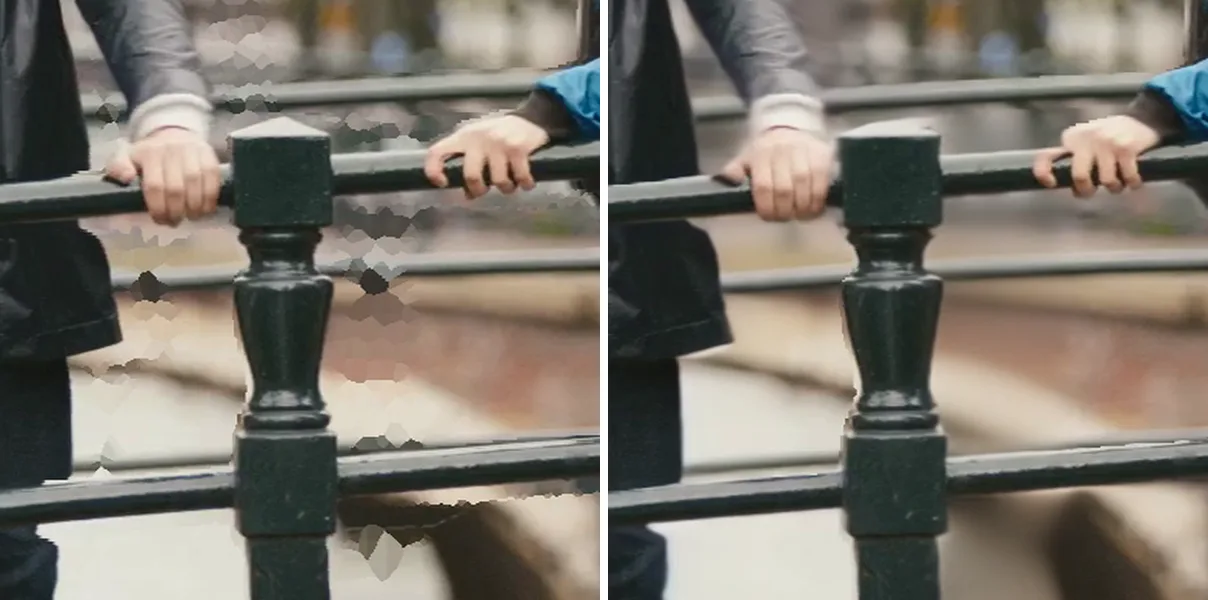
Zoom on the uncovered area: Classic depth shift · StereoGen
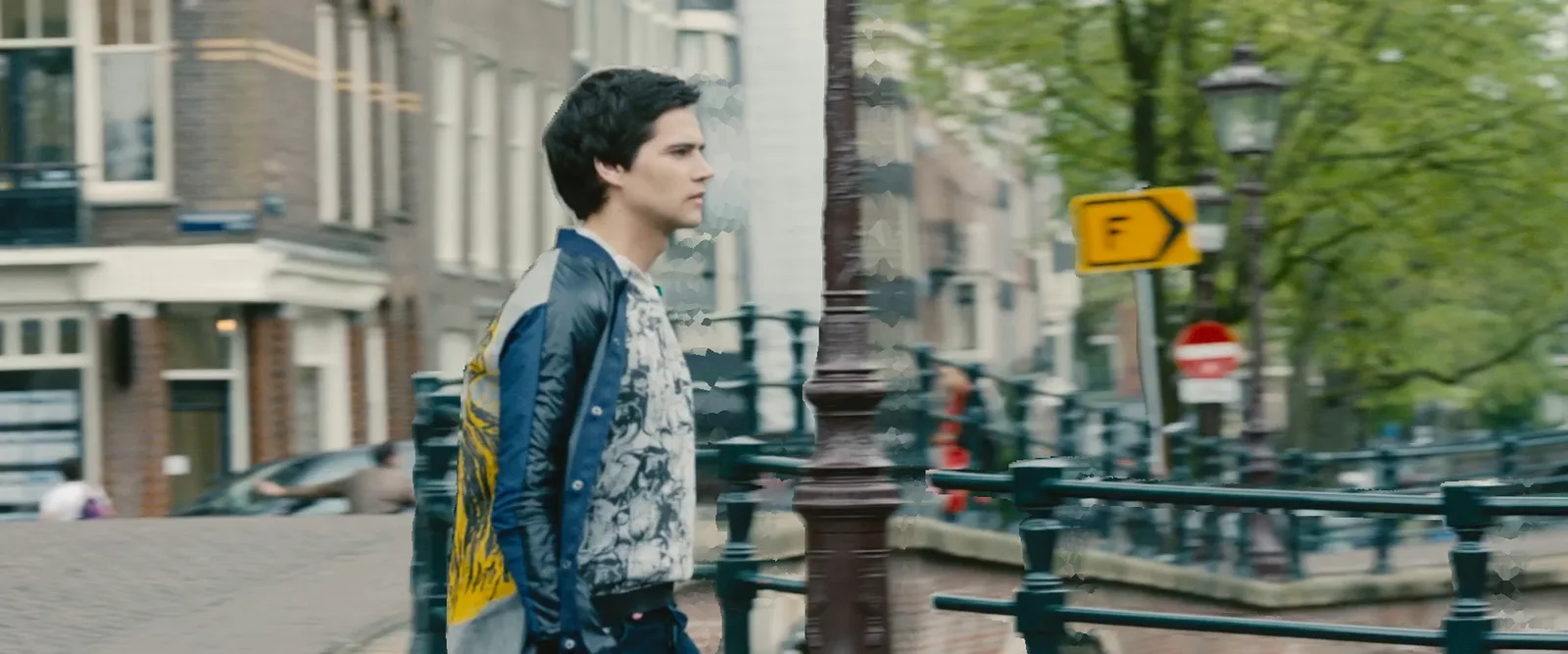
Classic depth shift
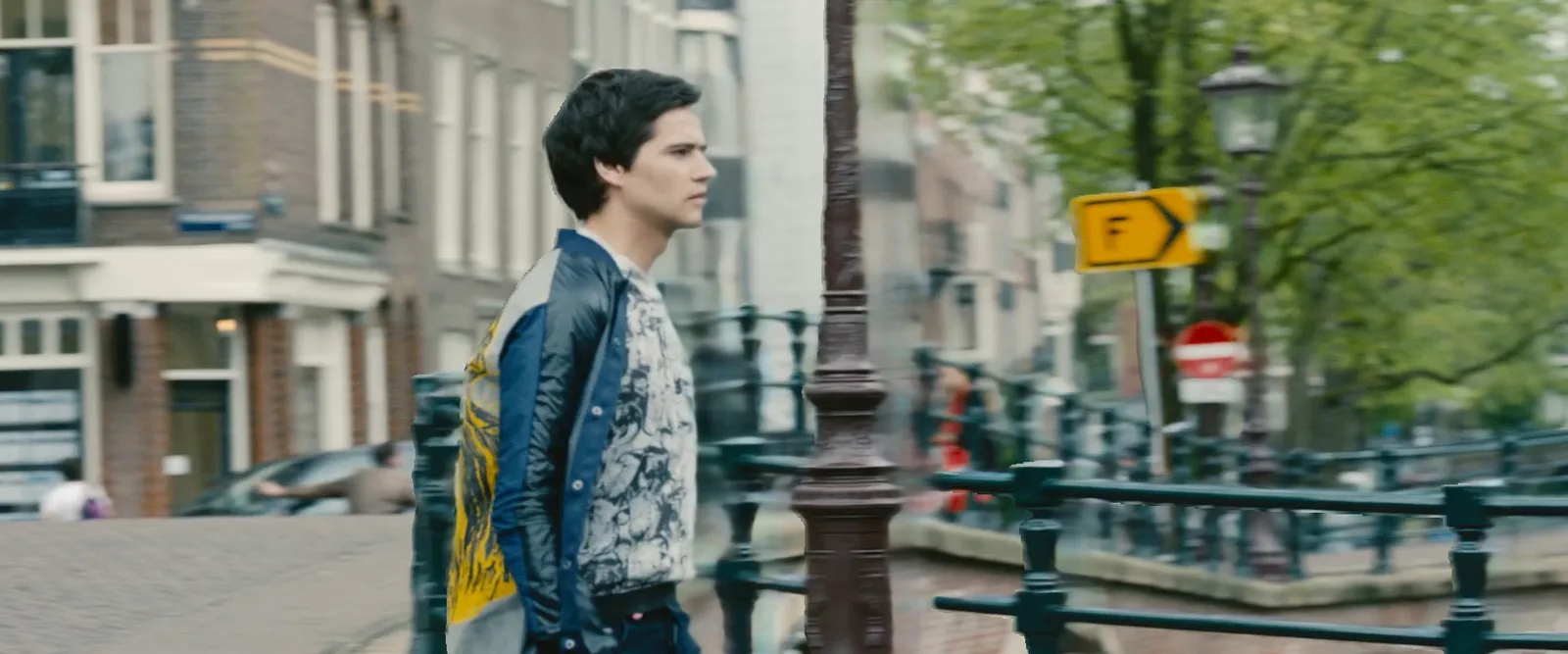
StereoGen
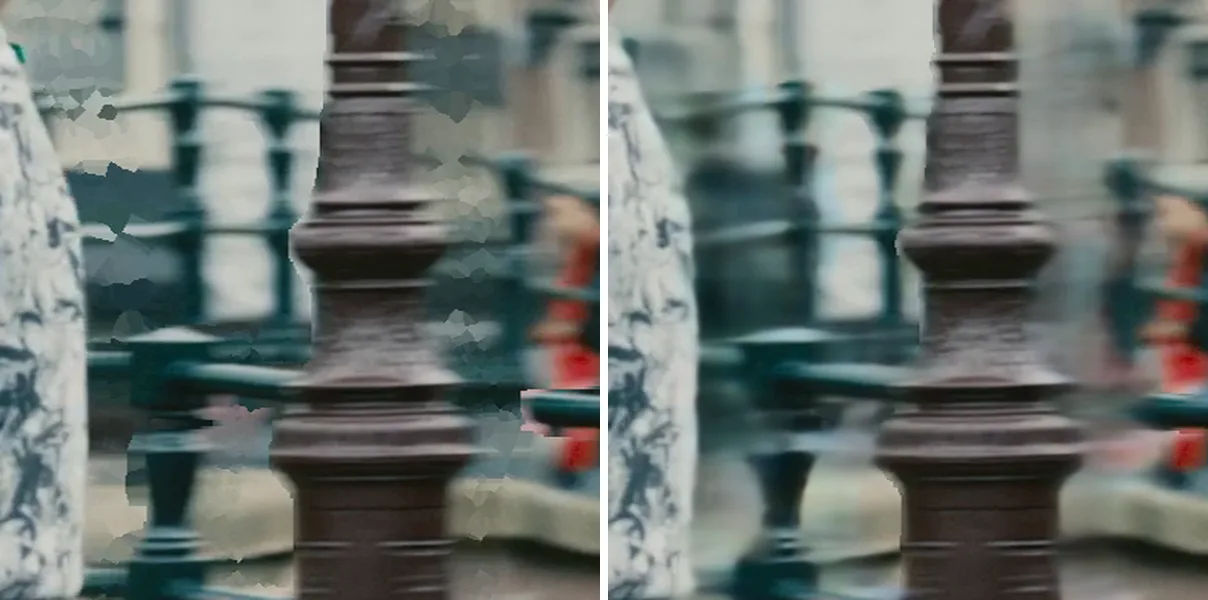
Zoom on the uncovered area: Classic depth shift · StereoGen
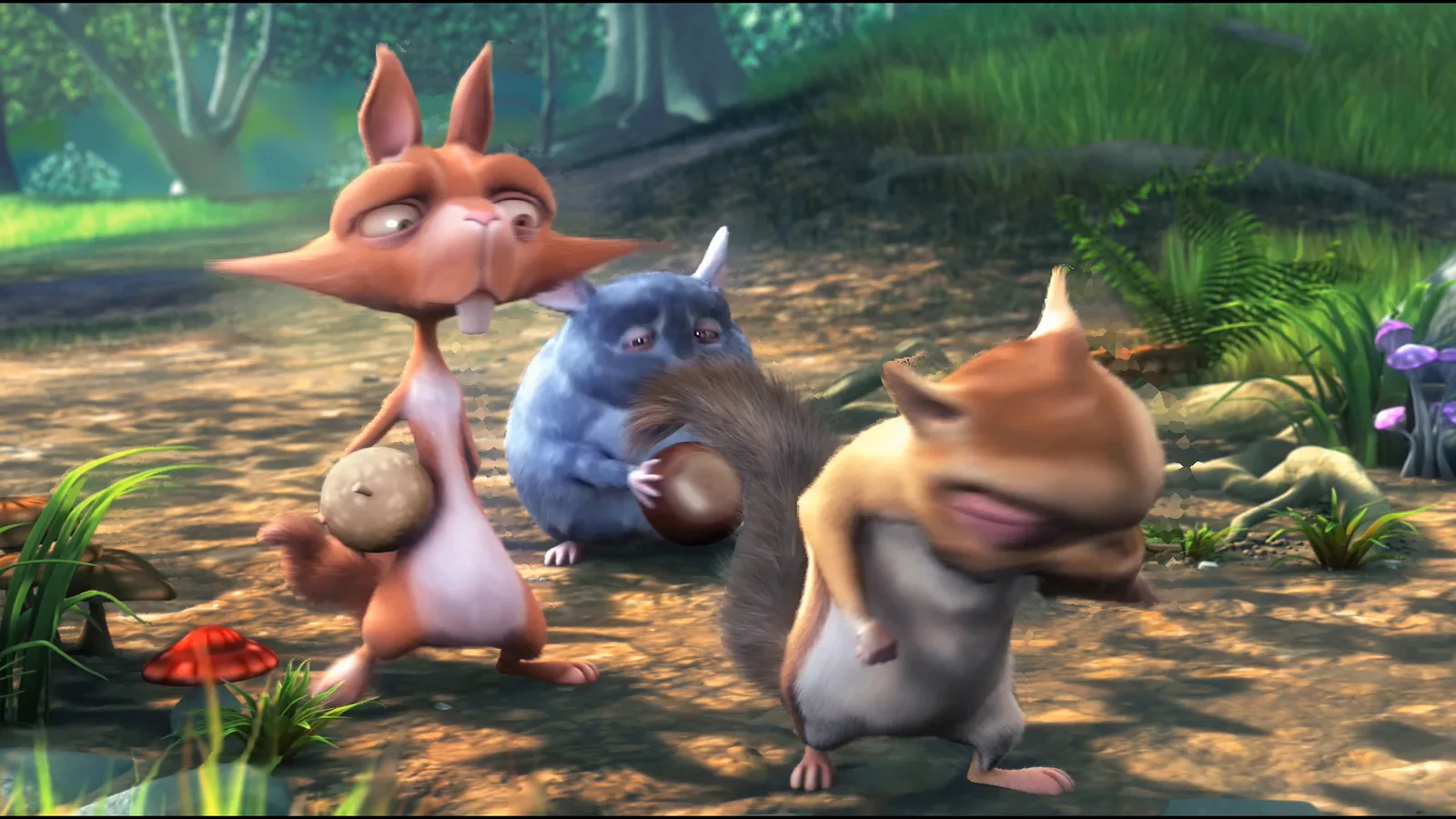
Classic depth shift
StereoGen
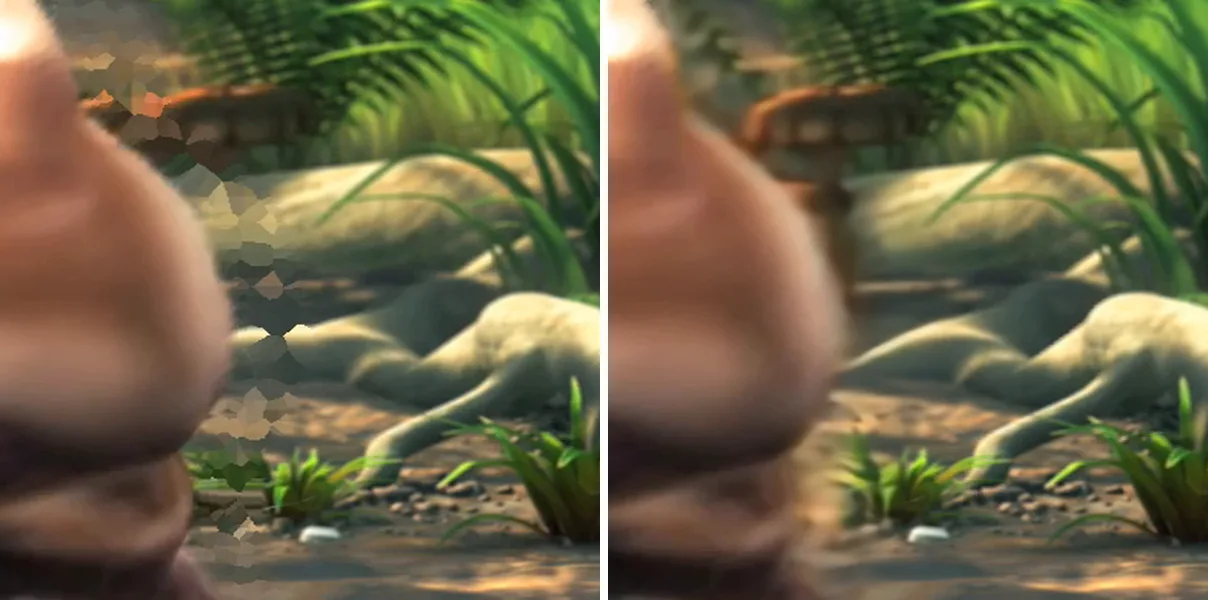
Zoom on the uncovered area: Classic depth shift · StereoGen
Next to real-time 2D to 3D
Many glasses-free 3D displays already convert 2D to 3D in real time, on the device, while the video plays.
Owl3D Cloud does a different job. It converts the whole video ahead of time, up to 3 hours, with StereoGen V2 Large, the model behind the highest quality setting of our desktop app. The result is a 3D file your users download and play again.
Playback
Cloud makes Full SBS 3D: both eyes side by side, each at full width. A display or player that reads side-by-side 3D video can play it. Owl3D Shift, our own glasses-free 3D display, plays these files.
Pricing
Business terms start from our public prices.
Conversion is paid by the minute of video, with Cloud credits. One credit costs US$0.01. One minute of video at 24 fps uses 30 credits. A 30 fps video uses 1.25 times the credits, a 60 fps video 2.5 times.
A new Owl3D Cloud account gets the first 3 minutes of video free, with no card.
Volume and bundle terms are agreed by email and follow our public prices.
How a partnership starts
Every partnership starts with a pilot.
- Tell us what you make and what you want to offer, with the form below.
- We agree the pilot by email. It includes 3,600 free credits, enough for one full-length film. You convert your own test clips and check the result on your own hardware or in your own app.
- After the pilot, we agree the terms for the offer you chose.
Questions
- Is there a 2D to 3D video API for glasses-free 3D displays?
- The Owl3D Cloud API is available. It converts 2D video into Full side-by-side 3D, up to 4K, on Owl3D's servers, so a glasses-free 3D display maker can offer whole-video conversion in its own app. Sign in to Owl3D Cloud to create an API key.
- Can a glasses-free 3D display play Owl3D Cloud files?
- Cloud makes Full side-by-side 3D video. A display or player that reads side-by-side 3D can play it. Owl3D Shift, Owl3D's own glasses-free 3D display, plays these files.
- Our display already converts 2D to 3D in real time. Why add Owl3D Cloud?
- It does a different job. Real-time conversion runs while the video plays. Owl3D Cloud converts the whole video ahead of time, up to 3 hours, with StereoGen V2 Large, the model behind the highest quality setting of the Owl3D desktop app, and returns a 3D file to keep and play again.
- Can 3D screen protector makers for phones use Owl3D Cloud?
- Yes. A screen protector maker can put the Owl3D API in its phone app, or include Cloud credits with the protector. Owl3D Cloud itself runs in the browser on Android and iPhone, with no install.
Contact
Tell us what you make and what you want to offer. We reply by email.
Or email leon@owl3d.ai