GOOVIS 3D: What It Plays and Where to Get 3D Video
Short answer
The GOOVIS G3 Max and Art have one Micro OLED screen for each eye [1][3]. A GOOVIS plays 3D that is already made: GOOVIS says its headsets "support playback of native 3D content but does not offer 2D-to-3D conversion functionality" [2]. The G3 Max takes 3D Blu-ray in side-by-side and frame-packed form [1]. So your 3D comes from four places: a 3D Blu-ray player, side-by-side 3D files, your own 2D videos made into side-by-side 3D, or a PC screen shown live in 3D. Skip to: the models · four ways to get 3D · full or half SBS · G3 Max or Art
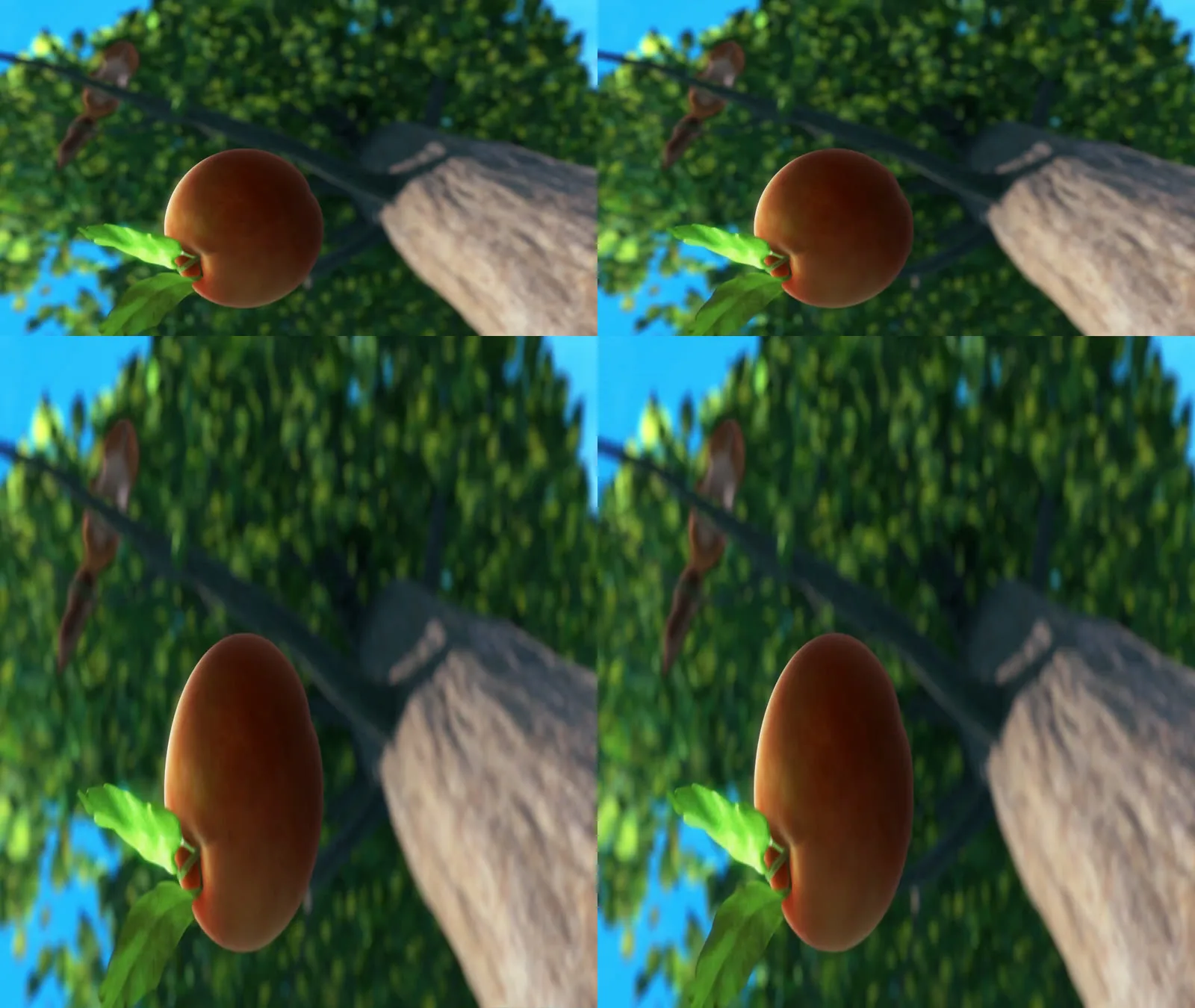
The same 3D frame as full side-by-side (top, 3840 x 1080) and half side-by-side (bottom, 1920 x 1080). Frame: Big Buck Bunny 3D, © Blender Foundation, CC BY 3.0 [4]. Layout: Owl3D, November 2026.
Key takeaways
- A GOOVIS shows 3D only from 3D sources. It does not turn 2D into 3D [2].
- The G3 Max takes 3D Blu-ray as side-by-side or frame packing, over its HDMI converter [1].
- Phones, laptops and handheld consoles with video output over USB-C connect directly [2].
- For more 3D to watch, you can make side-by-side 3D from your own 2D videos with our Owl3D app.
Which GOOVIS models show 3D
GOOVIS's own comparison covers two models, the G3 Max and the Art. Both use dual Micro OLED displays [3]. The G3 Max is the closed, cinema-style one. The Art has an open-view design, so you still see the room around you [3].
| GOOVIS G3 Max | GOOVIS Art | |
|---|---|---|
| Design | Fully enclosed [3] | Open view [3] |
| Screen per eye | 2560 x 1440 Micro OLED, 0.83 inch [1] | Micro OLED [3]; resolution not stated |
| Field of view | 65 degrees [1] | Not stated |
| Input | Up to 3840 x 2160 at 60 Hz [1] | Not stated |
| 3D Blu-ray | Side-by-side, frame pack [1] | Not stated |
| Connection | USB-C, HDMI 2.1 converter in the kit [1] | USB-C; HDMI with the HC2.0 converter [2] |
| Eyesight | Diopter +2.0 D to -7.0 D, IPD 58 to 74 mm [3] | Diopter down to -3.5 D, or wear your glasses [3] |
GOOVIS also lists the G3X and G3X Pro [2]. The sources on this page do not give their 3D formats, so this page does not cover them.
Full SBS or half SBS: what the frame looks like
A side-by-side frame holds the left-eye view on the left and the right-eye view on the right. In 3D mode the headset shows each half to one eye. We cut one frame of the 3D version of Big Buck Bunny at 7 min and laid it out both ways [4].

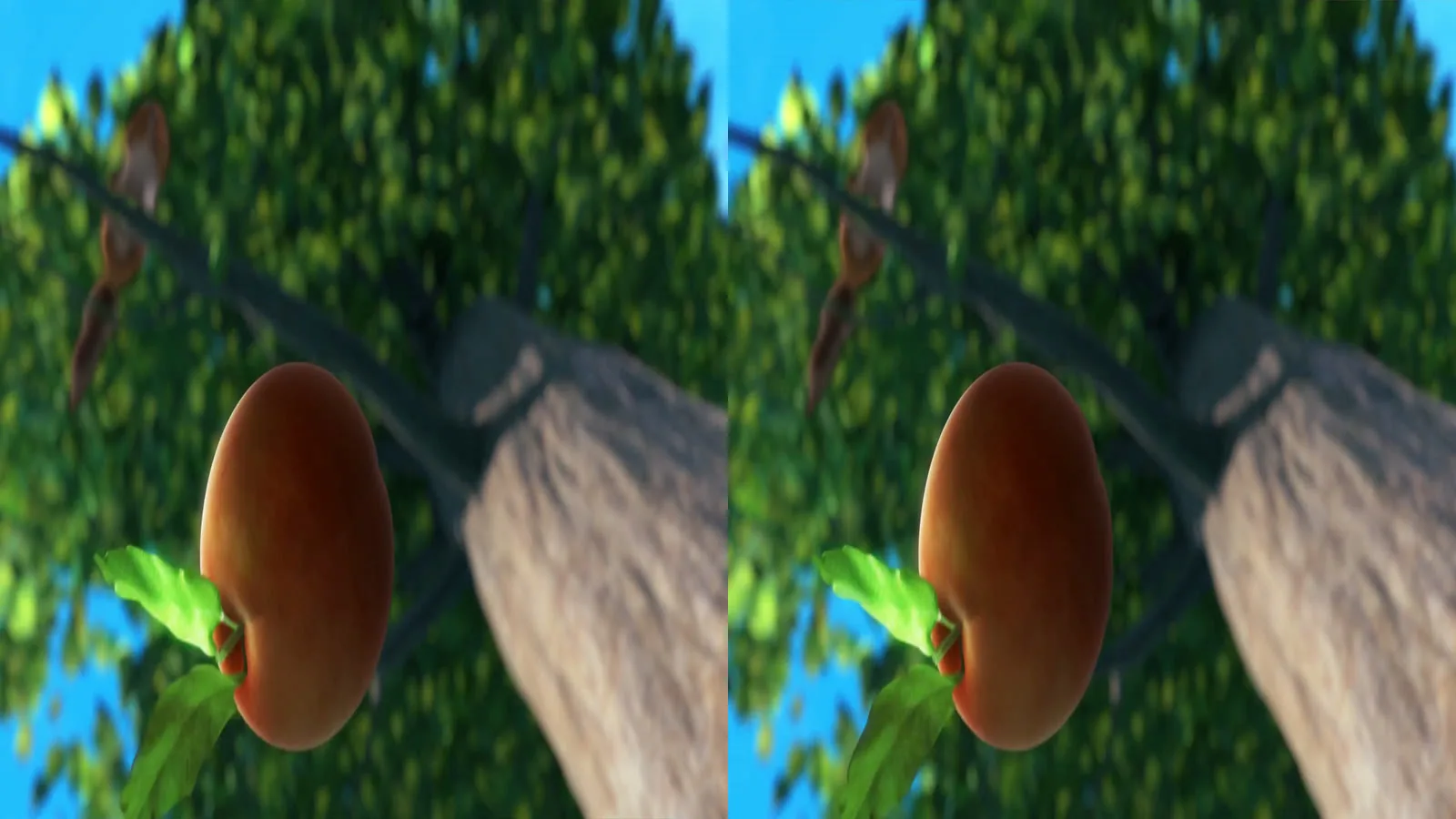
Full SBS keeps twice the horizontal detail per eye. The G3 Max preview lists input up to 3840 x 2160 [1]. If a file looks stretched or squeezed in 3D mode, it may be in the other layout: try the other output. We have not shown these frames on a GOOVIS.
G3 Max or Art for 3D movies?
For 3D films at home, GOOVIS points to the G3 Max, which supports 3D Blu-ray [1][3]. GOOVIS describes it as "like sitting in the perfect spot of an IMAX theater" [3]. The kit cost US$1,199 in the June 2025 preview [1]. GOOVIS pitches the Art at planes, trains and hotel rooms, where you want to see your surroundings [3].
From Owl3DOwl3D converterA desktop app for Windows and Mac that turns 2D videos and photos into 3D.Frequently asked questions
Can a GOOVIS convert 2D movies into 3D?
No. GOOVIS says its headsets play native 3D content but have no 2D-to-3D conversion [2]. Convert the video to side-by-side 3D beforehand (path 3) and play the result.
Does the GOOVIS G3 Max play 3D Blu-ray?
Yes. HomeTheaterHifi lists 3D Blu-ray support in side-by-side and frame-pack formats [1]. Connect the player through the HDMI converter.
Can I connect my phone to a GOOVIS?
Yes, if the phone outputs video over USB-C [2]. GOOVIS warns that not every USB-C port does [2].
Sources
- Chris Eberle, "GOOVIS G3 Max 3D Head Mounted Display Preview", HomeTheaterHifi (SECRETS), 2025-06-13. https://hometheaterhifi.com/news/product-previews/goovis-g3-max-3d-head-mounted-display-preview/ (opened 2026-11-20)
- GOOVIS, "FAQs". https://www.goovis.com/pages/faqs (opened 2026-11-20)
- GOOVIS, "GOOVIS G3 Max VS Art: Which One Should You Choose?". https://www.goovis.com/blogs/blog/goovis-g3-max-vs-art (opened 2026-11-20)
- Blender Foundation, "Big Buck Bunny" 3D stereo version (bbb_sunflower_1080p_30fps_stereo_abl.mp4), CC BY 3.0. http://bbb3d.renderfarming.net/ (downloaded 2026-11-20)
Sources (0)
1. A 3D Blu-ray player over HDMI
Connect the player to the HDMI converter, and the converter to the headset. GOOVIS calls it the HC2.0 converter, and it may be sold separately, depending on the bundle [2]. The G3 Max kit in the HomeTheaterHifi preview came with an HDMI 2.1 converter [1]. For players you can still buy, see 3D Blu-ray players.
2. Side-by-side 3D files from a phone, laptop or media box
Connect a device that outputs video over USB-C, or an HDMI device through the converter [2]. Play the side-by-side file full screen, then switch the headset to 3D. Not every USB-C port carries video, so check your device first [2]. For where to find 3D films and how to play them on video glasses, see 3D movies on video glasses.
3. Your own 2D videos, made into side-by-side 3D
The GOOVIS cannot convert 2D by itself [2]. The Owl3D app, which we make, can: it converts an ordinary 2D video on your computer into a 3D file. Pick one of two outputs:
- Side-by-side (VR/AR): full side-by-side, made for headsets.
- Half Side-by-Side: each view squeezed to half width, aimed at older 3D TVs.
Copy the file to the device you play from and use path 2. The result is a converted video, not a studio's 3D version.
4. A PC screen, live in 3D
The Owl3D app can also turn the whole computer screen into side-by-side 3D in real time. Choose Current screen as the device, connect the PC to the GOOVIS, and set the headset to 3D mode.
We have not tested paths 3 and 4 on a GOOVIS headset.