How to Play Steam Games on Quest 3 Without a PC
How we researched this: written by Owl3D from published sources, all 7 listed at the end.
Short answer
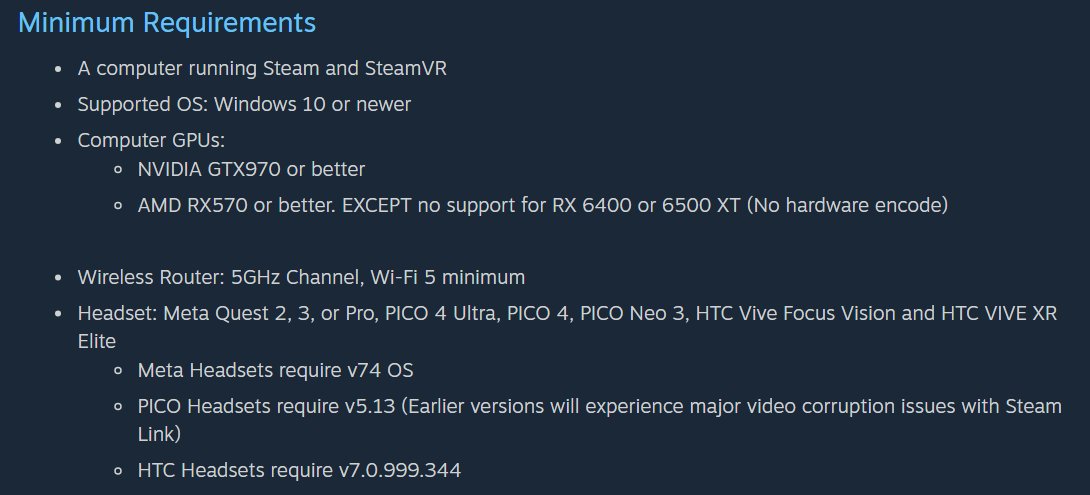
Yes, but only by streaming them from a computer in the cloud. Steam Link will not do it: Valve's app streams games from your own computer, and its first requirement is "A computer running Steam and SteamVR" [1]. Without a PC you still have two routes. GeForce NOW, opened in the Quest's browser, plays flat Steam games you own on a big virtual screen, if the service supports them [2][3]. A cloud PC, such as Shadow, is a whole Windows PC in a data centre: you install Steam on it and connect with Virtual Desktop, and that is the route for Steam VR games [5][6]. Both run on the internet and need a fast connection.
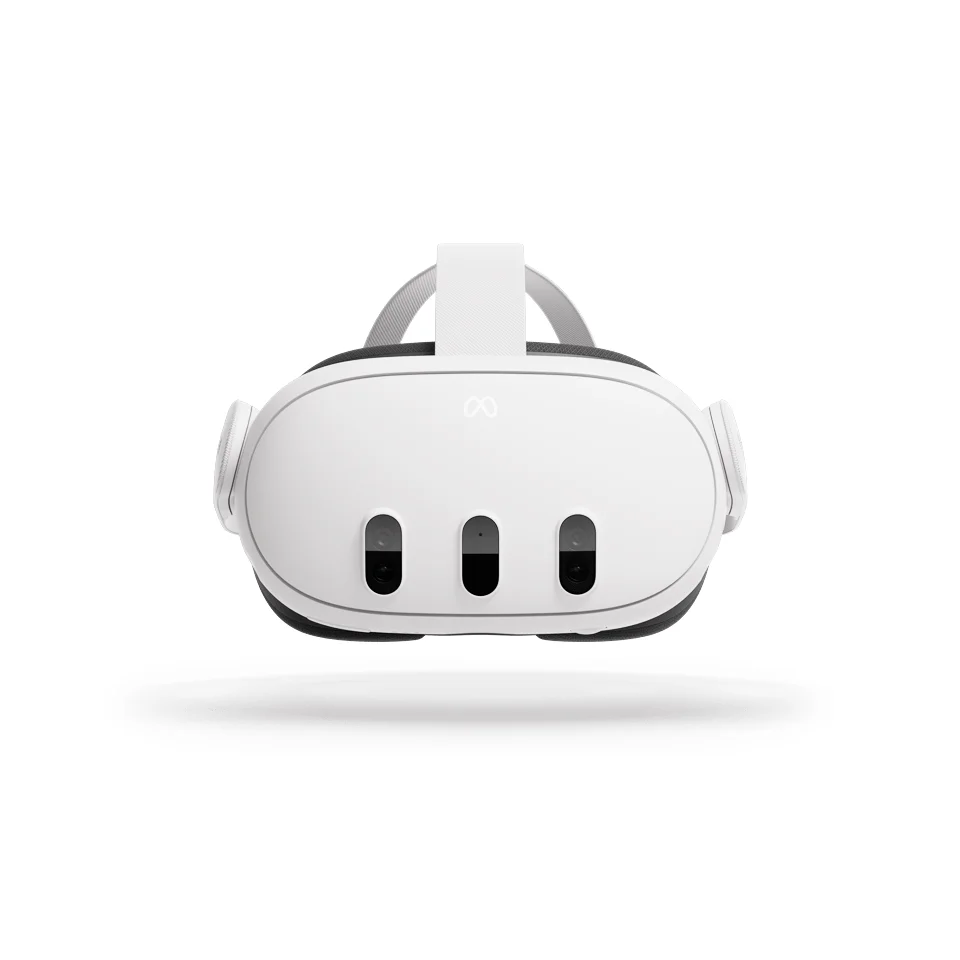
Meta Quest 3. Image: Meta
Key takeaways
- Flat Steam games you own: GeForce NOW in the headset's browser. It has a free membership, and you need a gamepad. See GeForce NOW.
- Steam VR games: only a cloud PC, by subscription, with Virtual Desktop in the headset. See a cloud PC.
- A Mac does not run Steam Link's VR mode: "macOS are not supported" [1]. See a Mac or a Steam Deck.
- Apps that say they run Steam games on the headset itself are not Valve's; we have not tested them. See those apps.
Why Steam needs a computer
Steam games are PC games. Steam Link runs them on a computer and streams the picture to the headset, and that computer is your own: Valve lists Windows 10 or newer and an NVIDIA GTX 970 or AMD RX 570 graphics card or better (not the RX 6400 or RX 6500 XT) [1]. Every route on this page works the same way. The only difference is where the computer is.
| Route | What it plays | What you need | Cost |
|---|---|---|---|
| GeForce NOW | Flat Steam games you own that the service supports, on a virtual screen [2][3] | Quest 2, Pro, 3 or 3S, a gamepad, 15 Mbps or more [2] | Free membership; paid plans for more [3] |
| Cloud PC + Virtual Desktop | Your Steam library, VR games included, on a Windows PC in the cloud [5][6] | A cloud PC subscription, the Virtual Desktop app [5][6] | Subscription, "mostly monthly-based" [6] |
| Steam Link | Your Steam library, VR games included | Your own Windows PC [1] | Free [1] |
Flat Steam games: GeForce NOW in the headset's browser
GeForce NOW is NVIDIA's cloud gaming service. It does not sell you the games: "Members can play games they already own by connecting to top PC game stores", and Steam is one of them [3]. Not every Steam game is on the service, so search for your game on GeForce NOW before you rely on it. Paid members can also install "thousands of additional Steam games that have opted-in to Steam Cloud Gaming" [3].
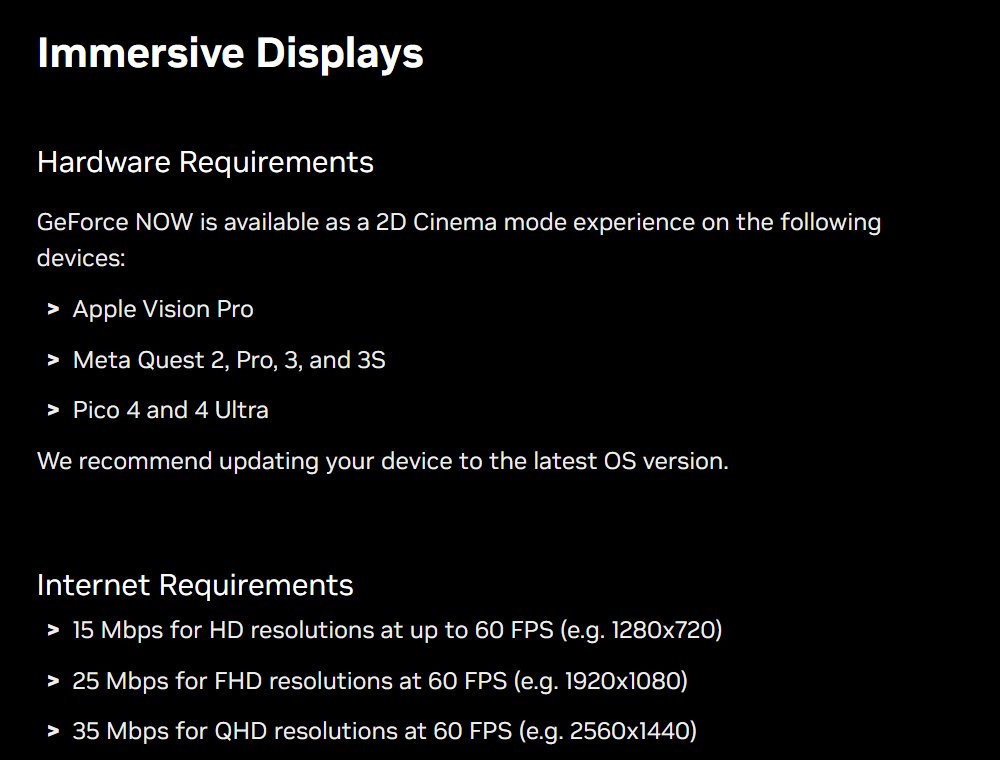
On a Quest it is "a 2D Cinema mode experience" on the Meta Quest 2, Pro, 3 and 3S [2]. That means flat games on a large screen in front of you, not VR games. NVIDIA announced it for "gamepad-compatible titles", played "by opening the browser to play.geforcenow.com" [4].
- Make a GeForce NOW account. The Free plan needs no card or PayPal; it shows up to two minutes of video ads before each session, and you may wait in a queue [3].
- Connect your Steam account in GeForce NOW, then search for the Steam games you own and add them to your GeForce NOW library [3].
- Pair a gamepad with the Quest. NVIDIA lists Xbox One, Xbox Series and DualShock 4 controllers. The Quest's own controllers move through the app "but will not act as a gamepad while streaming" [2].
- Open the Quest's browser at play.geforcenow.com and start a game [4].
Steam VR games: a cloud PC with Virtual Desktop
Your Steam VR games need a VR-ready Windows PC [5]. A cloud PC rents you one. Shadow, for example, calls itself "A full Windows PC, in the cloud" and lists "PCVR games without a gaming PC" as a use [6]. Shadow says it can "install and run all the Windows games and software you own", and Steam is one of the platforms it names [6].
In the headset you connect with Virtual Desktop. Its help page has a section for people "trying to connect to Shadow or another cloud service", which covers router settings that can block the link [5]. Two limits come from Shadow's own page. Some games refuse to run "due to anti-cheat rules". And "Shadow subscriptions are mostly monthly-based", so this is the route with an ongoing cost [6].
With a Mac or a Steam Deck
- A Mac. Steam Link's VR mode does not work: "Windows 10 and Windows 11 are fully supported. There is experimental Linux support. Other operating systems such as macOS are not supported" [1]. Virtual Desktop says the same for VR games: "it won't work on a Mac" [5]. For Steam VR games, a Mac owner is back to a cloud PC.
- A Steam Deck. Valve's headset page does not name it. It lists Windows as supported, Linux as experimental and other systems as not supported [1]. We have not tested a Steam Deck with a Quest.
Apps that claim to run Steam games on the headset
You may read about sideloaded apps that say they run Windows games on the Quest itself, with no PC and no cloud. They are not Valve's Steam Link. We have not tested any of them and do not cover them. Valve's own requirement for Steam games on a Quest is still a computer [1].
If you want a headset that runs Steam games by itself, Valve's Steam Frame does that for the games that run standalone on it. It "natively runs a Snapdragon 8 Gen 3 (Arm64) chip on SteamOS" and runs Windows games through Proton and FEX [7]. How it compares with a Quest 3 is in Steam Frame vs Quest 3.
If you have a Windows PC later: Owl3D Link
Owl3D, the publisher of this guide, makes Owl3D Link, a Quest app. It does not help without a PC. It needs a Windows PC with an NVIDIA RTX 3060 or better, running the Owl3D desktop app. With that PC, it streams an ordinary, non-VR PC game to the Quest and converts it from 2D to 3D instantly, as you play. The 3D is an AI conversion of the flat picture, not depth rendered by the game. Competitive multiplayer games and games with anti-cheat software often block screen capture, and then it cannot convert them. Owl3D Link is free to use; on the free plan a session lasts 15 minutes and the picture carries a watermark. To play Steam games from your own PC, use Steam Link on the Quest.
Frequently asked questions
Can Steam Link run on a Quest 3 without a PC?
No. Valve's first requirement for Steam Link on a headset is "A computer running Steam and SteamVR" [1].
Can I play Steam VR games on a Quest 3 through GeForce NOW?
No. On a Quest, GeForce NOW is "a 2D Cinema mode experience" [2]. It plays flat games on a large screen. For Steam VR games, use a cloud PC with Virtual Desktop [5][6].
Does GeForce NOW give me my Steam games for free?
No. You play games you already own: "Members can play games they already own by connecting to top PC game stores" [3]. The Free plan shows video ads before each session, and you may wait in a queue [3].
Sources (7)
- Valve, Steam Support, "Steam Link For Meta, HTC and PICO Headsets" (description, minimum requirements, operating systems). https://help.steampowered.com/en/faqs/view/0E2C-406B-9135-38A4 Opened 2026-11-19.
- NVIDIA, "GeForce NOW System Requirements", section Immersive Displays. https://www.nvidia.com/en-us/geforce-now/system-reqs/ Opened 2026-11-19.
- NVIDIA, "GeForce NOW FAQ" (game stores, owning games, memberships, Install-to-Play). https://www.nvidia.com/en-us/geforce-now/faq/ Opened 2026-11-19.
- NVIDIA, "PC Gaming in the Cloud Goes Everywhere With New Devices and AAA Games on GeForce NOW" (January 6, 2025). https://blogs.nvidia.com/blog/geforce-now-ces-2025/ Opened 2026-11-19.
- Virtual Desktop, official site, Frequently Asked Questions. https://www.vrdesktop.net/ Opened 2026-11-19.
- Shadow, home page and its frequently asked questions. https://shadow.tech/ Opened 2026-11-19.
- Valve, Steamworks documentation, "What games can run standalone on Steam Frame". https://partner.steamgames.com/doc/steamhardware/steamframe/compatibility Opened 2026-11-19.