Best 3DS Emulator in 2026: Which One for Each Device
How we researched this: written by Owl3D from published sources, all 13 listed at the end.
Short answer
On Android, Windows, Mac and Linux, use Azahar. It is the free, open-source project that carries on Citra, and it has official builds for all four [1]. Get it from azahar-emu.org, Google Play or Flathub [1][2]. On iPhone and iPad there is no standalone Azahar app [1]. Two App Store apps, Manic EMU and Folium, run 3DS games with Azahar code inside [8][9]. Your device must meet a minimum: on Android that is Android 10 (64-bit) and a Snapdragon 835 or better [4].
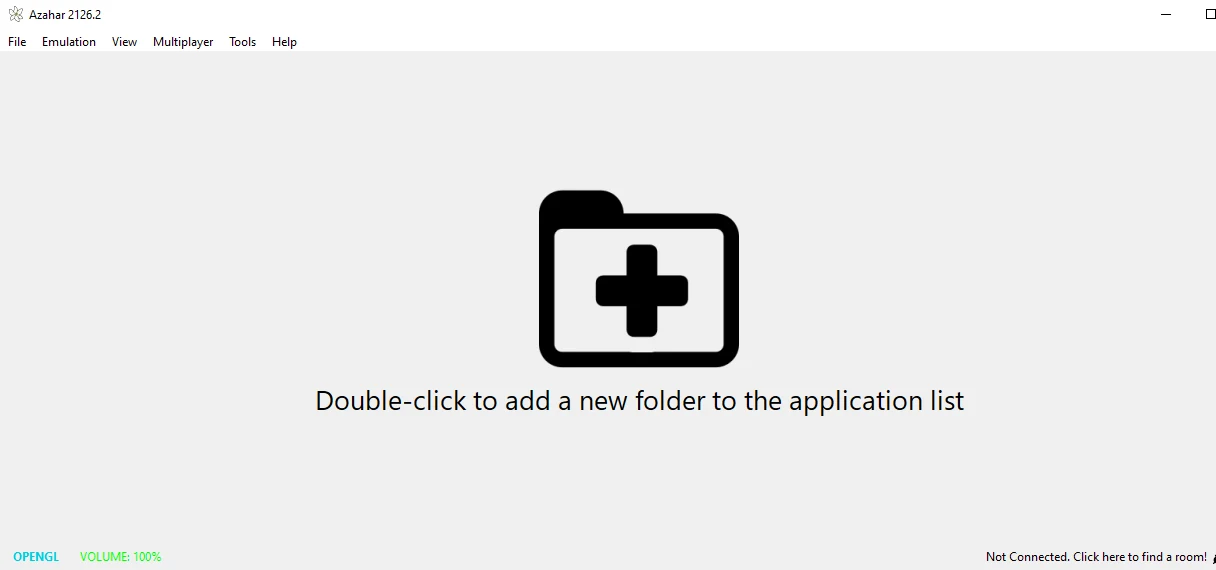
Our own screenshot: Azahar 2126.2, the Windows MSVC build from the official GitHub release, on first start. Taken November 14, 2026. No games are added.
Quick picks
- Android phone or tabletAzahar, free on Google Play
- iPhone or iPadManic EMU or Folium, App Store apps with an Azahar core
- Windows PCAzahar, installer or zip from azahar-emu.org
- MacAzahar, one build for Apple Silicon and Intel
- Linux and Steam DeckAzahar, Flatpak from Flathub
Key takeaways
- One emulator covers four platforms. Azahar runs on Android, Windows, macOS and Linux [1].
- Check the minimum before you install. A 32-bit phone or Android 9 is below it; see will my device run it.
- iPhone and iPad have no Azahar app. The App Store apps that list 3DS are from other developers; see iPhone and iPad.
- Azahar can output a game's 3D as side-by-side, red-cyan anaglyph or interlaced; see 3D output.
Which 3DS emulator for your device
| Device | Emulator | Where to get it |
|---|---|---|
| Android | Azahar | Google Play, by Azahar Emulator Developers [6] |
| iPhone, iPad | Manic EMU (free) or Folium ($2.99) | App Store [8][9] |
| Windows | Azahar | azahar-emu.org or GitHub [2][5] |
| Mac | Azahar | azahar-emu.org or GitHub [2][5] |
| Linux, Steam Deck | Azahar | Flathub, or the AppImage [4][7] |
Last checked : App Store prices, US storefront, not seen from a US connection; Azahar 2126.2 is the latest stable release.
Azahar 2126.2 came out on October 8, 2026 and is the latest stable version [5]. Version 2127.0 is in release-candidate testing [5].
Azahar does not include games [6]. This guide does not link to games, keys or system files.
If you used Citra or Lime3DS before: Azahar "was born as a merge between PabloMK7's Citra fork and Lime3DS" [7]. What happened to Citra explains the history and which "Citra" downloads to avoid.
Will my device run it?
The Azahar project lists this minimum [4]:
| PC (Windows, Mac, Linux) | Android | |
|---|---|---|
| System | Windows 10 (64-bit), macOS 13.4 (Ventura), or modern 64-bit Linux | Android 10 or later (64-bit) |
| Processor | x86-64 or ARM64, single-core score above 1,800 on Passmark; SSE4.2 on x86-64 | Snapdragon 835 or better |
| Graphics | OpenGL 4.3 or Vulkan 1.1 | OpenGL ES 3.2 or Vulkan 1.1 |
| Memory | 2 GB, 4 GB recommended | 2 GB, 4 GB recommended |
Windows on ARM is not supported [4]. A phone below the Android line, such as a 32-bit phone, is outside what Azahar supports [4].
Android
Install Azahar Emulator from Google Play. The publisher is "Azahar Emulator Developers", and the listing showed 1M+ downloads on November 13, 2026 [6]. The download page on azahar-emu.org links to the same listing [2].
There is also a "Vanilla" APK on the GitHub release page. The project says it "is technically superior, as it uses an alternative method of file management which is faster", but recommends Google Play "for most users" [4].
Panda3DS is another open-source 3DS emulator with an Android build. Its own page says it "is still in the early stages of development. Many games boot, many don't" [10].
iPhone and iPad
Azahar's standalone app is for Windows, macOS, Linux and Android [1]. Its RetroArch cores "include support for iOS and tvOS" [1], but RetroArch on the App Store does not list the 3DS among its systems [11]. Two App Store apps from other developers run 3DS games, and both use Azahar code:
| App | Price | Needs | 3DS core |
|---|---|---|---|
| Manic EMU | Free, with in-app purchases | iOS 15 or later | "Introduced the new Azahar core for the 3DS platform" [8] |
| Folium | $2.99, with in-app purchases | iOS 16 or later | "Updated Azahar for Cytrus" [9] |
Neither app is made by the Azahar team: Manic EMU is published by Shenzhen Aoshuang Future Technology Co., Ltd and Folium by Jarrod Norwell [8][9].
Owners on YouTube report mixed results on iPhone and iPad; see what users report.
Windows
Download Azahar from azahar-emu.org or the GitHub release page [2][5]. Release 2126.2 has Windows builds as an installer or a zip [5]. The project says: "If you are unsure of whether you want to use MSVC or MXE, use MXE" [4]. We ran the MSVC zip on Windows without installing it.
If the MSVC build stops with "MSVCP140_ATOMIC_WAIT.dll not found", install Microsoft's Visual C++ Redistributable, as the Azahar FAQ says [3].
Mac
Download the macos-universal build: the project says it "will work on all Macs" [4]. There are also separate builds for Apple Silicon (arm64) and Intel (x86_64) [4]. Azahar needs macOS 13.4 (Ventura) or later [4].
Linux and Steam Deck
The project recommends the Flatpak from Flathub, and also offers an AppImage [4]. The Flathub app is published by Azahar Emulator Developers, for x86_64 and ARM (aarch64) [7].
One Google Play reviewer wrote in October 2026 that it "Works as expected, on my Android, Steam deck, and my windows laptop too" [6].
3D output on a 3D screen
When a game renders in 3D, Azahar can send that 3D picture to a 3D screen. In the Windows app, the setting is under Emulation > Configure > Graphics > Enhancements, in the Stereoscopy group.
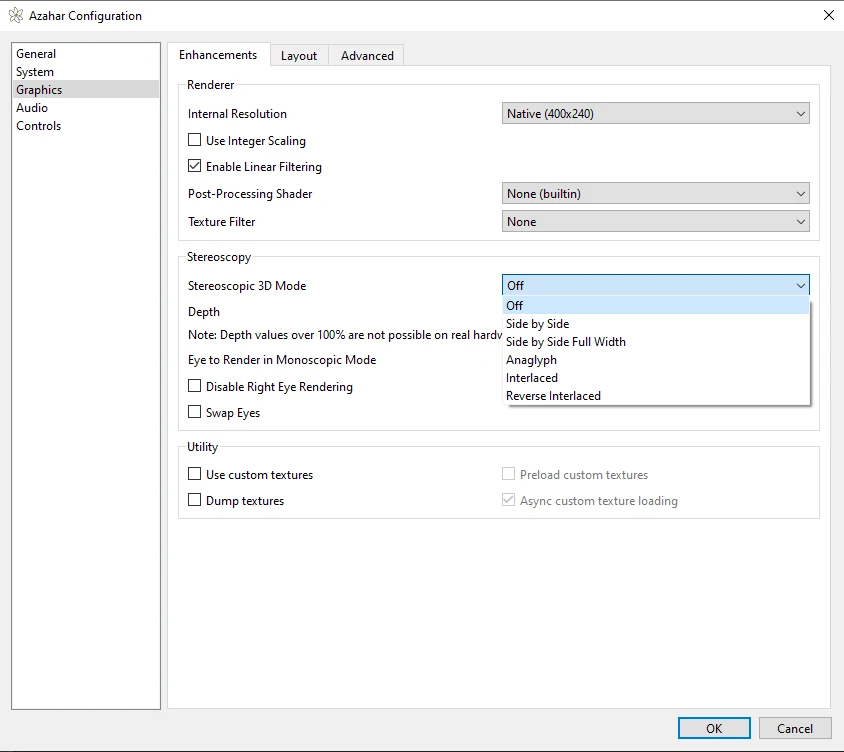
The libretro documentation for Azahar's RetroArch core describes what these modes do [13]:
- Side by Side puts the left-eye and right-eye pictures beside each other in one frame, each at half width. Side by Side Full Width keeps each eye at full width.
- Anaglyph merges both eyes into one red-cyan picture, for red-cyan glasses.
- Interlaced alternates the eyes on odd and even lines, for interlaced 3D displays. Reverse Interlaced swaps which eye is on which line.
- Depth sets how strong the 3D effect is [13]. A note in the window says that depth values over 100% are not possible on real hardware.
The RetroArch version of Azahar has its own list of modes, including Cardboard VR [13]. See 3D on a 3D screen.
What users report
These are comments under YouTube videos about 3DS emulators; months are approximate. We have not tested these devices.
- iPad and iPhone (Manic EMU): in January 2026 one viewer wrote: "Does the emulator lag? (Lags on my iPad Air 5th gen) and does it lag on IPhone 16?" The video's creator replied "Yes"; a later reply said "Not unplayable though". In September 2026 another viewer wrote: "Iphone 15 pro here, it works!" (comment, comment)
- 32-bit Android phone: in April 2026 a Galaxy A13 owner wrote: "I've tried Citra and Azahar, but neither of them is compatible with my phone". A second person replied: "I have the same problem". (comment)
- Laptop, app not responding: in March 2026 one viewer said Azahar and other new emulators were "not responding in my laptop", and a second had "the same issue when i open azahar after download". The first later fixed it: "I updated my integrated graphics card (Ryzen) even though I have an Nvidia Card that's up to date." (comment)
Frequently asked questions
Is Azahar free?
Yes. The Google Play listing calls it "a free and open-source high level 3DS emulator" [6].
Is Citra still the best 3DS emulator?
No. Its developers dropped support for Citra in March 2024 [12]. Azahar is the project that carries it on [1]. See what happened to Citra.
Is there a 3DS emulator for iPhone?
Yes, from other developers: Manic EMU and Folium on the App Store use Azahar code [8][9]. Azahar itself has no standalone iPhone app [1].
Does Azahar come with games?
No. The Play listing says it "does not include pre-installed games" [6].
Sources (13)
- Azahar Emulator, home page. https://azahar-emu.org/ (opened 2026-11-13)
- Azahar Emulator, download page. https://azahar-emu.org/pages/download/ (opened 2026-11-13)
- Azahar Emulator, FAQ. https://azahar-emu.org/pages/faq/ (opened 2026-11-13)
- Azahar, GitHub repository README: minimum requirements, Android builds, Mac builds, Linux. https://github.com/azahar-emu/azahar (opened 2026-11-13)
- Azahar, GitHub releases: 2126.2 (October 8, 2026) and 2127.0 Release Candidate 3. https://github.com/azahar-emu/azahar/releases (opened 2026-11-13)
- Google Play, "Azahar Emulator", Azahar Emulator Developers. https://play.google.com/store/apps/details?id=io.github.lime3ds.android (opened 2026-11-13)
- Flathub, "Azahar". https://flathub.org/en/apps/org.azahar_emu.Azahar (opened 2026-11-13)
- App Store (US), "Manic EMU - Game Emulator". https://apps.apple.com/us/app/manic-emu-game-emulator/id6743335790 (opened 2026-11-13)
- App Store (US), "Folium". https://apps.apple.com/us/app/folium/id6498623389 (opened 2026-11-13)
- Panda3DS, GitHub README. https://github.com/wheremyfoodat/Panda3DS (opened 2026-11-13)
- App Store (US), "RetroArch". https://apps.apple.com/us/app/retroarch/id6499539433 (opened 2026-11-13)
- Wikipedia, "Citra (emulator)". https://en.wikipedia.org/wiki/Citra_(emulator) (opened 2026-11-13)
- Libretro Docs, "Azahar – Nintendo 3DS core for RetroArch". https://docs.libretro.com/library/azahar/ (opened 2026-11-13)