How to Use Azahar: Setup, Games, Cheats and Artic Tools
How we researched this: written by Owl3D from published sources, all 8 listed at the end.
Short answer
Download Azahar from its official site or GitHub, start it, and double-click the empty list to add the folder that holds your games. Azahar plays games you dumped from your own 3DS, in decrypted form, and homebrew. It does not play encrypted files [3]. Set your keys in Emulation > Configure... > Controls. Cheats are a tab in the game's Properties window: right-click the game in the list and choose Properties [6]. With Luma3DS on your 3DS, Artic Setup Tool copies your console's system files into Azahar, and Artic Base plays a game straight from the console [4][5].
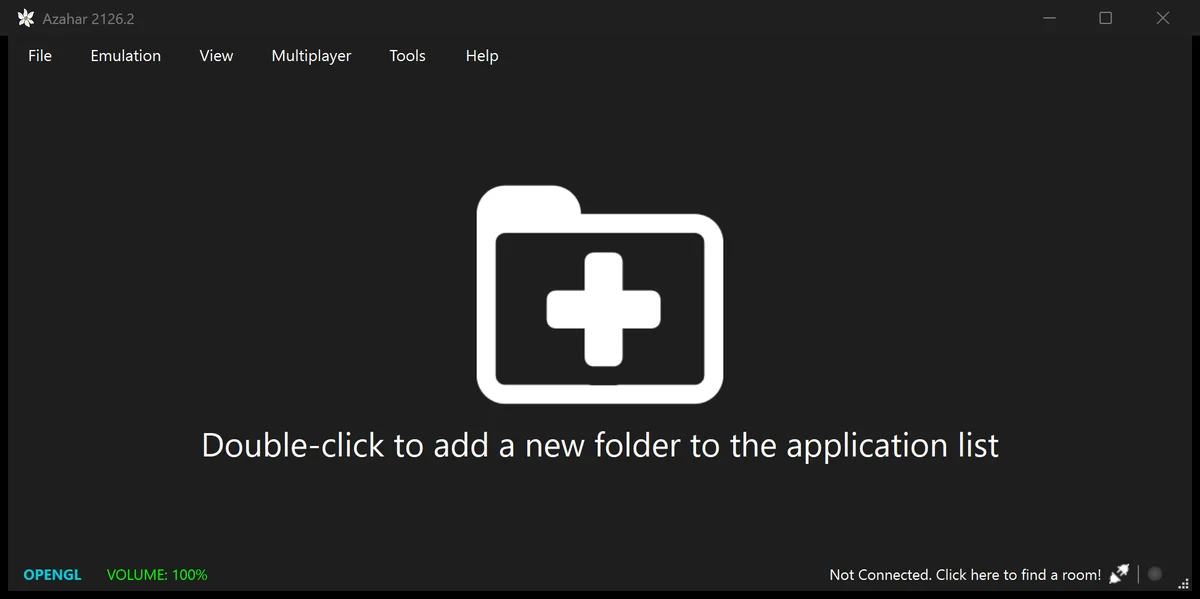
Azahar 2126.2 on Windows, first start, before any game was added. Screenshot: Owl3D, November 14, 2026.
Key takeaways
- Get Azahar only from azahar-emu.org or github.com/azahar-emu; see install.
- Double-click the empty list and pick your games folder; see add your games.
- Azahar needs decrypted .3ds, .cci, .cia or .cxi files, or .3dsx homebrew. Encrypted dumps do not load; see file types.
- Cheats sit in the game's Properties > Cheats tab, not in a menu; see cheats.
- Artic Setup Tool and Artic Base need a 3DS with Luma3DS; see the Artic tools.
Install Azahar
On November 14, 2026 the latest release was 2126.2. It "primarily addresses a reported security advisory", and the developers say "Users are advised to update as soon as is convenient." [1]
| Platform | What to get [2] |
|---|---|
| Windows 10 (64-bit) or later | The installer or the zip. If you are not sure between MSVC and MXE, the project says "use MXE." |
| macOS 13.4 or later | The macos-universal build from the GitHub releases (works on all Macs) |
| Linux | Flathub (recommended), or the AppImage |
| Android 10 or later | Google Play, which the project recommends for most users, or the Vanilla APK from the GitHub releases |
Last checked : the Azahar GitHub release and README.
Your PC needs a graphics card with OpenGL 4.3 or Vulkan 1.1 and at least 2 GB of RAM (4 GB recommended). Windows on ARM is not supported [2]. On Android you need a Snapdragon 835 or better [2]. Where the old Citra went, and which download sites to avoid, is in our Citra guide.
On first start Azahar shows an empty list and the status bar reads OPENGL and VOLUME: 100%. On Windows it keeps its settings, saves and system files in %APPDATA%\Azahar. To keep everything next to the program instead, create a folder named user beside azahar.exe before the first start [6].
Add your games
- Add your games folder. Double-click the empty list and pick the folder that holds your games. Azahar lists the games in it.
- Or load one file. Use File > Load File... to start one game without adding a folder.
- Install CIA files. A .cia file is an installable title. Use File > Install CIA... for it.
- Start a game. Double-click it in the list.
Azahar loads these files [3]:
- decrypted .3ds or .cci (cartridge dumps)
- decrypted .cia (installable titles)
- decrypted .cxi (CXI/NCCH files)
- .3dsx (homebrew)
"Azahar does not support encrypted files." [3] If a dump will not load, check that it is decrypted.
Azahar plays "personal game backups you have legally obtained from your own console. You must have a 3DS for this" [3]. The project does not give a dumping guide [3], and this page does not link to games, keys or system files. If you do not want to dump at all, Artic Base plays a game from your 3DS directly, cartridge or digital [4].
Set your controls
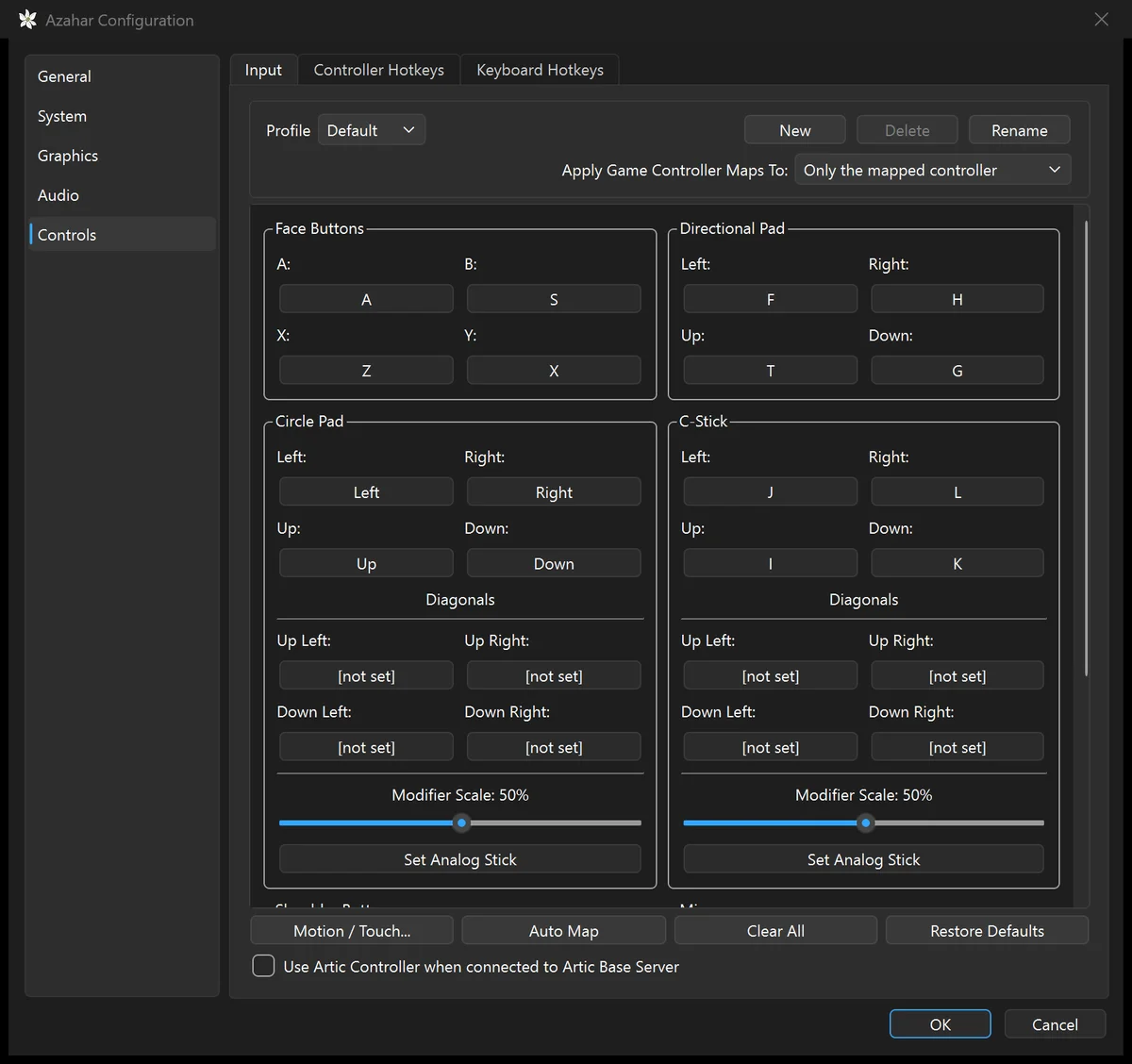
Open Emulation > Configure... > Controls > Input. The default keyboard map is:
| 3DS | Key |
|---|---|
| A, B, X, Y | A, S, Z, X |
| D-pad | T, F, G, H |
| Circle Pad | Arrow keys |
| C-Stick | I, J, K, L |
Click a button and press the key or gamepad button you want [6]. Restore Defaults puts the map above back. Shortcuts are on the Controller Hotkeys and Keyboard Hotkeys tabs.
Pick a screen layout
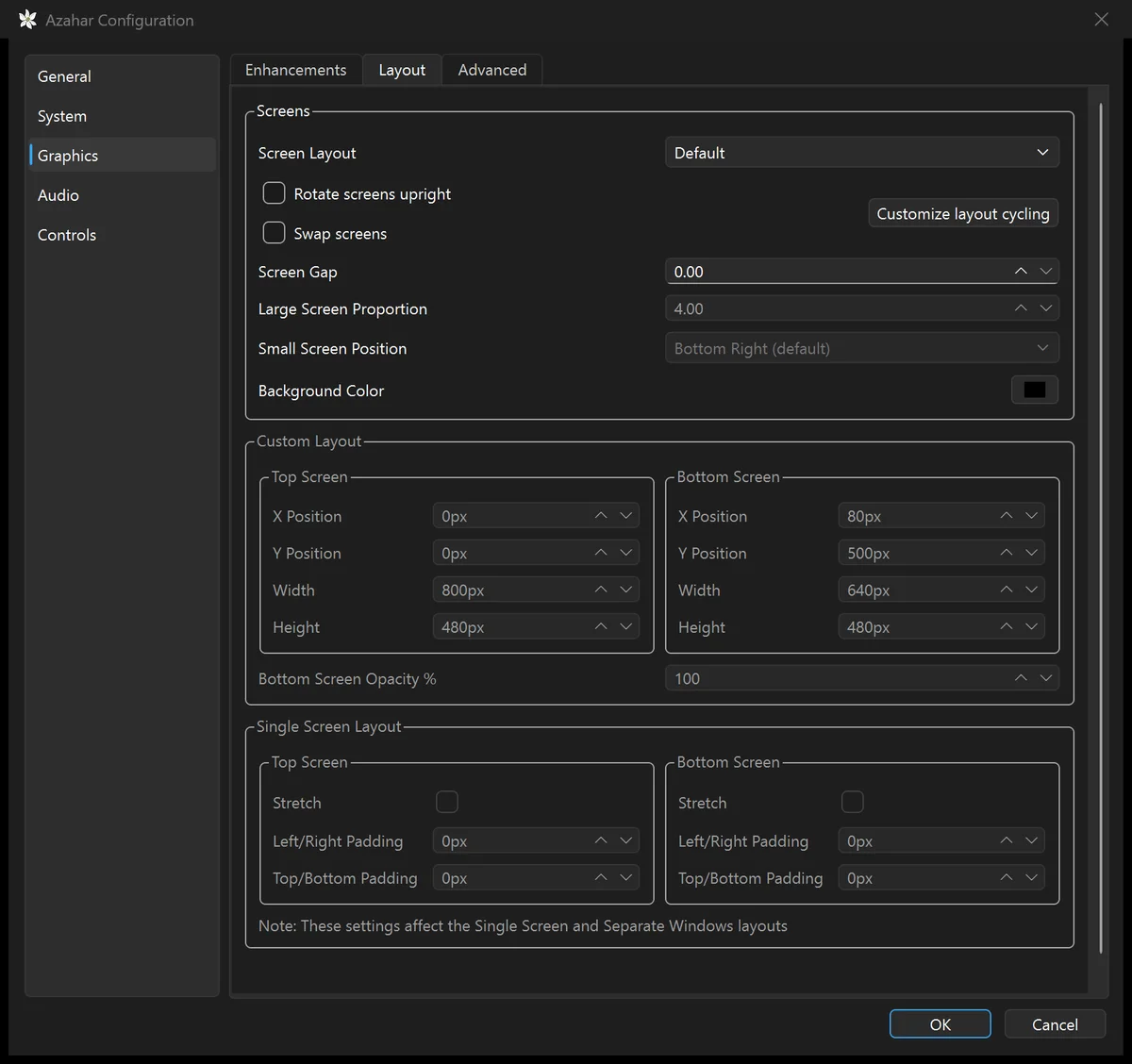
The 3DS has two screens. Graphics > Layout sets how Azahar places them. The choices are Default, Single Screen, Large Screen, Side by Side, Separate Windows, Hybrid Screen and Custom Layout [6]. Try a few and keep the one you like.
For a sharper picture, raise Internal Resolution on the Graphics > Enhancements tab. The default is Native (400x240).
Turn on cheats
Azahar has no Cheats menu. Cheats are a tab in each game's Properties window [6]:
- Open Properties. Right-click the game in the list and choose Properties. While a game runs, Emulation > Configure Current Application... opens the same window.
- Open the Cheats tab. Tick the cheats you want under Available Cheats, or use Add Cheat to type in a new code.
Azahar keeps each game's cheats in a text file named after the game's 16-digit title ID, in the cheats folder of its user folder (File > Open Azahar Folder) [6]. The codes use the Gateway format [6]:
- a line
[Cheat name]starts a cheat; - a line
*citra_enabledunder it turns the cheat on; - each code line is two groups of eight hexadecimal digits, such as
12345678 9ABCDEF0.
Use your 3DS: Artic Setup Tool and Artic Base
Both tools run on your own 3DS, and Azahar connects to them by the IP address the console shows. Your 3DS needs a recent version of Luma3DS [4][5].
Artic Setup Tool copies your console's system files and its unique data into Azahar [5]. You cannot download these files anywhere legal: they "are copyrighted and not allowed to be shared" [7]. The tool needs Luma3DS v13.3.1 or newer [5].
- Install it on the 3DS. Install the tool's .cia or .3dsx and start it.
- Start the server. Press A. The 3DS shows its IP address.
- Connect from Azahar. Choose File > Set Up System Files... and type the IP address.
Artic Base is "a tool for broadcasting games from your 3DS to a compatible emulator" [4]. You play a game from your 3DS in Azahar, with no dump. Loading is 2 to 5 times slower, "depending on how much data is needed by the game" [4]. It needs Luma3DS v13.1.1 or newer [4].
- Start Artic Base on the 3DS. Install and run it, press A, then pick the game from the HOME Menu.
- Connect from Azahar. Choose File > Connect to Artic Base..., then type the IP address the 3DS shows.
- Use the 3DS as the controller (optional). Tick "Use Artic Controller when connected to Artic Base Server" in Controls > Input.
Play in 3D
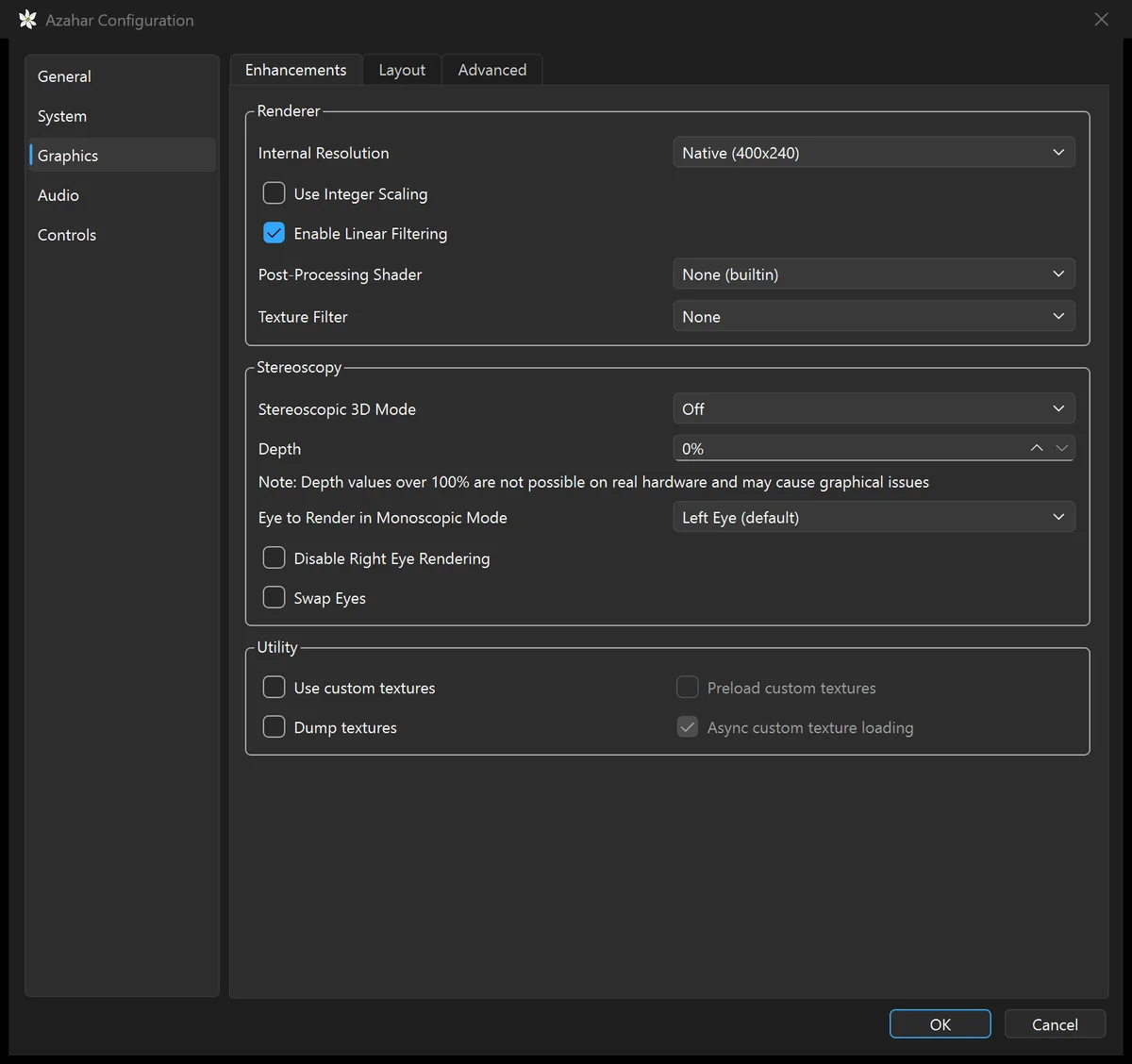
Azahar can show 3DS games in stereoscopic 3D. In Emulation > Configure... > Graphics > Enhancements, set Stereoscopic 3D Mode and raise Depth [6]. The modes are Off, Side by Side, Side by Side Full Width, Anaglyph, Interlaced and Reverse Interlaced [6]. Azahar itself warns that depth over 100% is "not possible on real hardware and may cause graphical issues".
Frequently asked questions
Is Azahar the same as Citra?
Azahar is the project that "continues the legacy of Citra" [2]. Note that "Azahar does not support encrypted files." [3] The history is in our Citra guide.
Why is Configure Current Application greyed out?
It only works while a game runs. To open a game's Properties without starting it, right-click the game in the list and choose Properties [6].
Does Azahar work on iPhone?
Not as its own app: Azahar is a standalone application for Windows, macOS, Linux and Android. Its libretro cores, for RetroArch and similar frontends, include support for iOS and tvOS [8].
Sources (8)
- Azahar, GitHub release 2126.2. https://github.com/azahar-emu/azahar/releases/latest (opened 2026-11-14)
- Azahar, GitHub repository README, downloads and minimum requirements. https://github.com/azahar-emu/azahar (opened 2026-11-14)
- Azahar wiki, "Dumping Games". https://github.com/azahar-emu/azahar/wiki/Dumping-Games (opened 2026-11-14)
- Azahar, "ArticBaseServer" README. https://github.com/azahar-emu/ArticBaseServer (opened 2026-11-14)
- Azahar, "ArticSetupTool" README. https://github.com/azahar-emu/ArticSetupTool (opened 2026-11-14)
- Azahar source code, master branch: configure_per_game.cpp, game_list.cpp, configure_cheats.ui, configure_input.cpp, cheats.cpp, gateway_cheat.cpp, configure_enhancements.ui, configure_layout.ui, file_util.cpp. https://github.com/azahar-emu/azahar (read 2026-11-14)
- Azahar wiki, "Dumping System Files". https://github.com/azahar-emu/azahar/wiki/Dumping-System-Files (opened 2026-11-14)
- Azahar Emulator, home page. https://azahar-emu.org/ (opened 2026-11-14)